
CrystalDiskInfo 9.9.4 reads a drive's last warnings
Version 9.9.4
Summary
CrystalDiskInfo 9.9.4 turns a drive's own counters into plain numbers: temperature, hours powered on, bytes written and the life left before failure.
Recommend- Name
- CrystalDiskInfo
- Version
- 9.9.4
- Pricing
- Free
- Open source
- Proprietary
- Operating system
- Windows
- Updated
- 2026-11-14 23:00
CrystalDiskInfo 9.9.4 is a free tool that reads the self-monitoring data every drive keeps for itself and turns dozens of vendor counters into lines a person can use: current temperature, hours powered on, total bytes written, how much life is left. Version 9.9.4 shipped on 3 November and still targets Windows only, from XP through 11 on the desktop and Server 2003 through 2025 on the server side.
The verdict on health uses three words: good, caution and bad. The first can be ignored; the other two mean it is time to copy things off.
Read the status line first, then decide whether to panic
Open the program and the top of the window offers one sentence of conclusion, coloured blue for good, yellow for caution, red for bad. That sentence comes from a weighted reading of several key attributes in the self-test table, not from arithmetic anyone does by hand. The vendor wrote a page about what to do once the state turns yellow or red, and the short version runs like this.
Caution means abnormal counters have appeared: reallocated sectors or pending sectors are climbing. The drive still works, yet its data should be moving elsewhere. Bad means the firmware itself has decided the end is near, so long reads and writes should stop and the important files should come out first. The judgement ignores brand and price; it follows only what the drive reports about itself.
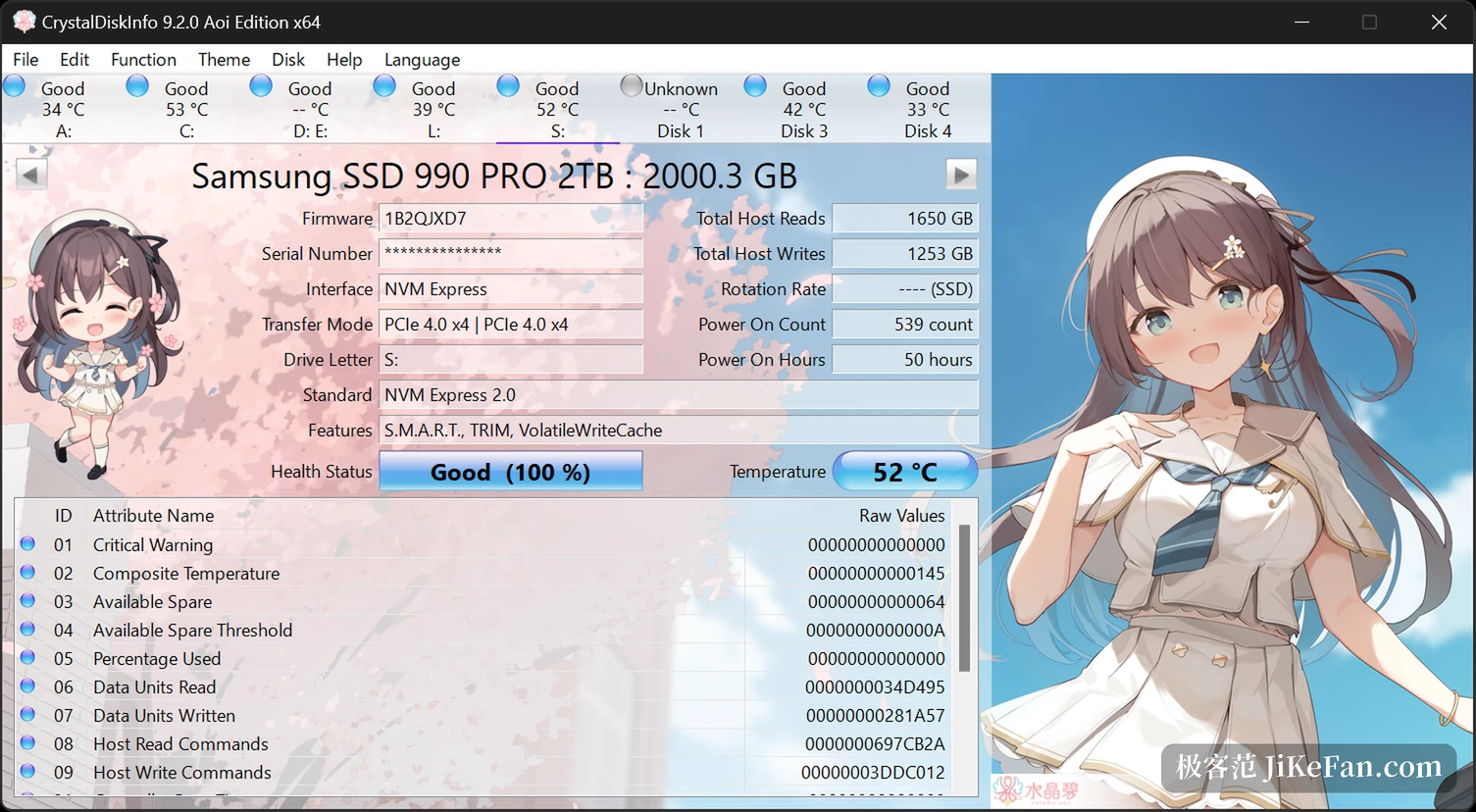
Hours powered on and temperature cannot be hidden on a used drive
Buying second-hand, the fear is a drive whose numbers were edited. Hours powered on and power cycle count are accumulated in firmware, which is far harder to touch than a sticker; a drive sold as six months old that shows twenty thousand hours can go back on the table. The temperature column earns its place too. Mechanical drives that run above fifty degrees for months lose lifespan noticeably, and solid-state drives slow themselves down once they get hot.
Thresholds can be set, with a pop-up when one is crossed, and the program can sit in the tray, start with the system and take no room at all. On a summer afternoon, when a laptop stays hot through the palm rest, a number beats a guess made by hand.
On a solid-state drive, watch writes and remaining life
Mechanical drives are judged by bad sectors, solid-state drives by writes. The tool reads the total write rating the vendor publishes, divides by what has already been written and returns a percentage; some models also expose remaining life and wear levelling. That settles whether an old drive should retire: thirty percent of the rating left means office work continues happily, while single digits argue for demoting it to a scratch disk.
One caveat: NVMe drives need Windows 10 or Server 2016 and newer, since older systems see only SATA devices. Some USB enclosures and RAID cards report nothing unless the program runs as administrator, which takes a single right-click.
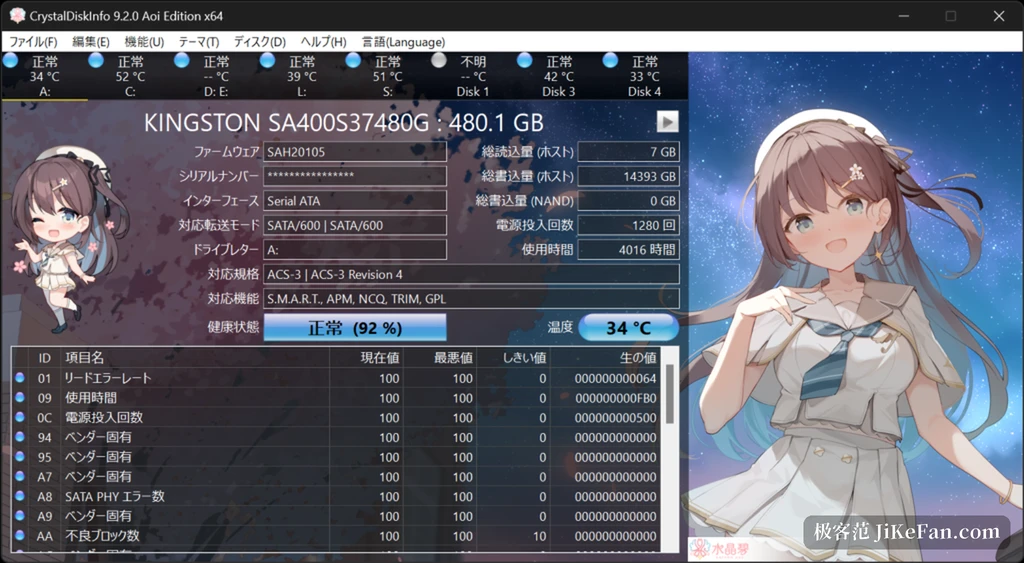
Alerts, exports and a change of skin
When something really goes wrong the program can speak up: mail out a message on a state change or a temperature crossing, and the newest mail feature wants a reasonably current runtime, so check the version before installing. It can also just beep, or do nothing and watch quietly. The attribute table exports whole, and that record is worth far more than a verbal description when a machine goes in for repair.
CrystalDiskInfo ships with several themes, a blue-white default, a dark one and a few aimed at anime fans; switching does not touch the readings. The portable build unpacks and runs, writes nothing to the registry, and can live on a USB stick for checking drives on other machines.
What it does not do
CrystalDiskInfo does not repair bad sectors, recover lost data or add years to a dying drive. Its value lies in turning the question of how long a drive has left from guesswork into numbers, which leaves time to move things before files stop opening. A glance during installation costs nothing next to a four-figure recovery bill.