
BaoCut hands back a video you can still edit
Summary
BaoCut 3.19.1 is a video agent tool for macOS and Windows that keeps transcript, subtitles, translation and cuts on one timeline, so the result stays editable.
Recommend- Name
- BaoCut
- Version
- 3.19.1
- Pricing
- Free
- Open source
- Proprietary
- Operating system
- WindowsmacOS
- Website
- https://baocut.com
- Updated
- 2026-11-14 23:00
BaoCut is a video agent tool for macOS and Windows that hangs transcription, subtitles, translation, dubbing and cutting on a single timeline. Hand it footage or a one-line brief, and what comes back is not a finished render but a video you can keep editing.
Handing back one file jams at the second pass
The usual delivery for generated video is to describe what you want, wait for a render, and take a file. If a sentence came out mistranslated, or one shot needs replacing, the only route is to describe it again and wait again, and none of the earlier waiting or tuning survives. BaoCut changes the deliverable: transcript, translation, subtitle layer, chapters, dubbing and motion graphics all belong to one video object, while the MP4, the subtitle file, the audio and the transcript are what it exports.
One timeline, two kinds of operator
The interface splits into three parts: preview on the left, tracks along the bottom, subtitle list on the right. Source and translation each take a track, share one style, can swap order and can carry a third language on top. Open any sentence and edit it directly, and the change touches that sentence alone.
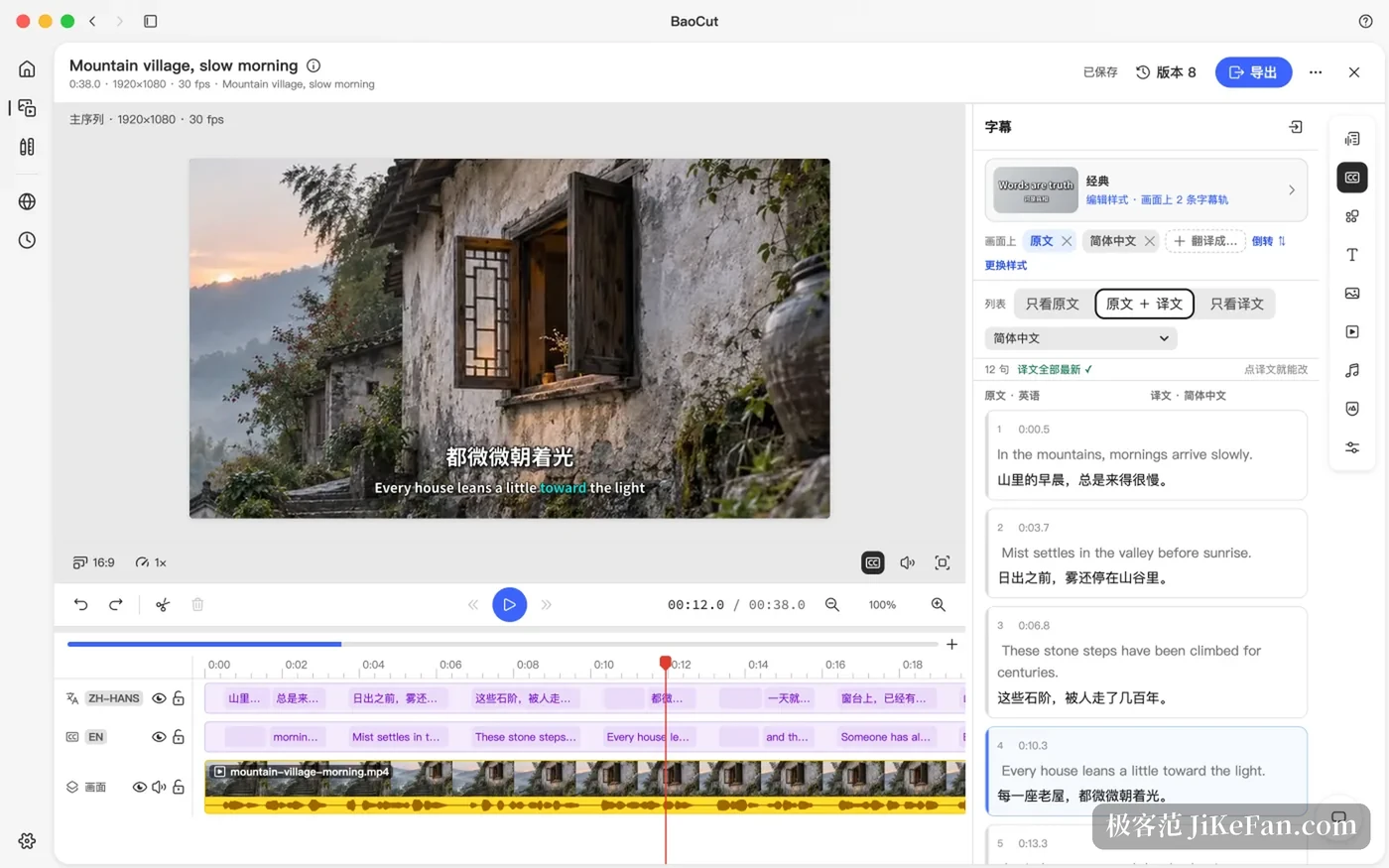
What stands out is that people and the agent share this editor. You drag a clip while the agent rewrites subtitles, and both sides commit through the same commands, transactions and undo stack, so you can take over at any moment and roll back what it just did. When the agent finishes it returns a receipt of changes, saying what it altered, what it checked and where you should listen for yourself. Room to act, access mode and budget are all fixed in advance, and destructive steps ask first.
How transcription, translation and dubbing each work
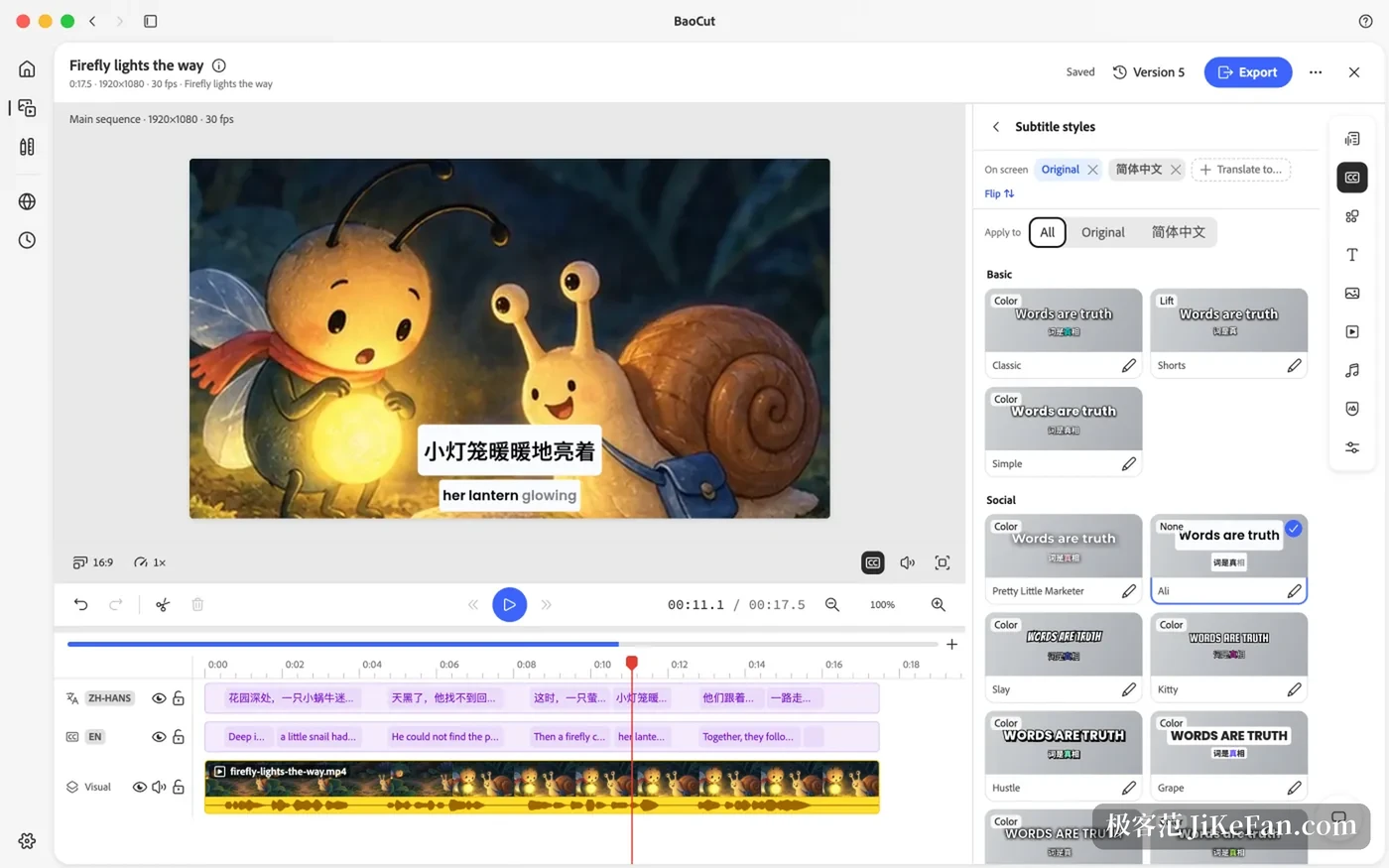
Transcription runs locally or points at an online service, timestamps land on the word, and segments enter the timeline while the job is still running. Local models include Whisper large-v3 and v3-turbo, Qwen3-ASR, and MOSS with speaker separation. Subtitles can show the source, the translation or both, and every video keeps its own subtitle style.
Dubbing across languages runs a longer chain. It translates sentence by sentence, splits voice from background with HTDemucs, synthesises a new track in a cloned or preset voice, and drops that straight onto the timeline. The cutting pass for spoken footage strips filler words, long pauses, retakes and half-finished restarts while the original media stays whole. Chapters, summaries, titles and short clips come out of the timestamped transcript, so each statement can be traced back to a moment.
Starting from one sentence, with no footage at all
Twenty-four templates ship with it, covering explainers, product launches, trailers, tutorials, data stories and text animation. The agent plans a script, synthesises the narration in one go, then arranges visuals and pacing around that narration. When motion graphics are wanted it writes self-contained HTML compositions, lower thirds, large figures, callouts and short brand animations among them, bakes them into frames and lays them on the timeline. Static images can come from a local Qwen-Image model or from an online service.
Pick your own models, keep your own ledger
Transcription, speech synthesis, image generation and text generation sit apart from any single supplier, so local and online both work.
- Local inference
- Apple silicon goes through MLX and Core ML. Windows goes through whisper.cpp and candle, in processor, CUDA and Vulkan builds.
- Online access
- OpenAI, Anthropic, Google, ElevenLabs, DeepSeek, Moonshot, Qwen, Zhipu, MiniMax and Volcano Engine among others, plus any interface that speaks the OpenAI shape.
- Usage
- A ledger records the spend of each task, and local models on one machine can be shared with other devices on the local network.
- Version
- 3.19.1 Build 96, released on 11 November 2026.
Requirements and boundaries
Agent features need an agent engine signed in first. Claude Code and Codex CLI have been verified end to end, GitHub Copilot CLI, Pi and OpenCode come built in, and Gemini CLI, Cursor Agent, Grok and Kimi Code arrive through the Agent Client Protocol on a shared driver. Media analysis, transcription and export also need FFmpeg and ffprobe somewhere on the system, and the package ships neither.
Platforms are macOS 14 or later on Apple silicon and Windows x64, with no Linux package. BaoCut publishes its source under a community licence that allows commercial content work and internal company use, while commercialising BaoCut itself or its code needs written permission, so it does not count as open source in the OSI sense. The .baocut package carries the video out together with every version of the documents and assets, and another machine opens it and keeps editing, which matters for shared work and long projects.
It suits people who want to keep hold of their footage and their models and refuse to be tied to a single render. If what you want is to fix one subtitle without rebuilding the whole piece, this design is aimed at you.