
KingZip opens forty-odd archive formats for free
Summary
KingZip 2.1 is a free Windows archiver with no ads that opens more than forty formats, repairs broken archives and recovers ZipCrypto passwords.
Recommend- Name
- KingZip
- Version
- 2.1
- Pricing
- Free
- Open source
- Open source
- Operating system
- Windows
- Updated
- 2026-11-14 23:00
KingZip is a free archive tool for Windows that individuals, companies and schools can all use, with no advertising, no bundled extras and no subscription. It gathers extraction, packing, repair and password recovery into one window, and the interface speaks twenty languages, Simplified Chinese among them.
Receiving files goes wrong at the unpacking
Most archives that land on a desk are untidy. Someone packed one with a tool from fifteen years ago, someone copied an archive across from another system with non-Latin file names, someone else sent a download split into parts. The unpacking built into Windows handles the two or three most common cases and leaves the rest to a dedicated tool.
Split volumes are the trap people overlook. A large download often arrives in pieces, and one missing piece leaves the whole set unreadable; the tool also has to work out which piece to start from. KingZip knows five kinds of split archive, ZIP, RAR, 7Z, EGG and ALZ, and opening any one part makes it read the whole set through, with no manual joining first.
KingZip earns its place on the edges. Extraction covers more than forty formats: beyond ZIP, 7Z, RAR, TAR, GZ, BZ2 and XZ there are the Zstandard, LZ4, LZ5, Brotli and LZMA algorithms, the two East Asian packing formats ALZ and EGG, formats left over from the DOS era such as ARJ and LZH, and installer formats such as CPIO, RPM, DEB, MSI and NSIS.
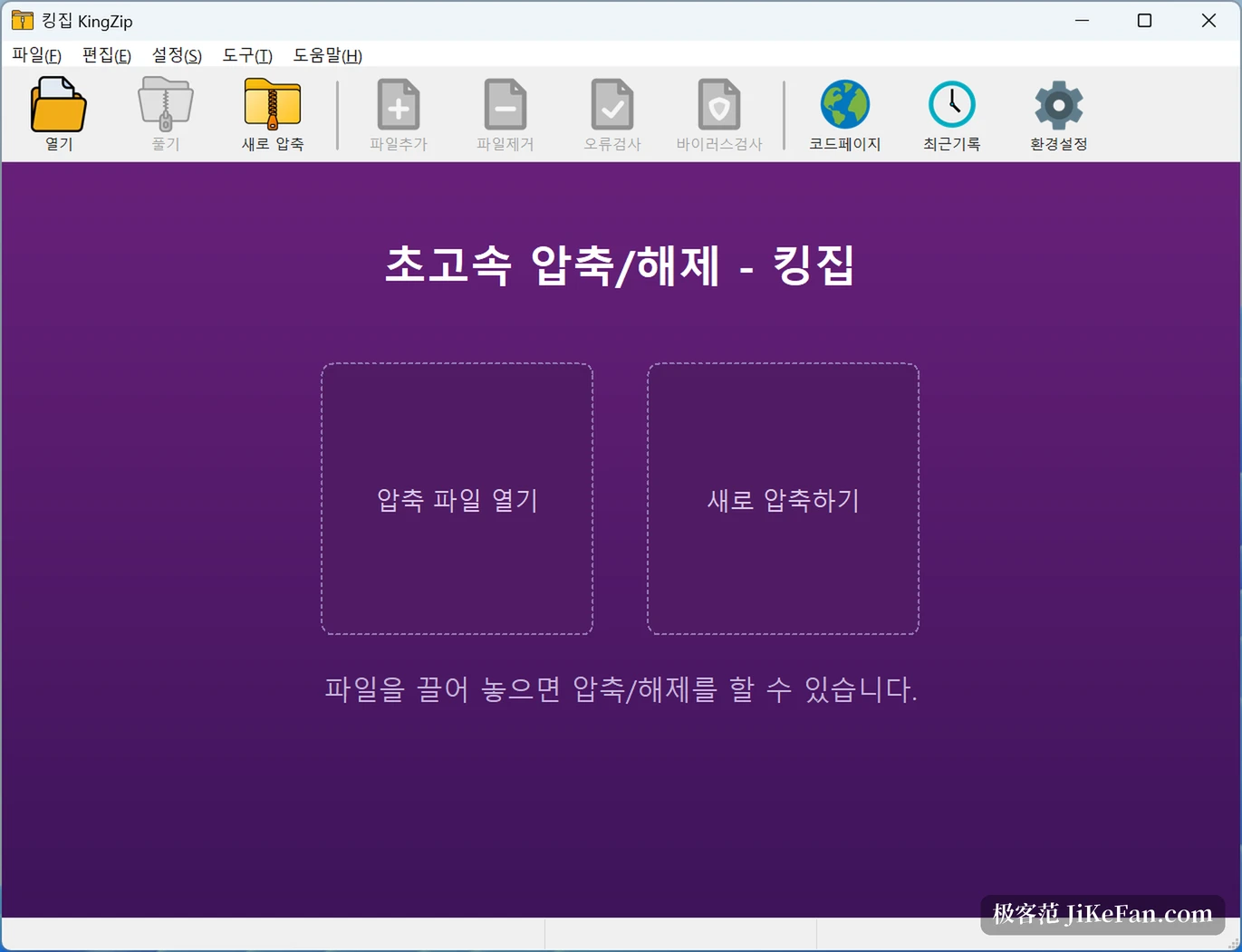
Disc images come in too: ISO, IMG, CAB, WIM and UDF all appear on the list, virtual machine disks VHD, VMDK, VDI and QCOW open as well, along with the E01 image used in forensics, Apple's DMG and the ASAR bundle inside an Electron application. Packing covers ZIP, 7Z, TAR with its family of variants, GZ, BZ2, XZ, ZSTD, WIM and self-extracting executables. Inside ZIP you may pick from five compression methods, Deflate, Deflate64, LZMA, BZip2 and PPMd; encrypted EGG offers ZipCrypto, AES-128, AES-256, LEA-128 and LEA-256; and split volumes span ZIP, RAR, 7Z, EGG and ALZ.
A forgotten password, a broken archive: two jobs with tools of their own
Password recovery is the part most archive tools refuse to touch. KingZip brute-forces it, with a claimed seven hundred and fifty million tries per second, a search space you bound yourself by digits, letters and special characters, and a recovered password you can copy straight into the extraction. One limit deserves saying early: it works only on ZipCrypto-protected ZIP, EGG and ALZ, and packages encrypted with AES fall outside it, which the project's own page states plainly.
Repair takes another route. It pulls whatever is still readable out of a structurally broken ZIP, including Zip64 packages past 4GB, and salvages as much as it can from partly damaged files instead of simply reporting a failed extraction. An error check comes alongside for verifying integrity, while virus scanning borrows the security facilities Windows already has.
Speed from parallel cores, not from anything mystical
Compression and extraction both run across cores, solid compression and split volumes are supported, and memory and processor use stay restrained, so a modest machine will not seize up over one large package. The published measurement is a 12GB ZIP compressed in 4.5 seconds and the same package extracted in 3.5 seconds on an Intel Core i7-13700K. Those figures move with hardware and with what is inside the archive, but the direction shows indexing and scheduling were sorted out first. The real difference shows on weaker machines: single-threaded extraction often freezes the window for tens of seconds, while scheduling across cores with block-by-block work at least keeps it answering.
A few details that earn their place day to day
Nothing important is buried deep in a menu; the frequent jobs sit within reach.
- Preview without unpacking
- Images inside an archive open directly, with no need to extract the whole thing first.
- Right-click menu
- Smart extraction and extract-here inside the file manager, and packing whatever you have selected.
- Password manager
- Frequently used passwords are saved and filled in for you, which saves typing them over and over.
- Encoding and display
- Character sets are detected automatically, Unicode file names written on Mac and Linux come out right, and the interface stays sharp on a high-density screen.
Version and fit
The current version is 2.1, released on 9 November 2026, for 64-bit Windows 10 and 11, and Windows 11 on ARM installs from the same package. It is free software: individuals, companies, schools and public bodies need no licence purchase, the project says plainly that no paid tier is planned, and nothing comes bundled.
The limits are just as clear. It is Windows only, with no macOS or Linux build; password recovery covers the ZipCrypto path alone, so an AES package still leaves you guessing; and of those forty-odd formats only ZIP, 7Z, the TAR family, GZ, BZ2, XZ, ZSTD and WIM can actually be created, while most of the rest are extraction only.
If your archives come from everywhere, or you regularly open packages someone built a decade ago, the coverage here saves real trouble. If you only send documents back and forth in ZIP, what Windows already does is enough, and installing KingZip is mostly about having backup for those two awkward jobs.