FileZilla: A Free FTP Client and Server for Windows, Linux and macOS
Summary
FileZilla is a free, open-source FTP client and server for Windows, Linux and macOS, with a graphical interface for transfers in both directions.
Recommend- Name
- FileZilla
- Version
- 3.71.1
- Pricing
- Free
- Open source
- Open source
- Website
- https://filezilla-project.org/
- Updated
- 2026-10-06 22:35
One project, two halves
FileZilla is a free, open-source FTP tool that runs on Windows, Linux and macOS. The unusual part is the scope: the same project ships the client that people use to move files and the server that serves them, so a small setup can be built from one codebase instead of two unrelated programs.
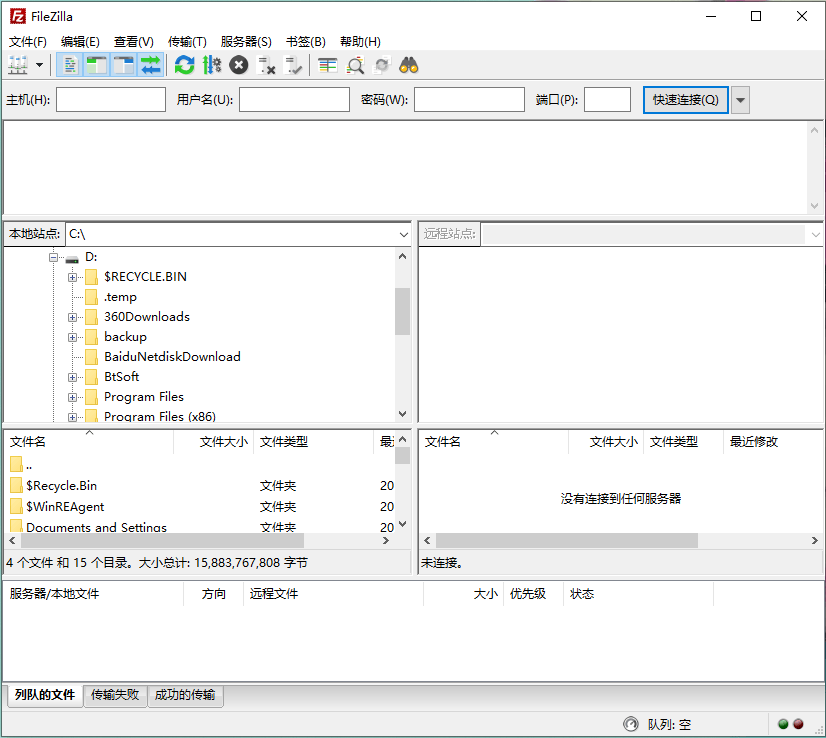
The interface is graphical rather than command-line, and the client follows the language of the operating system, with Simplified Chinese among the languages it supports. That detail matters more than it sounds: an FTP tool is usually picked up by someone who is not an administrator, and finding the menus already in their own language removes the first obstacle.
What the client does
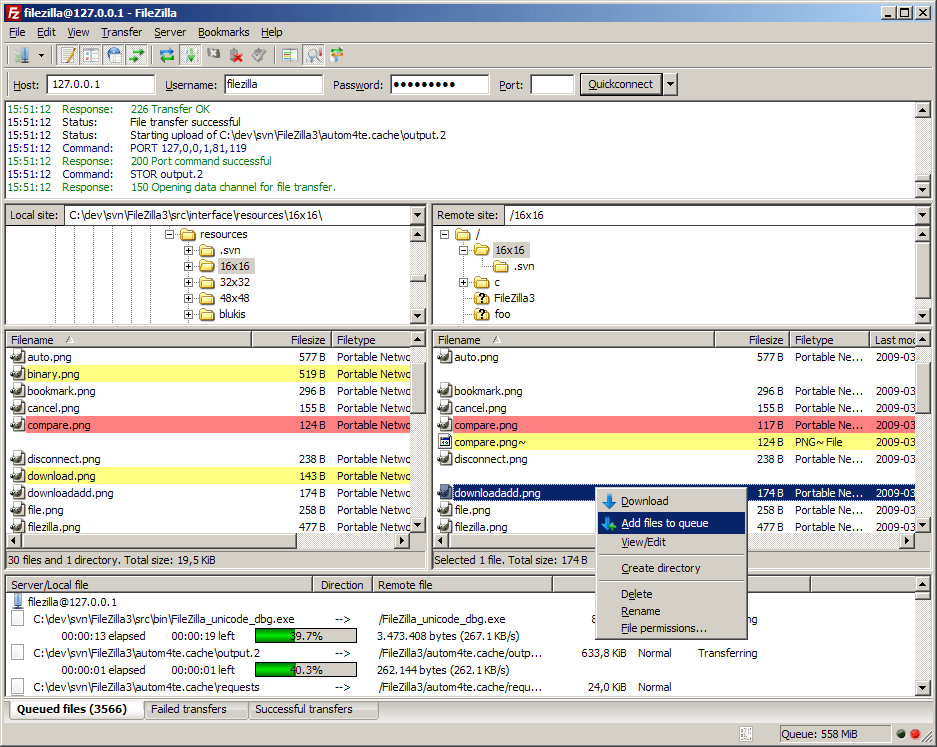
A connection can be opened quickly for one-off work, or saved as an account so a server that is used every day takes one click rather than a form. Both active and passive modes are supported, which is the part that decides whether a transfer works at all behind a firewall: passive mode is usually the answer when the client side cannot accept an incoming connection.
Files on the server can be searched without walking the tree by hand. Upload and download rates can be limited, which keeps an FTP session from consuming the whole line while someone else is working. And the protocol is not fixed to plain FTP: FTPS and SFTP are supported as well, so the same client covers an unencrypted legacy server and an encrypted one.
The server side
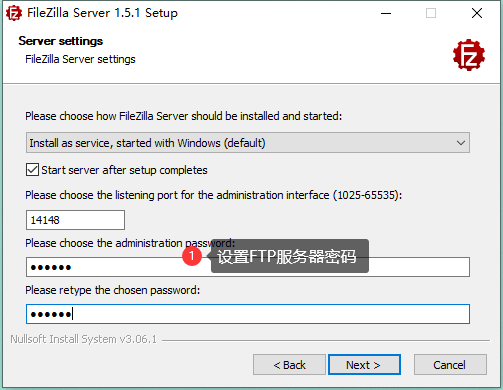
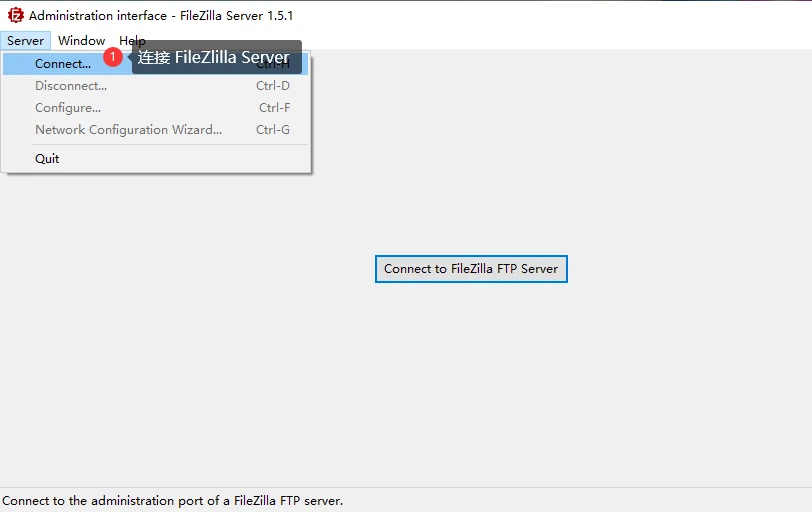
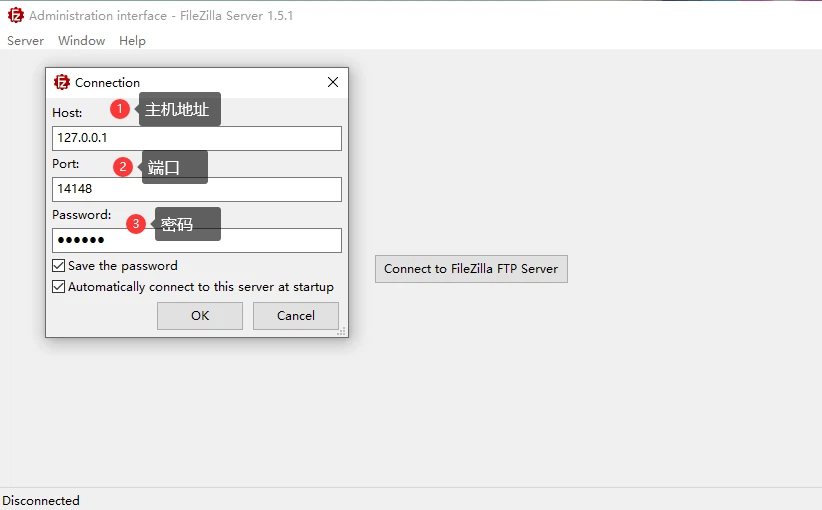
Installing FileZilla Server asks for a password, and this is the first place where people trip: that password is not the password of any FTP account. It belongs to the administration interface that manages the server, and it is needed before any user exists.
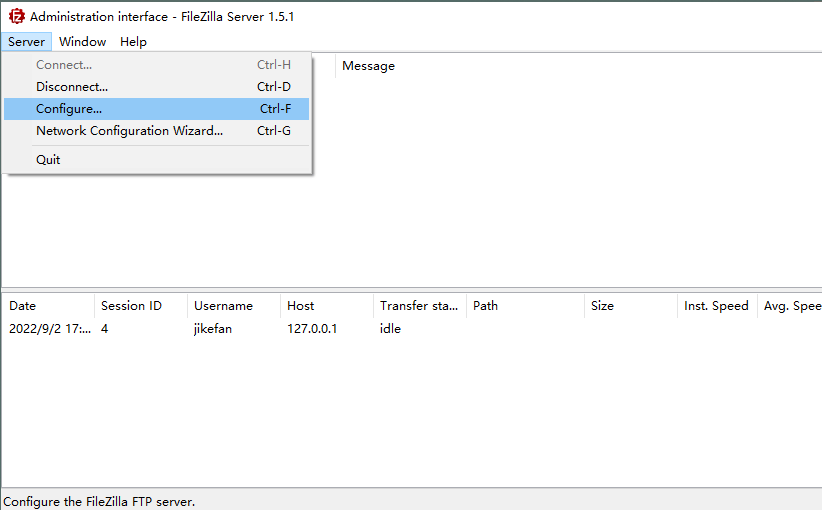
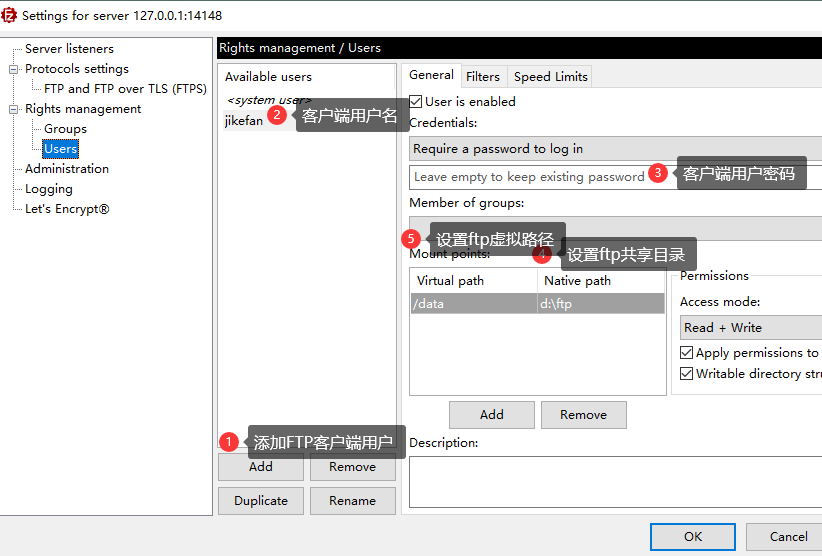
The administration interface then connects to the FTP service by host address, port and that password. From there the path into configuration is short — the server menu opens the configuration dialog, and the users page is where an FTP account gets its name, its password and the folder it may reach.
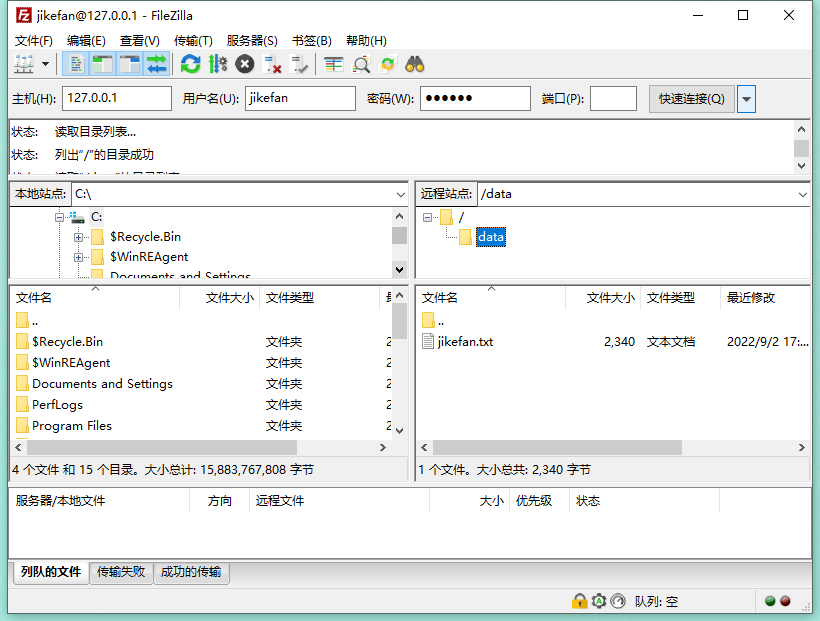
Once the account is defined, the client connects with it. One behaviour is worth knowing in advance: what the client sees is a virtual path, not the real path on the server's disk. The file you are looking at may live somewhere else entirely, and that indirection is a security measure rather than an inconvenience — it keeps the layout of the server out of sight.
Licence
FileZilla is released under the second version of the General Public License, and the source code is open. For an organisation that has to justify what it installs, both facts are checkable, which is usually what the question was really about.
Who it suits
Anyone who has to put a file on a web server ends up needing an FTP client, and FileZilla is the one that does not require a licence conversation. A small studio that also wants to serve files to a handful of people gets the server from the same project, configured through the same style of interface. And a developer who moves between an old unencrypted server and a newer one using SFTP does not have to keep two clients installed.
The tool is not a file manager for the desktop, and it does not pretend to be: it transfers files between two machines that speak FTP. Within that boundary it covers what is needed, in both directions, on all three platforms.
In daily use the two panes do most of the work: local files on one side, remote files on the other, and a queue underneath that shows what is still moving. That layout has survived because it matches the task — you compare two folders and decide what belongs where.
Nothing about the setup requires an account with a vendor, and nothing expires. A configuration that works today will still work after a reinstall, which for infrastructure software is the least glamorous and most useful property it can have.