
Tautulli 2.18.1: a dashboard that answers who is watching what
Summary
Tautulli is an open-source dashboard that runs beside a home media server and turns viewing into numbers: who is watching, when, what, and on which device. Live cards show resolution, bitrate, bandwidth, subtitles and audio track, history is aggregated by user, content and hour, and notifications fire when content arrives or a playback fails. Version 2.18.1 arrived at the end of August 2026.
Recommend- Name
- Tautulli
- Version
- 2.18.1
- Pricing
- Free
- Open source
- Open source
- Operating system
- WindowsmacOSLinux
- Website
- https://tautulli.com/
- Updated
- 2026-10-06 22:08
The dashboard a home media server lacks
Anyone who runs a media server at home has wondered the same things: who is actually watching, which series gets binged, how much bandwidth the 4K stream at midnight quietly consumes. The statistics built into the server only skim the surface. This project fills in the rest — an open-source monitoring dashboard, started years ago under a different name, deployed beside the server and pointed at it. After that, who, when, what and on which device all become pages you can flip through.
Live activity, and a history that keeps score
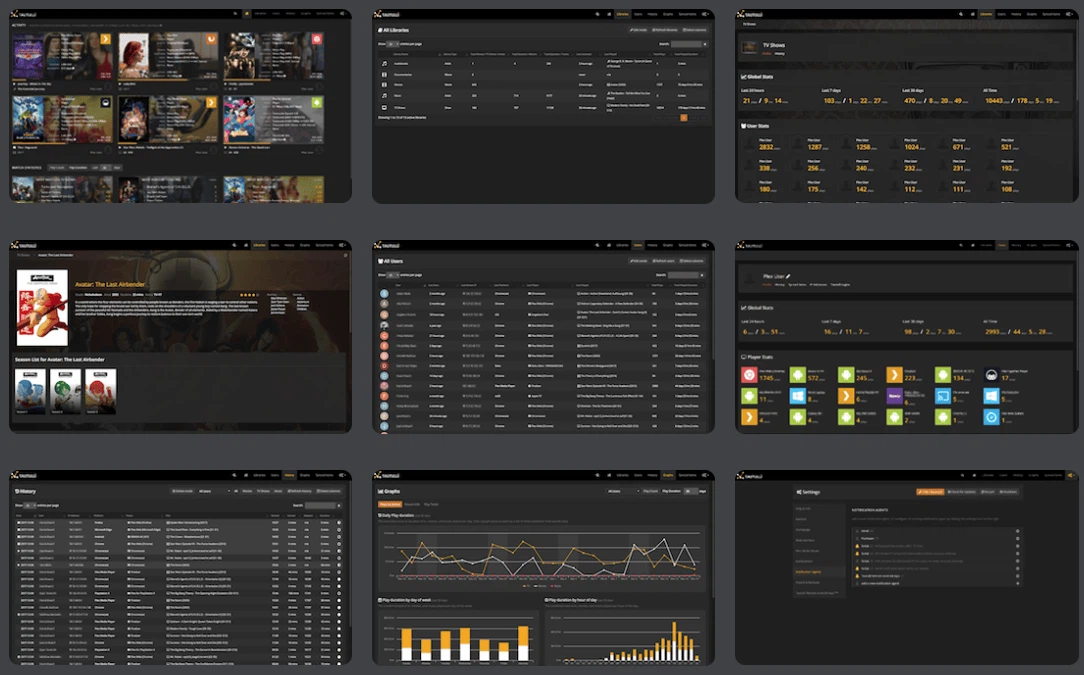
The activity card on the front page lists the sessions running right now: resolution, bitrate, bandwidth, subtitle choice, audio track. The 2.18.0 release added a badge for immersive audio to that card, which is the sort of detail only someone with a surround setup would think to add. The history section is the other half of the idea: every playback is recorded, then aggregated by user, by content and by hour, and an export turns one series' viewing records into a spreadsheet.
Notifications are the feature people end up depending on. New content arriving, a new user joining, a playback starting, a playback failing — each can raise a message, the delivery channels are numerous, and there is even a relay path for reaching remote apps that cannot be addressed directly. Once those are set up, the dashboard stops being something you check and starts being something that tells you.
Comfortable for people who self-host
The project is released under the GPLv3 on a large code host, with builds for the three desktop systems — the Apple-silicon and Intel variants shipped separately — plus Linux and a container image for the rest. Version 2.18.1 arrived at the end of August 2026, and the recent releases have concentrated on database performance and on hardening, which is exactly where a tool that watches other software should spend its effort. The API stays fully open, and a fair number of users have built their own boards on top of it.
What it is not is just as clear. It does not serve media, and it is useless without a server to watch. It keeps a database of its own, so it needs a little maintenance and a little disk, and the history grows forever unless somebody prunes it. Those are the honest costs of turning behaviour into numbers, and they are small next to the alternative of guessing.
Why the numbers are the point
A media server is a black box by default: it either plays or it does not, and everything between those two states is invisible. Watching the activity page changes the questions you can ask — whether the transcoding is happening because of a bandwidth limit or a device that cannot decode, whether the slow evenings are a network problem or a disk one, whether the person who says nothing works has been trying at all.
One evening of troubleshooting
A concrete example of what the panel buys. Somebody reports that a film stutters while everything else is fine. Instead of guessing, the activity card shows the session converting on the fly, and the bitrate next to it explains why: the file is far above what the connection can carry, and the device is not the problem. Ten minutes later the question is settled and the fix is a different copy of the film.
The history answers the questions that arrive a week later. Which account watched nothing for a month, which series was abandoned at the third episode, which hour of the evening is actually the busy one — none of these are emergencies, and all of them are the difference between running a library and maintaining one.
Two things to keep in mind
First, the project depends on what the server is willing to say, so a feature that the server itself cannot report will not appear here, and a change on the server side can break a panel that worked yesterday. Secondly, a monitoring tool collects personal information by definition: who watched what is exactly the sort of record that deserves a thought about who else can log in, and a password in front of this dashboard is not optional.
The value here is turning a black box into an instrument panel: activity you can see, preferences you can calculate, notifications you can trust. It is the sort of tool you install and forget, then open every few days without fail — for people who run their own cinema, half the pleasure is in these numbers.