
Cicada 1.9 subtitles a meeting as it happens
Summary
Cicada 1.9 listens to whatever the computer is playing, writes bilingual subtitles and assembles structured minutes, without a bot joining the call.
Recommend- Name
- Cicada
- Version
- 1.9
- Open source
- Open source
- Operating system
- macOSWindowsLinuxAndroid
- Website
- https://cicada.indaloop.app/
- Updated
- 2026-11-14 23:00
A meeting held across languages is exhausting for a reason that has nothing to do with comprehension: three jobs run at once, listening, translating silently, and noting what matters. When it ends, the recording sits there and the minutes demand a second pass from the beginning. Cicada compresses the three into one motion. It listens to whatever the computer is playing, produces bilingual subtitles while people talk, and assembles a summary, the topics raised, the conclusions and the follow-up items into a structured note. The project was open sourced on 1 November under Apache-2.0, covers Mac, Windows, Linux and Android, and has passed two thousand stars in its repository.
The home page leads with a promise in three parts: every call, every stream, no language barrier. The subtitle adds the rest: understand it, speak back, remember everything.
It does not push a bot into the meeting
Most AI meeting tools arrive by sending a robot into the room, so the participant list grows by one and everybody knows something is listening. Cicada takes another route: it reads the audio the system is already playing, and the other side never learns it exists. Anything the computer can make audible is fair game, video calls, voice channels, live streams and podcasts alike. The advantage is not only invisibility; it also removes the host's errand of granting a bot permission, and the client the other side happens to use stops mattering.
Subtitles fall out on the way; the minutes are the point
Within seconds of someone speaking, it identifies the language and renders it into the language of your system. On screen a subtitle bar appears only while a voice is active, and it fades when the pointer approaches so nothing blocks the view. The work sits in the record window beside it: while listening it drafts a summary, the key points of each topic, the conclusions and the open items, and it can even draw a fishbone diagram to pull a problem apart, with names and terms collected in their own table.
Click a conclusion or an item and the view jumps back to the sentence that produced it. This is not a static document but a record that can be traced along its own threads.
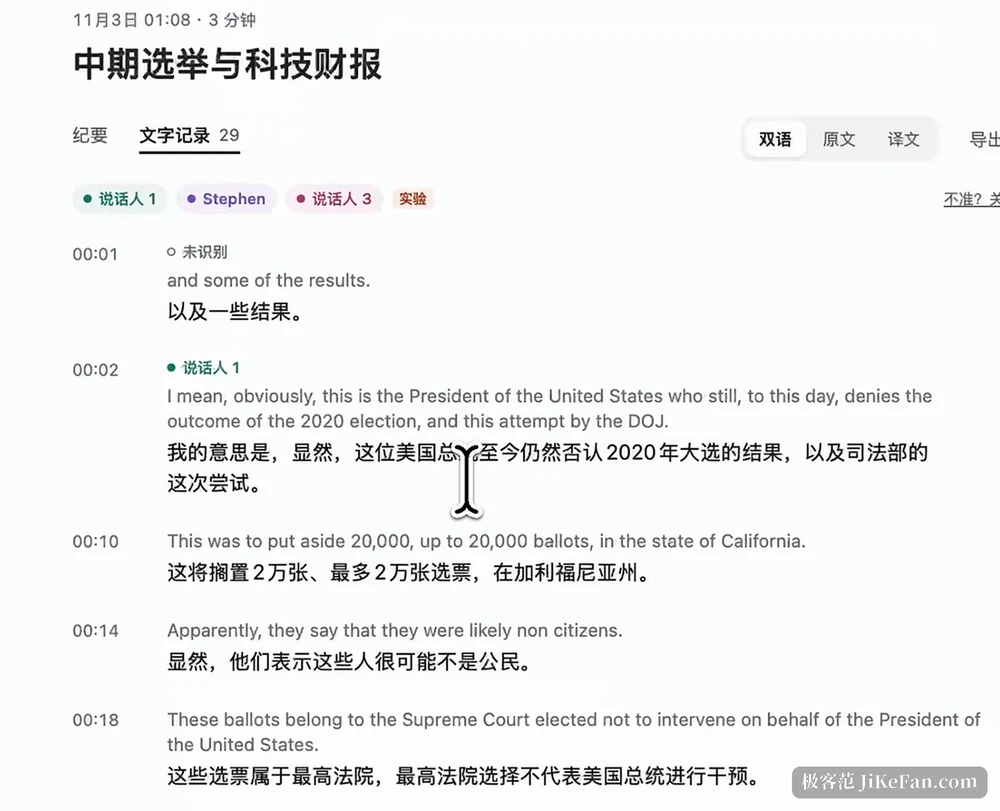
Wrong words can be put right
The old complaint about speech recognition is proper nouns: a person, a company, a product code, misheard once and wrong for the rest of the call. With an AI service connected, a misheard name is corrected on the spot; a rare one prompts a single question, and after a yes it sticks. Common terms can be pasted into a glossary beforehand. After the meeting a fallback remains: choosing to fix a sentence replaces every instance of the same wrong word across the whole session, and a mistake in that can be undone.
Search respects the same problem. A shortcut opens keyword search and homophones that were misrecognised come back with it, which matters more than the search itself, since the wrong word is exactly the sentence being looked for.
When it is your turn, the others hear the translation
Interpreting is the other half. Hold the talk key and speak; the rest of the meeting hears the translated voice, with no subtitle to read and nothing to type. On a Mac a hands-free mode goes further: speak while listening, the meeting audio ducks automatically, a one-second pause sends the translation out, and the level comes back afterwards. Voices can be natural, or cloned from half a minute of recording. The price is that this one reaches into the system microphone, and the Mac build installs a virtual audio driver to take it over, so that step asks for administrator approval while everything else keeps working.
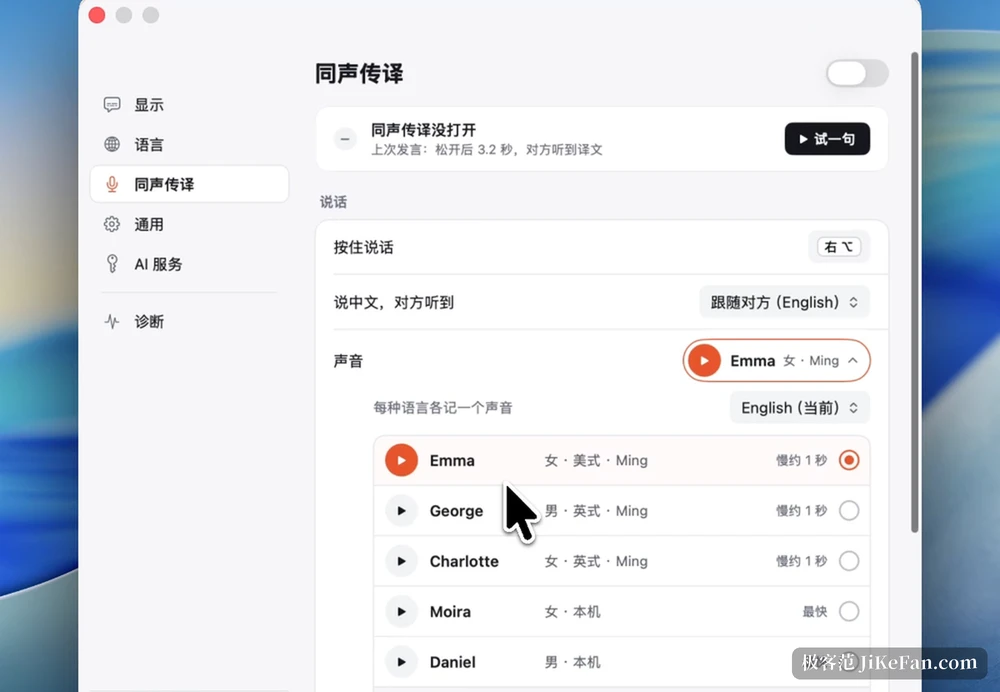
Version 1.9 added four small things
Released on 12 November, 1.9 changes no architecture; the four adjustments all lean toward smoother use. Replaying a recording highlights the whole line, and clicking any sentence starts playback from there. The minutes can name their own model, including another compatible service with its address and key filled in separately. Interpreting gained the hands-free mode described above. And once a meeting ends, the minutes and the bilingual transcript save as Markdown into a folder you choose, which a vault of notes can pick up directly. Two days earlier, 1.8 repaired a side effect of correction running backwards: editing a Chinese word no longer rewrites letters inside English words nearby.
Where the line between local and cloud falls
That line deserves clarity, because it decides whether the tool suits sensitive rooms. On a Mac with Apple silicon, recording and recognition both happen on the machine, sound never leaves it and only finished text goes out; with no key entered at all, live subtitles, translation, the meeting record and interpreting still work. On Intel Macs, Windows, Linux and Android, recognition runs in the cloud and needs a key for an AI service of your own, with audio sent out in segments, while recordings and notes stay on the machine.
The Mac build also blocks screen capture, so neither screen sharing nor a screenshot catches the record window, and a demonstration can release that by hand.
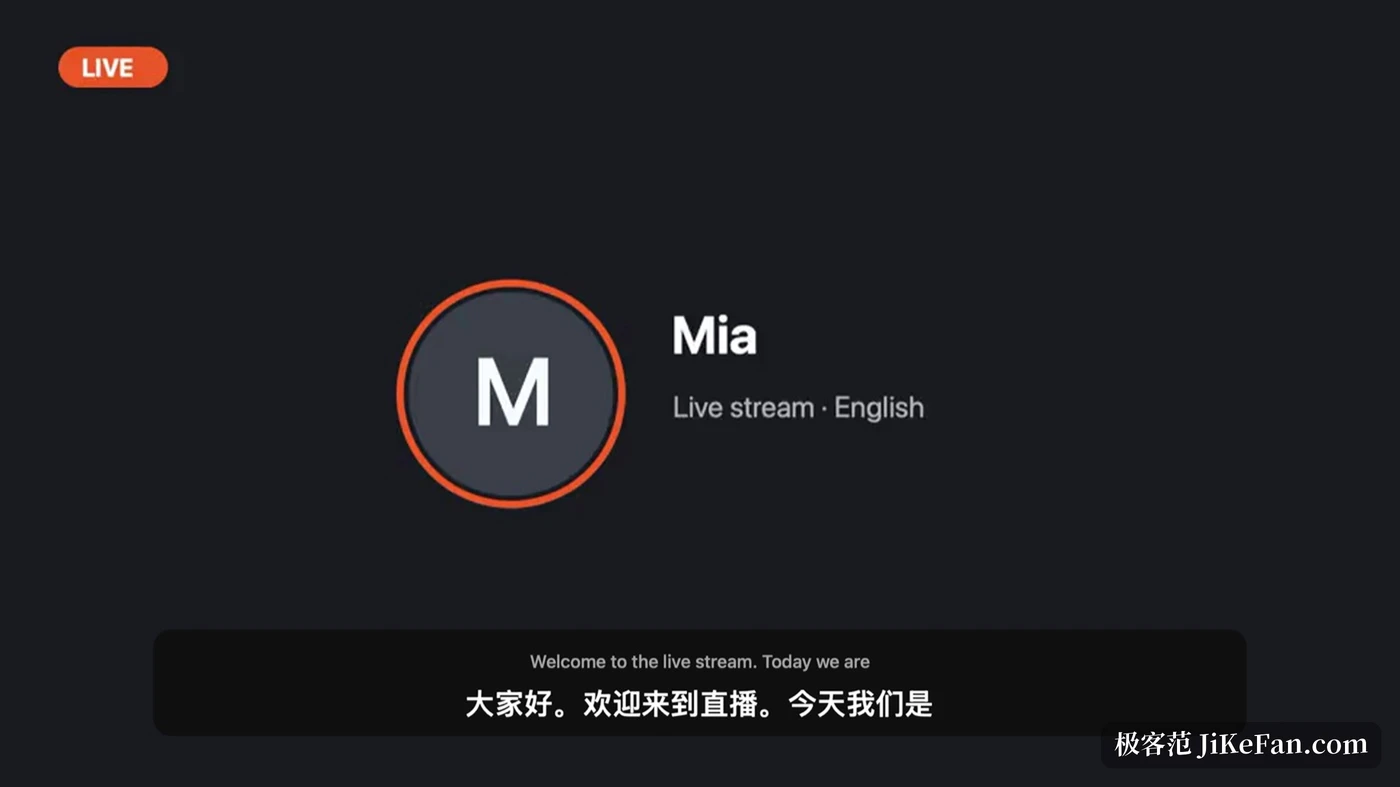
A few limits worth knowing first
On phones the system forbids capturing calls or the audio of other meeting applications, so only speakerphone and a face-to-face mode work; that is a platform rule rather than a missing feature. Feature parity is uneven as well: the Mac build is the fullest, and elsewhere the minutes and interpreting depend on a cloud key. On cost, the Apple silicon Mac does the basic work with no key at all, while live minutes and voice cloning are metered, with an hour of meeting landing between a few tenths and about one unit of currency. The project also iterates quickly, several releases inside two weeks, so the feature table can move at any time.
Where it belongs
Put Cicada 1.9 back in place and the problem it solves is not translating a sentence but holding a meeting across languages without listening to it twice afterwards. Subtitles, minutes, the bilingual transcript and interpreting all draw on one audio input, which means they share one context, and that is exactly where it beats four separate tools bolted together. Open source, notes kept on the machine, a service of your own allowed: for a team whose meeting content cannot leave the room, those three points matter more than the length of a feature list.