
AB Download Manager splits a slow link
Summary
AB Download Manager cuts a file into segments and fetches them in parallel, then adds queues, schedules and a speed cap. Free and open source.
Recommend- Name
- AB Download Manager
- Version
- 1.11.4
- Pricing
- Free
- Open source
- Open source
- Operating system
- WindowsmacOSLinuxAndroid
- Website
- https://abdownloadmanager.com/
- Updated
- 2026-11-14 23:00
Downloading a big file in a browser is rarely painful because the line is slow. It is painful because the slowness makes no sense: the same broadband that crawls on one site doubles on another, which means the bottleneck sits in that single thin connection rather than in the cable reaching the flat. AB Download Manager 1.11.4 attacks exactly that point. It cuts a file into segments, opens several connections at once, and reassembles the pieces in order. The project is open source under Apache-2.0, one code base builds installers for Windows, macOS, Linux and Android, and the interface opens dark by default with more than twenty languages available, Simplified Chinese among them.
The site puts one line at the top: downloading has never been this easy. What follows explains it: with browser integration, download files from anywhere.
When one connection is not enough, use eight
Segmented transfers are the whole reason this category of tool exists. The approach here slices the file by byte, requests each slice separately and assembles them locally. The vendor quotes up to five times the speed, and that ceiling depends on whether the remote server throttles per connection; in practice the common case is pulling a mirror from abroad where a single connection stalls at a few hundred kilobytes per second while the line itself has room to spare.
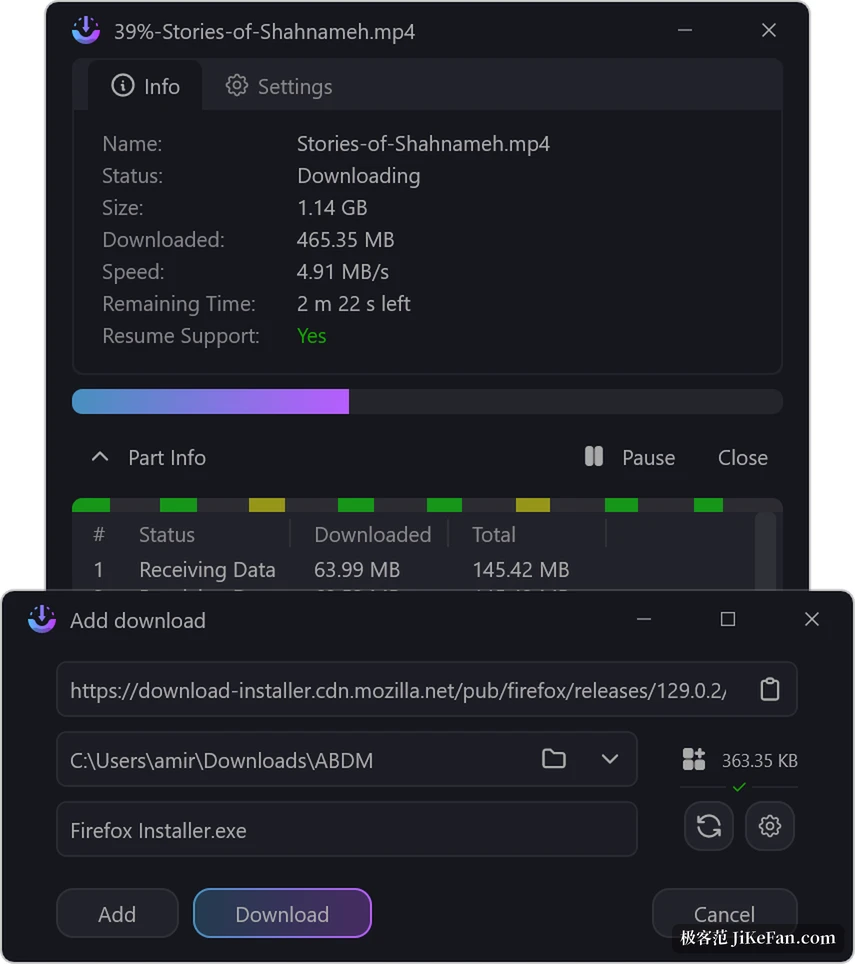
Open the detail window of any task and a progress bar sits above a row of coloured blocks: green for finished, yellow for receiving, grey for waiting. Below that comes a segment table listing index, state, bytes downloaded and total size, so the gap between segments is visible at a glance. Since 1.11.0 the minimum segment size can be changed in the settings, which is a usable retreat when a server punishes too many connections by cutting them off.
Queues and schedules handle a pile of files at once
Start fifteen downloads together and they simply fight over the same bandwidth, and none of them finishes quickly. A queue is a container that runs in order: drop a batch into one queue, set how many may run at the same time, and the rest wait their turn. Schedules attach to a queue, with a time to begin and a time to stop, so a thirty-gigabyte image can run at four in the morning while meetings happen in the daytime.
The speed limiter is the other half. Give it a total ceiling and a download cannot push a video call off the line. Version 1.11.0 added a finer switch that lowers the rate automatically once other applications are detected in use, and the tray menu toggles the cap directly. The list itself carries name, size, state, speed, time remaining and the moment a task was added, with a filter by state on the right and finished items filed away in the left sidebar.
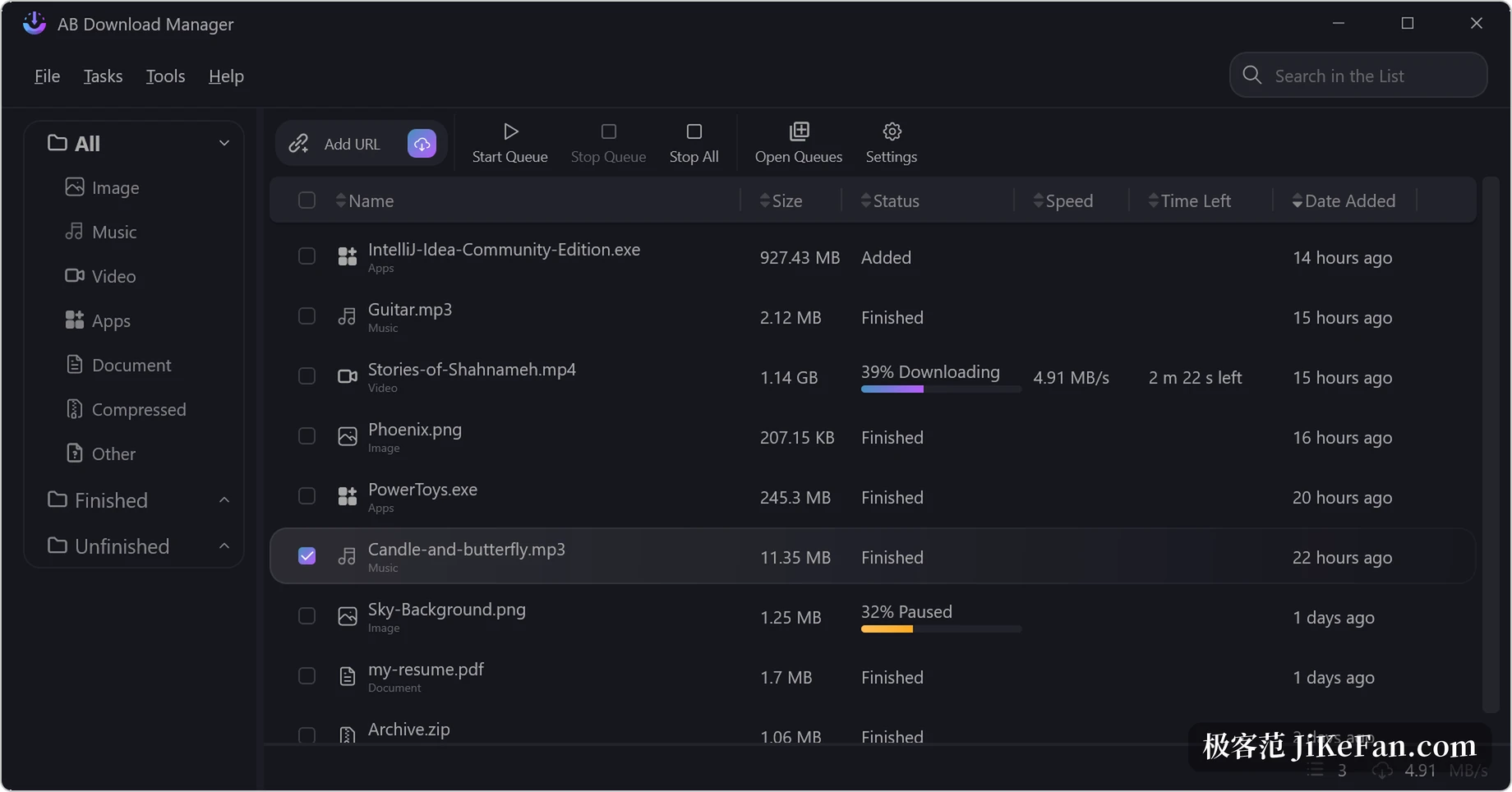
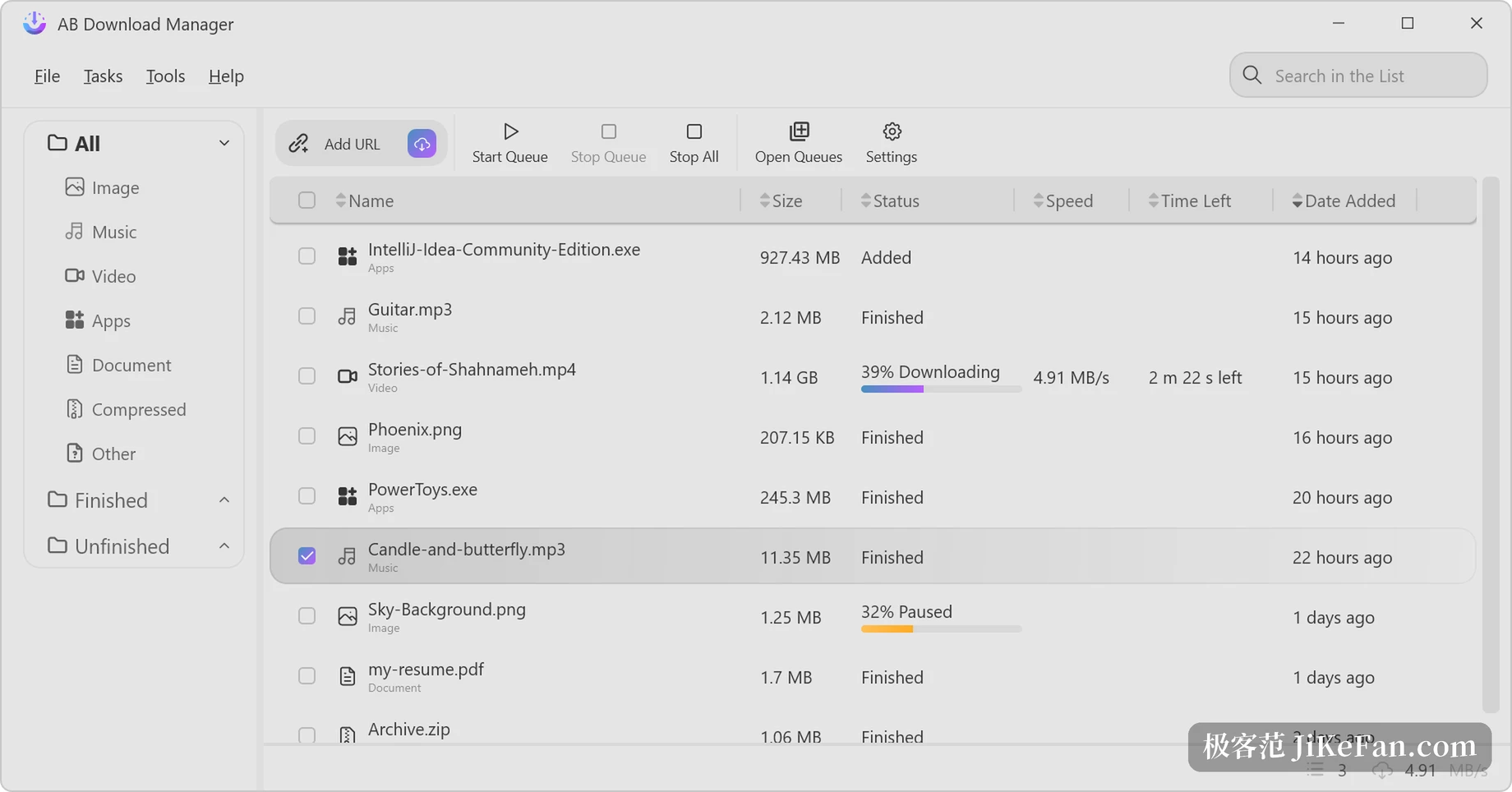
Themes can be swapped. The default dark palette is easy on the eyes at night, and the light one reads a little better in daylight; the same queue lays out identically in both, only the background, the progress bars and the text contrast change. For a tool that lives in the background for hours, whether the interface can be tolerated matters more than one extra feature when deciding to keep it.
Taking over from the browser, and a few hooks for automation
With the companion extension installed, clicking a download link on a page hands the job over directly; no copying an address and pasting it into a new-task window. The extension covers the main browsers, with builds for the Firefox and Chrome families. Since 1.10.0 it speaks native messaging, so the browser can wake the program even when it is closed, and a command-line entry arrived at the same time so scripts can submit tasks.
The 1.11.x series then added an interface guarded by a key, letting other local programs query the queue and start or stop tasks. One boundary belongs here: the integration service listens on the loopback address only, never on the network, so it cannot serve as the control end of a remote download box.
1.11.4 fixed one thing, and it was in the dark theme
Released on 3 November, 1.11.4 is a pure patch. The changes cluster around QR codes: the white rendering that made codes unscannable in the dark theme is repaired, scanning several codes in a row got faster, and translations were updated. A day earlier, 1.11.3 added a network section to the desktop settings page and fixed category icon names being written into storage by mistake; when an icon refuses to match, right-click the category and restore the defaults.
Version 1.11.2 on 31 October did more. The download list gained a save location column, hidden by default, the tray menu received start queue, stop queue and stop all, and QR codes began carrying download credentials: generate one on the desktop, scan it on a phone, and the same task continues there.
What it does not do, worth knowing early
The home ground is direct HTTP, HTTPS and FTP links. There is no built-in support for torrents or magnet links in the repository, so seeds need another client. The browser extension catches audio and video on a page, but HLS coverage stops at unencrypted streams and anything with DRM stays out of reach.
Portable mode is a practical detail: put the program on a USB stick and the configuration travels with the folder, so another machine picks up the old queue and settings on plug-in. The project began in 2024, the code sits in an open repository, and every installer has a matching checksum file beside it for anyone worried about a corrupted package.
Put AB Download Manager 1.11.4 back into an ordinary day and it does not make the network faster; it splits one throttled connection into several and gathers scattered downloads into queues. Segmented transfer, schedules, a speed cap and browser handover together cover the part of the job a browser download list cannot hold. No bundleware, no ads, no activation code, and every feature is there after installation, which for someone who only wants a few large files to arrive quietly is worth more than extra buttons.