
Ventoy 1.1.18 keeps one stick for every ISO
Version 1.1.18
Summary
Ventoy 1.1.18 is a free tool that turns one USB stick into a boot menu: copy images in, pick one at startup, and never re-burn the drive again.
Recommend- Name
- Ventoy
- Version
- 1.1.18
- Pricing
- Free
- Open source
- Open source
- Operating system
- WindowsLinux
- Website
- https://www.ventoy.net/
- Updated
- 2026-11-14 23:00
Ventoy 1.1.18 is a free, open-source tool that turns a USB stick into a boot menu for system images. Set it up once, and the drive works like any other partition: drop an ISO inside, choose it at startup, and that image runs its own installer. The client runs on Windows and Linux, images stay compressed, and their position on the disk is irrelevant.
The project sums itself up in one line: with Ventoy you no longer format the drive over and over, you just copy the file across and boot it.
Set up once, then only copy files
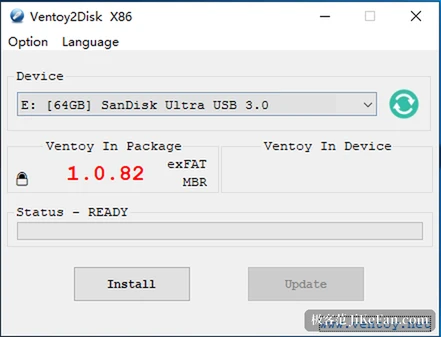
The first run writes boot code into the stick. That step empties the whole drive, so copy anything you care about somewhere else first. After it finishes the stick mounts as a normal volume. Documents and photos sit beside the images without complaint, and nobody can tell the drive was ever prepared for installing systems.
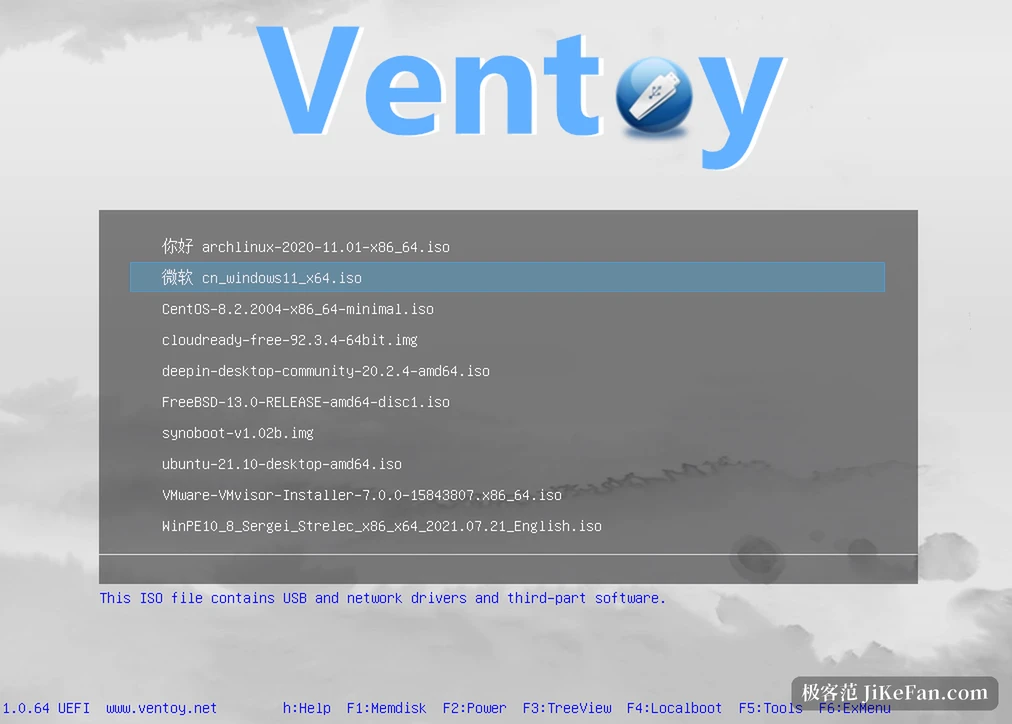
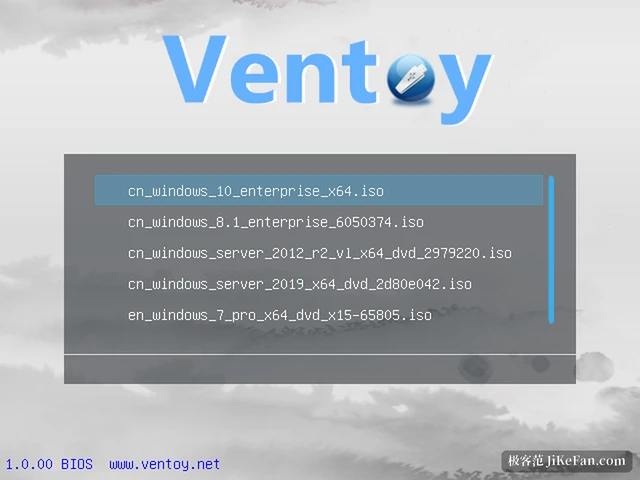
When a machine needs an operating system, copy over ISO, WIM, IMG or VHD files. Subfolders keep a growing collection tidy, and capacity alone decides how many fit. At boot the tool lists whatever it finds. Picking one entry hands control to that image and its own setup routine; nothing gets unpacked into a heap of loose files that has to be reassembled later.
Most of the 1.1.18 fixes concern failed boots
The release arrived in early October, and its changelog reads like a list of specific machines that refused to start. Some hardware stalled on a version check when Secure Boot was enabled under Windows and WinPE, and that case is repaired. A Fedora 45 beta and Grml 2026.09 each received their own fix after failing to launch. Persistent storage on Ubuntu desktops, an old complaint that came and went between releases, is settled as well.
Among the additions, experimental support for SteamOS recovery images stands out. Owners of handheld consoles can finally keep one rescue stick for both jobs, though the vendor itself labels the feature experimental, so it should not be the only plan. Custom Syslinux layouts are allowed now too, which brings a few unusual maintenance discs into the menu.
On Linux the image partition finally opens
Plug the drive into a Linux desktop and the image partition often failed to mount, leaving a terminal as the only way to look inside. Version 1.1.18 reworks the remount logic, so mainstream desktops show it as soon as the stick goes in. The device name stays identical across ports and reboots, which spares anyone writing scripts from guesswork. Duplicate drive icons in the file manager sidebar are gone as well, and CloneZilla and similar tools can now mount a partition they previously could not touch.
None of that registers if you only run Windows. For people who shuttle files between two systems all day, it removes a small but constant annoyance.
The menu can look polished or stay quiet
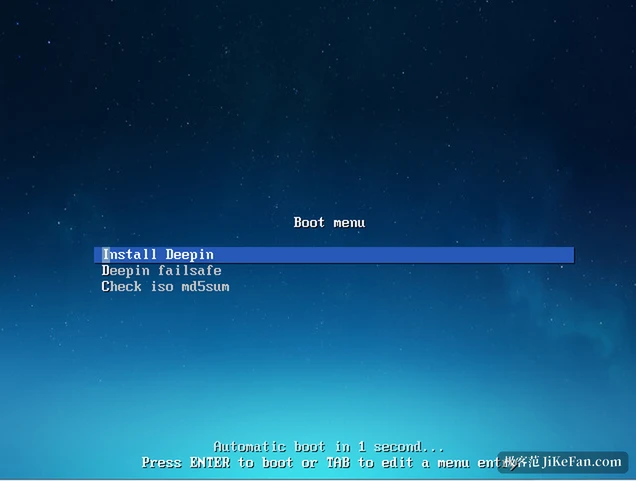
At boot the list switches between a flat view and a directory tree, and the tree wins once dozens of images pile up. Every entry accepts an alias and a line of hint text, so a stick can state which machine each image belongs to. Themes change the look, a boot password keeps strangers out of the maintenance environment, and legacy BIOS plus the various UEFI firmwares are all supported, meaning one drive serves an old laptop and a new desktop. Hardware write protection on the stick does not block booting either.
Upgrading replaces only the boot code, and the images and files survive untouched. Anyone imaging machines in bulk can drive unattended installs from scripts on both Windows and Linux, with variables expanded per machine and a graphical plugin configurator handling the settings. The vendor says more than 1,400 images have been tested so far.
It does not suit everyone
A stick that sees use once a year does not need any of this; an ordinary boot disk covers that case. The argument appears when several machines and several systems are in play at once, or when a rescue drive has to travel in a bag. What it saves is the ten or fifteen minutes of re-burning each time. There is one real hurdle, and it is easy to forget: back the drive up before installing, because that step leaves it empty.