balenaEtcher: A Free Tool That Writes System Images to USB Drives
Summary
balenaEtcher writes an .iso, .img or .zip system image to a USB drive in three steps and verifies the result, on Windows, macOS and Linux.
- Name
- balenaEtcher
- Version
- 2.1.7
- Pricing
- Free
- Open source
- Open source
- Website
- https://www.balena.io/etcher/
- Updated
- 2026-10-06 22:46
Three steps, one job
balenaEtcher, usually called Etcher, writes a system image to a USB drive so the machine can start from it. The image may be an .iso, an .img or a .zip, and that is the whole purpose of the program: no partition editor, no command line, no second tool to make the result bootable.
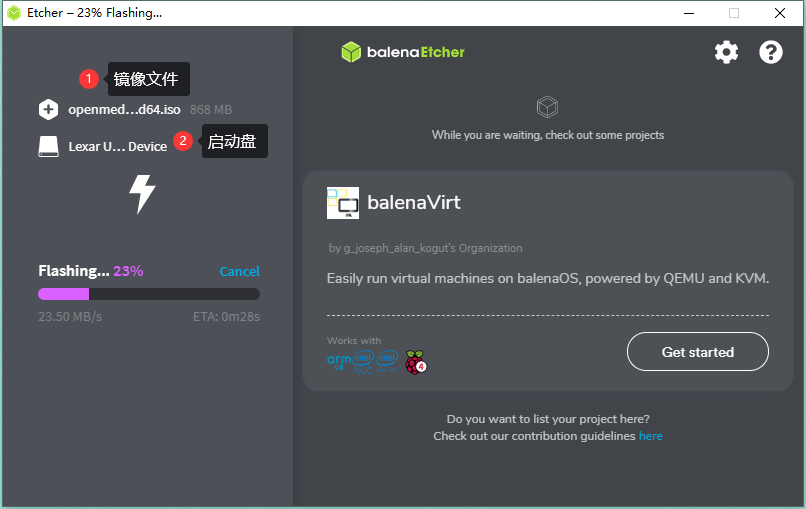
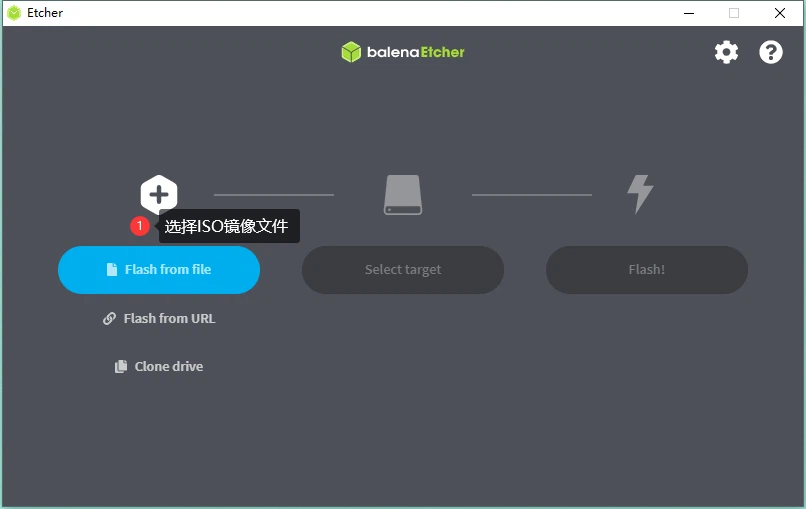
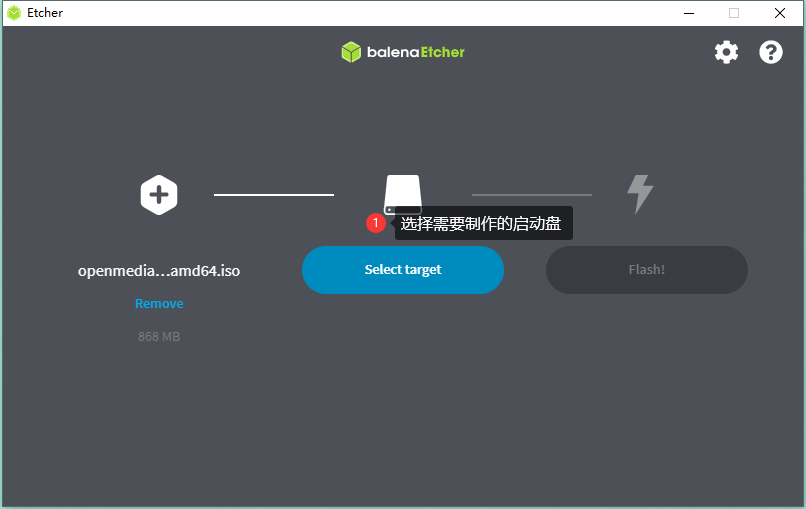
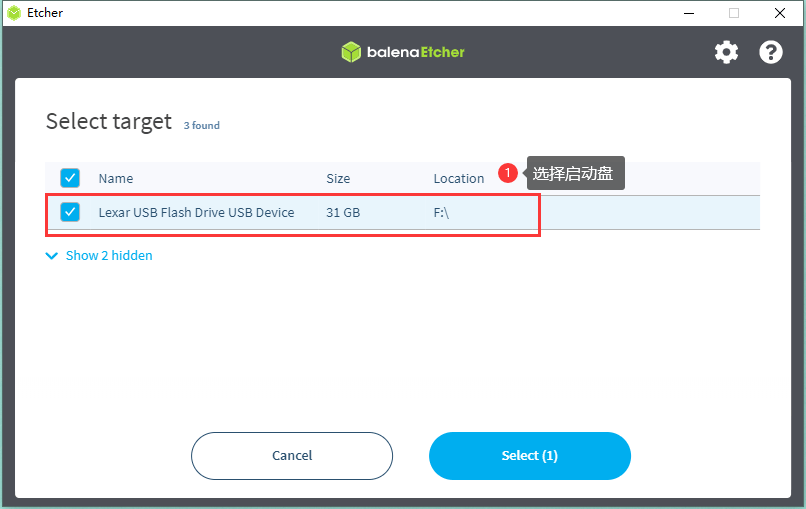
The workflow is three steps and the interface names them: flash from file to choose the image, select target to choose the drive, and then flashing, which is the part that takes time. Nothing in that sequence asks a question that a first-time user cannot answer. Because a .zip is accepted as it is, there is no separate step to unpack the download first — a detail that removes a surprising amount of confusion when the file arrives compressed.
It refuses to write to a bad card quietly
The step that earns the tool its place is verification. After the image has been written, the result is read back and compared, so a card that is failing shows up as a failure instead of as a machine that will not boot for reasons nobody can explain. That distinction matters when the medium is an old SD card that has been through a drawer for two years.
The second safety measure is about the destination. Choosing a drive is made explicit rather than inferred: the list shows the devices with enough detail to tell them apart, and the drive is selected in a step of its own. Anyone who has ever written an image over the wrong disk appreciates that this cannot happen by pressing the obvious button twice.

Built on a web stack
The application is written with JavaScript, HTML, node.js and Electron, which is also why the same build runs on Windows, macOS and Linux. For anyone who wants to change something, the stack is one they probably already know, and the project accepts contributions.
Speed is the other practical point: writing is about fifty percent faster than it used to be, and several drives can be written at the same time. Preparing ten cards for a workshop is a different task when they can be done in parallel.
What it does not ask of you
Installation is short and does not require a paragraph of instructions, and the interface stays out of the way while the work happens — which is the whole argument, since writing an image should not be an activity anyone needs to admire. A roadmap is published, so the direction of the project is visible rather than guessed.
Licence
balenaEtcher is released under the Apache License, second version, and the source code is open on GitHub. Both facts matter to the places that use it most: a workshop, a school or an IT department that prepares installation media by the box can check the licence once and then stop thinking about it.
Who it suits
Anyone installing an operating system, flashing a single-board computer, or preparing a rescue drive needs exactly this and nothing more. The tool also earns its place in a drawer of hardware that is used twice a year: the three-step flow is short enough to be remembered between uses, which is not true of most imaging software.
The limits are worth stating as well. It writes an image to a device; it does not create images from an existing drive, and it does not partition anything. For the job it names, that narrowness is the reason it is hard to get wrong.