
Typora renders as you type, now ten percent off
Summary
Typora 1.14.15 is a Markdown editor that renders where the cursor sits, and no preview pane is needed, with the single-user licence ten percent off in November.
Recommend- Name
- Typora
- Version
- 1.14.15
- Pricing
- Paid
- Open source
- Proprietary
- Operating system
- WindowsmacOSLinux
- Website
- https://typora.io/
- Updated
- 2026-11-14 23:00
Typora 1.14.15 is a writing tool that presses the Markdown source and the finished layout into one window. Type a hash and that line becomes a heading on the spot; type a vertical bar and a table grows where the cursor sits. No preview pane appears on screen, and no switch between source and preview can be found, because all the rendering happens in place. It covers Windows, macOS and Linux. During this November sale the single-user licence drops to ninety percent of its price, which comes to 80.1 yuan as a one-time purchase for permanent use, activatable on up to three devices by the same person.
Typora removes the preview window, the mode switch and the syntax marks in the source, and hands the screen back to the text itself.
The arithmetic first
The everyday price of a single-user licence is 89 yuan, and this tier is the discounted 80.1, with the offer running until 13 November. What one-time purchase means deserves a sentence of its own: pay once, no monthly charge afterwards, and version upgrades cost nothing extra, which is a different bargain from a yearly subscription. The licence counts per person, the same person may activate three devices, all three platforms are allowed, and an office desktop and a home laptop can share one serial number.
Anyone unsure can take a 15-day trial with every feature open and no payment first. Move the daily writing into it for that fortnight, finish one long piece and export one PDF, and the answer becomes obvious. Whether the money is well spent on an editor depends on how many hours a year are spent typing Markdown, and nobody else can work that out.
The core experience deletes the preview step
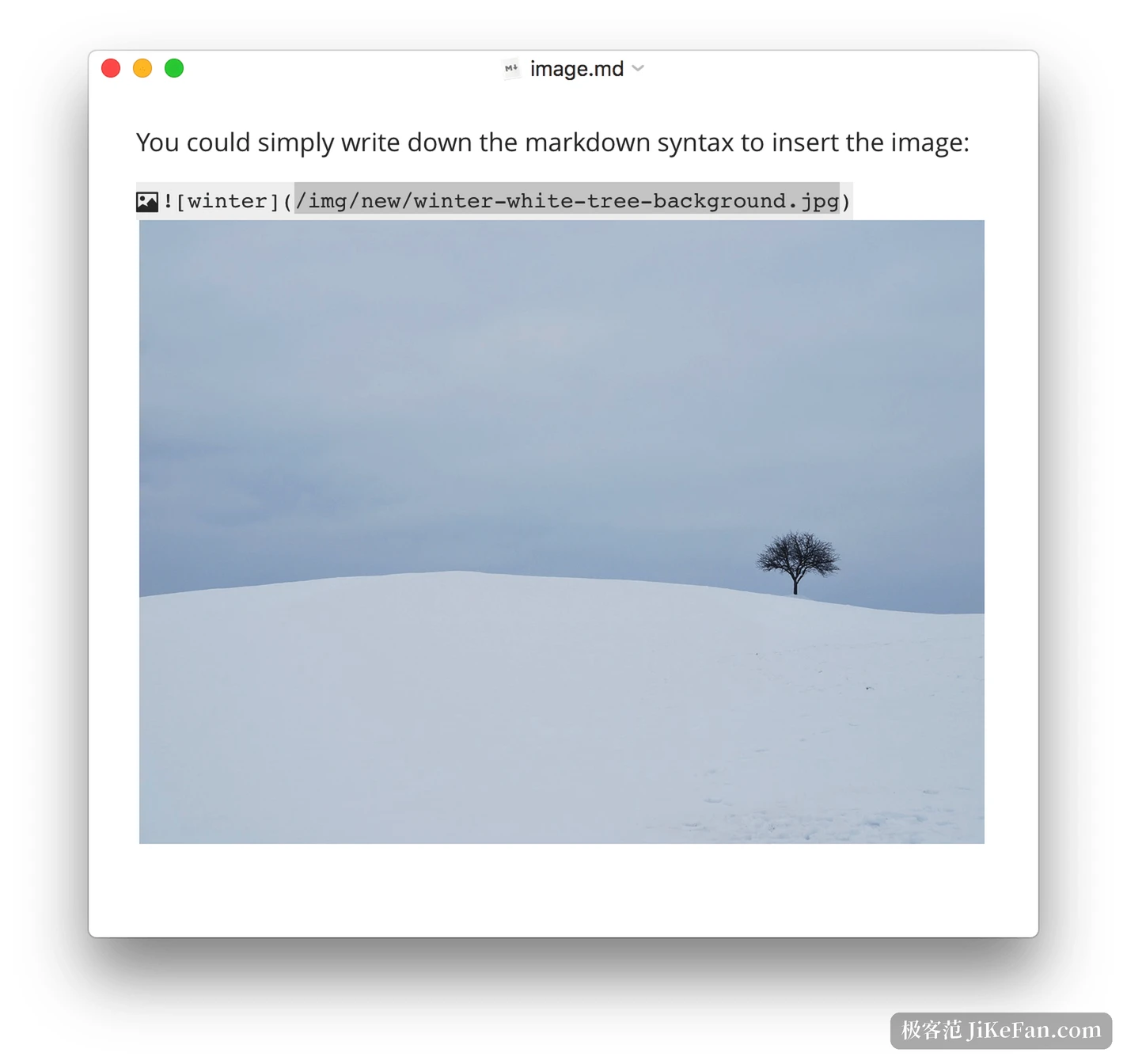
Most Markdown tools take the shape of two columns: source on the left, result on the right, eyes jumping between them. Typora merges the two. Input renders immediately, and the markup marks of a paragraph appear only while the cursor rests inside it, which makes editing possible without leaving the text. Attention lands in one place, and no screen width has to be traded for a preview.
The gap in daily feel comes from small habits. Drag an image file into a paragraph and it is copied into an asset folder named after the document, with the path written as a relative one, so moving the whole folder to another machine breaks nothing. In a list, Enter continues the next item, Tab pushes it a level down, and two Enters leave the list, a logic shared with ordinary rich-text editors, so there is nothing to learn. Heading levels switch with a shortcut instead of deleting hashes and typing them again.
Tables, formulas and diagrams can be typed on the spot
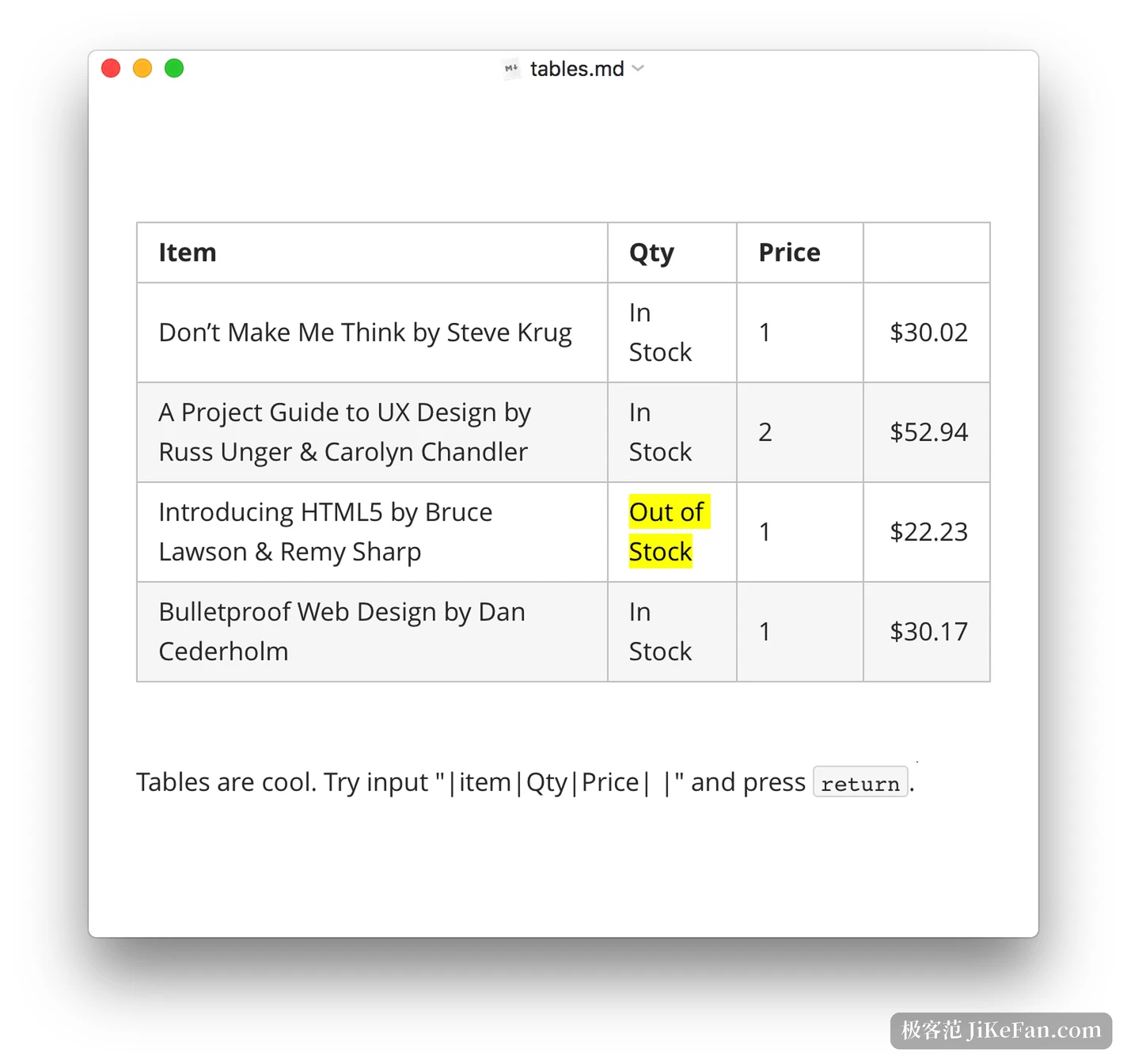
Tables are the wordiest part of Markdown syntax, and here they become visual: after inserting one, rows and columns move by dragging, alignment changes with a click on the header, and the string of colons and dashes never has to be memorised. Code blocks highlight roughly a hundred languages, which covers the usual ones.
Mathematics runs through MathJax, a single dollar sign for inline and two for display, with the typeset result appearing as soon as the input is finished; the bundled extensions include mhchem, so chemical equations work too. Numbering can be switched on in the preferences, which spares manual numbering when a paper cites one equation by name. Diagrams go to the Mermaid engine: flowcharts, sequence diagrams and Gantt charts are all drawn from text, and a change means editing a few lines rather than moving boxes around.
How long documents are organised
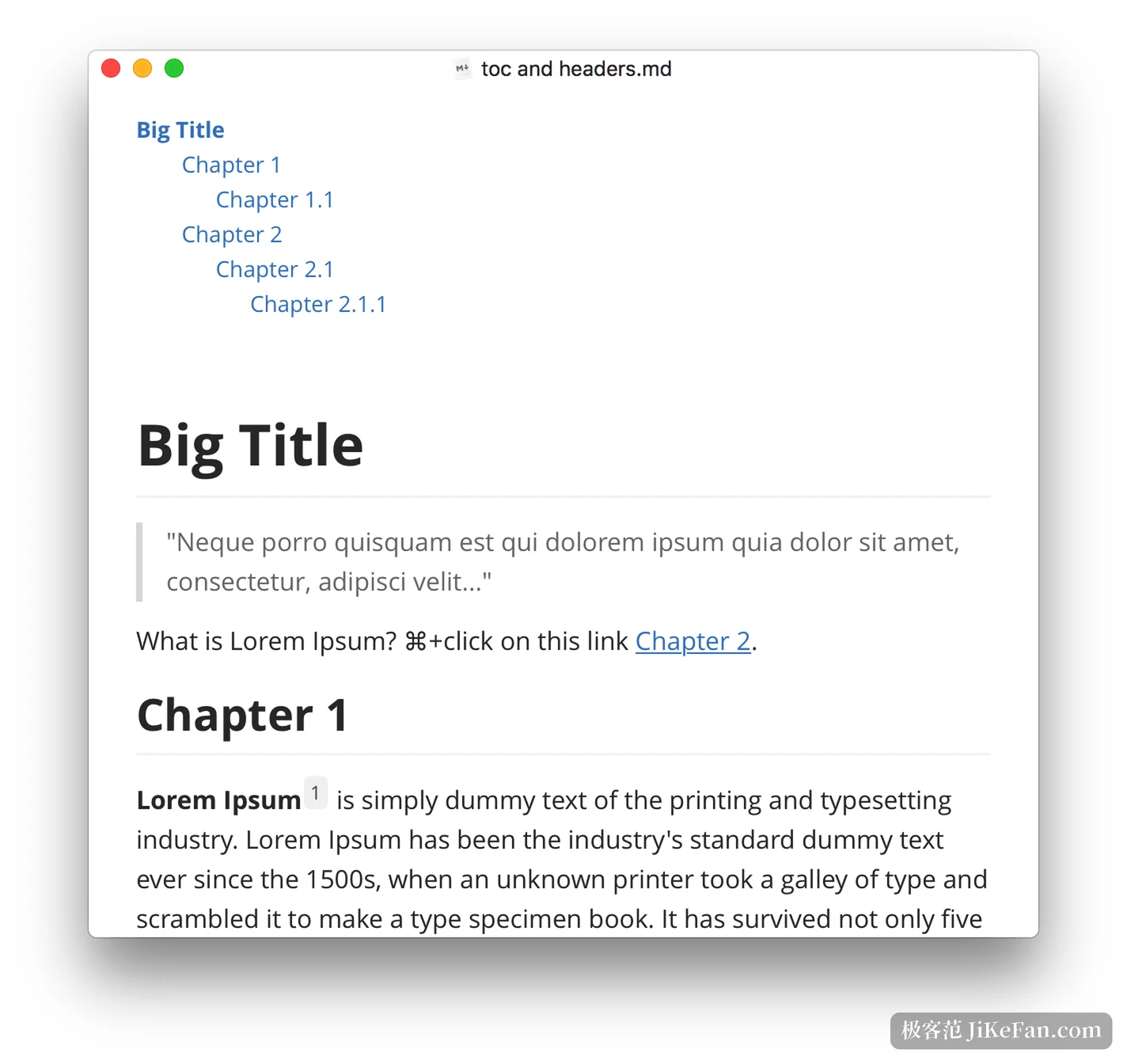
For long pieces, the file tree panel on the left lists every document by folder, while the outline panel turns the heading levels of the current document into a clickable table of contents where each section is one click away. The two panels answer different questions: one manages where a pile of files lives, the other manages how a single file is walked through. A bracketed TOC typed into the document produces a table of contents after rendering, listing every heading and following later changes without maintenance.
Focus mode dims everything outside the line being edited, and typewriter mode keeps the cursor at the vertical centre of the window. Both aim at the same trouble: the larger the screen and the longer the text, the more easily the eye follows the scrolling words to the bottom edge, and neck and attention suffer together.
Handing the work over
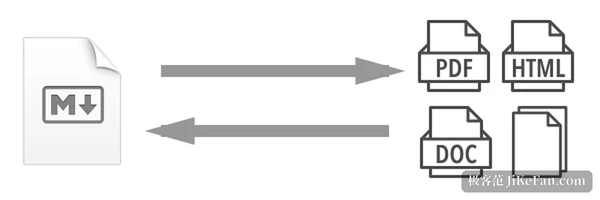
Exporting a PDF from the command line is the common use, and the PDF carries bookmarks, so a reader's sidebar jumps by heading and the file keeps its structure when handed to someone else. Other formats go through Pandoc, with docx, OpenOffice, LaTeX, MediaWiki and Epub on the list, so one Markdown file can become different products for different occasions.
Who should top up a licence now
People who write technical documents, course notes and blog drafts in Markdown over the long term gain most directly. Their volume is large, the format demands are modest but the structure is fixed, and an editor that renders accurately and exports reliably removes a great deal of repeated layout work. Students and researchers writing papers with formulas and diagrams will feel the live rendering and the automatic numbering even more.
Conversely, if the writing is mostly Word layout and teamwork, or if notes must be captured on a phone at any moment, Typora does not cover those scenes: there is no collaboration and no mobile application, and the money is better spent elsewhere. What it handles is one person sitting at a computer writing a whole document in peace, and that it handles solidly.
One last reminder: the discount closes on 13 November and the price returns to 89 yuan. Before deciding, spend two days inside the 15-day trial, confirm that the feel and the export both suit you, and only then make it a long-term tool.