
Blender 5.3 adds splats, Vulkan and ripple editing
Version 5.3
Summary
Blender 5.3 brings gaussian splatting in as a native object type, makes Vulkan the default backend on Windows and Linux, and gives the sequencer ripple edits.
Recommend- Name
- Blender
- Version
- 5.3
- Pricing
- Free
- Open source
- Open source
- Operating system
- WindowsmacOSLinux
- Website
- https://www.blender.org/
- Updated
- 2026-11-13 23:00
Blender is a free 3D suite under the GNU GPL, and version 5.3 was released on 10 November 2026 for Windows, macOS and Linux at the same time. This release puts gaussian splatting inside the application, swaps the graphics backend from OpenGL to Vulkan, and gives the video sequencer the editing behaviour it was missing. The changes reach widely, and each of them is finished to a different degree.
A scene reconstructed from photographs can now be placed in a shot directly. Relighting it properly is another matter, and the release notes say so first.
A photographed scene that behaves like an object
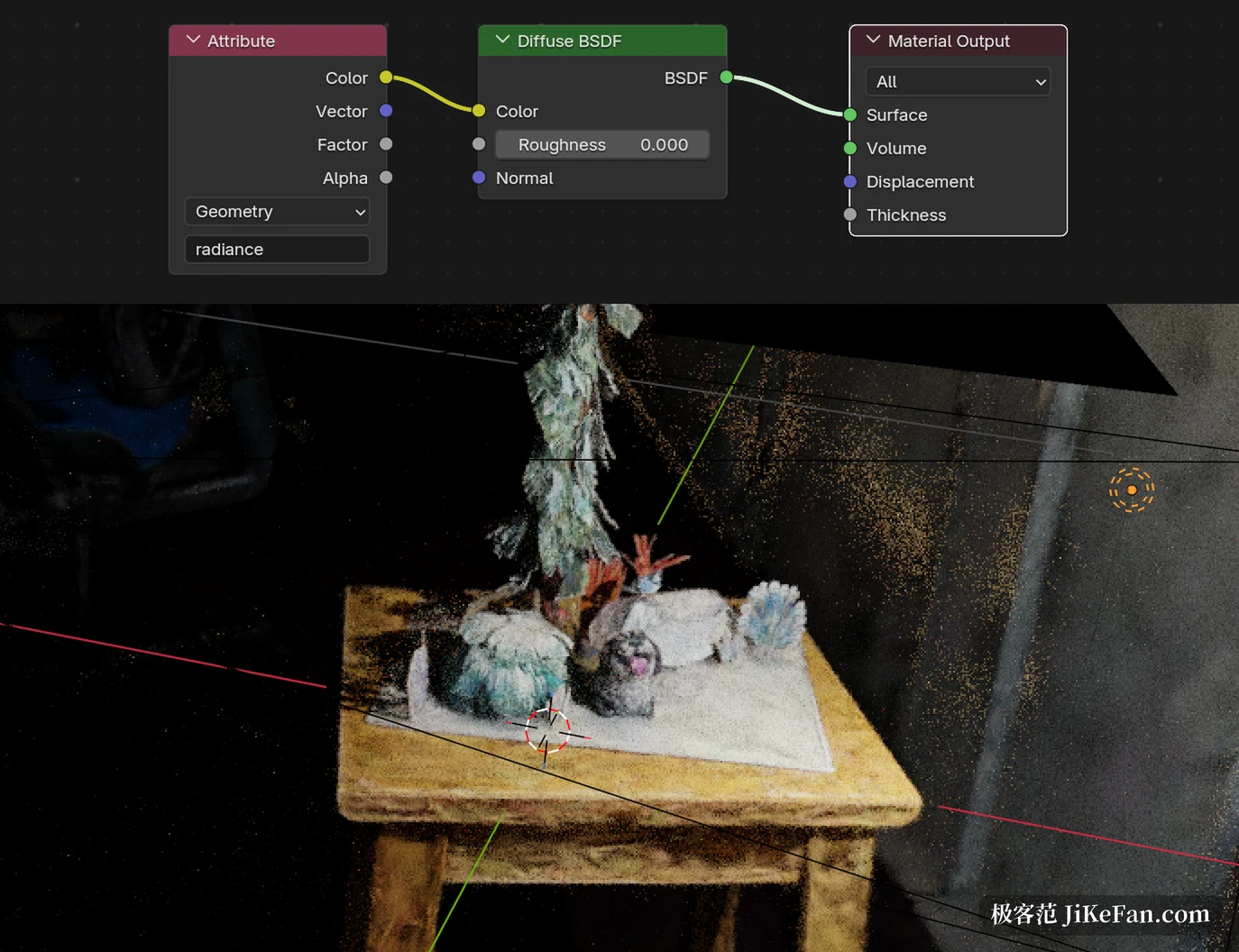
Gaussian splatting has become popular for reconstructing real places because it builds no polygon mesh. A set of photographs, or a video pass, is reduced to a cloud of small translucent blobs which carries material, transparency, hair and fine detail in one object. Blender used to need an add-on to touch data like that. Version 5.3 makes it a native point cloud type: splats in PLY, SPZ, USD and glTF all import, and once inside they are ordinary scene objects that geometry nodes can process and that Workbench, EEVEE and Cycles all render.
Walk around a table of figurines with a phone, or run a scanner across a room, and the result can be lit and framed without a conversion step. For scene visualisation and virtual production that removes one whole stage from the pipeline.
Swapping to diffuse shows what relighting still is
A splat object arrives with an emission shader attached, so it renders in the colours that were sampled and does not take kindly to a new light direction. Replacing the emission node with a diffuse shader does let scene lights fall on the surface, but the developers state plainly in the release notes that relighting this way is a rough approximation and not physically correct. Two known problems are named as well. Speed is still being optimised, and colour can drift, because many splat tools record colour in sRGB while Blender computes in a linear space, with low-opacity and high-brightness areas showing the shift most.
So the fair reading is that splats are a working starting point. They make an excellent backdrop, and a real-world plate that needs no lighting change works immediately. Replacing a full lighting reconstruction will take a later release.
Vulkan takes over, and two engines get new tools
The graphics backend changed hands. On Windows, excluding ARM devices, and on Linux, Vulkan replaces OpenGL as the default. The minimum requirement drops to version 1.1 and a set of GPU and driver features become optional, which widens compatibility rather than narrowing it. The team's benchmarks show gains in several scenes, while the actual amount still depends on the workload and the card.
On the Cycles side the welcome change is in materials. The transmission panel of the principled BSDF gains dispersion, so white light passing through glass and gemstones fans out into a spectrum, which jewellery visualisation and product photography can use immediately. Anisotropic roughness finally affects transmission too, which produces the stretched highlight of frosted glass. The denoiser adds an option built on ray reconstruction in DLSS 4.5, reusing samples from previous frames and scaling them up so a clean viewport arrives sooner, at the cost of an NVIDIA driver at 620 or newer.
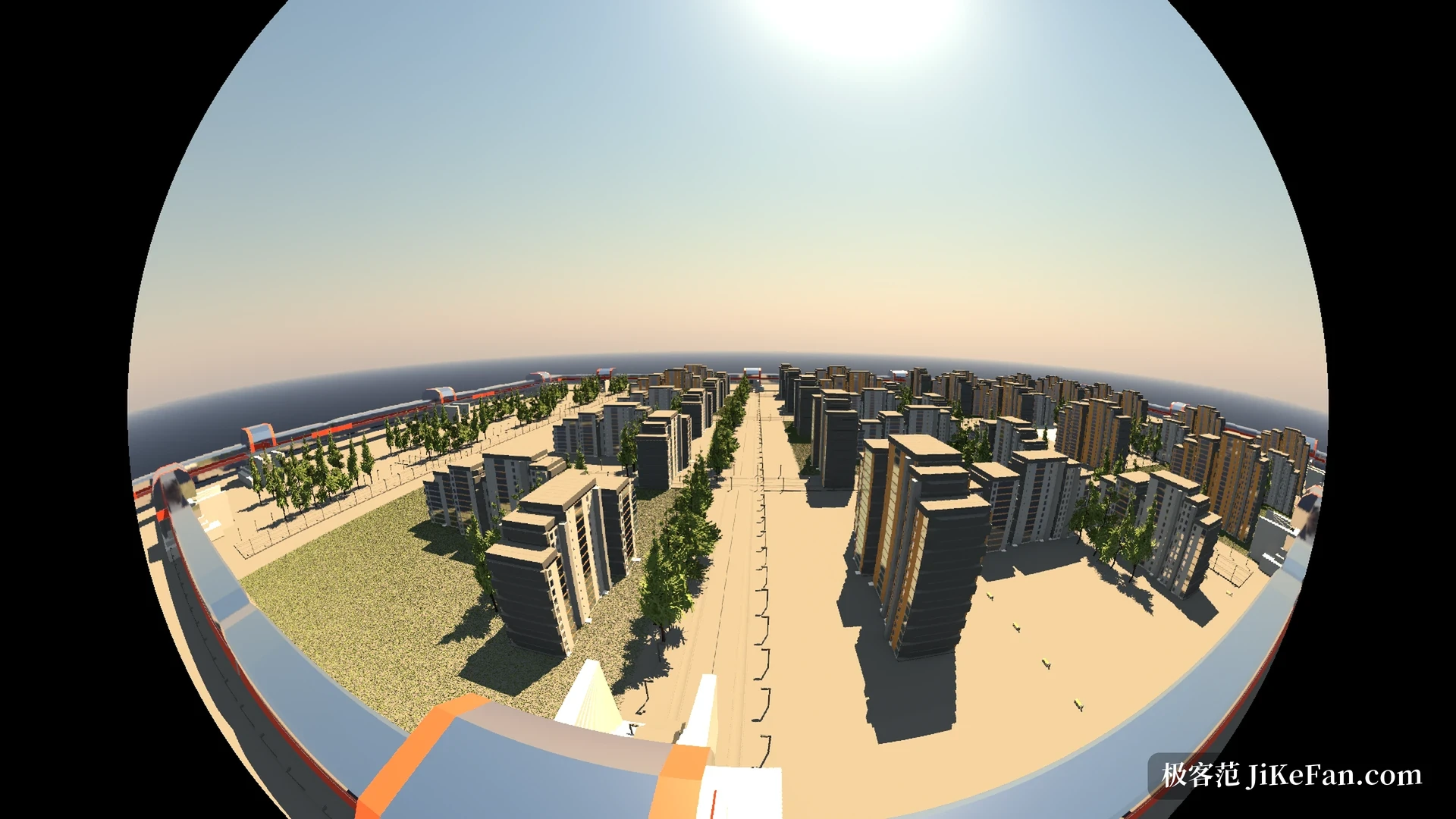
EEVEE receives a material light node, which defines per material how each light source is answered, giving much finer control over non-photorealistic looks and iridescence. A panoramic camera and a sun disc in the sky texture arrive in the same release, so fisheye and spherical views no longer need a detour.
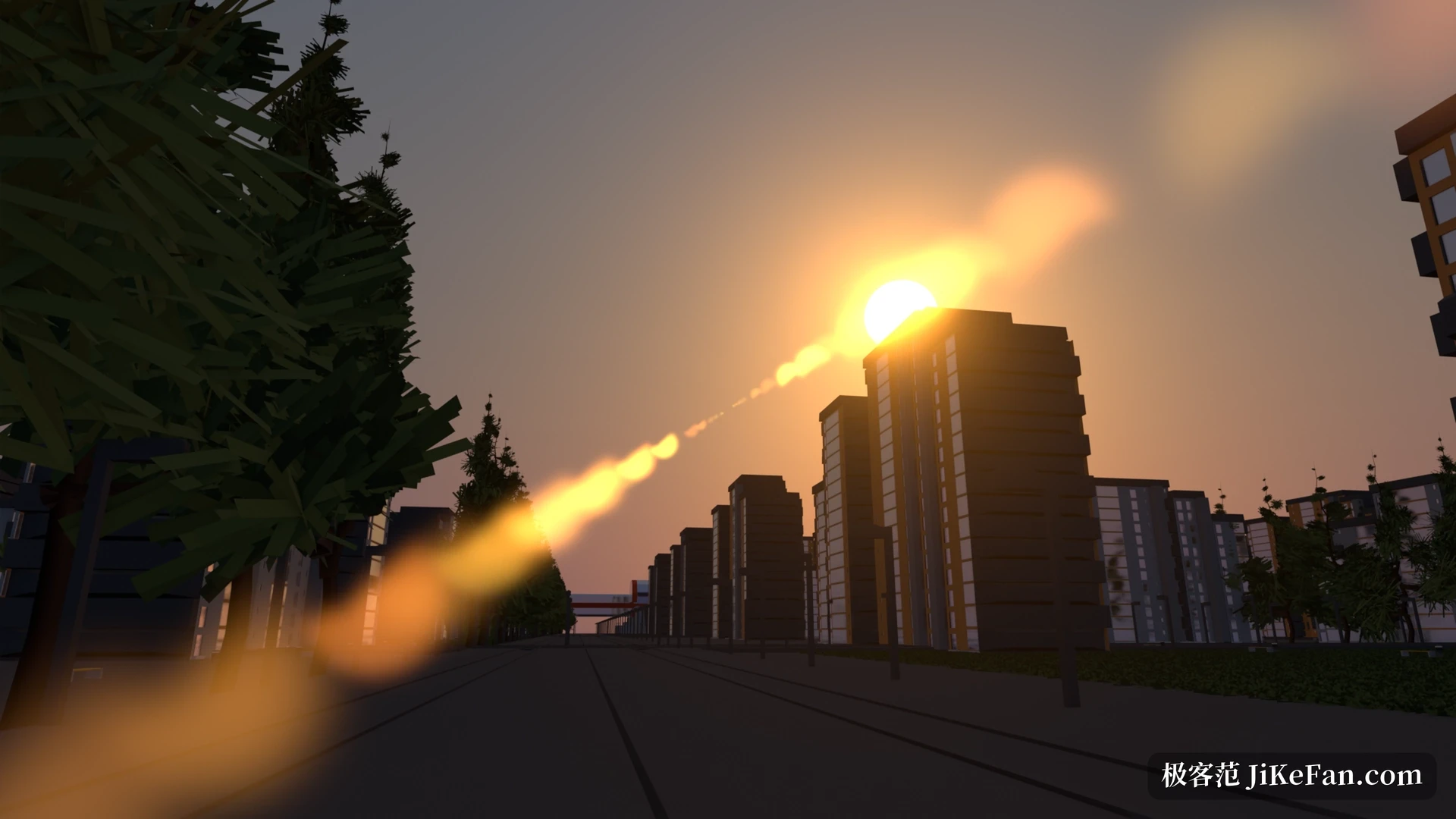
Put the same street scene through the panoramic camera and the edges curve into an arc, which saves the stitching pass when the result is used as an environment map or a stage backdrop. The splats, coarse as their relighting still is, already hold up as a distant layer inside an environment like that.
The sequencer gains the feel of editing
For anyone cutting video in Blender, this release matters more than the rendering work. Ripple editing finally exists: inserting, trimming or deleting a strip moves everything after it, so the timeline stops collecting gaps that have to be closed by hand. The blade tool was rewritten and gives far clearer feedback about where the cut will land. Timeline interchange gains initial OpenTimelineIO import and export, which makes it possible to carry an edit into another pipeline for conforming.
On playback, GPU-accelerated playback reaches up to twice the speed, most noticeable when jumping between strips, and an experimental hardware decoding switch can be turned on for a trial. The compositor gains an effect stack where several effects layer and reorder. Sculpt mode adds a Carver tool that digs a groove straight into the surface. The outliner allows objects and collections to be arranged by hand instead of only by automatic sorting, and annotation nodes accept Markdown, so a complicated node tree can finally explain itself.
Who gains, and who can wait
The system floor moved: macOS now needs 13 Ventura, and machines still on 11.2 or 12 are better served by staying on 5.2 LTS. Anyone editing video, rendering products or holding scan data from real places gains directly, since ripple edits, dispersion and native splats all work on day one. Anyone who only models and sculpts, with no transmissive materials in the scene, has less reason to move and can wait for splat speed and relighting to mature.
Blender Projects is optional. It gathers the related files under one project root, shares asset libraries and path variables, and assigns a single OpenColorIO configuration to the whole project, whether the standard one, ACES 1.3, ACES 2.0 or a custom setup, so a team no longer binds paths to one machine's drive letters. As an open project under the GNU GPL, Blender remains the free option, and modelling, rigging, animation, simulation, rendering, compositing, motion tracking and video editing still happen in the same window.