
Zotero 10.0.9 fixes startup, Word plugin and PDF lag
Version 10.0.9
Summary
Zotero shipped 10.0.8 and 10.0.9 within four days, repairing startup errors after a partial update, a Word plugin that would not install and lag in large PDFs.
Recommend- Name
- Zotero
- Version
- 10.0.9
- Pricing
- Free
- Open source
- Open source
- Operating system
- WindowsmacOSLinux
- Website
- https://www.zotero.org/
- Updated
- 2026-11-13 23:00
Zotero is a free reference manager for Windows, macOS and Linux, maintained by a non-profit, and version 10.0.8 arrived on 6 November 2026 with 10.0.9 following on the 10th. Both are maintenance releases, and the work concentrates where a research paper actually gets blocked: an error at startup, a plugin that refuses to install, an annotation that stutters in a large PDF.
An update that half landed leaves nothing to see. The icon simply does nothing when it is double clicked, and the program offers no explanation.
Two patches, both about opening badly
The most important line in 10.0.8 concerns stability. If the previous update did not finish cleanly, the program raised an error during startup, a state that usually follows an interrupted update and gives the user no clue beyond an icon that will not answer.
The same release adds a safety gate around zotero:// protocol handlers supplied by plugins, so a hostile plugin can no longer use a custom link to launch programs on the system. macOS receives two solid repairs: the Word plugin, which had refused to install on newer systems since version 10.0.6, and the Word split view, which finally works. Dragging an attachment into Outlook or Word now inserts the file rather than a block of text. Version 10.0.9, four days later, carries a single change for a crash possible on older systems, so it reads as a closing patch.
Dragging an annotation in a long PDF stops jumping
Both reader changes in this round aim at large files. Ink annotation rendering gained speed, so a finger or a pen leaves a stroke that follows the hand instead of being corrected afterwards. The other is more common: with a document of several hundred pages open and the annotation sidebar showing, dragging an existing annotation dropped frames badly, and the release point did not match where the annotation landed. That delay is fixed. The context helps, because Zotero 10 already cuts the memory a reader tab takes, enough that several PDFs side by side no longer drag the machine down; together the two changes make a long reading session feel continuous.
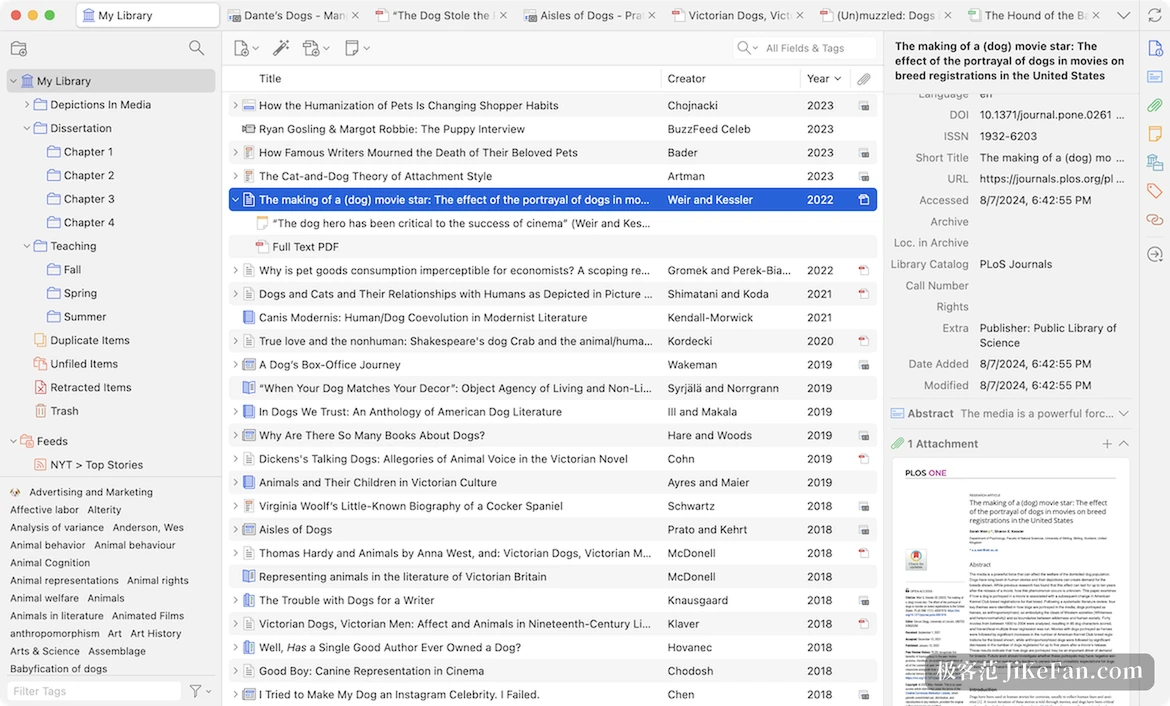
Advanced search moved above the item list
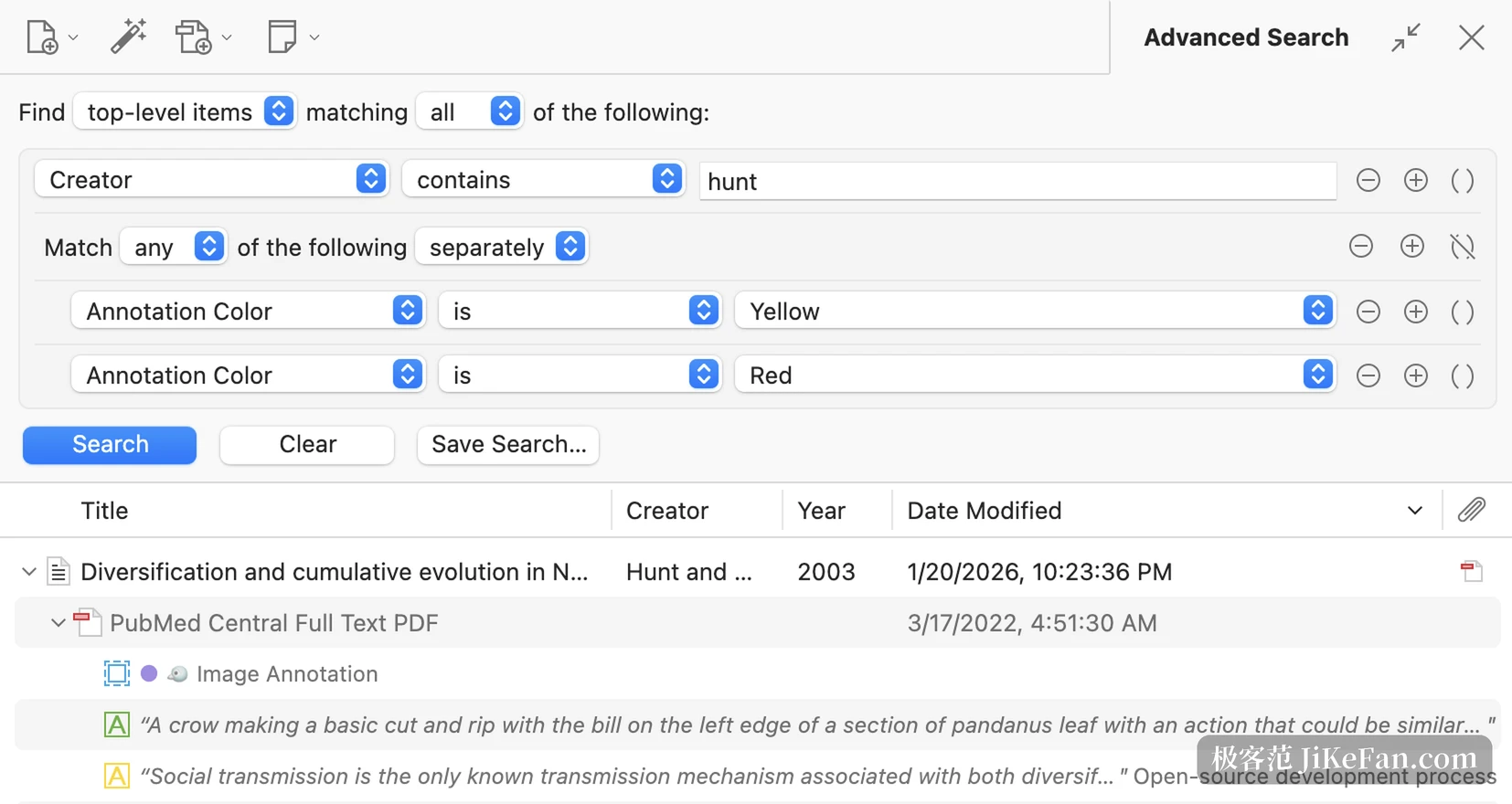
Zotero 10, released on 17 August, rebuilt advanced search and moved it out of a separate window onto a panel above the item list. A button beside the quick search bar opens conditions that filter the current view, saved searches included. Groups of conditions nest, which answers questions such as an author being a given person and one of their annotations being yellow or red. The level of the result is chosen too: top-level items, attachments, annotations and notes count as separate layers, and conditions map onto them.
Among the new conditions, the annotation type, colour and author, plus the counts of annotations, attachments, notes and tags, are the ones that help anyone who has let a library grow. Search itself loosened: accents and typographic characters no longer take part in matching, so cafe finds café, and quick search in Chinese, Japanese and Korean matches whole phrases instead of colliding on single characters.
Batch editing gains undo
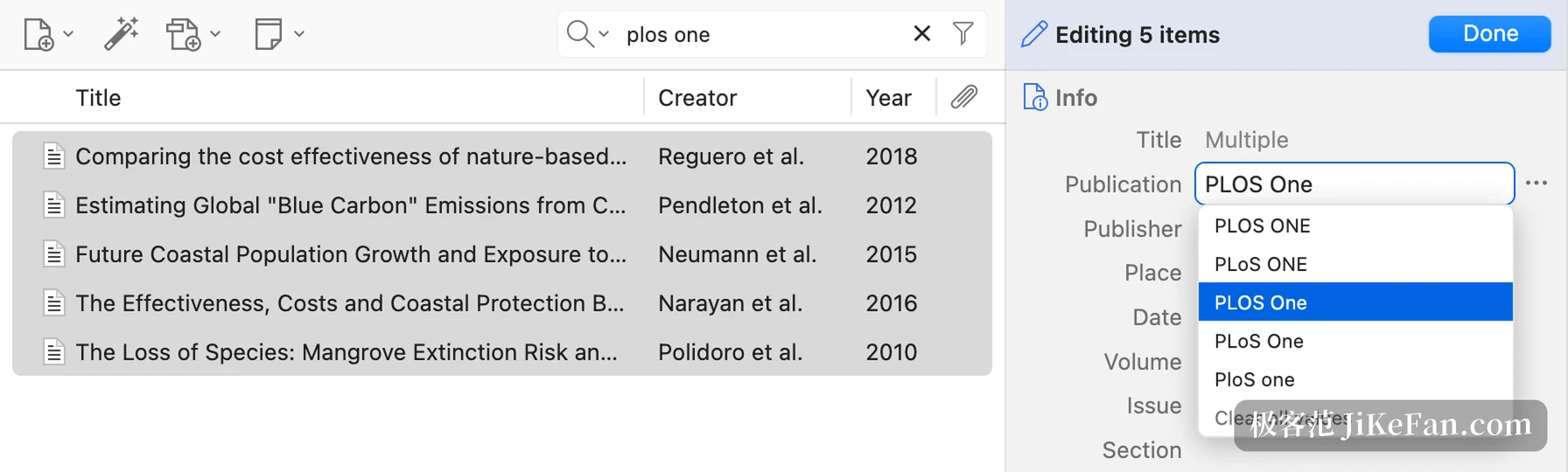
Select several items and an entry appears in the item pane for batch editing, applied to every selection at once. Multi-value fields show Multiple, and opening one allows a single value to be chosen or the field to be cleared. The pair has to be read together, because the same major release added undo and redo, reachable from the keyboard, with plugins able to push their own operations onto the history. A batch edit that went wrong used to mean a backup or a manual pass over every row; now it means one shortcut. The collections pane takes multi-selection as well, so several collections, saved searches and items from different libraries can be viewed together, and the select-all shortcut extends the selection to every row under the same parent.
Reading mode and speech turn a paper into text
The feature people noticed most in Zotero 10 is the PDF reading mode, which reflows a paper into plain text that can be laid out again, with adjustable font, size and line spacing, headers and footers removed and columns collapsed, while images and tables stay as they were. The important part is that it is not read-only: highlights, underlines and notes work directly, and annotations and reading position are shared with the standard PDF view, so switching does not lose them.
Read-aloud became smarter as well, skipping in-text citations, headers and footers, tables, figures and formulas, reading paragraphs across columns and pages in one run, highlighting by sentence by default with a setting for words or paragraphs. On the citation side, the dialog gained a preview panel covering more than nine thousand styles, insertable from Word, LibreOffice and Google Docs. As an open project run by a non-profit, Zotero keeps sync optional, charges group libraries nothing per member, and leaves the data with its owner.
Whether to update now depends on two things. Anyone reading large PDFs daily, or holding a library of several thousand items, finds that the repairs in 10.0.8 and 10.0.9 land on the daily path, while batch editing and undo save real rework immediately. Anyone who stores a handful of papers and runs few plugins will barely notice these patches. On macOS, 10.0.9 is worth taking first because it addresses the crash on older systems, and anyone running third-party plugins should read the safety gate in 10.0.8, since a plugin that depends on zotero:// links may now be stopped.