
Audacity 4.0.2 repairs corrupted projects and autosave
Version 4.0.2
Summary
Audacity 4.0.2 is a patch release with no new features: four project corruption faults and three crashes are fixed, and recording autosave is back on.
Recommend- Name
- Audacity
- Version
- 4.0.2
- Pricing
- Free
- Open source
- Open source
- Operating system
- WindowsmacOSLinux
- Website
- https://www.audacityteam.org/
- Updated
- 2026-11-13 23:00
Audacity is a cross platform open source audio editor and recorder, and 4.0.2 arrived on 2 November 2026 as the second patch after the 4.0 generation change. It brings no new features, and the notes say so plainly: new capability waits for 4.1, while this release clears up damaged projects and a handful of crashes.
A project that still opens is not the same as a project that survived. The file is there, and what comes up no longer matches what was recorded.
The bill left by the generation change
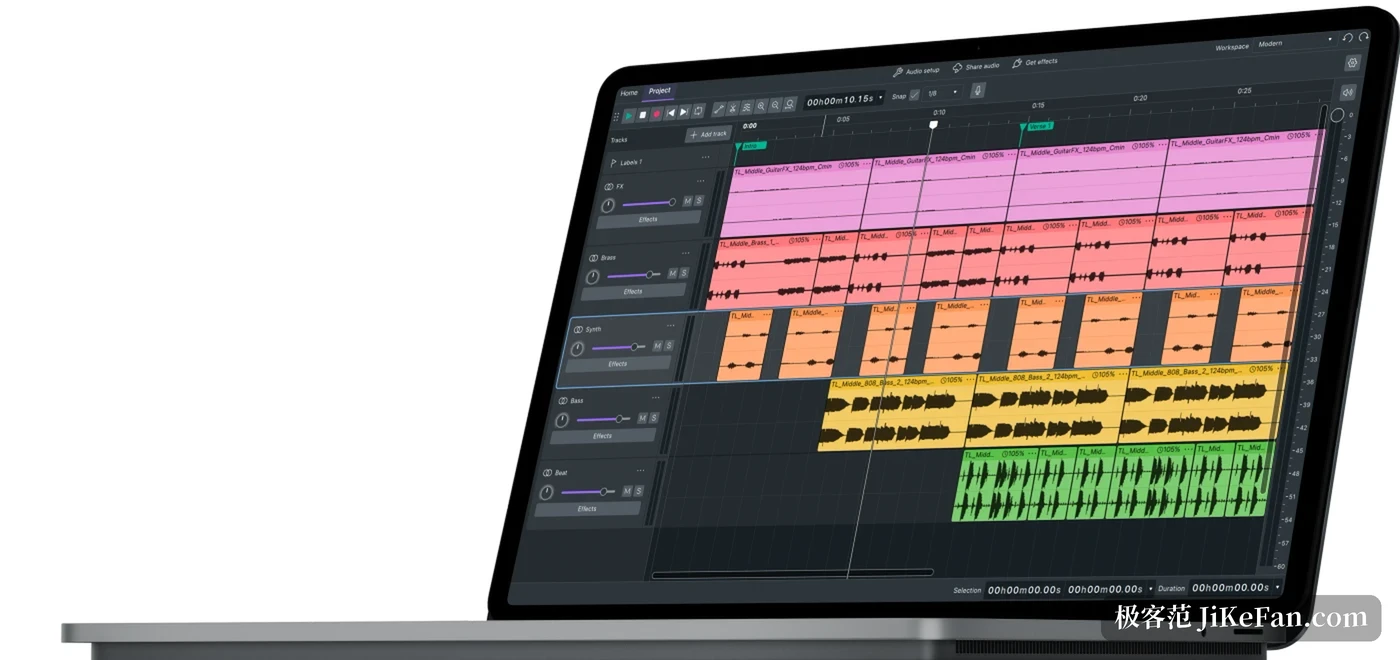
Audacity 4.0 landed in September with major surgery: the interface framework moved to Qt, clip editing was rewritten, even the logo changed. Changes of that size pay off in later years and cost something now, because old tools have to be carried over one by one. The mixer, the time track, variable speed playback and note as well as MIDI tracks did not make the move, and later releases are promised to bring them back. The positioning has not changed though: editing and recording, with more than a hundred million downloads behind it.

Why projects were breaking
Four repairs concern corrupted projects and point at the same scene: the file is still there, and its contents are wrong once opened. Loading a project that contains an empty clip corrupted the whole project, the most hidden of the four because empty clips usually survive an editing session looking harmless. Copying content between two projects triggered corruption as well, and moving material across projects is routine work.
Two more concern saving. Save as stacked the file extension twice, and replacing the original project afterwards raised an error. Dragging a clip onto a track with a different sample rate shifted the pitch, and the clip could disappear outright. Together the four amount to one piece of advice: on any build before 4.0.2, keep extra copies of long projects.
Recording autosave is back
Automatic saving during recording had gone missing in 4.0. Talk into a microphone for an hour, lose power or lose the program, and the work was gone, a loss harder to accept than any interface complaint. Version 4.0.2 restores it as the default behaviour, which puts the safety net back where it was.
Three crashes went with it. Loading a project with sample snapping enabled crashed, choosing repeat last effect after closing a project crashed, and splitting without a keyboard shortcut assigned crashed too. The third sounds absurd, yet it belongs to the family that never appears until it does, and then makes people think the file is ruined. Some metadata was lost as well, with title and artist fields written wrongly, and that is corrected here.
Small repairs to the feel
Shortcuts were restored where they matter. Trim, clear selection and zoom lost their default bindings in the move and have them again. NTSC frame snapping on the timeline computed the wrong position, and a collapsed clip refused to open its context menu; both are fixed. One source of playback delay was a surprise: the input level meter was slowing playback down, and with that corrected monitoring follows the hand more closely.
Platform repairs are on the list too. Under Linux, importing from the file menu returned an empty list, which is a hard fault for anyone importing daily. Chinese, Japanese and Korean text was cut at the wrong place when trimming text, met directly by anyone annotating subtitles. The status bar was rearranged for narrow windows, and the hint for pausing and resuming a recording was added. Each is small alone; stacked, they separate usable from pleasant.

Who should move now
Anyone recording podcasts, instruments or long interviews has almost no reason to wait. Autosave and project corruption decide whether the work survives at all, and losing it once costs far more than the minutes an update takes. For people who already put 4.0 into a daily workflow, 4.0.2 is the release that turns it from workable into trustworthy.
Anyone still on 3.x can watch a while longer. The mixer and the time track have not come back, and for old projects that depend on them, staying on 3.x is simply easier. Audacity is released as open source with builds for all three desktop platforms, and the point of a patch like this is to make the generation change less frightening.