
Argus 0.5 puts processes, ports and file locks in one window
Summary
Argus 0.5 is a Windows task manager in Rust with a GPU drawn interface: drag a file in to see who holds it and replay seven days of load.
Recommend- Name
- Argus
- Version
- 0.5
- Pricing
- Free
- Open source
- Open source
- Operating system
- Windows
- Website
- https://argustask.com/
- Updated
- 2026-11-13 23:00
Argus is a task manager for Windows. It reads the system interfaces through Rust and lets the graphics card draw the interface. Version 0.5 shipped on 12 November 2026, it is open source under AGPL-3.0 and free, it runs on Windows 10 22H2 and later on x64 only, and it wants a graphics card and driver that handle DirectX 11. Processes, performance, services, startup items, port connections and file locks all sit in one window, so a problem does not turn into switching between four or five tools.
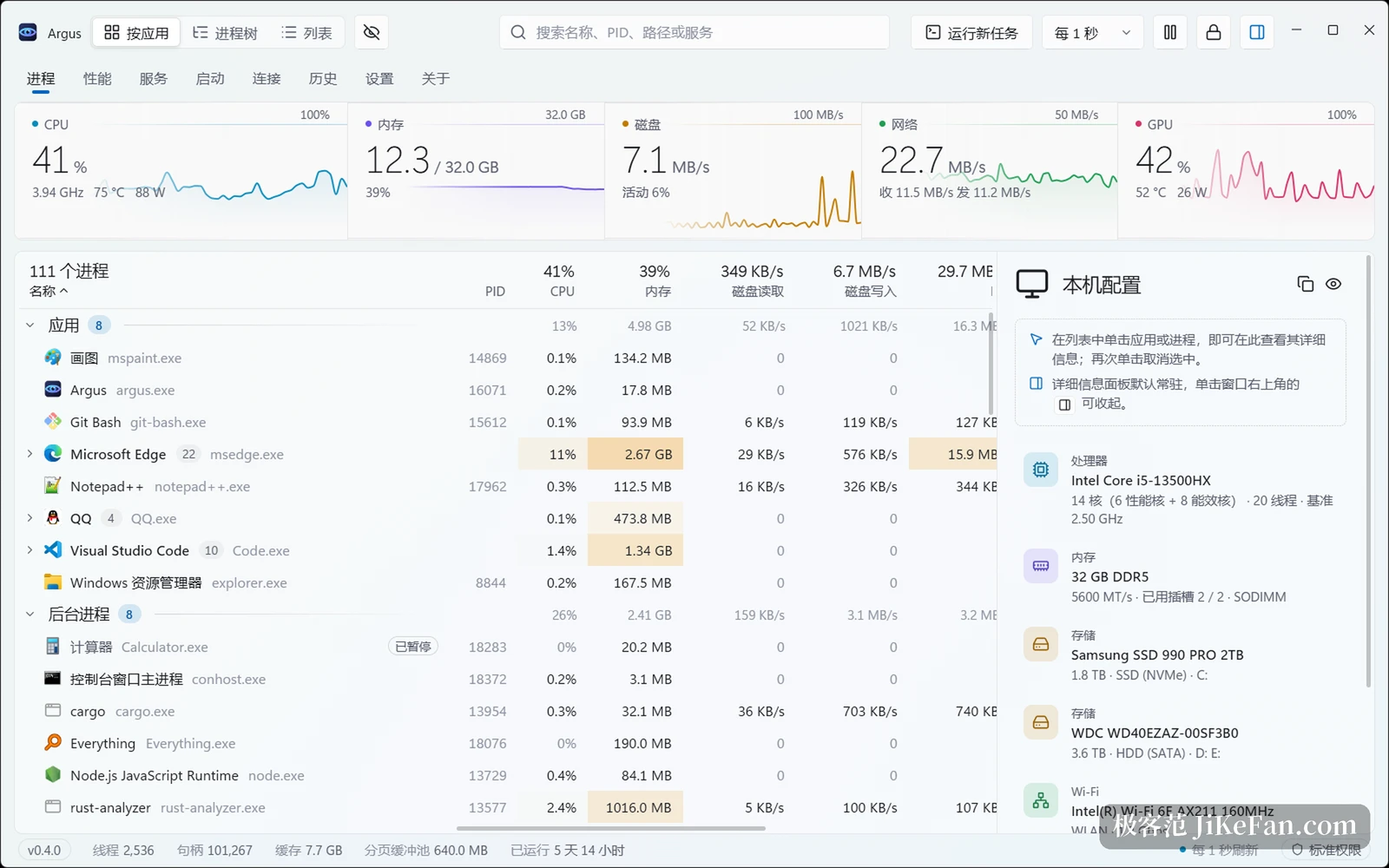
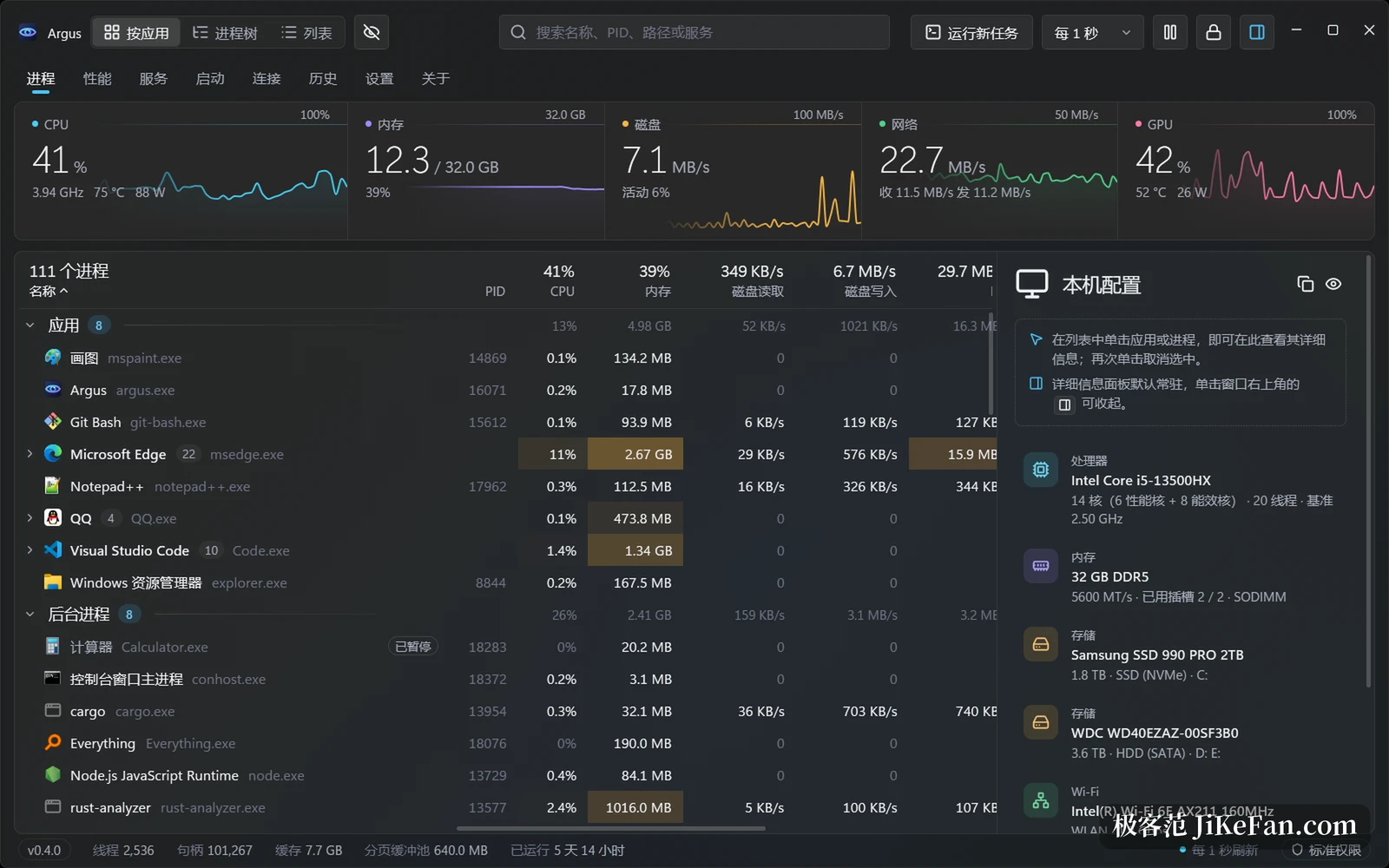
What one window holds
The process page sorts three ways: grouped by application, as a process tree, or as a flat list. Each row carries CPU, memory, disk read, disk write, I/O, GPU, network, thread count and handle count. Disk reads and writes are counted apart rather than folded into a single disk column.
Columns are yours to choose. Since 0.4 there are 40 optional columns in six groups, including dedicated and shared GPU memory, GPU engine, image name, peak working set and page faults; 0.5 adds file version, architecture, administrator rights and command line, hidden by default and switched on from the header menu or the column picker. Widths follow the content, you can drag a boundary on its own, and a double click brings back the automatic width.
Who is holding this file
The file is in use message that appears when a deletion fails is one of the most tiresome errors of the day. Argus answers it directly: drag the file or folder out of the file manager and into the window, and it combines the Restart Manager with handle enumeration to list the holders, counting the current working directory of a process as well, and a selection can be ended on the spot.
Ports follow the same idea. The connections page lists every current TCP and UDP endpoint with the process that owns it, searches by exact port number and can drop an IPv4 TCP connection. Version 0.5 gives the process page and the connections page a hide system processes switch each, off by default and remembered separately.
A stutter can be traced after it passes
The awkward moment with a task manager is that by the time you think of opening it, the stutter is over.
Argus records the resource curves of the last seven days on the machine. Drag the timeline back to the minute in question and it says which process was climbing on CPU or disk. Version 0.5 adds pausing and resuming a process: choosing pause from the context menu explains the effect and asks first, critical system processes, the desktop window manager and Argus itself cannot be paused, and a paused process carries a marker after its name.
Hardware gets a closer look
Per core utilisation is shown, with performance and efficiency cores separated; Intel efficiency cores get their own colour and can be filtered on their own, and frequency, package temperature and power sit beside them. Graphics shows utilisation and video memory along with driver version, driver date and the DirectX version with its feature level. Disks report health, remaining life, temperature thresholds, power-on hours and count, total reads and writes, and the SMART attribute table, while a spinning disk adds start and stop counts and remapped sectors. Version 0.5 can group processes by user, and the automatic mode only groups when several accounts are signed in at once; a group row can sign an account out or manage it.
Reading the internal CPU sensors needs a privileged service authorised once in the settings, while the interface itself keeps running with standard rights. With that grant come per core temperature and voltage, power and limit states, and per process network traffic and the management of system processes depend on the same layer.
What else 0.5 changed
The interface adds Traditional Chinese, Spanish, German, Japanese, French and Russian, the installer and the tray messages follow, and numbers and dates use the Windows regional format. Background use was touched as well: a release memory when hidden option frees the chart images and hands memory back to the system after the window has been minimised or left in the tray for ten minutes, while sampling and history carry on.
One fix deserves its own line. The tool no longer asks disks behind a RAID controller for temperature, which avoids a driver that never answers freezing the system a few seconds after start, and such a disk reports its temperature as unknown. Another fix ends the long standing habit of disk monitoring holding a device open and blocking the safe removal of a USB disk.
Two things to know before using it. The program carries no Windows code signature yet, so the first run raises the unknown publisher warning from SmartScreen and has to be allowed by hand. And it is still 0.x: the project went public in the middle of October, the pace is fast and the feature list keeps moving.
Argus turns asking one concrete question into the shortest possible path: a file that will not delete goes in by drag, a port that is taken is found by its number, a stutter that has passed is pulled back on a timeline. What it replaces is the shell under the interface; what it keeps is the habit of getting an answer inside one window.