
OrcaSlicer review: calibration wizards that make the same printer better
Summary
Two printers with identical hardware can produce visibly different parts, and the difference is usually the software that turns a model into instructions. This one turns tuning into a guided procedure.
Recommend- Name
- OrcaSlicer
- Version
- 2.4.2
- Pricing
- Free
- Open source
- Open source
- Operating system
- WindowsmacOSLinux
- Website
- https://orcaslicer.com/
- Updated
- 2026-10-08 20:21
The step that decides the result
Two printers built from the same parts, running the same filament, can produce parts that a person would not believe came from the same machine. One has visible layer lines, a seam that wanders across the surface, and corners that bulge; the other looks almost moulded. The hardware difference is small. The difference that matters is the software that slices the model into instructions, and specifically whether anyone has taken the time to match that software to the specific machine sitting on the desk.
OrcaSlicer is the open source slicer that has become the default recommendation in enthusiast circles, and the reason is not that it prints faster. It is that calibration, which used to be folklore passed around forums, has been turned into a guided sequence with a beginning and an end.
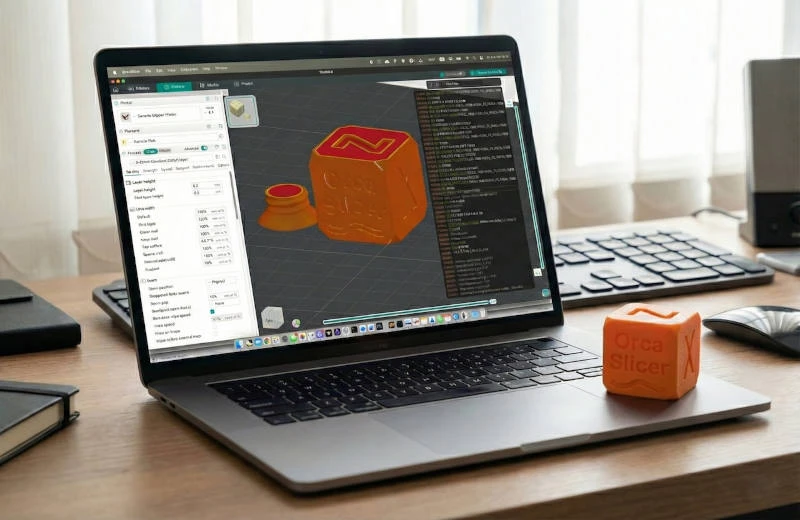
Turning folklore into procedure
The calibration menu walks through the things that actually matter and tests them one at a time. Flow rate comes first: a series of patches printed at slightly different extrusion multipliers, and you pick the one that comes out solid without ridges. Pressure advance follows, printed as a tower with a varying parameter, so you can see where corners stop bulging and start rounding. Temperature comes next, as a tower that changes heat with height, letting you find the point where layer adhesion is strong but stringing is still acceptable. Each test is a small print, ten minutes or so, and each produces a number to type into a profile.
Doing this once, in order, replaces months of guessing. The part that impresses is the discipline of it: the tests are ordered so that earlier results do not get invalidated by later changes, which is exactly the mistake people make when they tune by feel.
The rest of the package
The device library covers several hundred printers, which means most people start from a working profile rather than a blank page. Seam placement is controllable, including the option to hide it on a corner or the back face, and the support generator has enough parameters to be useful without becoming a research project. Speed limits can be set by feature type, so outer walls print slowly for surface quality while infill runs fast, which is the correct way to think about it.
Its origin explains its pace. The project began as an open branch of a manufacturer's slicer, and when the community took it over the release cadence accelerated: new features, new machines and new algorithms arrive continuously, and issues reported in the morning are sometimes fixed by the weekend. Network sending to printers from several vendors is built in, which removes the export-to-disk step that used to break concentration.
A good fork is not an escape, it is an evolution. Standing on the shoulders of a solid base and moving faster than the original is exactly what open source is supposed to make possible.
Practical notes for a first week. Start with the built-in profile for your machine and print something before changing anything, because you need a baseline. Then run the calibration sequence in order and record the numbers, since a profile you cannot reproduce is a profile you will lose. Tune supports per model rather than globally, because a figure with overhangs and a mechanical bracket need different answers. And keep the slicer and the printer firmware roughly in step, since features get added on both sides.