
TextureCraft 0.6.1 paints textures right on the model
Summary
TextureCraft 0.6.1 is a Rust texture painter: strokes land on the model itself, maps bake on the GPU and 8K texture sets stay responsive.
Recommend- Name
- TextureCraft
- Version
- 0.6.1
- Pricing
- Free
- Open source
- Open source
- Operating system
- WindowsmacOSLinuxFreeBSDWeb
- Updated
- 2026-11-13 23:00
Texturing a 3D model usually means painting on a flat image and wrapping it back onto the surface, which turns every UV seam into a matching exercise and every mistake into a repaint of the whole patch. TextureCraft takes another route: the brush lands on the model itself, and paint goes on in three dimensions. The authors wrote it from scratch in pure Rust, the site lists version 0.6.1, the licence is dual, MIT and Apache-2.0, the source stays open, and it runs on Windows, macOS, Linux, FreeBSD and in a browser.
The layer stack stays the one texture artists already know. What changes is where a stroke lands.
The layers did not change, the landing point did
The workspace follows familiar ground: texture sets, a layer stack with per channel blending, masks and generators, smart materials, a shelf of tools, and a 3D viewport beside the 2D UV view. The difference is the destination of the brush. Marks grow on the surface, so a single stroke runs across a curved form and over a UV seam without leaving a break at the join. Camera visibility applies as well, meaning paint only lands on the side facing the lens and the back stays untouched until the model is turned.
A model without UVs is no obstacle either, since a new project can have a set computed first.
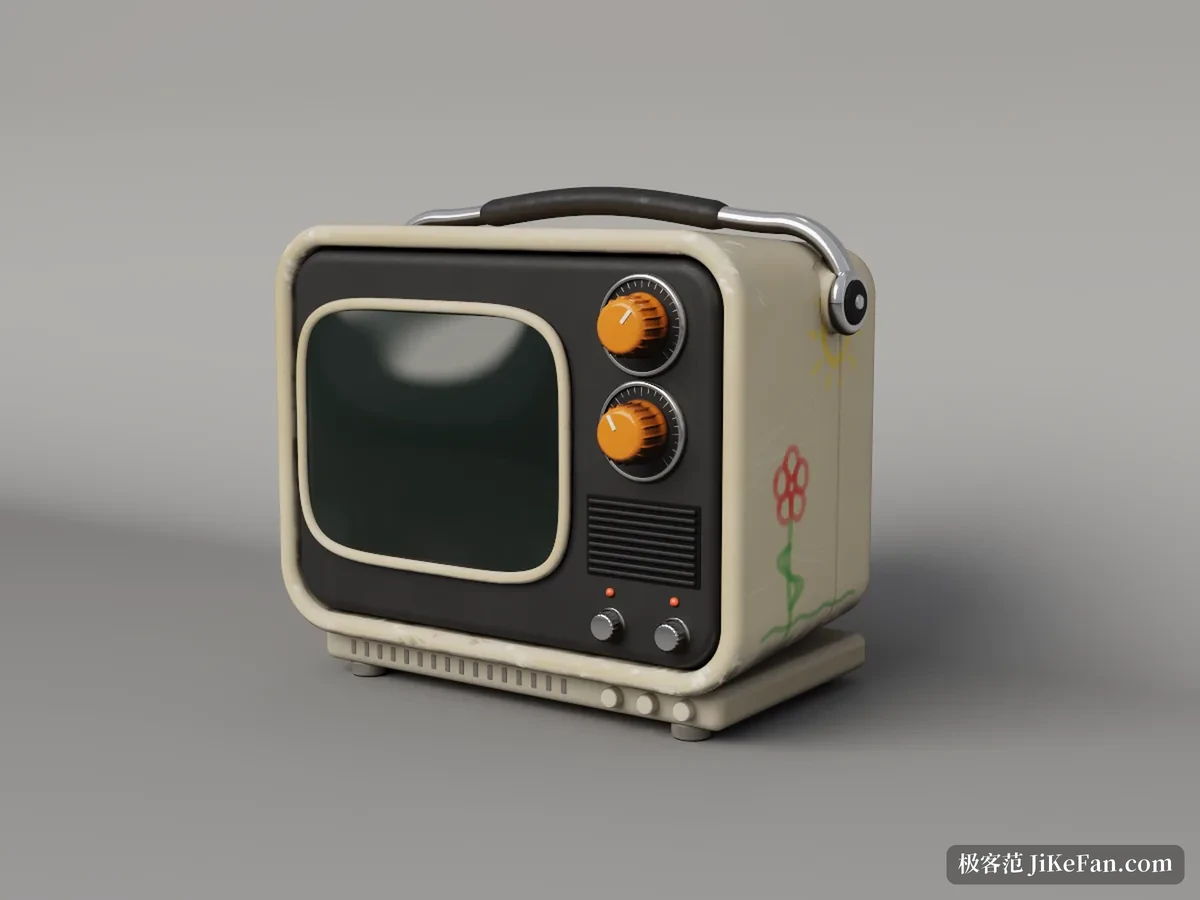
Baking handed to the graphics card
Here the GPU computes mesh maps such as ambient occlusion, curvature and thickness. The project quotes ray tracing roughly twelve times faster than on a processor, and the source can be the model itself or a separately imported high resolution mesh. Those baked maps do not mark the end: generators read them to drive smart materials, so grime, dust and worn edges follow the shape of the model instead of relying on hand painting alone.
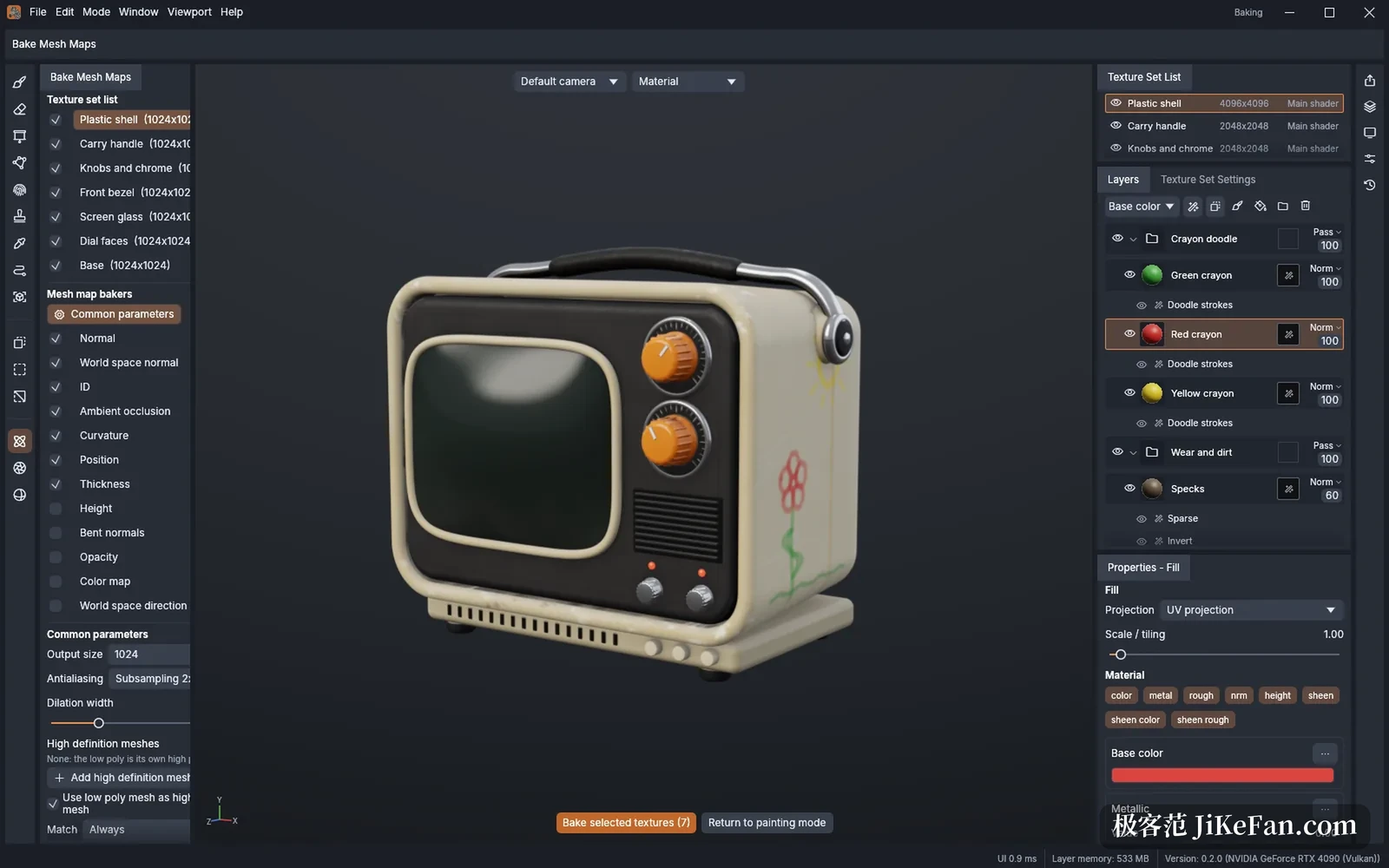
8K texture sets keep up
Large textures are where painting usually stutters. Here the texel engine is cut into tiles copied on demand, with one copy running on each processor core. The viewport goes through wgpu, which can sit on Metal, Vulkan, DirectX 12 or WebGPU underneath. That combination is what the project credits for keeping an 8K texture set responsive while painting. The project keeps its files in a lossless format of its own, and copy on write snapshots carry unlimited undo, so experiments do not cost earlier work.
Doors in and out
Meshes arrive as glTF, FBX, COLLADA, USD, Alembic, OBJ, PLY and STL. Textures leave as 8, 16 or 32 bit PNG, JPEG, TGA, TIFF and EXR, with UDIM tiles and export presets for common engines. The export dialog picks texture sets, assigns an output template, sets channel packing and padding, and the normal map format can be chosen on its own. A mesh can go out with its textures as OBJ, GLB or USD, so nothing has to be wired up by hand on the engine side.
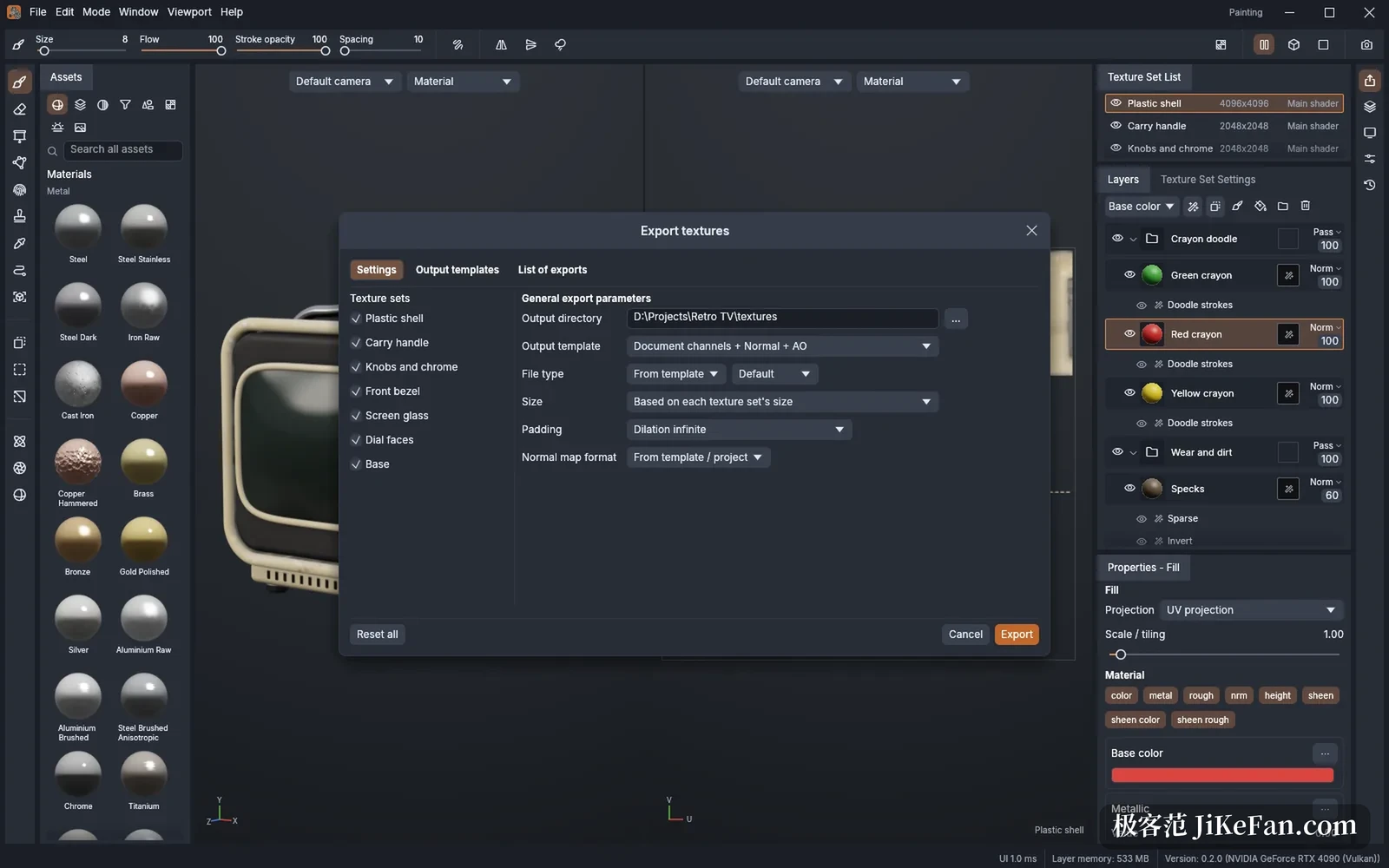
Every menu item is a command
The attitude to automation is thorough: each menu entry and tool corresponds to a command, so a command line, a JSON control channel and an MCP server can paint, bake and export the way a person does. A headless command line tool ships with the package, ready for scripts and agents. MaterialCraft, from the same project, builds node based procedural materials whose .mcmat output arrives as a fill layer with parameters still adjustable, so changing a size or a map does not mean starting over.
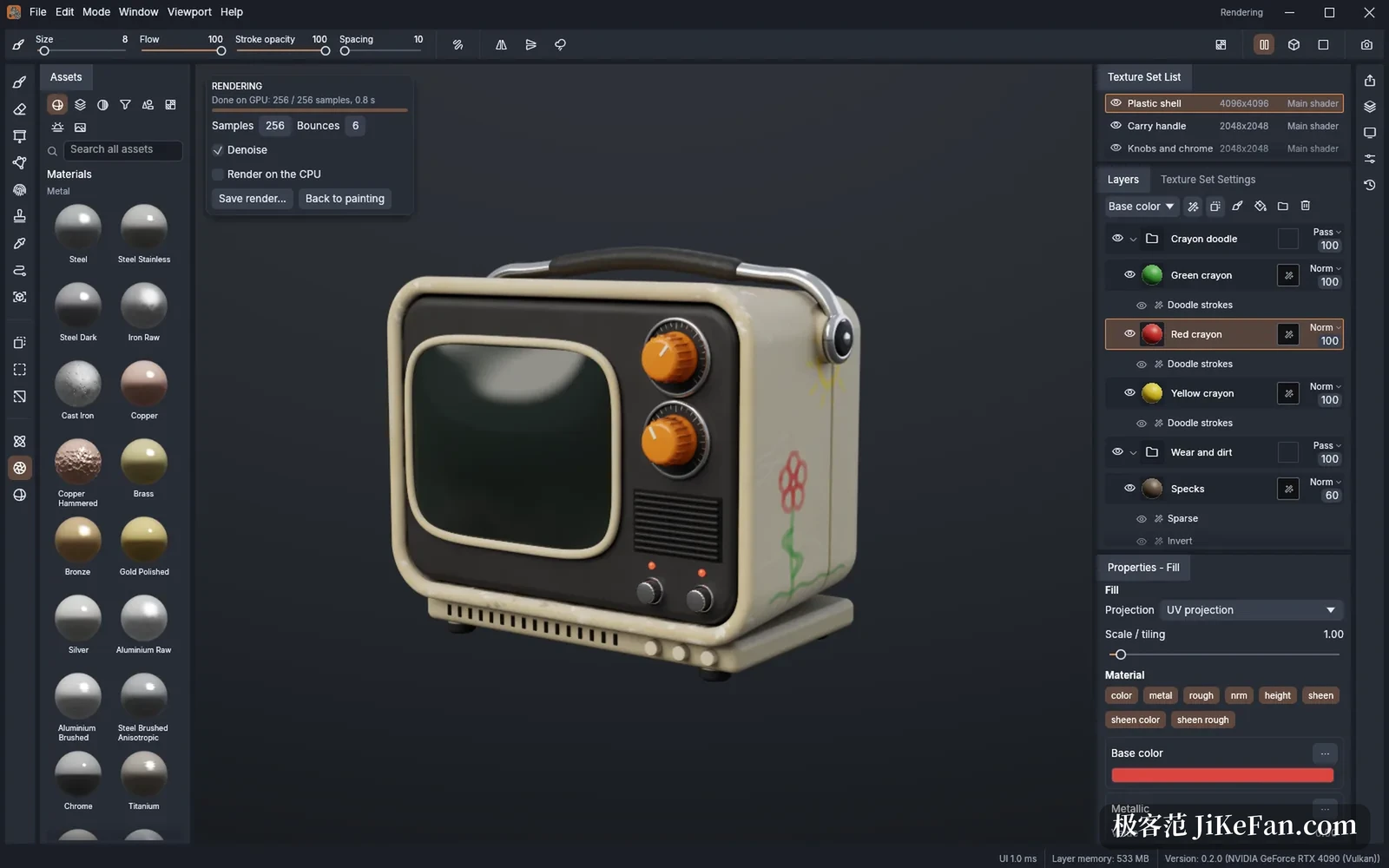
Maturity is on the label
The site marks the project as in development and lists what is missing: render mode has no hardware ray tracing yet, some platforms handle pressure and pen tilt only partly, Alembic reads only the first frame, and old HDF5 containers will not open. Render mode itself is GPU path tracing with denoising, and the official screenshot shows 256 samples and six bounces finishing in 0.8 seconds, a figure from that screenshot rather than a third party benchmark. When start-up fails it names the reason and writes a log beside the settings directory, and you can pick a graphics device by name or by asking for high performance.
Who it suits
In its present shape TextureCraft is closer to a clean canvas: the layers, masks, baking and export are all there, and the edges are stated plainly. Independent developers, small studios and technical artists who want automation inside their own pipeline can try it, and whether to move a whole asset workflow over is a question best answered by running one model through it first.