
Ortu 2.1 adds a paste stack and secret masking
Summary
Ortu 2.1 is a small Rust clipboard tool that keeps a tagged history, pastes several clips in order and masks tokens with AES-256-GCM encryption on disk.
Recommend- Name
- Ortu
- Version
- 2.1
- Pricing
- Free
- Open source
- Open source
- Operating system
- WindowsmacOSLinux
- Website
- https://ortu.abhijithpsubash.com
- Updated
- 2026-11-13 23:00
Ortu is a cross platform clipboard manager written in Rust with Tauri and released under the MIT licence. Version 2.1 concentrates on two things: what has been copied should be pasteable again in a chosen order, and a secret should not sit on the disk in plain text.
The system clipboard keeps the last copy only. That is enough to move a sentence, and not nearly enough to shuffle between three windows.
The clipboard should remember more than one thing
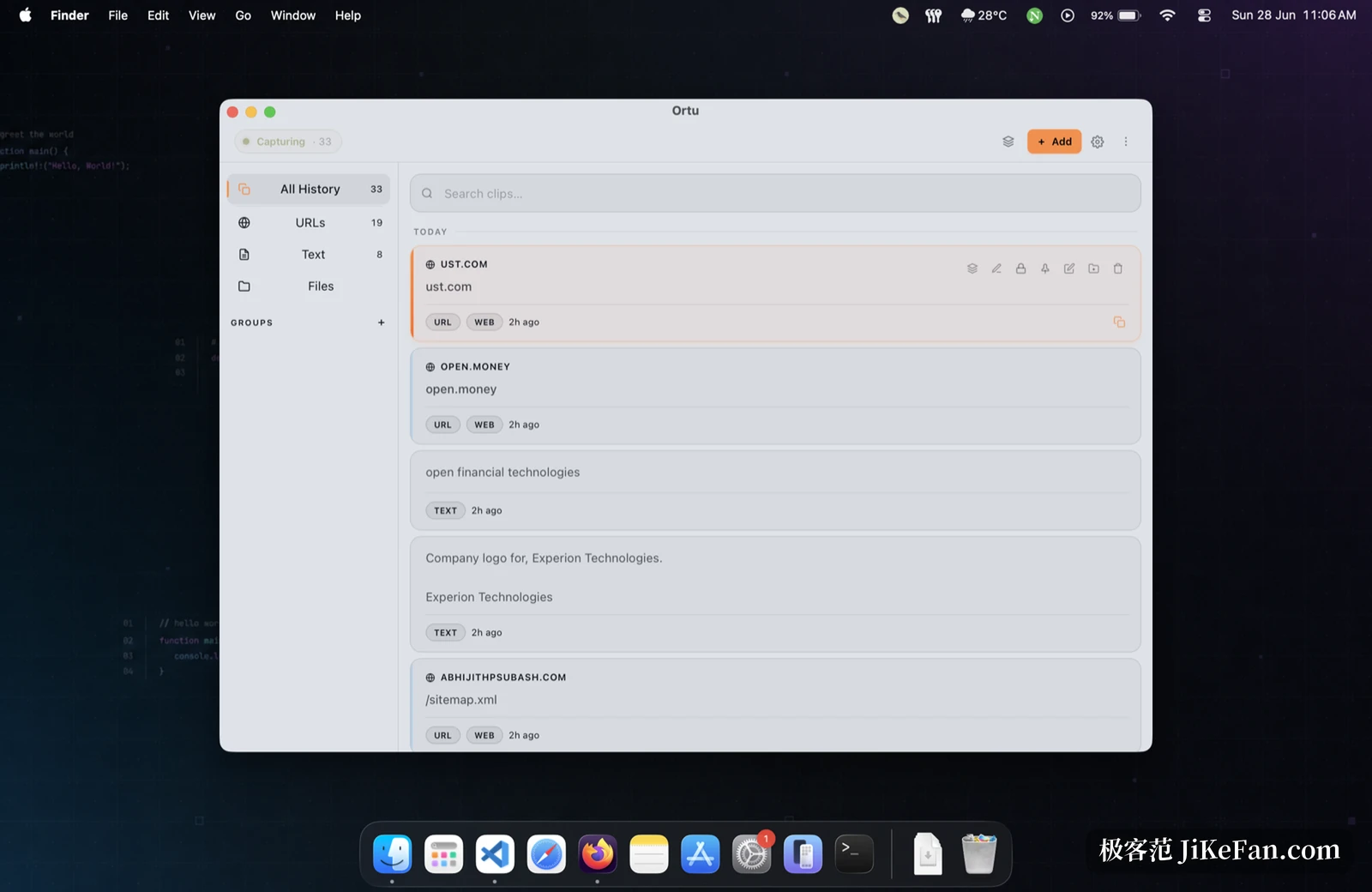
Ortu keeps a history and tags every entry with a type. A rule based classifier drops each item into one of a few buckets, addresses, code, JSON, shell commands, secrets and file paths, and the left column counts them by category, so finding something does not mean scrolling a timeline inch by inch.
Plain text is not the only thing recorded. Images and files join the history with thumbnails, which answers the familiar question of where a screenshot went and whether it can be pulled back. The search field stays at the top and filters as it is typed.
The paste stack: pasting in order
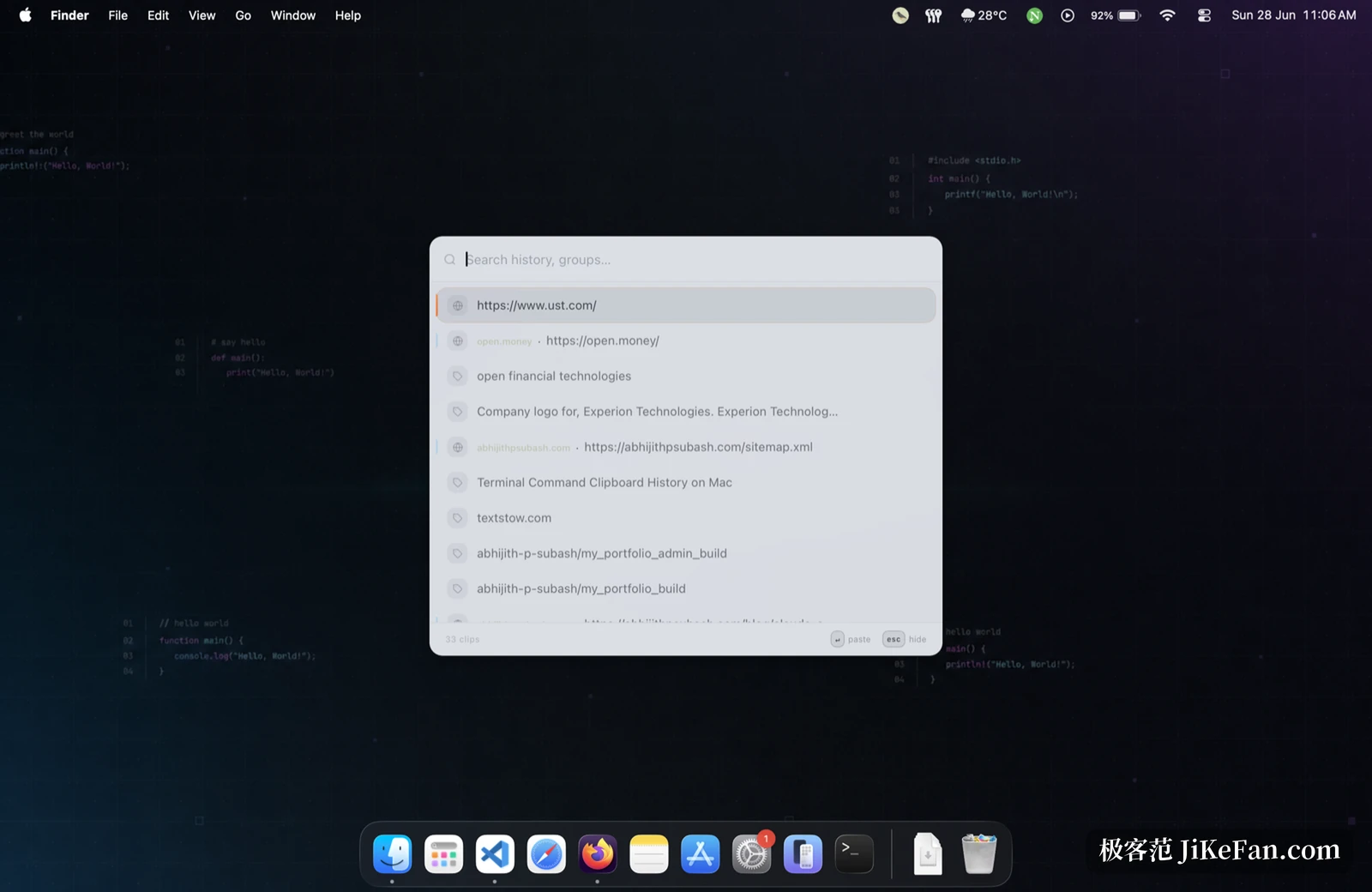
Most clipboard tools stop at pressing once to paste the previous copy. Ortu adds a stack on top: push several items in order, then each press of the global shortcut pastes the next one. Collect name, phone, address and reference number before filling a form, then press a few times through a row of fields without the hands leaving the keyboard.
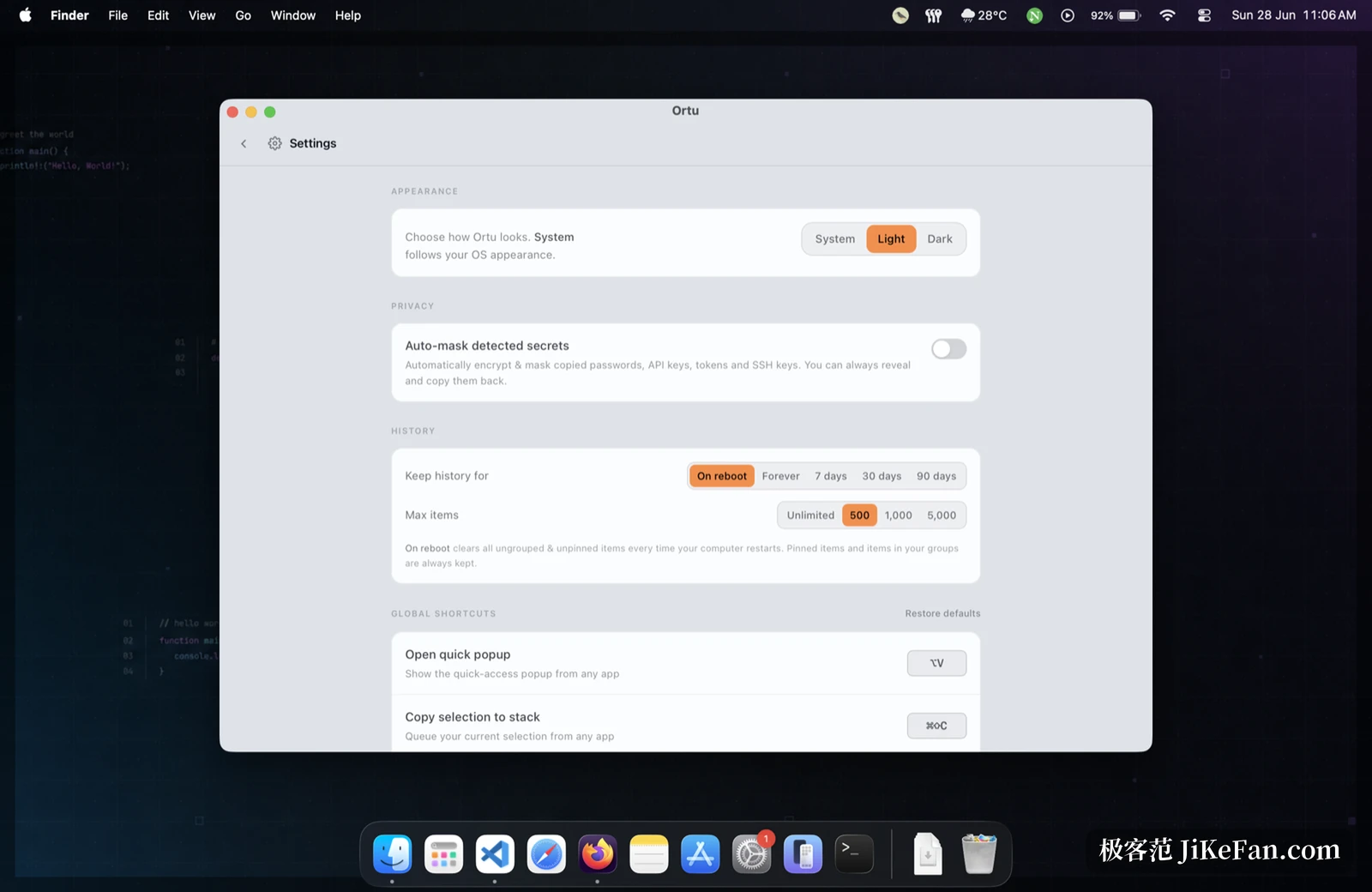
Shortcuts carry the whole flow. Summoning the quick popup, pushing the current selection onto the stack, pasting the next item and jumping to a position by number can all be rebound in settings, with one click to restore the defaults. For anyone switching between a terminal and an editor all day, the saving is not a few clicks but attention left unbroken.
A secret should not stay in plain text
What a developer copies includes tokens, API keys and private keys, and once such an item enters a clipboard history there is a plain text copy on the machine. Ortu recognises this family, masks it in the list, encrypts it with AES-256-GCM when written to disk and expands it only when asked.
All data lives in a local SQLite file, with no account system, no cloud sync and no telemetry. That matters especially for a clipboard tool, because the clipboard is the easiest place on a machine to scoop up secrets, and any upload deserves suspicion. Ortu declines to offer that path, and the price is that moving to another machine takes arranging.
Search and retention
Once a history reaches tens of thousands of entries, the way search is built separates the tools. Ortu uses the FTS5 full text index in SQLite with fuzzy ranking, so a few typed characters locate an entry inside a large set instead of running substring matches one row at a time. At small scale the difference is invisible; as the history grows it shows.
Retention comes in several settings: clear on restart, keep forever, or cap by days and by count. Pinned items and items inside a group are exempt from clearing, a practical decision that keeps frequently used fragments from disappearing in a sweep. Snippets and transforms are there too, reusable text can carry variables, and copy as covers the common shapes of JSON, Base64, URL encoding, letter case and slug.
The measure of a small tool
Using Tauri rather than packaging a whole browser engine pays off first in a small installer and low idle memory. A tool of this kind lives in the background all year, so what it consumes is felt more readily than what it can do. Updates arrive as signed packages, and the theme follows the system or is set by hand.
The project is open on GitHub under MIT, the site claims more than a thousand installs, and it is the work of an individual developer with a clear direction rather than a fast cadence. Version 2.0 brought image and file capture, the paste stack, encryption and full text search at once, and version 2.1 repairs and tightens that skeleton.
Who should install it
Anyone copying and pasting dozens of times a day feels the difference first, especially when a long row of fields has to be filled in order, where the stack compresses repetition into a run of key presses. Anyone handling tokens and private keys gets a real answer to a real risk, masking plus local encryption. Someone who uses the system clipboard and copies a sentence now and then will probably forget the tool exists after installing it, and that is fine, because it takes up very little.