
SpaceKnife 0.3.5 draws a disk as blocks you can read
Summary
SpaceKnife 0.3.5 turns a disk into a treemap of blocks, saves a snapshot after every scan, and sends deletions to the recycle bin first, at about 25 MB.
Recommend- Name
- SpaceKnife
- Version
- 0.3.5
- Pricing
- Free
- Open source
- Open source
- Operating system
- WindowsLinuxmacOS
- Website
- https://spaceknife.kaltsit.dev/
- Updated
- 2026-11-13 23:00
SpaceKnife is an open source tool for finding out what fills a disk. It draws the whole drive as one picture assembled from blocks of different sizes, and the area of a block is the space its folder or file takes. Version 0.3.5 arrived on 10 November 2026, the Windows installer sits around 25 MB, the licence is MIT, it costs nothing and it carries no telemetry. For anyone whose C drive turns red without an obvious culprit, one scan usually answers the question. Builds exist for Windows, Linux and macOS.
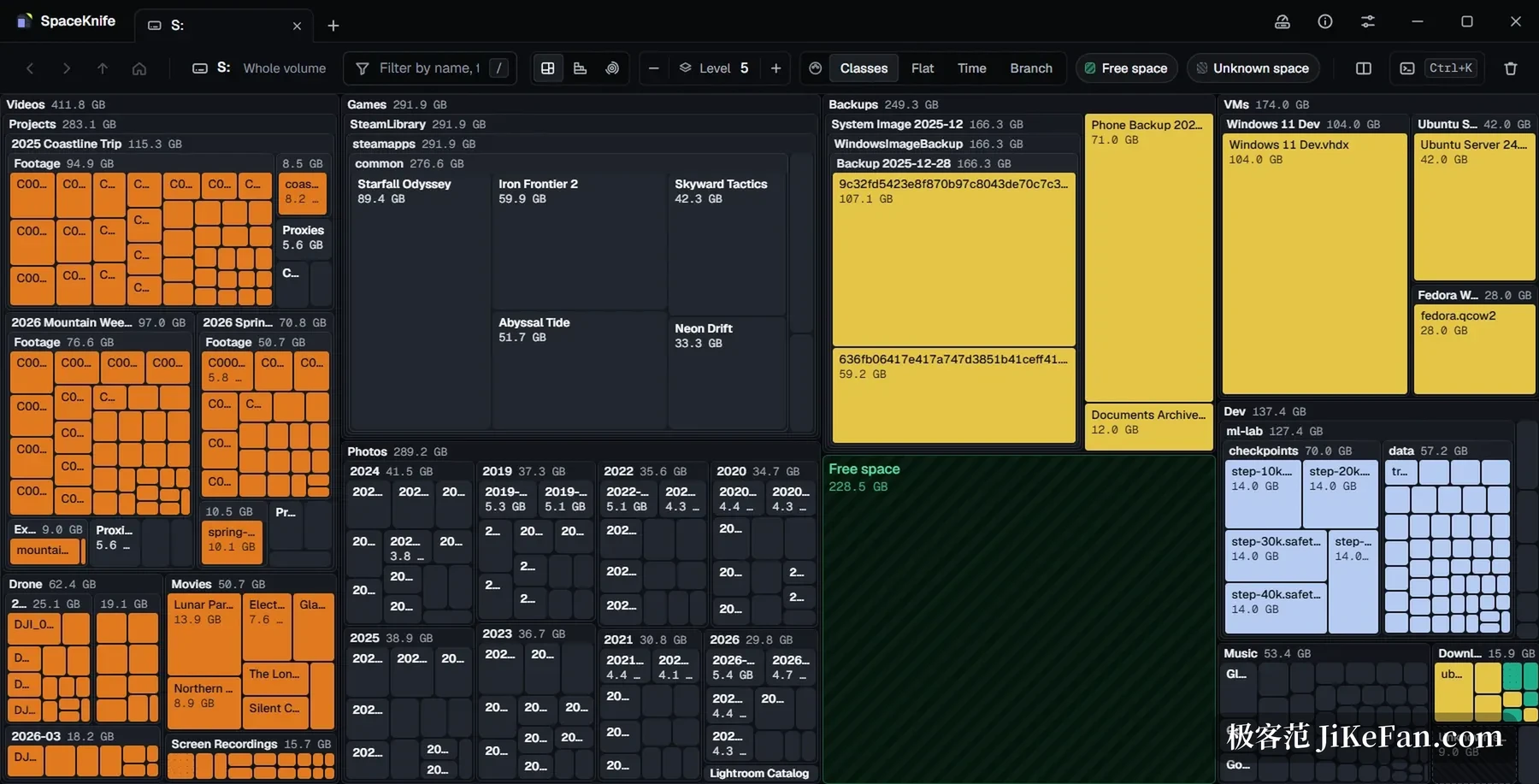
A bigger block means more space
Pick a drive, start a scan, and rectangles begin to appear. SpaceKnife renders the treemap through WebGL and draws as it walks, so the picture arrives before the whole drive has been read. A double click opens the folder under a block and the backspace key climbs out again. Hovering brings up the name, the size, the type and the modification time. A filter bar along the top combines name, type and size conditions, and it works while a scan is still running.
How long a scan takes
On Windows the tool reads the NTFS master file table directly and skips the walk through every directory. The developer measured 8.9 million entries finishing in about 4.7 seconds on his own machine; on other file systems it falls back to a parallel directory walk.
Scan intensity comes in five steps, from fastest to idle, and a custom share can be typed in as well. The balanced step caps disk reads at 70 percent, the quiet step at 35 percent and steps aside whenever a foreground program wants the drive. That design matters most on spinning disks, where a scan can run while a meeting or a video edit carries on.
After a scan the tool keeps watching the drive. As files are added, changed or removed, the matching block flashes. No second scan is needed.
Three ways to look
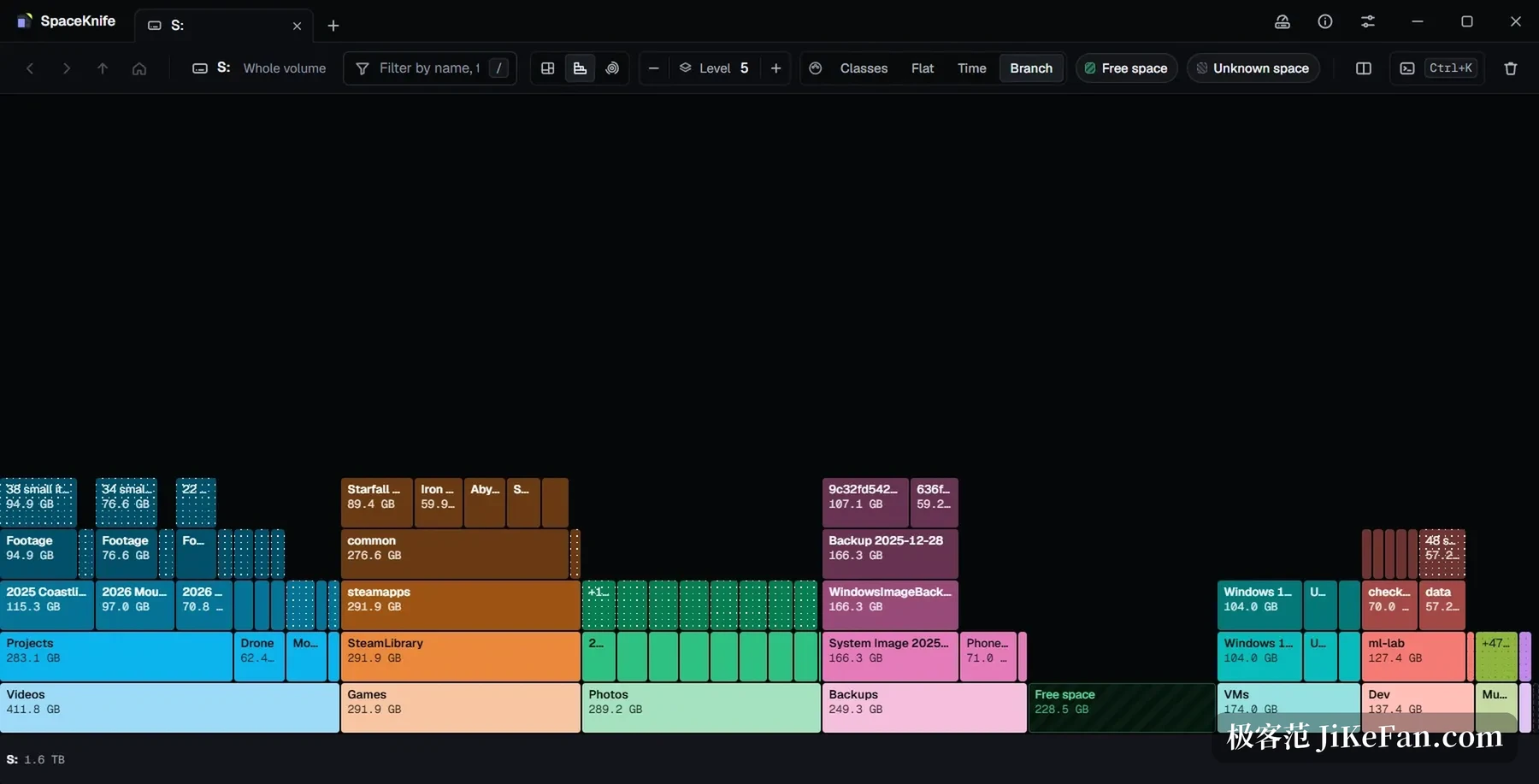
Beyond the treemap there is a flame graph and a flame polar chart. The flame graph unfolds the nesting of folders from top to bottom, and the wider a bar the more space it holds. The polar chart puts the disk at the centre, pushes deeper levels outward, and a large wedge marks a heavy consumer. All three views can be switched during a scan, and each remembers its own zoom and filter state.
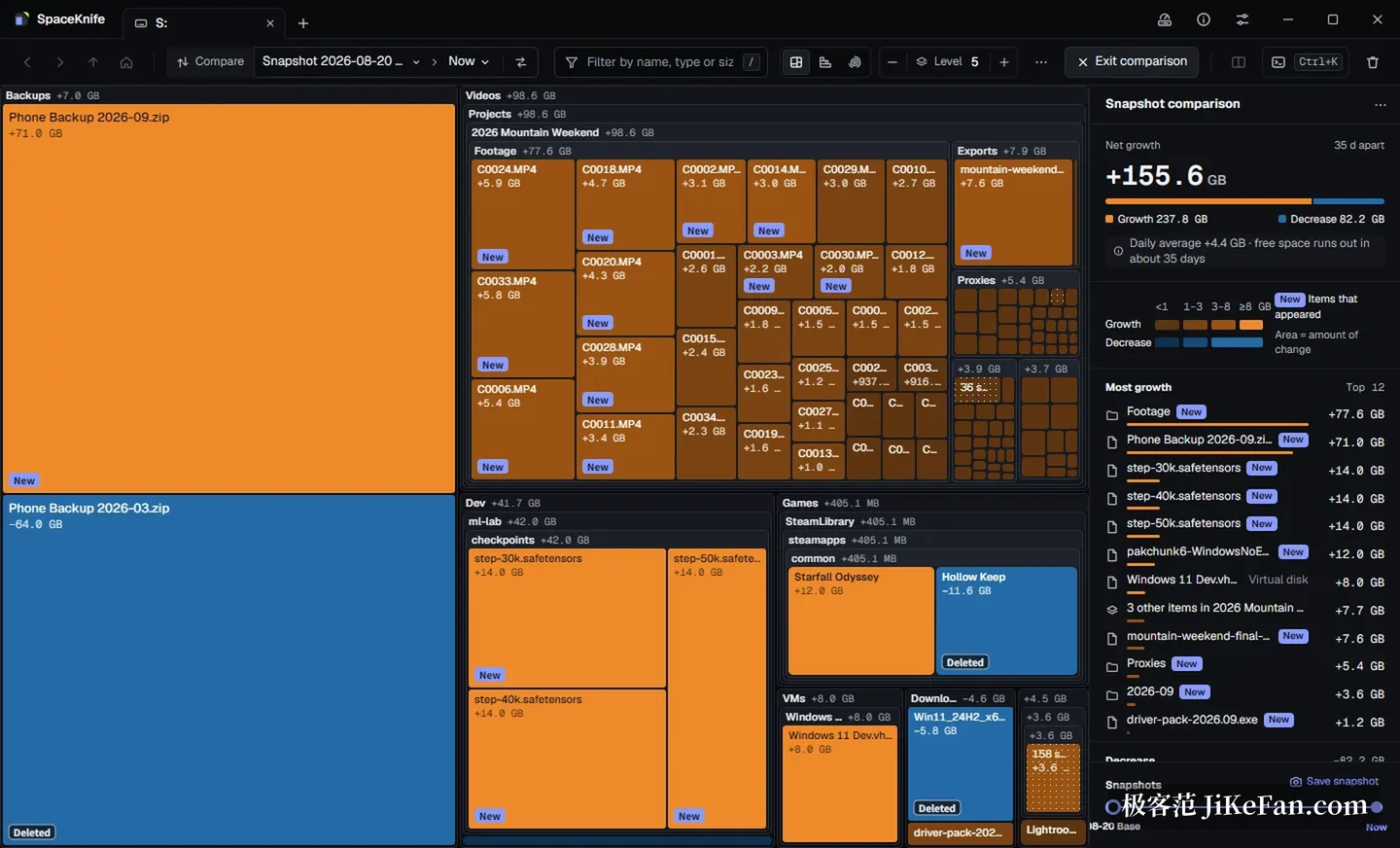
Old scores: snapshot comparison
Every scan ends with a snapshot stored automatically, and later scans add to the same timeline. Pick two points in time and the tool lists what grew and what appeared, then estimates how long the drive will last at the current rate of growth. Questions of the kind that go last week it was fine and this week it is full get an answer on that page.
A basket before deleting
A right click puts a block into a delete basket, so items collect there until the sorting is done and go out together. Deletion moves files to the recycle bin by default and they can be recovered until it is emptied. System and program directories are protected, and asking to delete inside them does nothing.
The filter syntax names things directly: a query such as a class filter with a size condition above one gigabyte lights up only the matching videos. Ctrl and K open a search across the whole scan result by name, and a hit jumps straight to it.
Smaller pieces worth knowing
A disk page gathers capacity, used space, interface speed, power-on hours and lifetime reads and writes for each drive; on a solid state drive it adds life remaining and temperature, and it warns when a link has dropped to a slower speed. Scan results export as CSV, JSON or an HTML table, which suits archiving or handing to somebody else. The portable package ships a command line tool called spaceknife-cli that can scan, take snapshots and run headless on a server without a desktop, with results read in a browser. The interface speaks Simplified Chinese and English, follows the system language and can be switched in the settings.
One thing should be said plainly: 0.3.5 still carries a pre-release label in the project repository. Features move quickly and the direction is still being adjusted, so on an important machine it is better used to look around than treated as the only basis for a decision.
As for who it fits: ordinary users whose C drive is always short and who want to know what eats the space; video creators hunting through virtual machine images, model weights and screen recordings for the one large file; and operations staff who want disk usage inside a regular check.
A disk never fills from nowhere, it is just that nobody spreads every block of it out to look. SpaceKnife does something plain: it turns usage into area, turns change into snapshots and puts deletion in a basket. Seeing clearly before acting beats any one click cleaner.