
LibreOffice 26.8.2 fixes old files and silent shows
Version 26.8.2
Summary
LibreOffice 26.8.2 is the second maintenance build of the 26.8 line, with about thirty-five fixes for old Office files, presentation audio and sheet references.
Recommend- Name
- LibreOffice
- Version
- 26.8.2
- Pricing
- Free
- Open source
- Open source
- Operating system
- WindowsmacOSLinux
- Website
- https://www.libreoffice.org/
- Updated
- 2026-11-13 23:00
LibreOffice is a free, open-source office suite for Windows, macOS and Linux, and version 26.8.2 came out on 29 October 2026. It is the second maintenance build of the 26.8 line and ships for all three platforms at once. The published count comes to about thirty-five fixes, aimed at stability, multimedia playback and the handling of older formats. There is no new function and no reworked interface, and the whole value sits in places that used to break and now do not.
Maintenance releases get read as nothing to see here. This one repairs three things that ruin a working day: a file that will not open, a presentation that will not speak, and an application that will not start after a system upgrade.
The crash that follows a system upgrade
On macOS 27, versions 26.8.0 and 26.8.1 could quit the moment they started. The record points at a thread identifier taking a value beyond the range of a 32-bit integer, which aborts the program during initialisation. Anyone who upgraded the system found that clicking the icon produced a window which vanished rather than a document. Version 26.8.2 replaces that test, and the same users recover by updating the suite.
A few places in Writer make people believe they did something wrong. Using AutoCorrect inside a text form field crashes the program, and selecting a whole rich-text or plain-text control before opening the character menu freezes the interface. Both are fixed here. One case is quieter: rotating an image and then editing its wrap anchor rewrote the aspect ratio, which shifted a layout that had already been arranged.
Copied sheets that compute the wrong number
The Calc problem is a regression with a clear starting point: from 26.8.0 onwards, copying a sheet treated relative references as absolute ones. Nothing raises an error, the copied table simply calculates a different figure, and the longer it takes to notice the harder it is to trace. Version 26.8.2 restores the original logic.
The same module gains support for web query files, so tables that pull figures from a page can be opened directly again. Smaller typesetting matters were cleaned up alongside: hyphenation near the right margin no longer breaks anywhere but at a morpheme boundary, and a non-breaking hyphen that had been displaying as blank after an update displays again.
A slideshow that plays silently
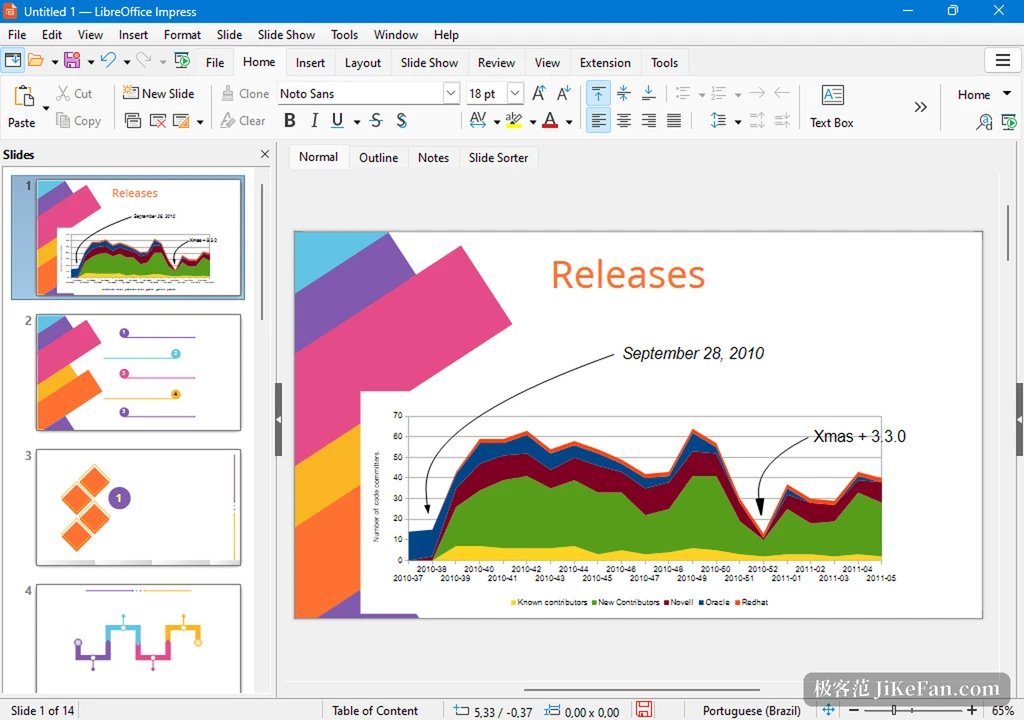
The Impress fault is blunter. On Windows, audio inserted into a slide stopped being heard during the show, and the official entry says as much. Anyone who prepares training or a report feels this one, because the file rehearsed perfectly and then the meeting room is silent. The same module carries a crash as well: scrolling through slides while inserted media is playing ends the program.
The old-file repair is the easiest to overlook. Some documents saved years ago use a compound document structure with 4096-byte sectors, and the suite refused to read them outright: text and presentation files would not open, and a spreadsheet opened as a screen of noise. This release accepts that structure, so an archive from several years back no longer needs an old machine to be readable.
Small things that do not stop work but irritate
In the Linux task manager, the program appeared under its process name rather than its application name. Upgrading from an older release left Python environment variables in a state that raised errors and blocked macros and extensions. Switch the interface to a right-to-left language and the custom colour picker was mirrored, so choosing a colour felt backwards, and the spacing in the palette has been tightened so the swatches no longer push the selection grid off the screen.
None of those entries deserves a release of its own, and together they are the burrs that catch during daily use. That is exactly what a maintenance build is for: it promises no surprise, only that the holes left by the previous version are filled.
Who should move and who can wait
Anyone already on the 26.8 line should update, especially on macOS 27 and especially if presentations are part of the week. Anyone still on 26.2 can stay put, since that branch is inside its maintenance window, and migrating when it closes follows the same path. An organisation that freezes versions should at least run the three scenarios above on a test machine before deciding to release early.
The credibility of LibreOffice rarely shows in the length of a feature list. It shows when a document from ten years ago opens, when a recording plays during a meeting, and when the icon answers after a system upgrade. What 26.8.2 does is move those three from luck to expectation.