
SD WebUI Forge keeps the old interface and rebuilds what sits under it
Summary
Same tabs, same parameter column, same model folder. The rewriting went into memory tracking and model support, so a card that struggled before now finishes the same job in half the time.
Recommend- Name
- SD WebUI Forge
- Version
- 2.29
- Pricing
- Free
- Open source
- Open source
- Operating system
- WindowsLinuxmacOS
- Updated
- 2026-10-06 21:58
The interface most people picture when they search for local AI art is basically Stable Diffusion WebUI: parameters down the left, the canvas on the right, models and LoRAs switched in one click, positive and negative boxes above. The tutorials, plugins and model files built around it remain the hardest part to replace. The trouble sits behind the glass. Support for newer models in the original effectively stopped in 2024, with only occasional patches since; the Forge offshoot rewrote resource management once and its last push was in July 2025. The line still moving is forge-classic, which took Forge over and chose to keep the interface while spending its effort on memory, speed and model support.
Nothing was redesigned. Same split layout, same txt2img, img2img, Extras and PNG Info tabs, and the built-in modules became a row of toggles. That makes migration cheap: install into another directory and point the model, LoRA, VAE, ControlNet and embedding paths at the old folder - the weights appear in the dropdown without any conversion - and existing extensions mostly keep working.
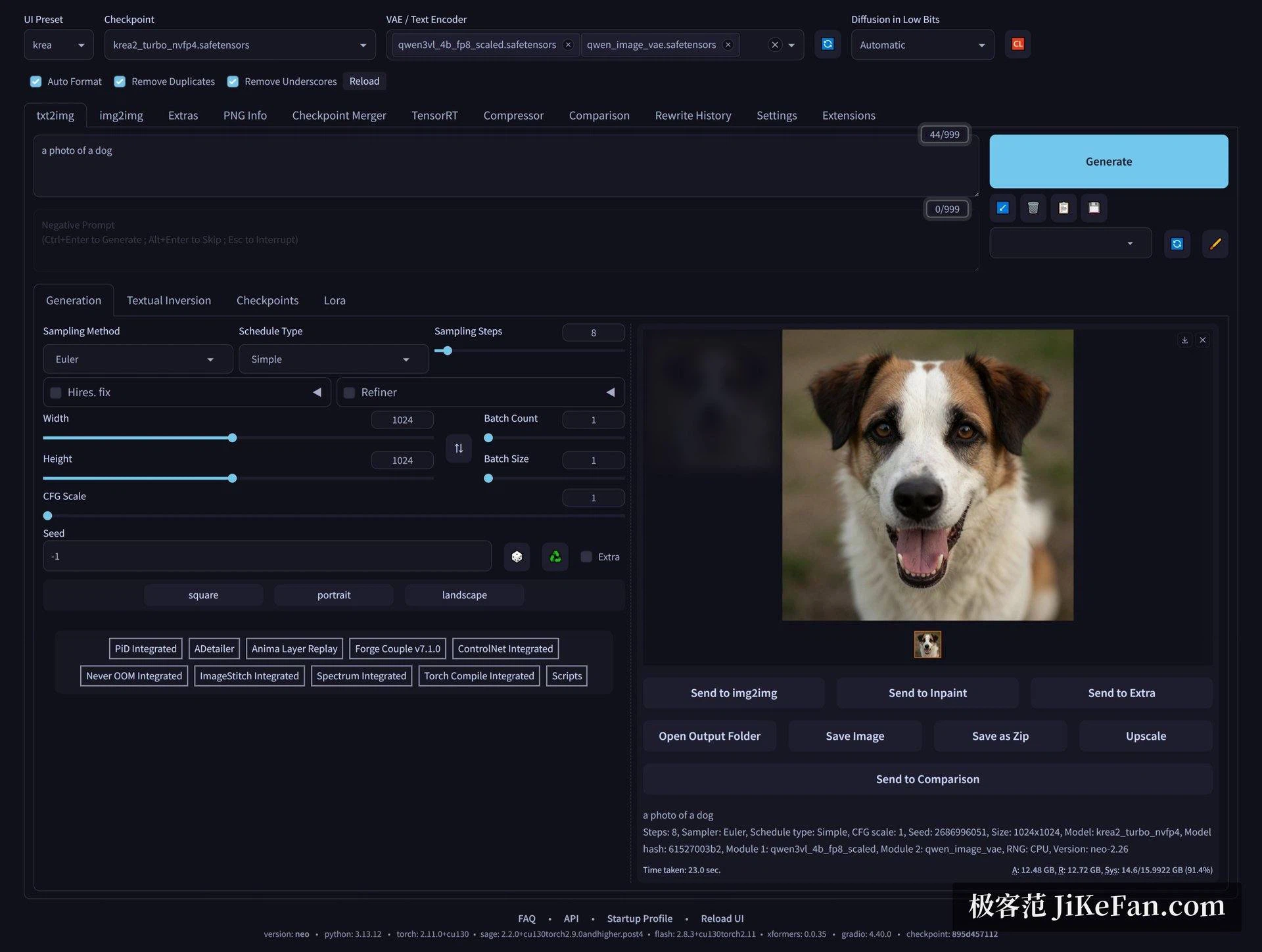
The small line at the bottom is the quickest way to identify a build: which version, the Python and torch numbers, whether the attention backend loaded. No hunting through logs when something breaks.
Memory handling is the part that was genuinely rewritten. The old approach worked as a switch: offload everything to system memory, or offload more aggressively, at a visible cost in speed. Forge tracks memory in real time instead, deciding layer by layer what stays on the card and what moves out, then swapping back, so the user rarely has to guess which mode to pick.
The difference can be measured. The same Flux FP8 weights on a 12 GB card: roughly 25 seconds per image in the original's lowest memory mode, roughly 12 seconds with Forge on default settings - footprint and speed improving together. Low-bit loading is still there, and quantised weights push the threshold for large models down further.
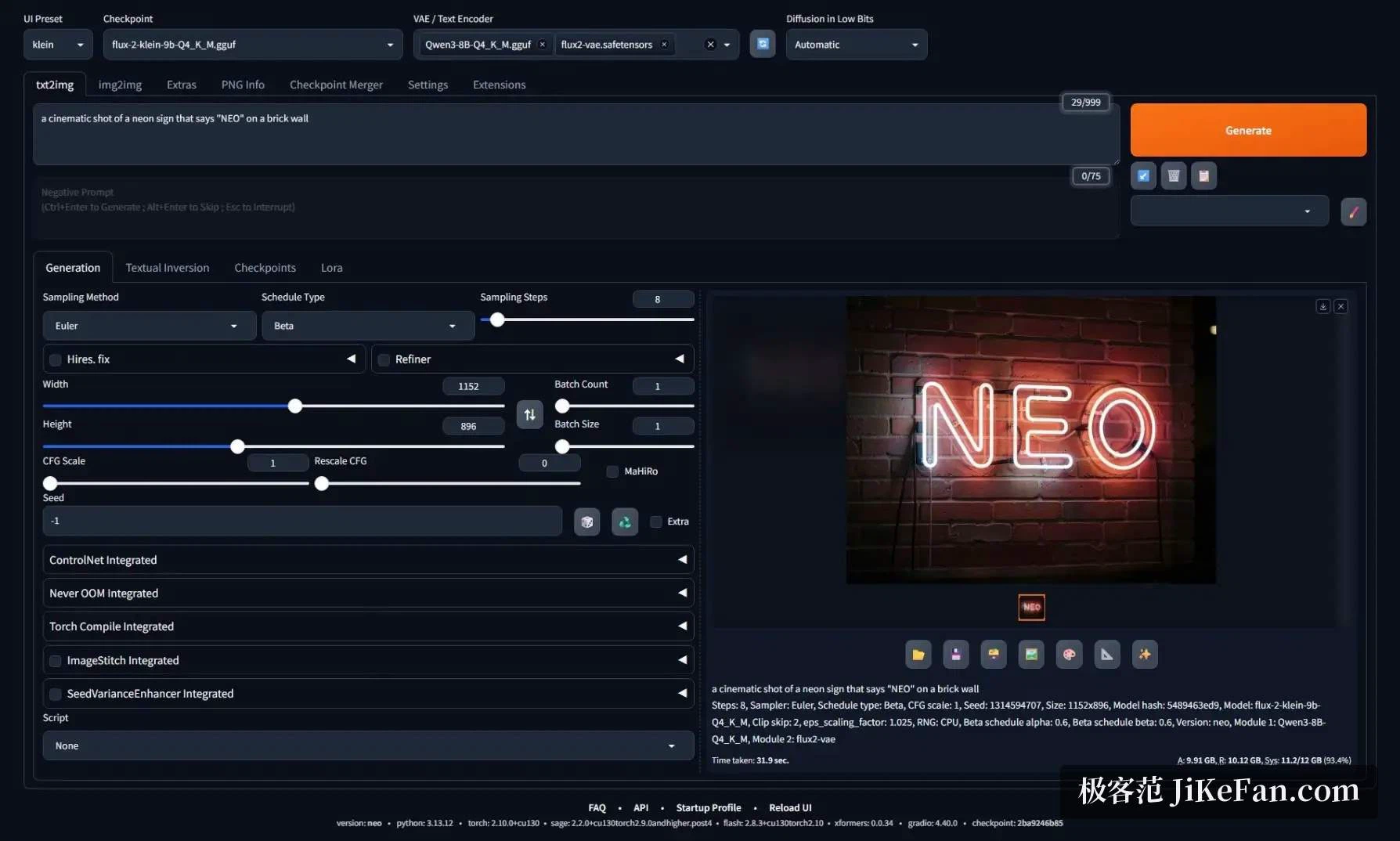
The screenshot is running a nine-byte quantised large model, and the bottom right reports allocated, reserved and system memory share as it goes. Deciding from that number whether one more ControlNet fits is far more reliable than guessing from experience.
The maintainer's stated direction is light weight with the newest models running. The supported list already covers much of the current mainstream: Qwen-Image and Qwen-Image-Edit for generation and local repaint, the Kontext and Klein versions of the Flux line, Z-Image with its accelerated variant, Chroma1-HD, Lumina-Image 2 and others. Some model types are recognised from file name keywords, so an edit model needs the matching keyword somewhere in its path to be identified correctly.
Video came in as well: the 14B Wan model does text-to-video and image-to-video inside the interface, with a Refiner switching between high and low noise, though exporting a video file needs FFmpeg installed beforehand. Quantisation and acceleration got attention too - besides low-bit loading there is a mixed precision option, optional attention and compile backends, and radial attention for video models. The first environment install uses a package manager called uv to go faster.
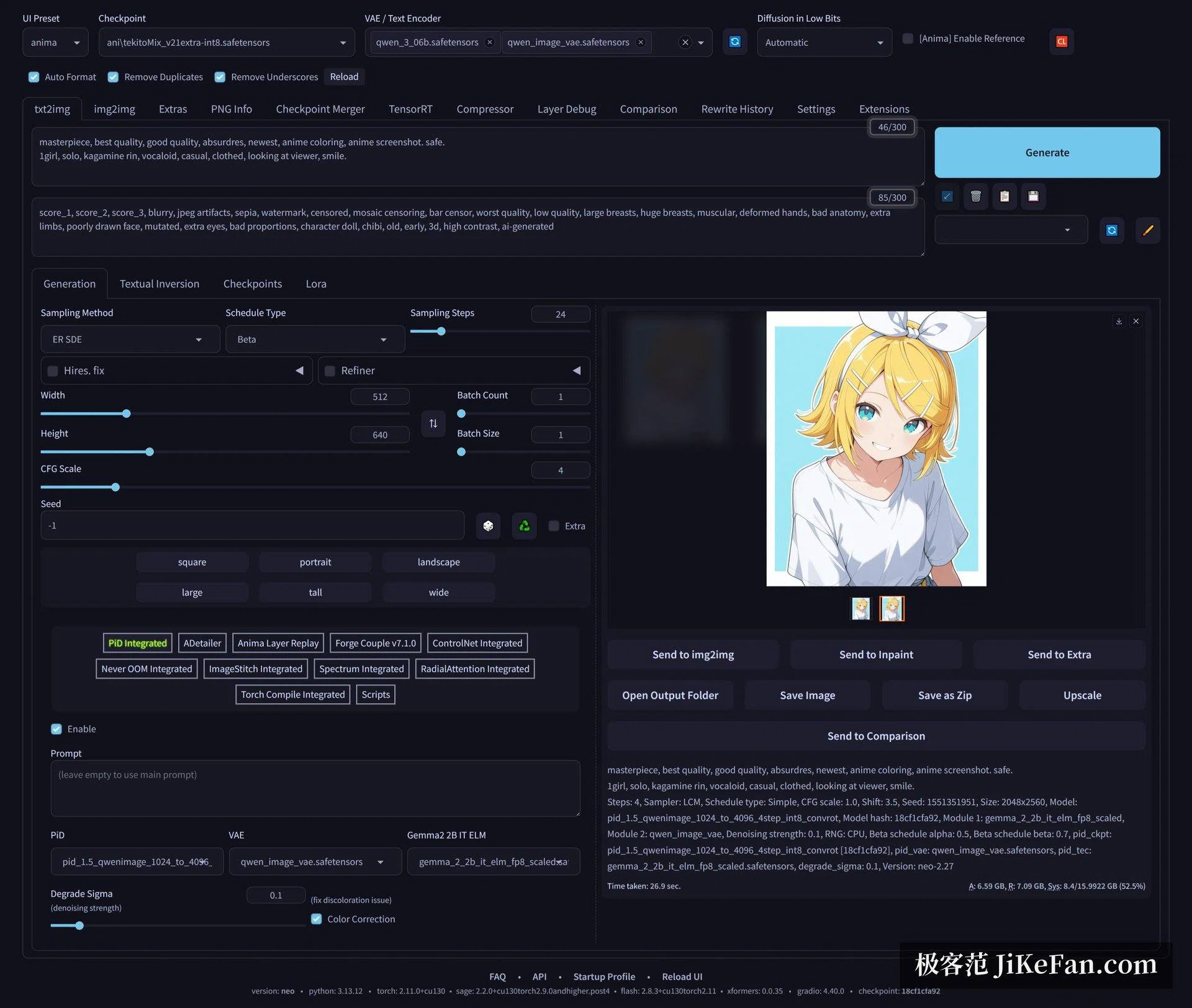
New options in these modules arrive noticeably faster than in the original, and anyone who has no use for them can leave them alone.
The project is licensed under AGPL 3: free to download, free to self-host, no charge per image. It also narrowed its scope by becoming a pure inference environment, so some original abilities were dropped - SD2 and SD3 are not supported, hypernetwork and textual inversion training are gone, and so are tagging tools such as CLIP Interrogator and Deepbooru. If those are part of a daily flow, the original Forge is where to go back to.
The main install path targets Windows with an Nvidia card; Linux and macOS have separate wiki steps and Docker has official notes. AMD cards need community guidance, and the project says plainly that it does not handle those issues - accept that before starting. torch follows the latest stable release, so an older card needs a manual downgrade. And since the interface moves fast, plenty of old tutorial screenshots no longer match; when in doubt, the version line at the bottom is the truth.
In one line: if the interface is already familiar and a model library already exists, this is the least troublesome way to keep going - nothing to relearn, nothing to download again, and the saved memory along with the newer models comes for free. Anyone who wants to train models, or still needs SD2 and SD3, is better off staying on the original.