
WorkBuddy: an office assistant that acts on the files, not just the questions
Summary
An office workbench from Tencent: describe a task in one sentence and it plans the steps, works on local files with your permission, produces documents, spreadsheets and slides, and can run the same job on a schedule.
Recommend- Name
- WorkBuddy
- Version
- 20260829
- Open source
- Proprietary
- Operating system
- WindowsmacOSiOSAndroidHarmonyOS
- Updated
- 2026-10-06 21:19
There is a particular kind of afternoon that anyone with an office job recognises. Forty scattered contracts sit on the desktop and need to be sorted. A sales spreadsheet is waiting to be analysed. The weekly report is half written, and the slides are due next week. None of it is difficult. All of it is relentless, and together it consumes the better part of a day.
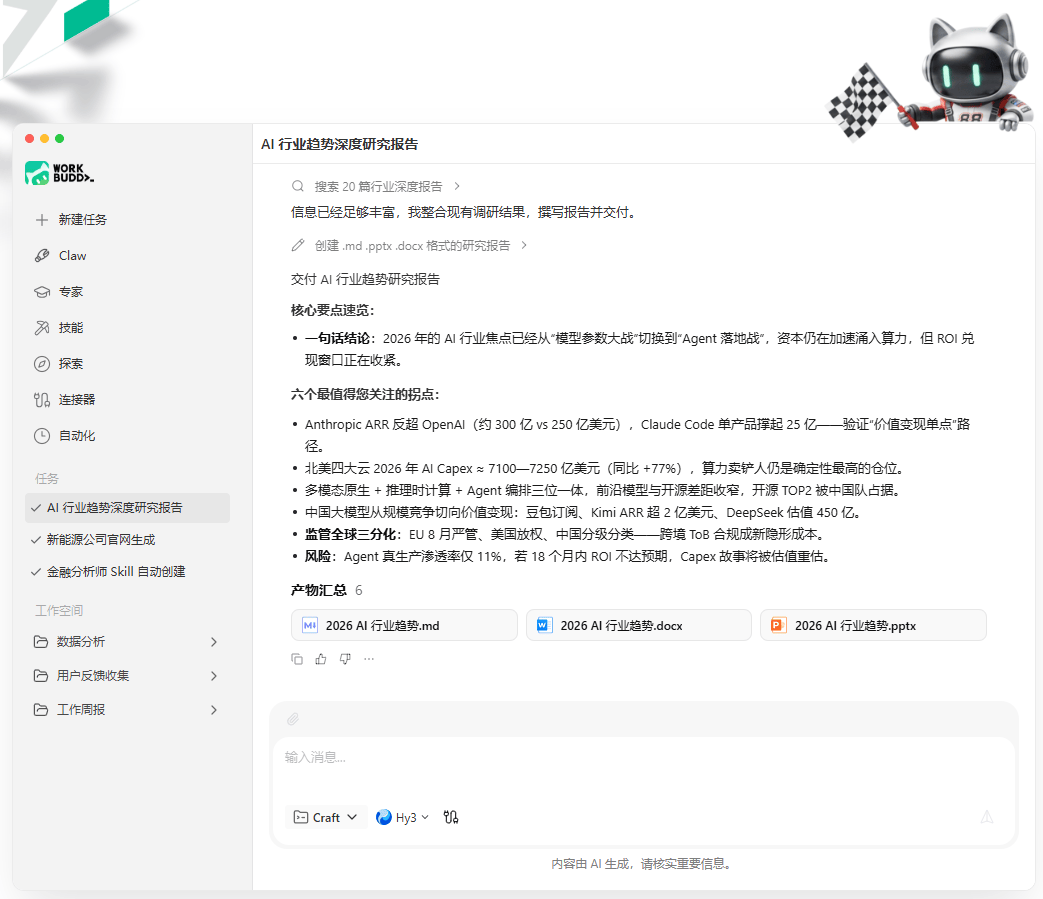
WorkBuddy is built around the premise that this work can be described rather than performed. It is an office workbench from Tencent: state the requirement the way you would state it to a colleague, and it breaks the task into steps, decides which tools to call, carries them out, and hands back something you can use – while leaving the process and the result visible for review.
Acting is the difference
Plenty of AI tools stop at advice. This one operates on local files, with your permission: it reads them, sorts them, renames them, converts between formats, and can file several dozen loose documents on a desktop by type in the time it takes to read this paragraph. The same applies to writing: a draft of a weekly report, meeting minutes, product documentation or an analysis is produced rather than outlined.
The scope covers the tasks that fill an office week. Documents of the kinds just listed. Data work: reading a spreadsheet, running the statistics, producing the charts, without rebuilding the formulas by hand. Reports and presentations, where one requirement becomes a Markdown document, a word processor file and a slide deck. And scheduled automation, where a job set up once runs at a fixed time every day – collecting industry news, summarising it, and delivering before anyone asks.
Several models, chosen per task
The architecture is deliberately multi-model. Several mainstream large models are built in, and they can be switched inside the same conversation: a light model for routine office work, where speed and cost matter more than depth, and a heavier reasoning model when the task actually requires it. An automatic mode hands the choice to the system, which picks according to the complexity of what was asked.
That is a sensible arrangement for a tool used all day. Paying reasoning-model prices to reformat a table is a waste, and using a fast model to reconcile contradictory figures is worse.
The ecosystem is a native connection, not an integration
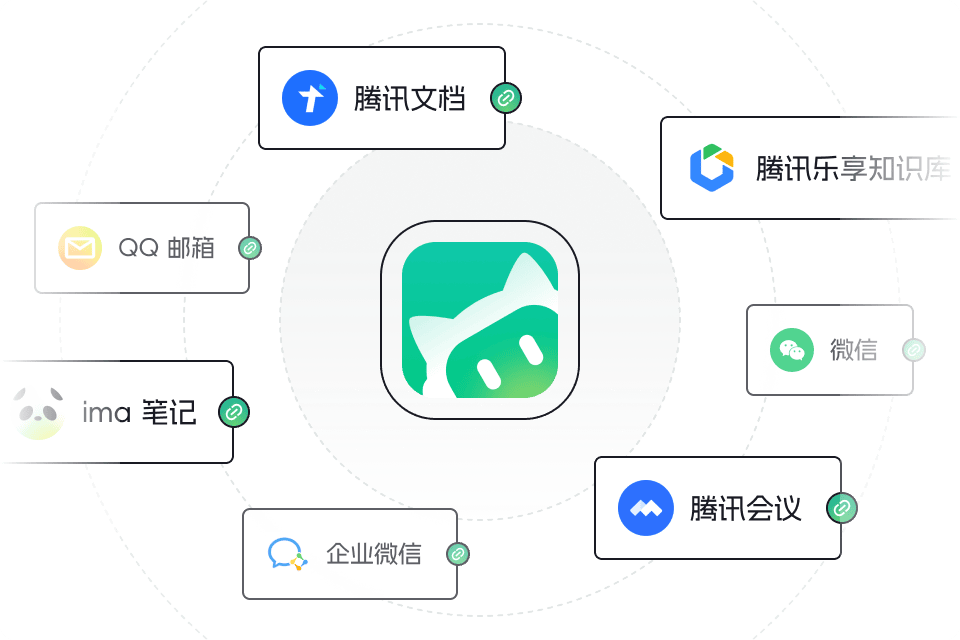
Because it comes from the same company as the tools around it, the connections are native rather than bolted on. Documents in the company's collaboration service can be read and written directly. A request can be raised inside an enterprise messaging group. With authorisation, a mailbox can be searched for quotation emails, the attachments extracted and assembled into a table. Meetings can be scheduled, changed, and their recordings turned into minutes. Connected to a private knowledge base, answers can be grounded in an organisation's own material instead of the open web – which is the difference between a demo and something a company will actually let people use.
Expert teams, reusable skills, and editions
More than a hundred specialised roles form a virtual team covering operations, design, data, development, finance and legal work, and a complex task can be split across several of them in parallel. A skill centre turns a routine operation into something repeatable, which is how individual shortcuts become team assets.
The enterprise edition adds round-the-clock cloud workers and a team project mode, delivered as a hosted service, a dedicated instance or a fully private deployment. On pricing there is a time-limited free tier that runs the complete workflow, with standard, advanced and top tiers above it depending on how heavily it is used.

What it is actually for
The honest framing is not that it replaces judgement. It takes the repetitive, tedious, tool-switching part of the week and runs it, leaving the deciding and the inventing to the person. For anyone whose day contains a long list of things they know how to do and would rather not do again, that is the part worth handing over.