
SoftPerfect Network Scanner 26.9 answers the subnet questions in one sortable table
Summary
SoftPerfect Network Scanner 26.9 puts device discovery, port probing, share auditing and remote queries into a single table that can be sorted, exported and scripted. It runs portable on three platforms, and the trial caps the list at ten devices.
Recommend- Name
- SoftPerfect Network Scanner
- Version
- 26.9
- Pricing
- Paid
- Open source
- Proprietary
- Operating system
- WindowsmacOSLinux
- Updated
- 2026-10-22 21:39
How many devices actually sit on the internal network, which of them keeps port 445 open, and which machine shares an entire data drive as writable: one window can answer all three. SoftPerfect Network Scanner 26.9 puts discovery, port probing, share auditing and remote queries into the same table.
Fill in a range, press start once
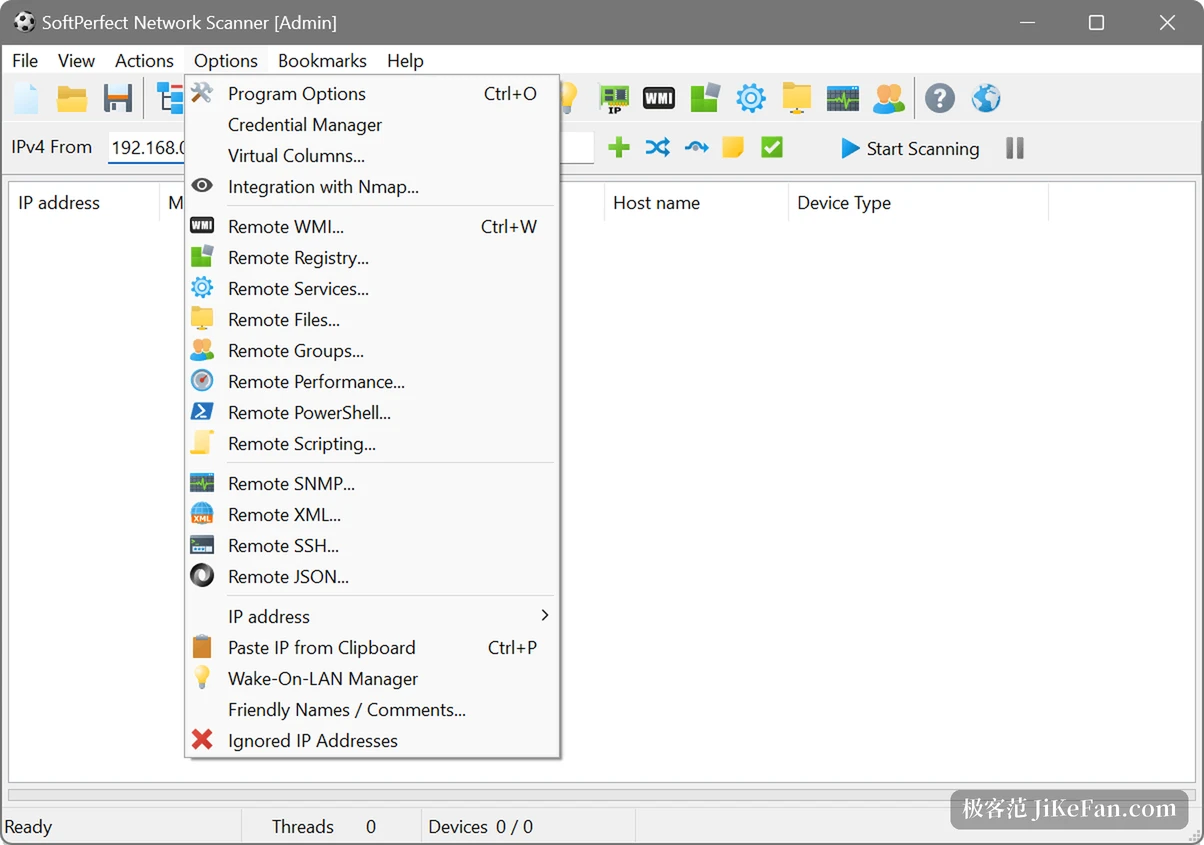
The top of the window holds two boxes, a first and a last IP, prefilled with the opening addresses of a common home range. Widen the last octet to 255 to take the whole subnet, or type the range in CIDR form instead. After Start Scanning the table grows row by row, one device per row: address, MAC, response time, host name and device type.
The MAC column deserves a sentence of its own, because the hardware address comes back even when the device hangs behind another router, and the vendor prefix is matched from a local list rather than looked up online. Device type is guessed as well, with routers, network storage, cameras and printers labelled in front of the row.
Ports, banners and certificates
Port scanning does not stop at the word open. It keeps the first sentence the service says, which is the banner: which web server runs there, what version an FTP service announces, which authentication methods SSH offers. Alongside that it pulls the issuer, subject and expiry date from any SSL or TLS certificate, so finding the expired one inside the network takes a scan instead of a browser tour.
The SNMP side reaches switches and printers. Version 26.9 lets the engine work out for itself which SNMPv3 authentication and encryption pairing the far end expects, so combinations such as SHA-224 with AES-192-B or AES-256-B no longer need to be tried by hand. The MIB browser now carries its database inside the program, and no separate MIB download is required.
Shares: writable and hidden alike
Switch on the share scan and every Windows machine grows a tree of what it publishes underneath it. A padlock marks the folders that want credentials; no padlock means anyone can walk in. The more useful part is the writable test, because the scanner really does try to write and marks what succeeds. The most common finding in an internal security review, a temporary share whose permissions were never withdrawn, falls out of this step.
Looking inside through WMI, the registry and SNMP
The context menu carries a dozen remote entry points: WMI, the remote registry, remote services, remote files, performance counters, SNMP, SSH, XML, JSON, and scripts. Whichever is picked, that protocol does the reading. Installed software, processor model, uptime and the account currently logged on all arrive in preset columns.
The tool also scripts its own columns, in VBScript or Python, one column per custom probe. A registry key, the content of a file, the state of a service: a few lines attached to a column and the result lands in the table. A command line build runs scheduled jobs unattended and exports the outcome to a file. One layer further out sits Nmap integration, calling a local Nmap for system identification, service version detection and NSE scripts, with the results written back into the same table.
What version 26.9 changed
The visible addition is live monitoring: select a few devices and watch latency, packet loss, jitter and line quality continuously, with a hop by hop quality curve inside the device properties. For a link that misbehaves only sometimes, that beats pressing ping again and again. Remote file properties gained MD5, SHA-1 and SHA-256 checksum columns, so checking whether a file changed no longer means copying it out and hashing it elsewhere.
Other changes are prunings. Remote suspend and hibernate, the comment column, the uptime option and the Telnet script object were removed in this release. The SNMPv3 work with SHA-384 and SHA-512 added in 26.7, and the long term device history from 26.5, are both still there.
Where the trial ends and the licence begins
It runs without installation: unpack, double click, or carry it on a USB stick without writing anything into the host system. The installer is 22 MB, the portable build 24 MB, and Windows, macOS and Linux are all served, with Intel, AMD and ARM64 on the supported list.
The trial carries no expiry date, but the table never shows more than ten devices. A home network of a dozen gadgets fits, a server room does not. Buying removes the ceiling: the licence is permanent, stays valid for the product version held at purchase, and includes a year of free updates, after which newer builds can be had at a reduced price. Licensing is per device, with multi device packs, site licences and a global licence as the other shapes.
Who it suits
Anyone responsible for dozens or hundreds of machines is the obvious reader. A new device needs registering, a leaver's machine needs its shares confirmed closed, a server turns out to have a port open for no reason: one window finishes the work, and the result exports as a table for somebody else.
Someone who merely wonders how many devices the flat holds can use it too, though the ten device ceiling arrives first, and a lighter tool would be less trouble for that question. Nor is this a watchtower: there is no resident service and no central console, so round the clock alerting on asset changes needs another system.
The position of SoftPerfect Network Scanner 26.9 is plain. The questions a network administrator asks daily, who is online, which ports are open, what is shared, what software is installed, end up in one table that sorts, exports and scripts. No installation, three platforms, a trial without an end date, and the price of the free path is a list capped at ten devices.