
BizHawk 2.11.1 puts over 45 systems behind one front end and adds a PSP core
Summary
BizHawk 2.11.1 gathers more than forty systems into one window: ten save slots plus unlimited named states, frame advance with instant rewind, memory editing, Lua and C# scripting, and the piano roll style TAStudio.
Recommend- Name
- BizHawk
- Version
- 2.11.1
- Pricing
- Free
- Open source
- Open source
- Operating system
- WindowsLinux
- Website
- https://tasvideos.org/BizHawk
- Updated
- 2026-10-22 21:52
A speedrun recording is not about playing fast. It is about pinning input to the frame, rewinding, comparing, replacing. BizHawk 2.11.1 is a front end built for exactly that: more than forty systems in one window, where every frame can be stopped and edited.
One front end, over forty systems
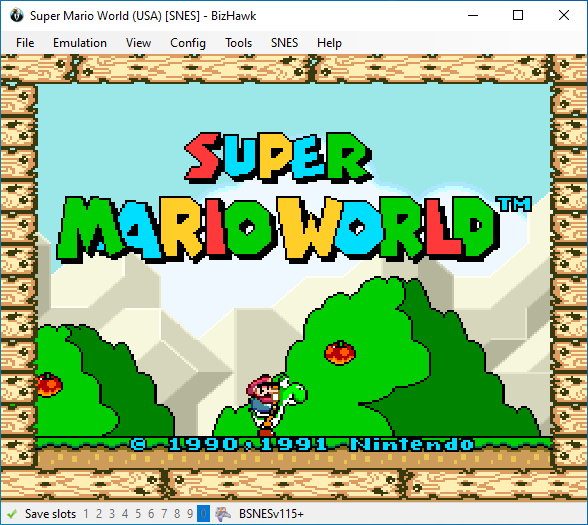
BizHawk is an emulator project, and the part aimed at ordinary players is EmuHawk, a multi system front end written in C#. It does not emulate everything itself; it plugs the various cores in and schedules them together. NesHawk handles the 8 bit Nintendo, GBHawk the handheld, and SMSHawk, PCEHawk, Atari2600Hawk, ColecoHawk and ZXHawk each take a slice, while MSXHawk is written in C++. Beyond those in house cores sit mature ones taken from upstream, covering arcade boards, 3DO, Amiga, DOS, Saturn, PlayStation, N64, DS, 3DS and more. The project page states it plainly: EmuHawk can produce recordings for more than 45 systems.
The other tool that gets overlooked is DiscoHawk, a disc image converter that turns whatever format is lying around into something that runs.
Every frame can be stopped and edited
The features aimed at speedrunning centre on going back. There are ten save slots, plus an unlimited number of named states; speed can be slowed, advanced a single frame, or run backwards outright. Rewinding is not a replay but a jump through a state, and that is the precondition for adjusting input frame by frame.
The memory viewer is the other half. Every emulated piece of hardware exposes memory for viewing, searching and editing, so changing a byte shows up on screen at once; with breakpoints and frame stepping, finding where a value comes from and when it is overwritten beats staring at the display and guessing. For recording, input can be stored as a movie file and replayed, while picture and sound can go straight to a file; screenshots, firmware management, an on screen overlay, rebinding and gamepad mapping all live in the same interface.
TAStudio: editing a movie like a score
Editing input through a movie file alone stays awkward, which is what TAStudio answers. It is a piano roll: frames run along the horizontal, buttons along the vertical, and a note means that button is held on that frame. A frame where something extra was pressed, a stretch that should move earlier as a block, all of it is a drag away, with states hanging underneath so any frame can be jumped to and checked.
The interface comes from the TAS Editor in FCEUX, and BizHawk took it in and made it a tightly integrated part. Used together the loop is: drag a stretch of input, press enter to see the picture, rewind if it is wrong, drag again. What a speedrun author does over and over collapses into one cycle.
Scripting and debugging: two doors, Lua and C#
Outside the graphical interface there are two openings. Lua can read and write memory, drive input frame by frame and draw results onto the screen, so a pathfinding robot or a collision box overlay is not hard to write. The C# opening goes deeper and reaches the interfaces of the front end and the cores. The documentation site carries a Lua function index and a batch of example scripts, from the simplest memory read to complete external tools.
The command line is left open for automation as well: movies run from a shell, scripts process in batches, and regression comparisons need no clicking.
Version 2.11.1: the PSP enters the experimental area
2.11.1 shipped on 1 May 2026, and the visible change is an experimental PPSSPP core that pulls the PlayStation Portable in. In the same release Ares64 gained an SD card interface for SC64 cartridges and analog stick bindings, BSNES followed an upstream update, DOSBox-X can calibrate the pointer position through its sync setting, and DSDA-Doom picked up a Lua script that merges the automap with debugging information.
One release earlier the project was keeping the same rhythm after 2.10: cores follow upstream while front end features arrive from speedrunner feedback. The value of such a tool is not in the version number but in whether recordings for one particular platform are accepted.
The trade-off that favours accuracy
The project page puts that trade-off in the open: cores are chosen for accuracy first and performance second. That is why TASVideos lists it as the preferred emulator for submitting recordings in most cases. The same paragraph admits that a few less accurate cores are included for automation purposes, fine for running scripts and unsuitable for submitting a recording.
The price is size and a threshold. The Windows package is close to 100 MB and wants a dependency installer run before it; on Linux the dependencies come from the distribution. The macOS path keeps only notes for older versions. It is not a toy that starts with one button; the first launch means choosing a core, mapping a pad and locating firmware.
Who it suits
People who make speedruns, analyse recordings, or reproduce the input of one platform frame by frame are the target. Scripting for automated testing, or running the same sequence in batches, also fits. Anyone who just wants to play a couple of old games for ten minutes will find it heavy: install, read the documentation, put the firmware in the right place, and only then play.
BizHawk 2.11.1 is not an emulator that runs the moment it is installed. It is a workbench that takes input apart down to the frame: over forty systems, ten save slots and unlimited named states, frame advance and instant rewind, memory editing and the two scripting doors, plus the piano roll TAStudio. Version 2.11.1 adds an experimental PSP core, and the price is close to 100 MB and an installation that begins with documentation.