
Things 3.25 is bought once, and it keeps today apart from tonight
Summary
Things 3.25 splits a day into Today and This Evening, keeps tags and checklists one layer down, and shows only the calendars you tick. The Mac build is under 50 dollars and the iPhone build under 10, paid once with no subscription.
Recommend- Name
- Things
- Version
- 3.25
- Pricing
- Paid
- Open source
- Proprietary
- Operating system
- macOSiOS
- Website
- https://culturedcode.com/things/
- Updated
- 2026-10-23 21:26
Things 3 is an Apple only to do app that Cultured Code has been building for over a decade, sold per version with a single payment. Version 3.25, pushed out on 21 October 2026, puts the weight of the release on Apple's newer hardware shapes, while the daily split between today and tonight stays where it was.
Today and tonight were always two different things
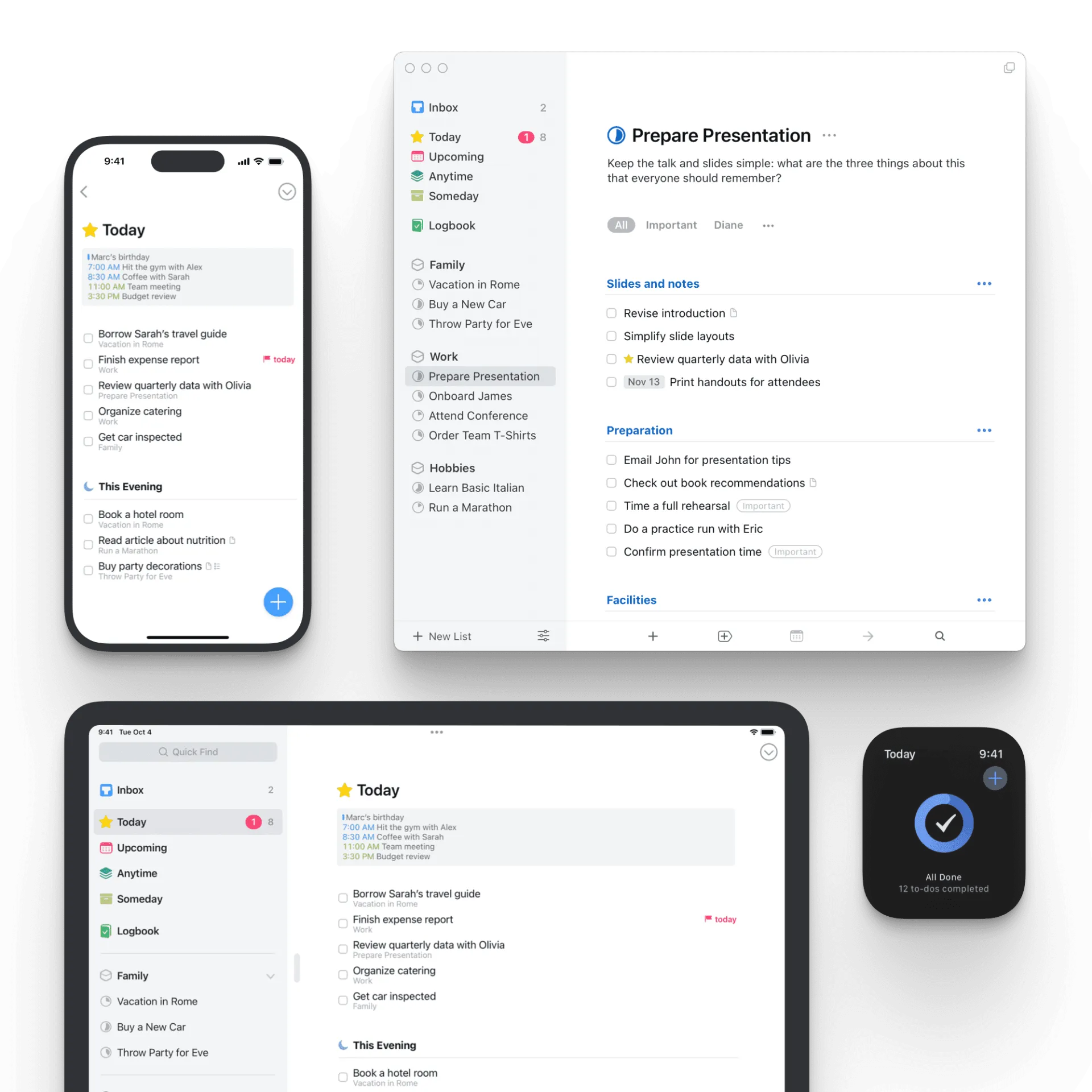
Most task tools offer one Today, so whatever did not get done sits at the top of the list, and by evening the screen is a stack of items that were never ticked. Things cuts the day in two: the Today list carries the daylight hours, calendar events for the day sit in their own group above it, and the This Evening section catches what only becomes possible later. Anything left over that you would rather not see tomorrow moves there, and Today is clean again.
That division is part of the structure rather than a label to add at will. The first screen on launch is Today, with calendar events and tasks side by side, so the first question is how much of the day meetings have taken and the second is what is left to do.
The details live one layer down
A new task shows one field, and typing the sentence is the end of it. Details appear only when asked for: tags, checklists, start date and deadline wait in a corner and stay invisible until the layer is opened. That folding away of complexity runs through the whole app, and the list screen holds almost nothing beyond its title.
When a project grows, headings cut the tasks into stretches, one subject per stretch, so reading it does not mean starting from the top. A checklist breaks a single task into steps, which covers packing a bag or walking the list before a release, each line ticked in turn. Paste a block of bulleted text from another app and it turns into a checklist on its own.
Only the calendars you should see
Which calendars appear inside Today is a choice: work, family and personal are ticked separately, and the schedules you should not see never take up room. Those events are reference only and take no part in ordering tasks, so a day full of meetings cannot push the tasks onto a second screen. The sidebar also folds away, a two finger swipe shrinking the list column until only the current list is left.
3.24 hooked into the system first
In a blog post on 14 September 2026, Cultured Code described the work for OS 27: a connection to the new Siri, a connection to the system Spotlight search, and snooze options for notifications given lengths that suit each situation. The Mac build followed to 3.24.1 on 30 September, adding a right click entry into Siri for tasks and projects, fixing a batch of interaction problems, and speeding up the response when a task is selected in quick find and in shortcuts.
On Vision Pro the system writing tools arrived for editing the notes inside a task. None of it is large, and the direction is consistent: put the app into the entry points the system already has, so nobody has to remember an extra gesture.
3.25 is a re-layout for the folding shape
The notes for 3.25 carry one subject, the iPhone Duo. The app lays itself out again for every posture the device can take: closed, open, folded halfway like a book, split with another app. Opened out, a sidebar appears on the left listing every list, so switching does not mean backing out a level.
With the screen wider, controls move into a vertical column on the right, within thumb reach. The magic plus button lives in that column too and can be dragged into the list, where the drop point becomes the insertion point, so nothing has to be created first and moved after. Attach a keyboard and the whole set of shortcuts works, including switching lists and changing dates in bulk.
The back button and the toolbar buttons at the top of the iPhone take on a glass finish, with a slight deformation and a glow on press, and that effect needs iOS 26 or newer. The rest is groundwork, not itemised in the notes.
One payment, platforms and version numbers
There is no subscription; the Mac build and the iPhone build are bought separately. Store prices are under 10 dollars for the iPhone and Watch build and under 50 for the Mac, while the iPad and Vision Pro builds are sold on their own, and the site lists system requirements and prices for all four. The app has taken two Apple Design Awards, which is rare among task managers.
The version numbers have forked for now: iPhone and Watch stand at 3.25 while the Mac waits at 3.24.1. The two have never moved in step, the Mac's larger changes usually arriving a few weeks later, and neither is missing a feature the other has. To see what a release actually changed, the store notes are a better guide than the version number.
Keeping a task app alive into its teens is not about the number of features but about whether the screen you open every day stays clean. Things 3.25 carries that screen onto a folding device, with the split between Today and This Evening unchanged and the details still folded away.