
TablePlus 27.1 puts more than twenty databases in one native window
Summary
TablePlus 27.1 connects to over twenty databases from a single native window, with inline editing, stacked filters, code review and safe mode. The free build gives two tabs and two windows, and a perpetual licence starts at 99 dollars.
Recommend- Name
- TablePlus
- Version
- 27.1
- Open source
- Proprietary
- Operating system
- macOSWindowsLinux
- Website
- https://tableplus.com/
- Updated
- 2026-10-22 21:54
A database client is something most developers open several times a day. The idea behind TablePlus 27.1 is to put more than twenty databases into one native window: connect, change data, run queries, read the numbers, all without leaving the interface.
One window, over twenty databases
A new connection starts with a database type, and the list is a little extravagant. Beyond the usual PostgreSQL, MySQL, MariaDB and SingleStore, Microsoft SQL Server and SQLite, there are Redis, MongoDB, Cassandra, ClickHouse, BigQuery, Snowflake, Oracle, DuckDB, CockroachDB, Greenplum, Vertica, Elasticsearch, libSQL, Cloudflare D1 and Amazon Redshift, with DynamoDB sitting in there too, marked Beta. Variants speaking the same protocol, Percona or YugabyteDB for instance, come in under the matching type.
The connection form is shared across all of them: host, port, account, database name, plus a layer for an SSH tunnel or TLS when needed. Switching databases does not mean switching tools, and several connections can stand open side by side.
Editing in the grid: inline changes and stacked filters
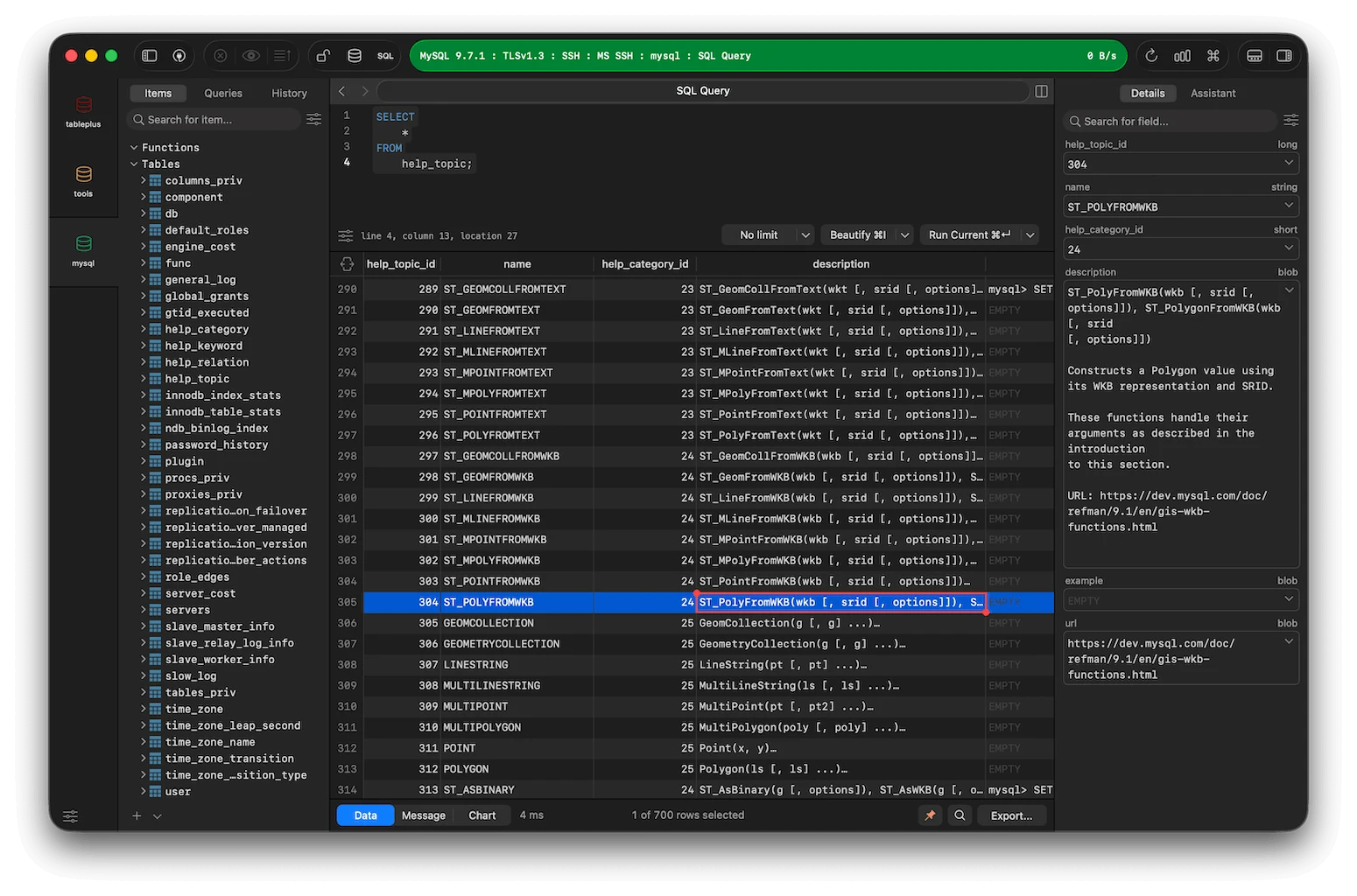
Opening a table gives the standard grid, and a double click edits the cell directly, whether that cell belongs to a table or to a query result. The change does not take effect at once; it accumulates until it is confirmed, which leaves one step in which to change your mind.
Filters stack, so the few dozen rows worth seeing can be pulled out of millions. The inspector on the right lists the column type, length and default for the current row, so altering a structure no longer means hunting down the original CREATE statement.
Two brakes before something dangerous
Code review lays the pending SQL out in front of you first, which matters for bulk changes: every statement can be checked before it runs. Safe mode blocks operations that could touch a great deal of data, because one misplaced delete on a production database usually costs more than a few minutes to undo.
Import and export take the two familiar routes, SQL dump and CSV, which covers moving servers, taking a backup, or handing a colleague a sample. Backup and restore, user management and the process list sit on the same menu level, so finding out who is holding the connections does not require another terminal.
The query editor: completion, split view, reformatting
The query window opens with syntax highlighting and completion, filling in table and column names as you type; a long statement splits into two panes, written on the left and watched on the right. Reformatting tidies a paragraph of SQL squeezed onto one line into indented shape, and the opposite direction exists too. Favourites and history keep the statements used often, with history search offering case sensitivity, whole word matching and regular expressions, and reaching into the SQL body itself.
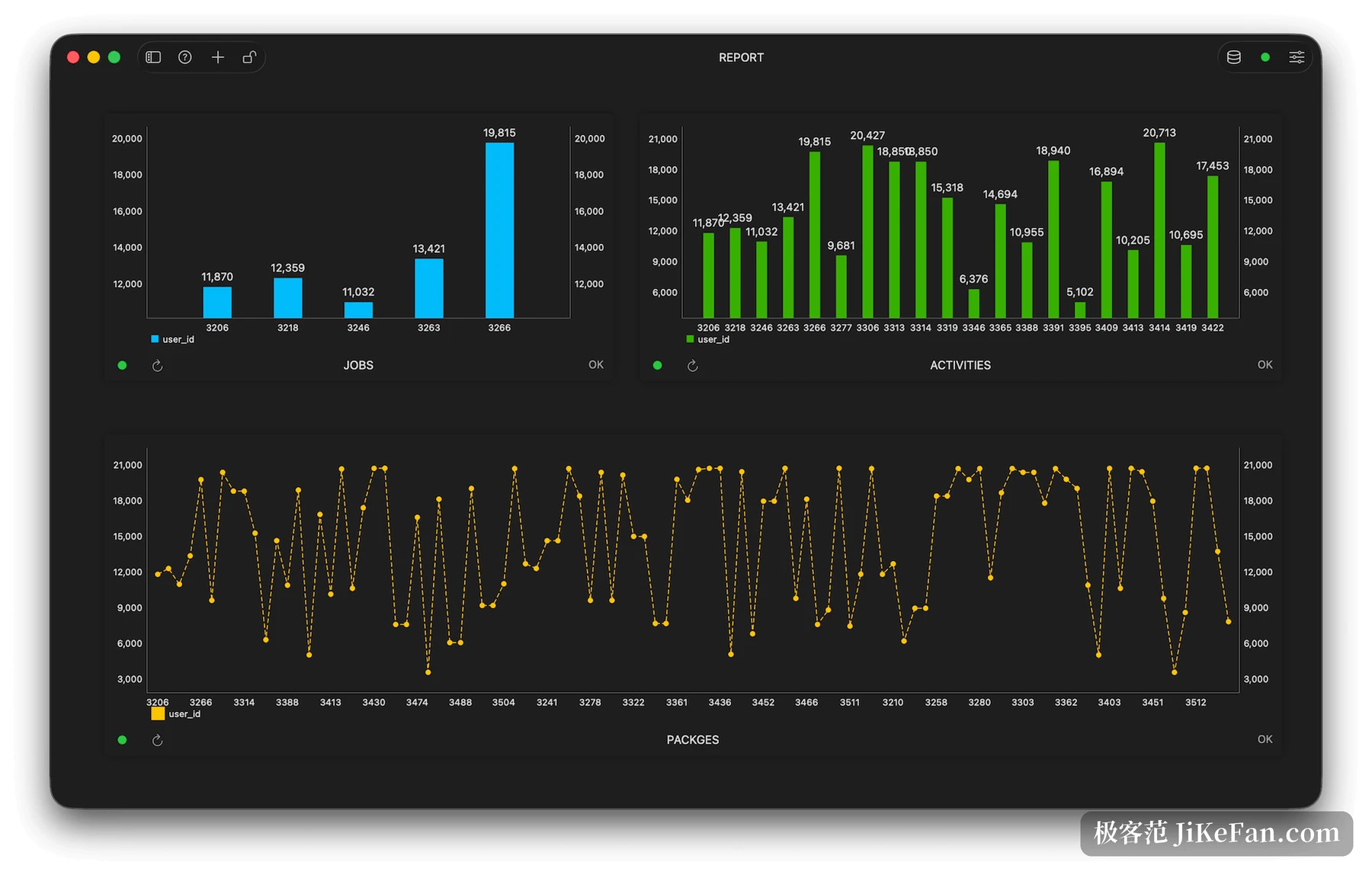
Result sets load as a stream, so a large table shows its first screen without waiting for the whole query. The metrics panel turns the output of several queries into charts and assembles them into an internal dashboard, of which the free build allows exactly one.
Version 27.1 and the weeks before it
27.1 shipped on 20 October 2026 and the changes are polish: new settings, more than a hundred small improvements, a batch of fixes. By the changelog's own account, this is the last generation to keep the old welcome screen.
One release earlier, 27.0.2 moved more. A JSON view and a tree view arrived, giving long text and nested structures a viewer of their own; a notification centre was added; Snowflake gained SSO, Okta, key pairs and MFA among its sign-in methods; Elasticsearch and libSQL can connect over SSH. History can be kept for one, two or three years, and older portions cleared by date.
The free ceiling and how the licence is priced
It can be used free indefinitely, with a handful of numeric ceilings: at most two tabs, two workspace windows, two filters and one metrics panel at a time, and even turning off crash reports wants a licence. Checking data and editing a few rows fits inside those numbers; living in three databases all day will hit them quickly.
Payment is a one time purchase rather than a subscription. Basic is 99 dollars for one device, Standard 129 dollars for two (down from 198), Team is priced per seat at 79 dollars with a minimum of three. The licence is perpetual and includes a year of updates; after that the year can lapse and the build held at expiry keeps working with no feature removed. Licences transfer, can be recovered, and carry activation for two iOS devices, with a seven day no questions refund on the official site.
Who it suits
Anyone keeping several databases alive at once has the easiest time: a local SQLite, a PostgreSQL in the cloud, a Redis in the cache, all one window away, with no separate client per engine. People who edit data often, check column definitions, and build a few charts for the team will find it agreeable too.
Someone who only writes code and never touches data is better served by a command line client, and complex modelling with team permissions is not where a desktop tool of this kind ends up. Its place is the middle layer: a fast native client that holds the daily reading, editing and querying in place.
TablePlus 27.1 puts over twenty databases into one native window, with inline editing, stacked filters, code review and safe mode forming the daily path through data, while the query editor covers the writing and the looking. The free build is enough for daily work but caps tabs and windows at two each, and the licence starts at 99 dollars with a year of updates attached.