
ComfyUI turns image generation into a diagram you can rewire
Summary
Every step becomes a box on an endless canvas, wired to the next. Save the graph as a file, drag a generated image back in to recover it, and run isolated environments so one bad node pack does not break the rest.
Recommend- Name
- ComfyUI
- Version
- 0.35.1
- Pricing
- Free
- Open source
- Open source
- Operating system
- WindowsmacOSLinux
- Website
- https://www.comfy.org/
- Updated
- 2026-10-06 21:02
Tools that turn one sentence into a picture are common enough by now. Use them long enough and the same ceiling appears: they made every intermediate decision for you. Keep the composition from the first pass and swap only the material in the second? Move a tuned pipeline to next week unchanged? Neither is on offer.
ComfyUI takes the other road. Generation is broken into visible nodes that can be wired together, so every step can be changed, saved and repeated.
Open it and there is no prompt box in the middle, only an endless canvas. Loading a model, encoding the prompt, sampling, decoding to pixels, saving the file - each is a box, and wires carry the data between them. The smallest text-to-image graph is a handful of pieces: a loader for the model, two text encoders for the positive and negative prompt, an empty latent that fixes the resolution, a sampler that denoises, then a decoder and a save node. Once that line makes sense, most workflows become readable.
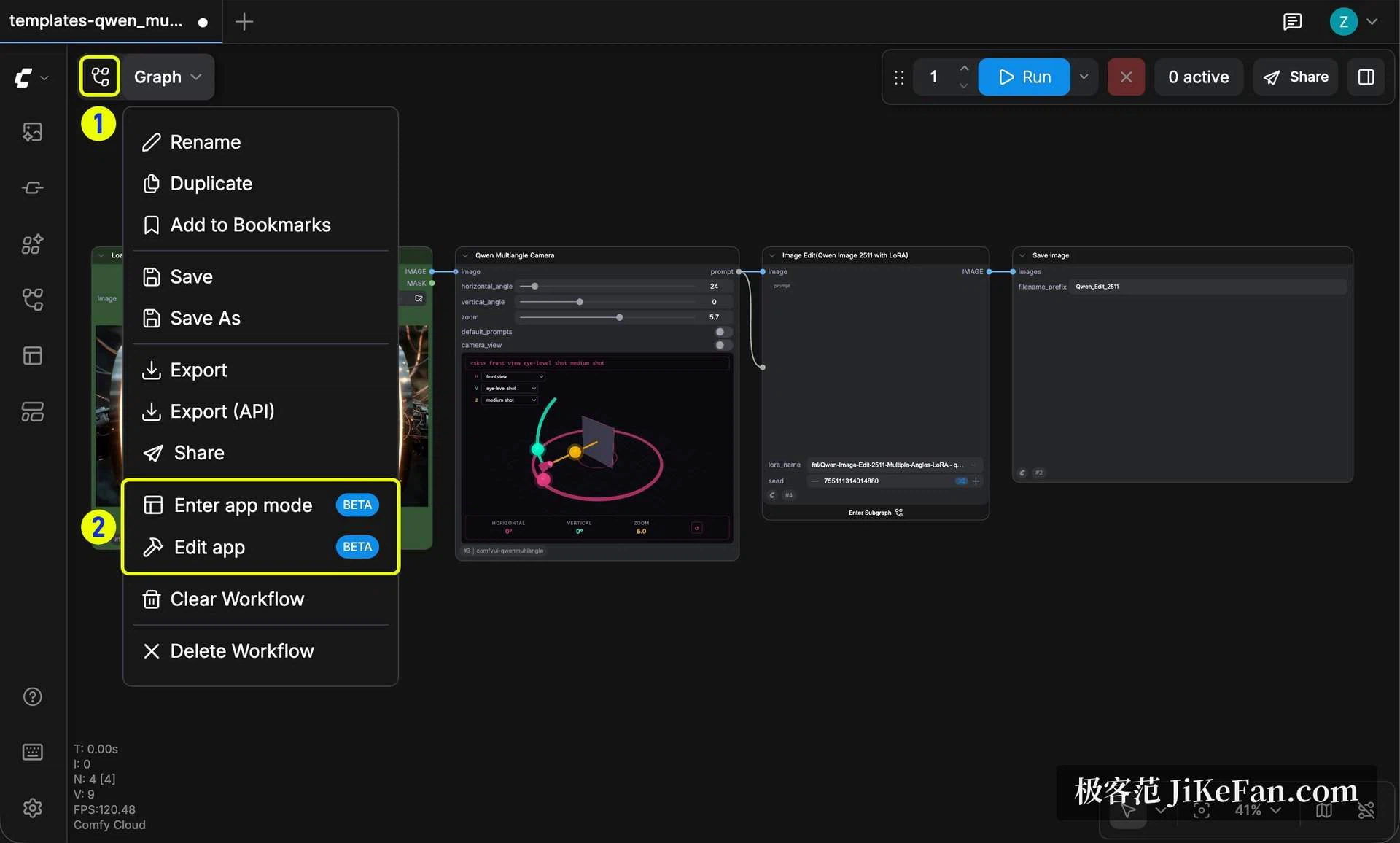
The value is not that pictures come out, it is that the process itself is editable. Want the base generation followed by an upscale and a second pass of face refinement? Other tools have no door for that; here it is three nodes joined by wire. The entry barrier is softened by App mode, a simplified view that collapses the pipeline into a few fields and buttons. A beginner can run that first and switch back to the graph when curiosity wins, and both views share the same workflow.
Serialisation is the most practical part. A workflow exports to a JSON file holding parameters, models and wiring - a runnable source file that reopens in the state you left it. For anyone producing at volume this matters: one pipeline across a hundred images keeps the standard identical, and a strange result can be traced to a specific stage.
There is also a design rarely seen in this category: a generated image carries the whole workflow inside it. Hand someone a picture, they drag it into the interface, and the graph reassembles itself. That shortens the learning path sharply - no need to absorb the concepts first, just take a working pipeline and read backwards through the nodes to see what each stage does.
Node tools have always been fragile at the environment. Custom nodes bring their own dependencies, one wrong version or one bad update can leave an install unable to start, and starting over means downloading tens of gigabytes of models again. The official desktop app was reworked in 2026 from a launcher into an environment manager: several isolated installs can live on one machine, each with its own version, models and nodes, so an experimental node blowing up does not reach the one you use daily; model storage can be shared instead of fetched per install; and a snapshot can be taken before a change, with rollback to that point.
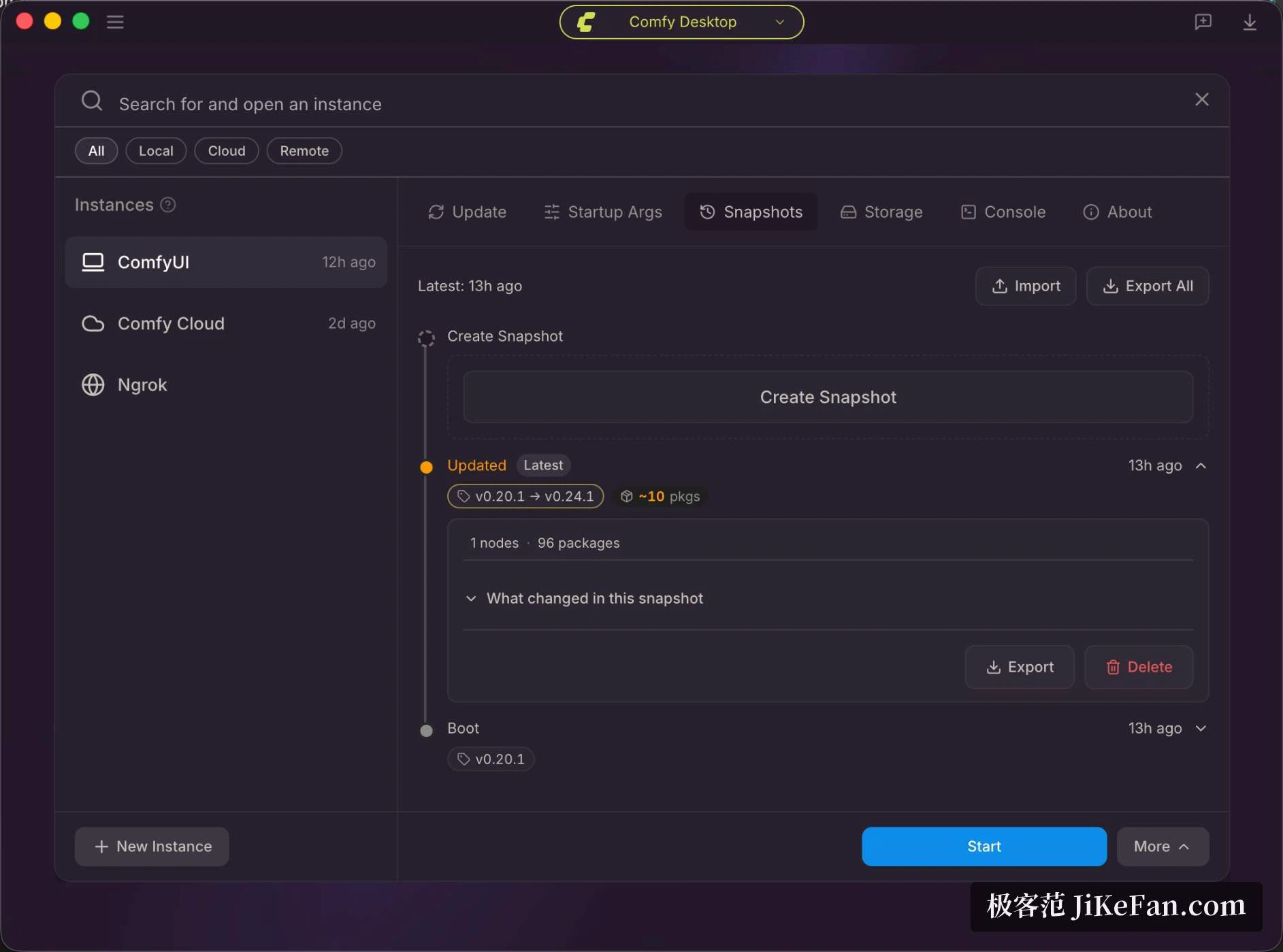
One caveat. Snapshots apply only to standalone instances; an instance that follows the official release has no such tab. The manager carries its own snapshot feature as well, marked experimental and captured by hand, and the two formats do not talk to each other. If stability matters, work in a standalone instance, confirm the snapshot panel actually appears, and only then rely on it.
The real moat is community nodes. By the official count there are more than sixty thousand, spanning face swapping, cut-outs and pose control through to video and three-dimensional work. The tempo is almost absurd: a new model often has a node within days, sometimes before official support arrives. A node manager is built in, so a missing node is one click away, and models and workflow templates live in the same place.
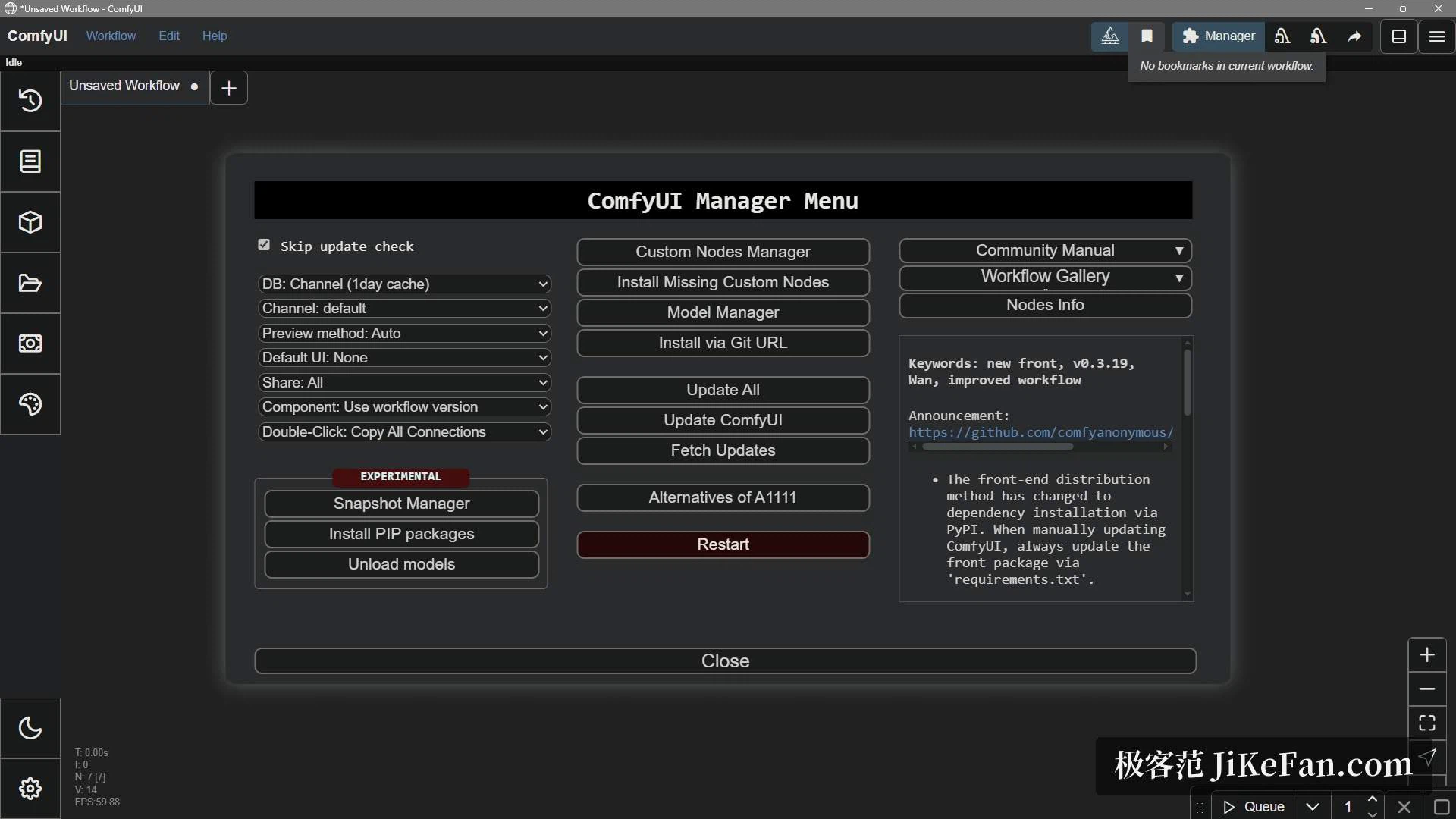
The other face of that ecology is uneven quality. Community nodes are other people's code, malicious packages have happened before, and one feature is often implemented by several competing packs, so choosing and judging costs real time. Treat them as code dependencies: change one thing at a time and keep a rollback point.
Calling it an image front end is out of date. In the official release notes the last six months lean clearly toward multimodality: the three-dimensional side gained reconstruction of a textured mesh from front, back, left and right views, plus direct parsing of common model file formats; video gained trimming, concatenation, keyframe work and HDR saving; audio and music generation have their own nodes. On the image side came colour space conversion and AVIF output, engineering features rather than artistic ones. Inside one installed environment, pictures, video and 3D share the same node logic, so a new capability does not mean another application.
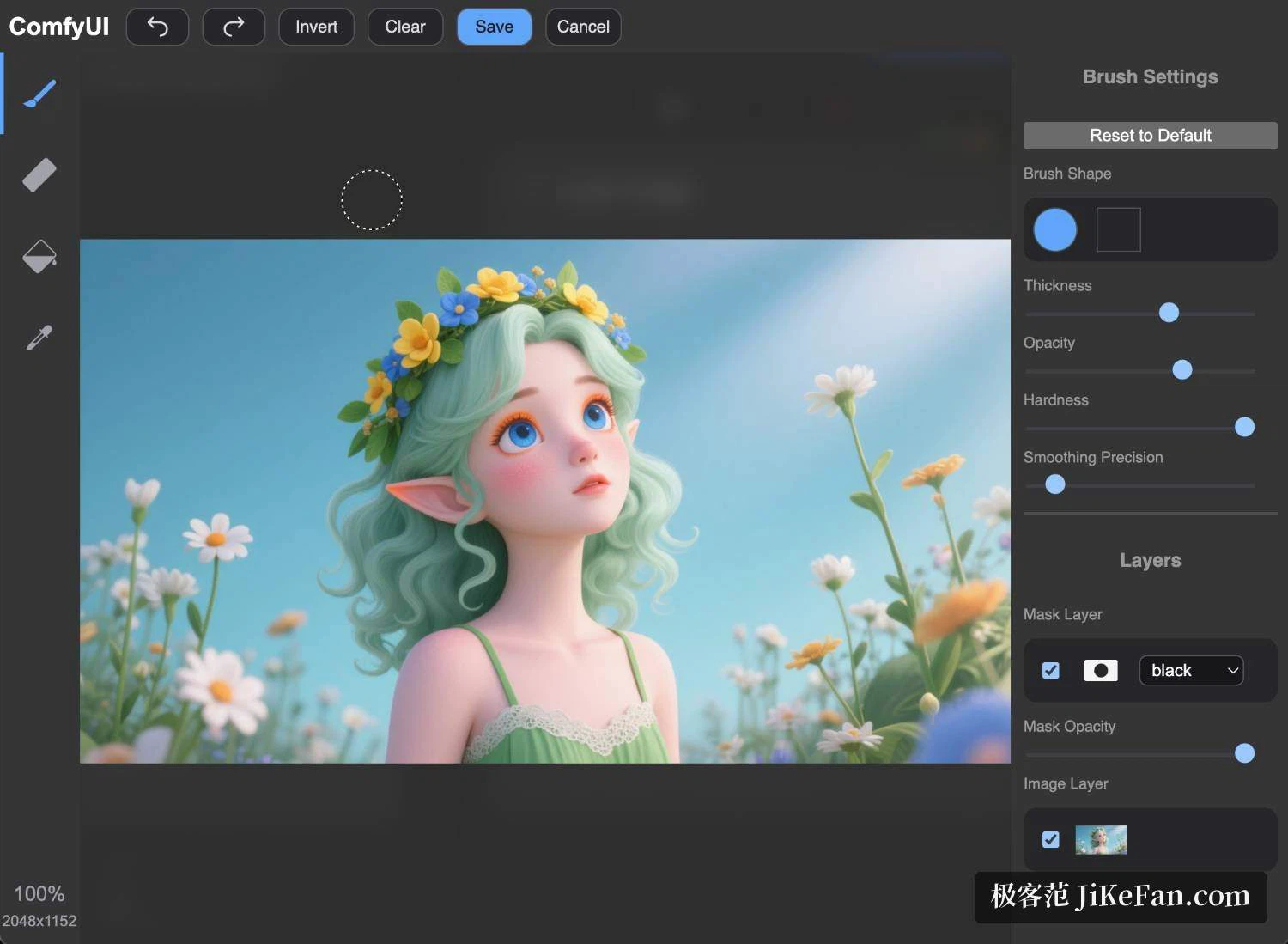
Image editing has been filled in too. A built-in mask editor offers brush, eraser and polygon selection, with brush width, opacity and hardness adjustable, layers that control mask and base image separately, and inpainting nodes that use all of it. Outpainting and upscaling each arrive as official templates: drop them in, change the parameters.
The software is open source and free; self-hosting costs no subscription and no per-image fee. The real cost is hardware - a decent graphics card, with eight GB of video memory as the community's usual floor. Where that is missing, the official cloud service bills in credits: a free allowance of 400 a month, paid tiers from 20 dollars a month upward, with 35 and 100 above that. Renting a cloud card by the hour also works for the occasional batch.
Strengths: control and repeatability. Every stage is an explicit node, so any change leaves a trace; workflows are saved and shared, so a team can align on one standard; running locally means no per-image cost and data that never leaves the machine; and new models and techniques usually land here first. For production pipelines it is one of the few local front ends widely used for automated orchestration.
Weaknesses, equally plainly. The curve is genuinely steep: an empty canvas discourages on first contact, and understanding how model, encoder, sampler and decoder correspond takes time. The interface moves fast, so plenty of older tutorials no longer match. Dependency management is a burden and version conflicts between node packs do happen. For someone who only wants a sentence and a picture, it is a sledgehammer for a nut. Licensing needs care as well: an open model is not automatically free for commercial use, since models and fine-tuned weights carry their own terms. And the hardware floor is real - without enough video memory the new models simply will not run, so check what the target model needs before buying a card.
In one line: a professional workshop, awkward to assemble, and once assembled it gives what subscription tools cannot - zero marginal cost, full locality, a process you can reshape. With a decent machine and a real stake in AI image work, a weekend is well spent. For occasional play, a web tool is less trouble.