
Photoroom review: swap a product backdrop in one tap, then run the catalogue on rails
Summary
A product-image tool aimed at one group only: people who sell online. Cut out, restage, resize and export hundreds at once, with an API to wire the same step into an existing catalogue system. The money question is how the two meters, credits and saves, actually run down.
Recommend- Name
- Photoroom
- Version
- 2026.37.01
- Open source
- Proprietary
- Operating system
- WebiOSAndroid
- Website
- https://www.photoroom.com/
- Updated
- 2026-10-06 04:33
The image tools reviewed earlier in this series were mostly built for creators and designers. Photoroom narrows the target and sharpens it: people who sell things on e-commerce platforms. The homepage tagline is a promise about buying at a glance, and underneath it sits a row of customer marks, among them a discount marketplace, a second-hand trading platform and a regional commerce site. The company says more than a million businesses use it for product images, and its about page puts the scale at 7 billion images processed a year and a million brands on the books.
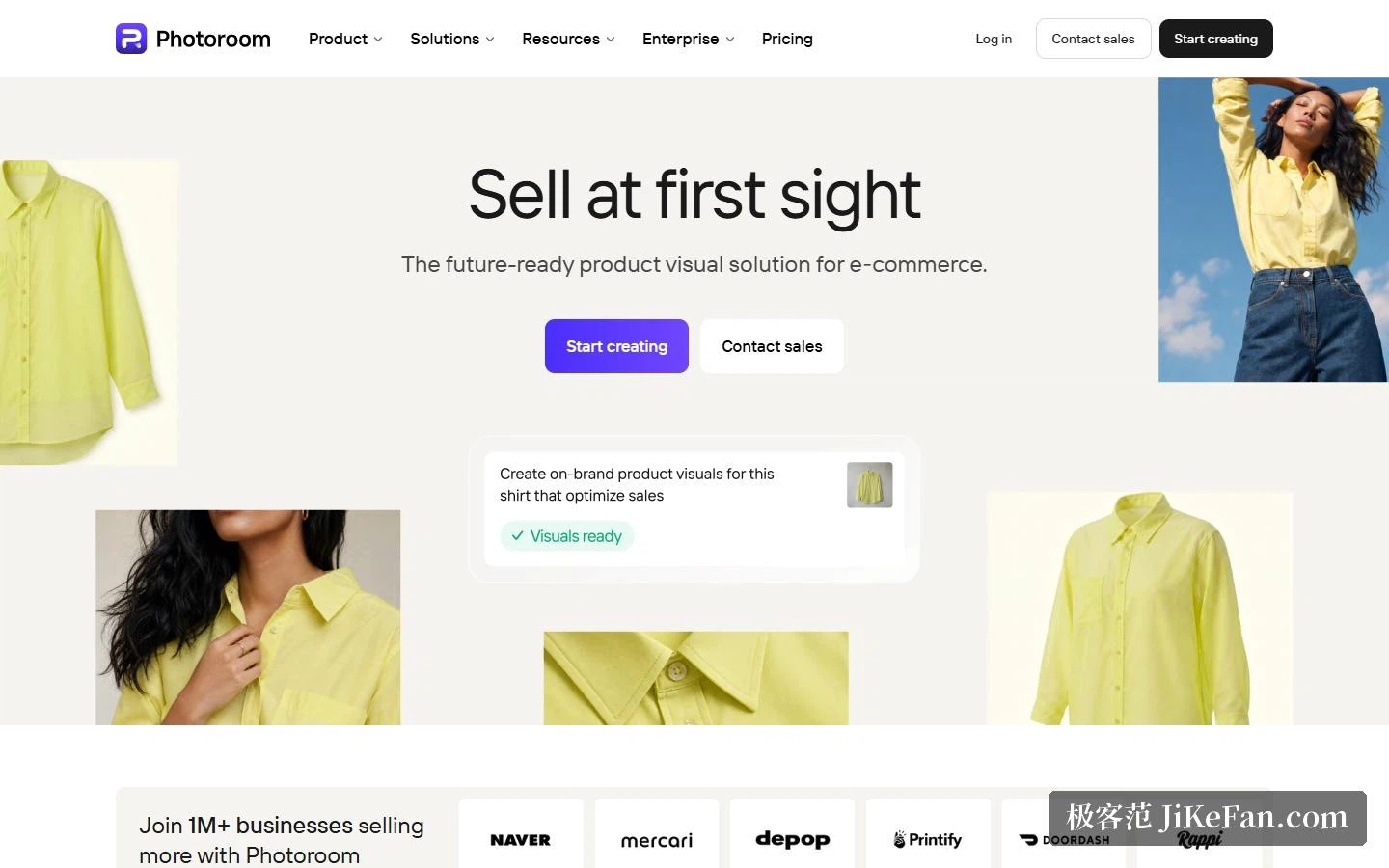
The feature list barely strays from one goal, which is getting a product photo ready to list. The core is background removal, a feature the company says more than 80 million users have touched. Around it sits a set of narrower tools: an AI fashion model that puts a garment on a generated body, a ghost mannequin that shows the clothing with nobody inside it, flat-lay output, a product stage that drops an item into a lifestyle scene, AI shadows that add natural contact shadows, a recolour function that changes the shade without reshooting, a de-wrinkle pass that smooths fabric folds, and a studio mode aimed at clean listing shots. The store description compresses the whole set into a line: from one product photo, produce model imagery, lifestyle scenes and product video.
Batch processing is the line between this and an ordinary editor
Cutting a background out of a single image is something free tools already do well. Photoroom's difference is volume. Batch processing takes hundreds of photos at once and applies one sequence across the entire folder: cut out, swap backdrop, resize, add shadow. Brand presets lock in palette, margins, logo and layout, so every image uploaded afterwards inherits them. Export sizes line up directly with the listing requirements of each marketplace. The documentation names a spread of destinations covering self-hosted storefront builders, a general marketplace, a crafts marketplace and several second-hand fashion apps, and there is a direct connection that imports a product catalogue, processes it and publishes the result back. For anyone already running a shop, the step it removes is the manual exporting.
Pricing: two meters, credits and exports
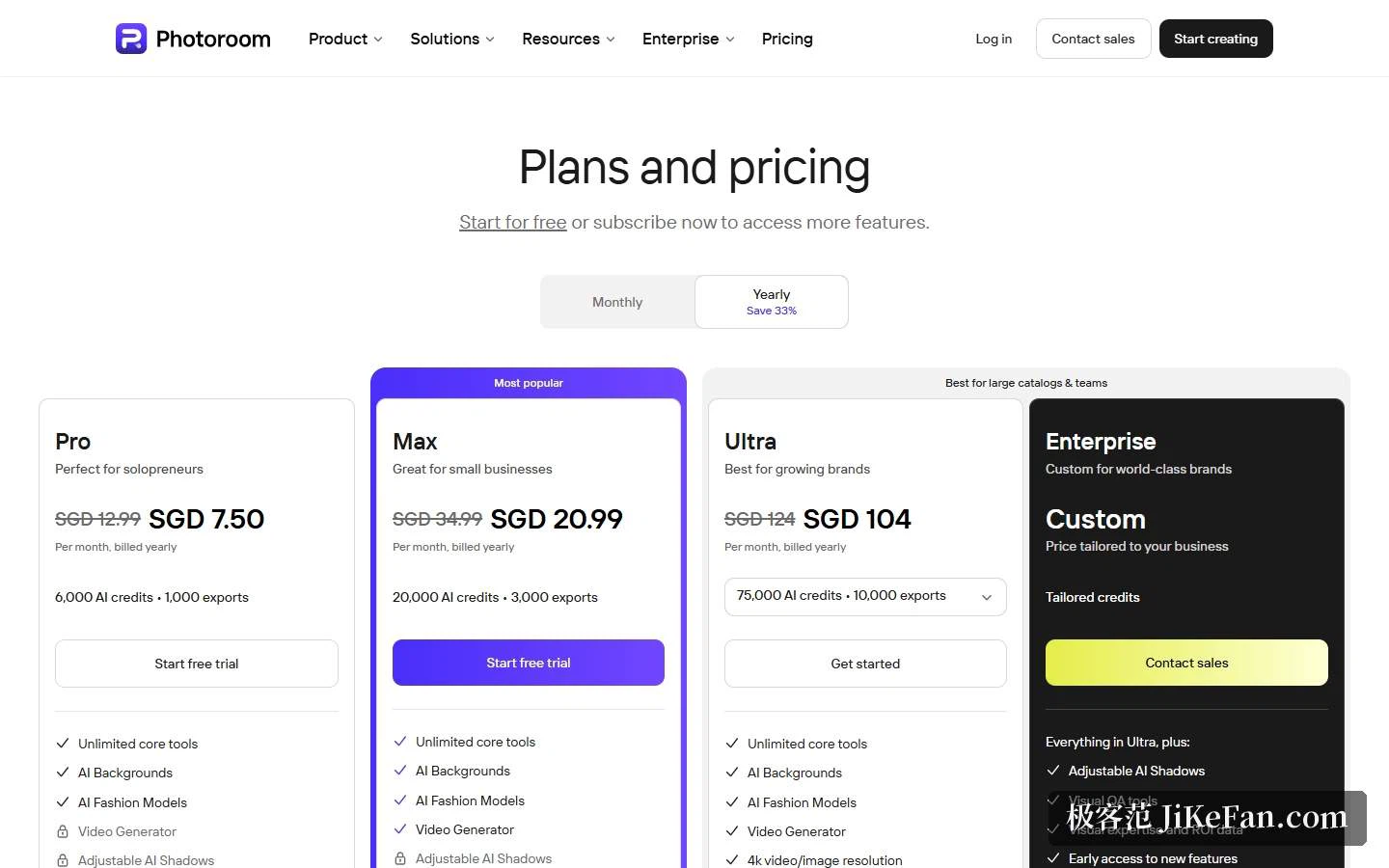
The pricing page shows four tiers. Pro is for solo operators, Max for small businesses, Ultra for growing brands with large catalogues, and Enterprise is a custom arrangement; paying yearly takes a third off. What matters is how usage is counted. Each tier carries a monthly allowance of AI credits plus a number of exports: Pro gets 6000 credits and 1000 exports, Max 20,000 credits and 3000 exports, Ultra 75,000 credits and 10,000 exports. The core tools, meaning background removal, retouching, product correction, lighting presets, fill, expand and image enhancement, are included at every paid tier and consume no credits. What draws credits down is video generation, the AI fashion model, the AI background studio and editing through a prompt. Exports are counted per save: every image kept from the editor, from a batch run or from a storefront sync counts once, while the API and MCP carry separate quotas. The system warns at eighty percent of an allowance and again when it is exhausted, at which point exports pause until the next billing cycle.
Two details are worth stating up front. Prices display by the visitor's region, and on the day of writing the page quoted Singapore dollars. And desktop payment runs on credit cards only, while mobile goes through the payment methods already attached to the app store; tax is included in the listed price, and a refund can be requested within a week of purchase.
The API line: putting listing production inside your own system
Beyond the web and phone apps there is an API, which the company says handles more than 3 million images a day. It splits into two endpoints: background removal alone goes to the Remove Background endpoint, and anything involving resizing, backdrop changes, lighting or shadow goes to Image Editing. Billing counts images, with one Image Editing call priced as five Remove Background calls, and the enterprise tier starts at 200,000 images a year. The specifications are stated plainly: Image Editing accepts PNG, JPEG, WEBP and AVIF, up to 30MB per file, and scales anything wider than 5000 pixels down proportionally; Remove Background also accepts HEIC, up to 50MB. Keys are generated after activation in account settings and travel in the request header. Anyone wanting a trial run can use a sandbox mode free of charge, with a watermark on the output.
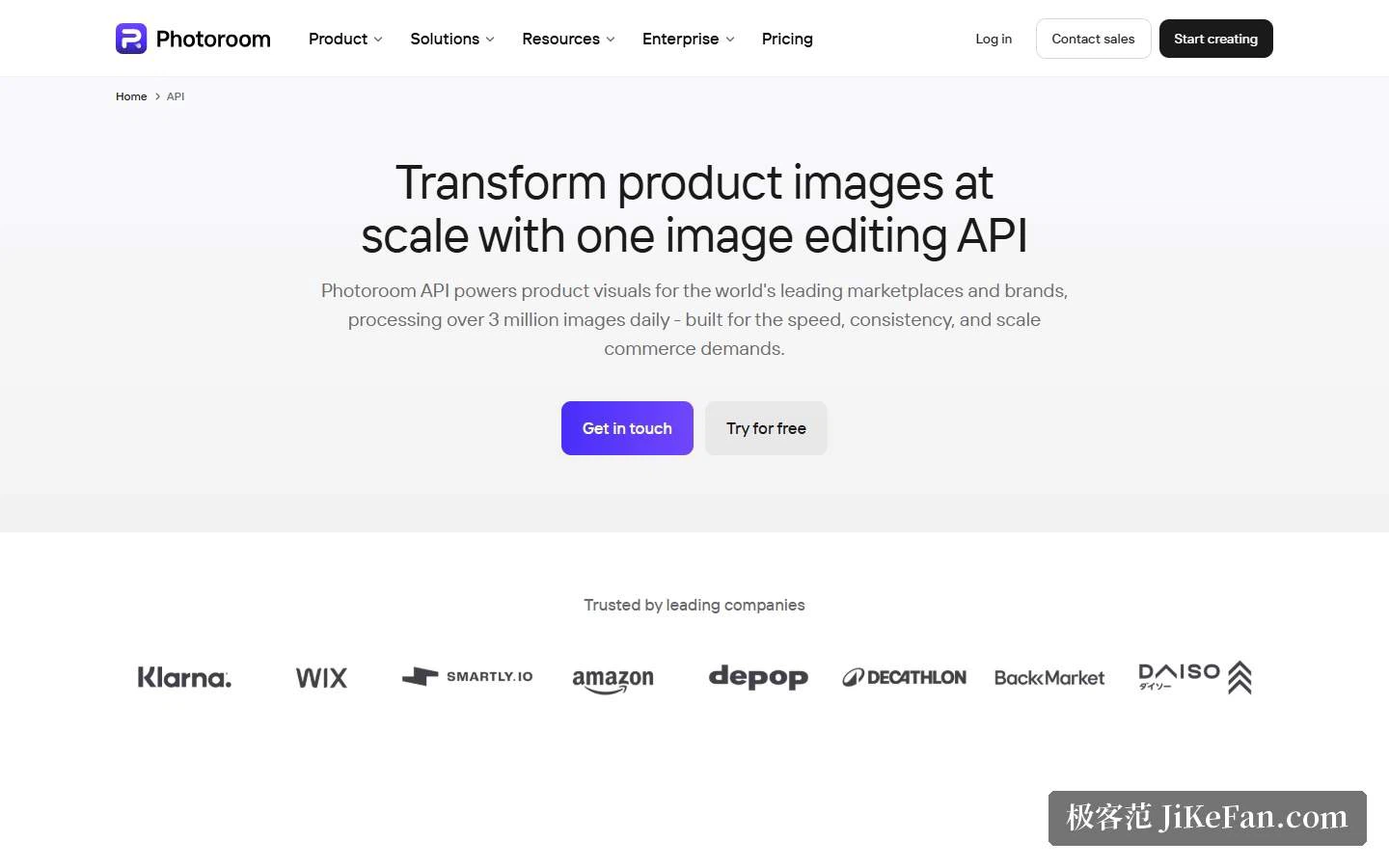
The same page lists enterprise customers stretching from payments and storefront building to a sportswear brand and discount retail. The enterprise plan adds custom models, dedicated capacity, custom endpoints and availability backed by a service level, and the compliance information sits on the same screen: SOC 2 Type 2, conformity with GDPR, infrastructure spread across three major public clouds and a content delivery network, and regular audits aimed at reducing model bias. Two further designs matter at large volume. One is a visual check that scores every output for fidelity and flags the ones that fall short. The other is a fidelity guarantee: the restoration standard for a product is agreed in advance, only results that clear it are billed, and failures are redone or credited back.
Reputation, and who should use it
The store figures are these. On iOS, 229,000 ratings averaging 4.8, 46th place in the photo and video category, current version 2026.37.01, requiring iOS 18.0 or later. On Android, 4,010,000 reviews averaging 4.7, more than 100,000,000 downloads, and second place in the paid photography chart. The company's own line is that over 300,000,000 users have tried it, which measures something different from the install count on Android, so the two numbers should not be read as one.
Whether it suits you depends on how you sell. Anyone carrying hundreds or thousands of items and refreshing them several times a month gains directly: batch processing plus brand presets turns image production into a pipeline, and the API can plug that step into an existing product system. Someone who has just opened a shop and handles a few dozen images at a time can start from the free entry point, and since billing counts saves, the cost of finding out stays low.
Three cautions. First, the raw material. The company stresses that the model works to preserve shape, material, texture and logo, but the credibility of the output still rests on the sharpness and lighting of the input, and a blurry shot cannot be rescued. Second, the quota: because billing counts saved images, a batch of several hundred consumes several hundred exports, so check the remaining allowance before a large run. Third, data: what gets uploaded is product imagery, and for unreleased designs it is worth deciding how you feel about cloud processing before uploading rather than after.
One design trade-off deserves a name. Most editors hand over the parameters and let you decide how clean the cut should be and how bright the new backdrop; Photoroom reverses that, folding the process into templates and brand presets and leaving only a few adjustable items. For anyone producing at volume this is a benefit: the standard of judgement gets fixed, which is the only way a hundred images end up looking like they belong together.
The hard part of product photography was never making one image good. It was repeating it ten thousand times without drift.