
Midjourney stops asking you to rewrite the prompt and lets you talk to the picture
Summary
The latest editor model turns retouching into a single sentence and accepts up to four reference images at once, while the web interface has taken over the whole loop from generating to filing.
Recommend- Name
- Midjourney
- Version
- 8.2
- Pricing
- Paid
- Open source
- Proprietary
- Operating system
- Web
- Website
- https://www.midjourney.com/
- Updated
- 2026-10-06 04:04
Anyone who generates images with AI knows the same awkward moment: the picture is not missing, it is just slightly off. Add one clause to the prompt and the whole composition shifts. Find one frame you like, then ask for different light, a different jacket, a background without the clutter, and you have to roll the dice again and hope it lands twice.
What actually slows the work down is never generation, it is revision. This round of Midjourney updates puts the weight exactly there: the editor model in the 8 generation turns retouching from rewriting a prompt into saying one sentence while looking at the image, and it takes up to four reference images at the same time.
According to the official release notes, the 8 generation became the default on 24 July 2026, with aesthetics, image quality and personalisation as its themes. On 28 August the image editing model for that generation opened on both the main site and the alpha site.
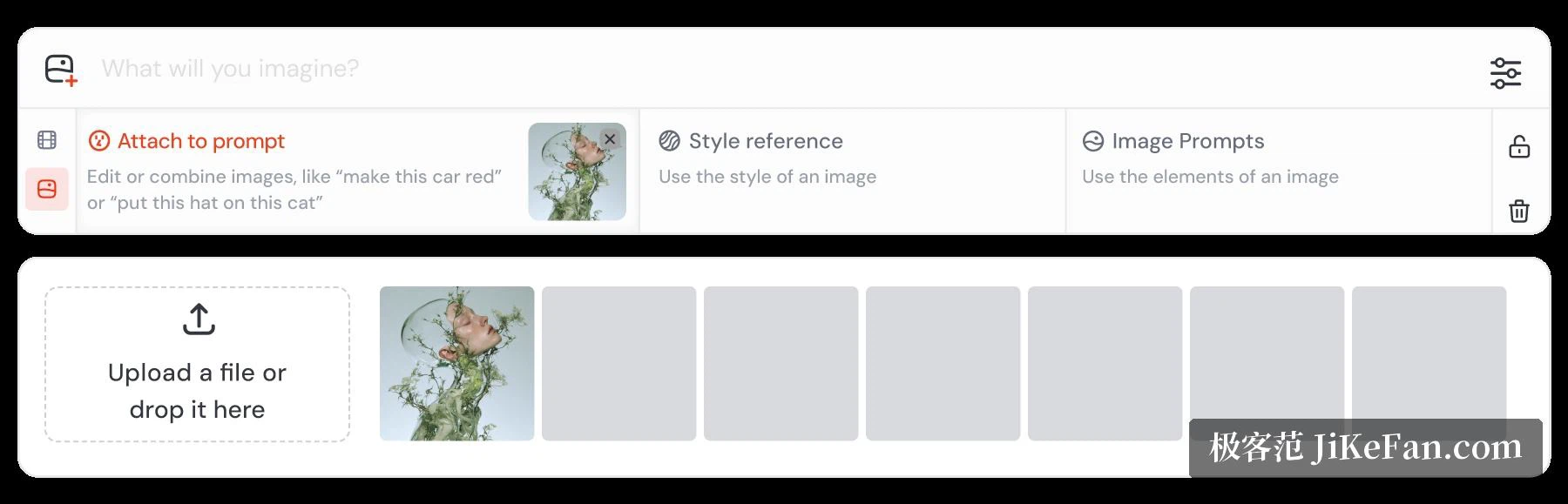
The model folds several scattered features into one place, and in practice there are three routes through it. You can edit an existing image with a text instruction - turn the car in this picture red, put a hat on this cat - in plain speech. You can generate something new from up to four reference images, which replaces the older Omni Reference and Character Reference. Or you can work on a specific area inside the editor, inpainting locally or extending the canvas outward as outpainting. It works with both 8 versions, and alongside image prompts, style references, Moodboards, personalisation and the high definition parameters.
The entrances are generous. Click the image icon in the Imagine bar and drag material into the attach area; open the lightbox and press edit; upload from the editing tab on the left; or, for people who like the command line, call it from Discord with the editing parameter and an image link. Two limits are worth knowing: the editing model is not compatible with the collage parameter, and its output cannot currently feed straight into a Remix.
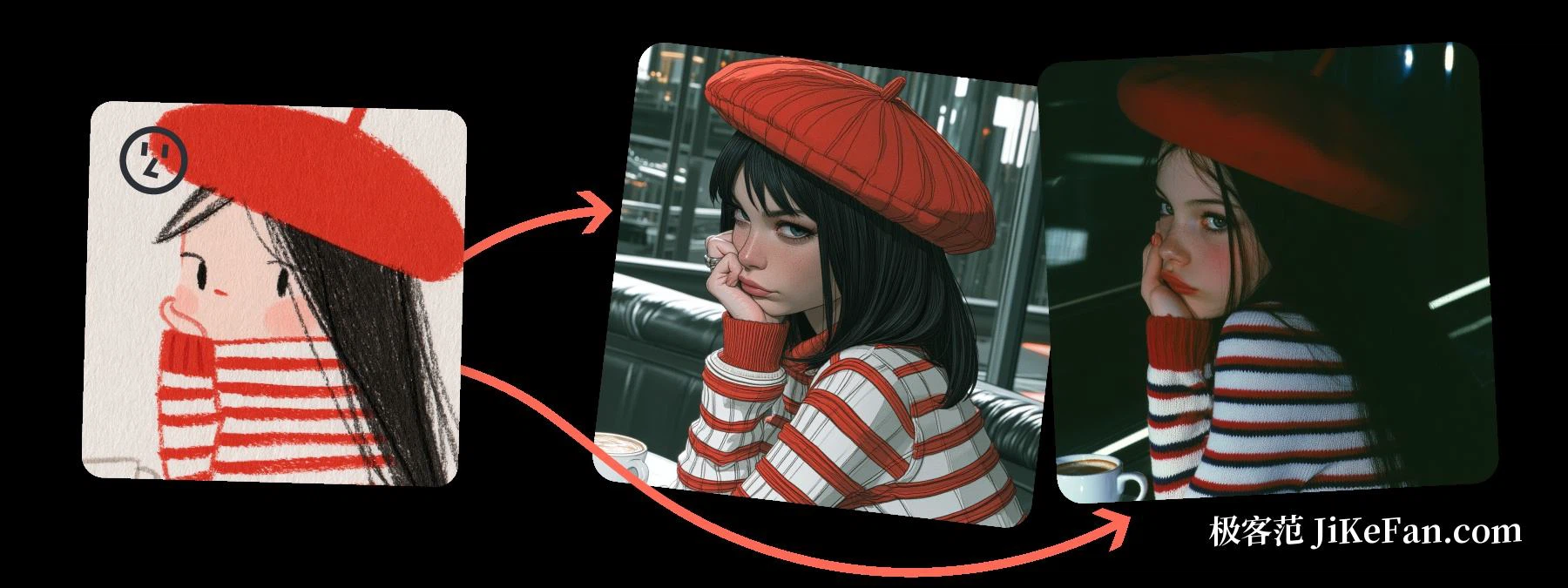
Reference images are where the model shows its value most clearly. The documentation uses a telling example: drop a hand-drawn illustration into the reference slot and ask for a photograph, and the same illustration will yield two finished frames with completely different lighting and colour, while the hat and the striped shirt stay firmly in place. Keeping the character while changing the style matters more to anyone producing a series than raw quality on a single frame.
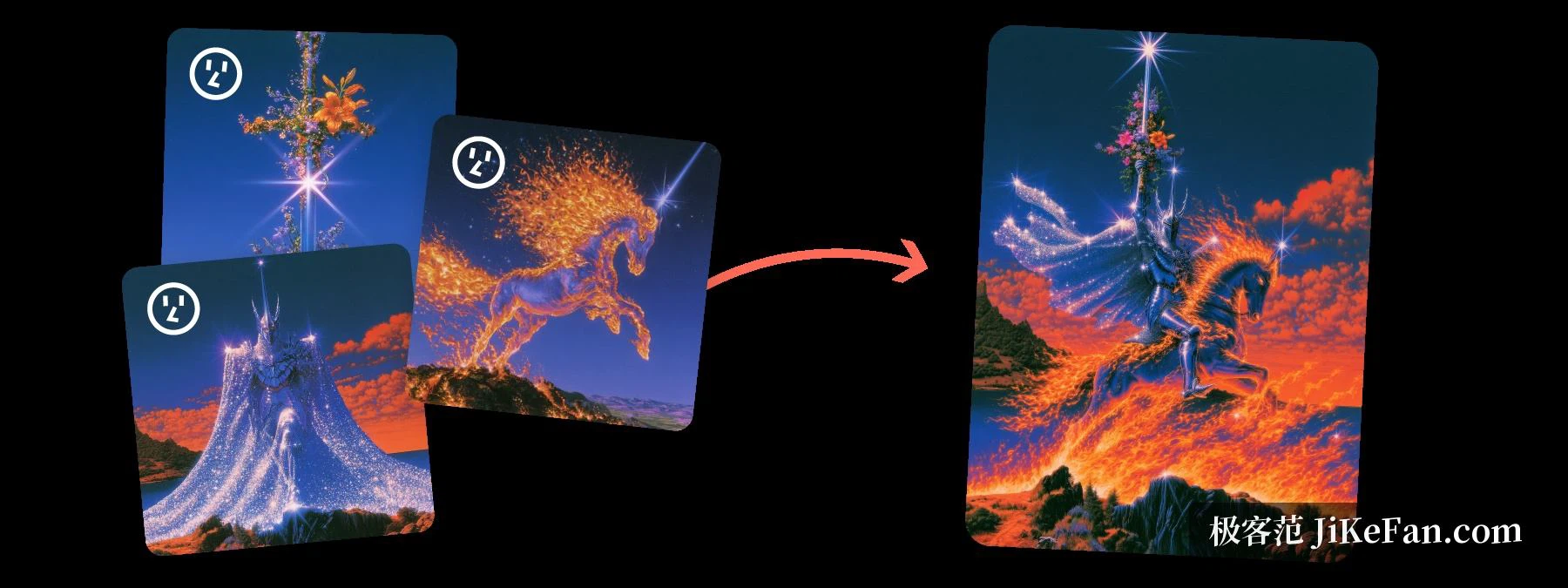
Four slots at once also means the references are not only a consistency tool but a compositing one. Another official example puts a tower, a glowing horse and a floating tower block - three unrelated references - into one request and asks for a new scene; what comes back is a knight riding a horse of fire in a complete composition. The steps sound simple, but this used to be a matter of iterating on prompts; now it is closer to arranging material and describing the result.
One more change is easy to overlook and larger in effect: the main interface now lives entirely on the web. Generating, editing, upscaling and sorting all happen in one place, and signing up is looser - a Google account gets you in. For anyone who never learnt the slash commands, the barrier is simply gone.
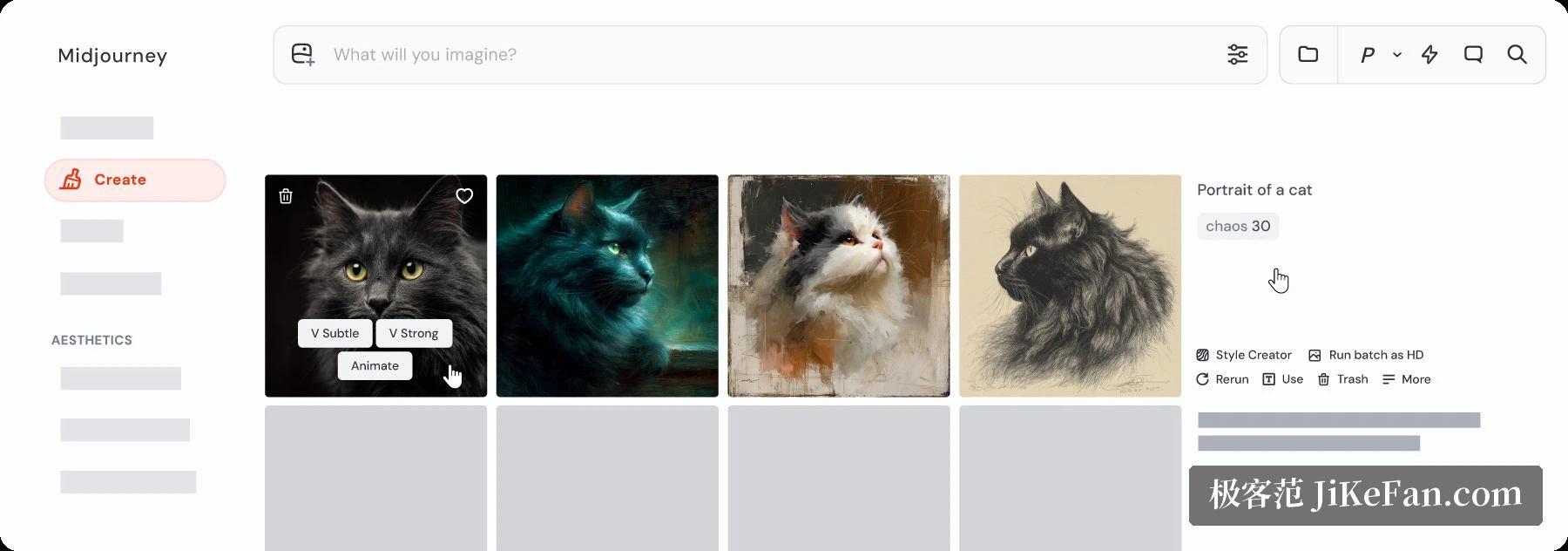
The web app converts what used to be memorised into controls you can click and drag. The Create page puts the prompt bar at the top and returns a grid of four that can be nudged into subtle or strong variations, or animated in one click. The Organize page files past work into a searchable grid with folders and filters, so last week's image no longer has to be dug out of a chat log. The Editor exposes local repaint, material repaint, upscaling and pan-zoom as visible buttons and brushes, with a smart selection that includes or excludes points inside the region you want to change. The Discord bot still exists, but it has stepped back from main entrance to fallback.
Generation changed as well. High definition mode renders natively at 2K, the 2048 pixel tier, so no second upscale is needed afterwards - at a price. It takes noticeably longer and burns credits faster, which the documentation puts at around four times a normal task. There is also a catch: once a high definition image goes through inpainting, panning or outpainting, the result drops back to standard resolution and has to be pulled up again with the upscale option.
Pricing is subscription only, with no free allowance, so the entry barrier is the cheapest monthly tier. Basic is 10 dollars a month or 96 a year, which works out at 8 a month, and includes 3 hours 18 minutes of fast GPU time each month. Standard is 30 dollars a month or 288 a year for 15 hours of fast time and unlimited relaxed generation. Pro is 60 dollars a month or 576 a year for 30 hours, plus stealth mode so images stay out of the public gallery. Mega is 120 dollars a month or 1152 a year for 60 hours, aimed at teams producing at volume.
Annual billing saves roughly a fifth across the board. Relaxed mode only comes with Standard and above, which means 30 dollars is the real starting line for anyone treating Midjourney as daily equipment rather than an occasional experiment. And if the material involves unreleased work that needs stealth mode, the line moves straight up to Pro.
The strengths are clear: the texture of the image and the consistency of light, helped by a noticeably faster release rhythm. Revision no longer means starting over, and the character and style of a series can be carried along reliably, which is real time saved in design, marketing and concept art.
The weaknesses are worth stating too. Text inside the image remains a weak point, so anything that has to be legible still needs work afterwards. There is no public interface, which rules out wiring it into an automated pipeline or your own product. When an instruction asks for an exact number of objects in exact positions, the reading is impressionistic - you get a beautiful answer, not necessarily the one you asked for. And high definition, quality mode, style references and moodboards all bill at multiples of the normal rate, so the credit maths deserves doing before heavy use.
If the pain is that retouching takes too long, the new editor model and the reference handling address it directly. If the pain is that the picture must contain accurate text, this is not yet the right tool. Since there is no free tier, one month on the 10 dollar plan is the cheapest way to find out which case you are in.