
Invoke opens on a canvas, not on a prompt box
Summary
A self-hosted image workstation under Apache 2.0 where generation and retouching share one infinite canvas, layers can carry their own prompts, and a node graph waits behind the canvas for anyone who needs a process they can repeat.
Recommend- Name
- Invoke
- Version
- 6.14.1
- Pricing
- Free
- Open source
- Open source
- Operating system
- WindowsmacOSLinux
- Website
- https://invoke.ai/
- Updated
- 2026-10-04 21:33
Most local image generators pick a side. One camp hands you every slider and assumes you know what to do with it. The other turns the sliders for you and leaves a single prompt box. Invoke takes a third route: it opens on a workspace you can draw, paint and layer inside, keeps the numbers within reach, and only surfaces the fine controls when you go looking for them. The project used to be called InvokeAI, the repository still carries that name, and the release packages are still numbered as InvokeAI 6.x, so both names in a tutorial point at one and the same software.
A workstation in three columns
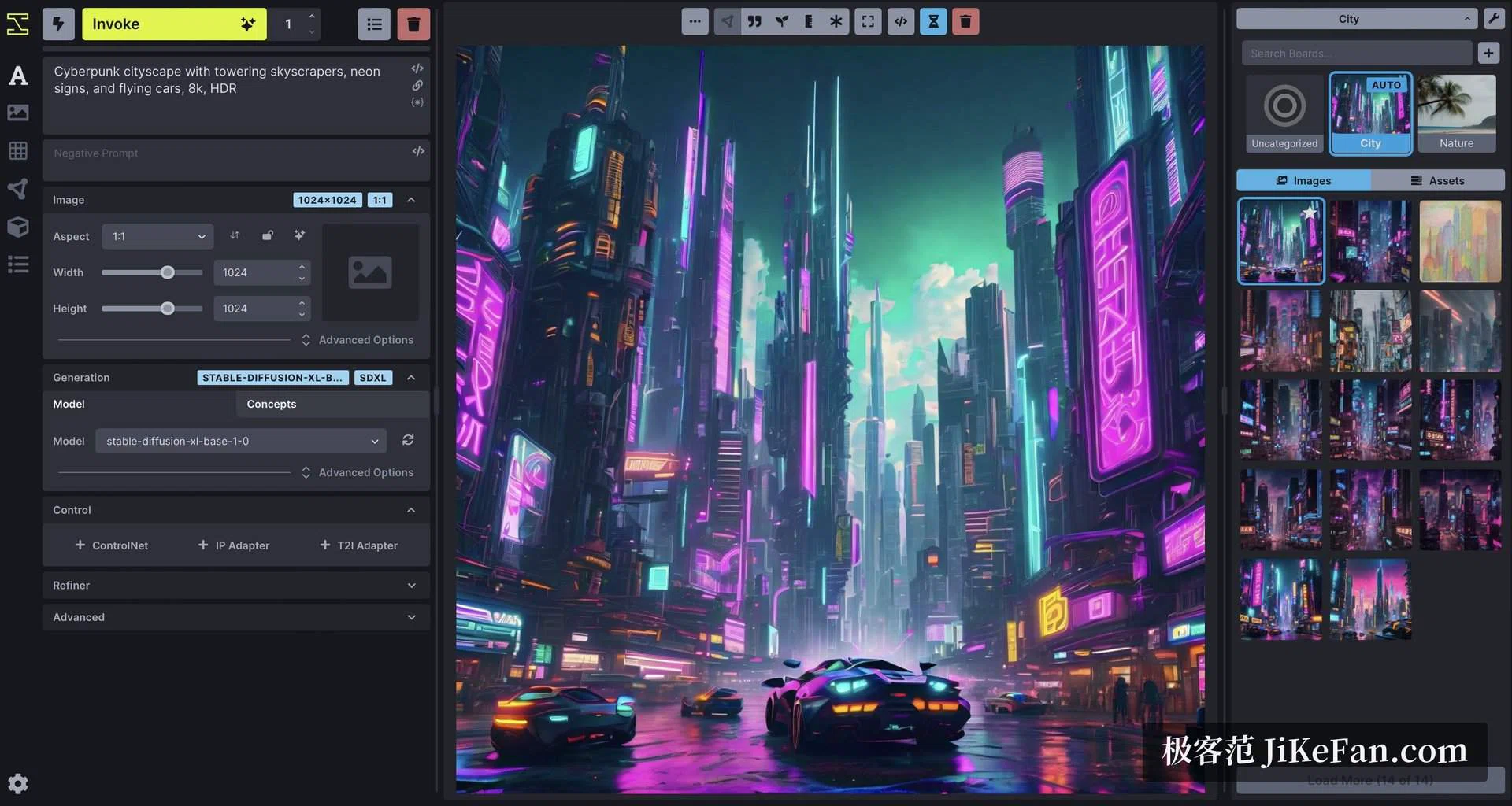
The interface is served in a browser. Prompt and parameters sit on the left, the main image in the middle, the gallery and the boards on the right. Parameters are grouped into image size, sampling, model, control layers and refiner stages; only size, model and sampling stay unfolded at first. Each control adapter gets a row of its own and opens on demand. Every result lands in a board with its full metadata attached, so the prompt and the settings that produced it can be recovered later, and an image can be dragged straight back into the input area to serve as the next starting point.
One canvas for making and for mending
The centrepiece is the Unified Canvas. Text to image, image to image, local repainting and extension past the border all happen on the same infinite surface. You sketch and block in colour by hand, then let the model work the rough into a finished frame. You encircle a region and regenerate only that region. You pull the frame beyond the edge of the picture and keep building outward. The canvas reads what sits inside the selection — empty pixels, existing pixels, or a painted mask — and picks the matching generation mode on its own, so there is no switch to remember.
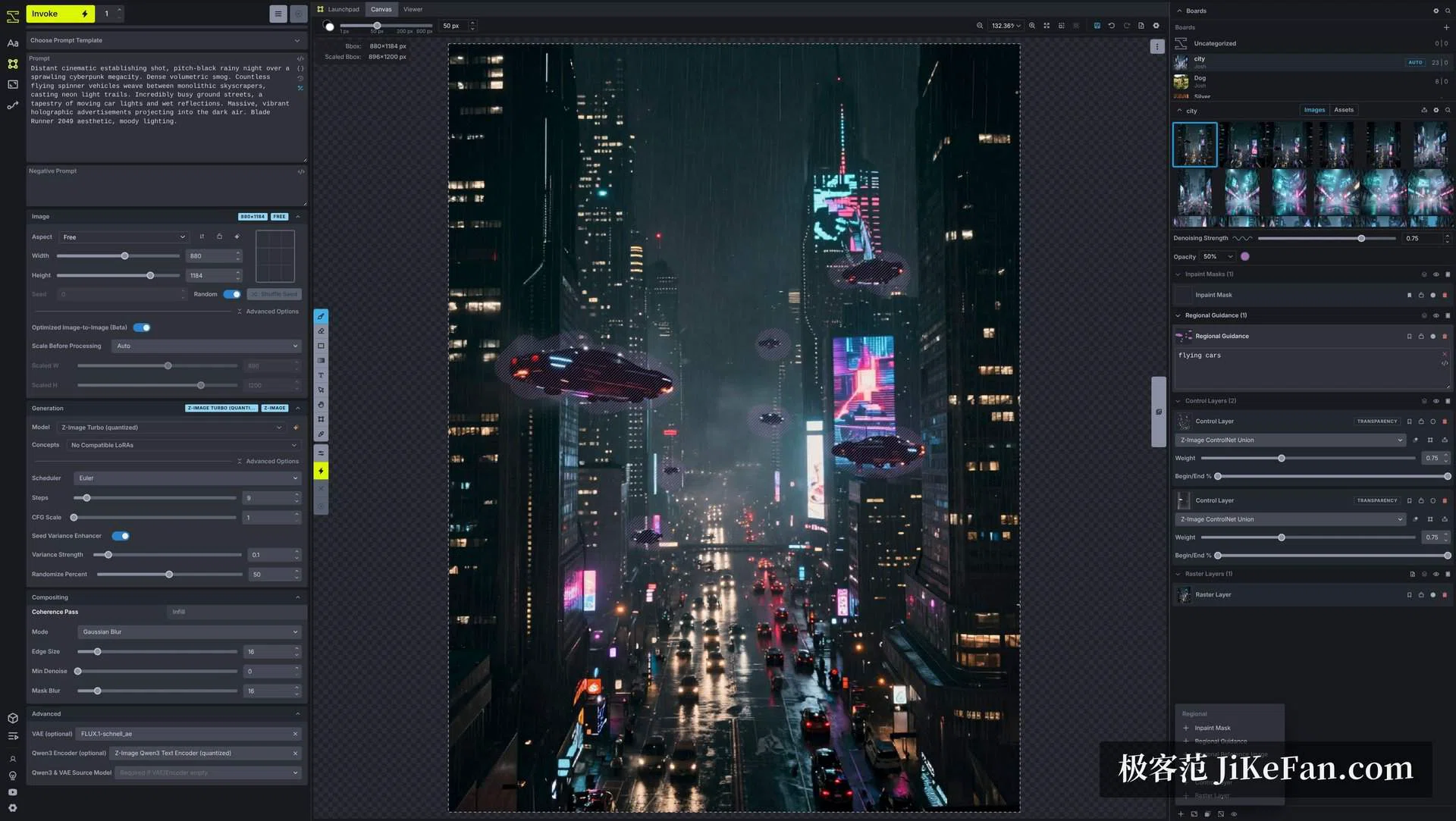
What keeps the canvas from being just a very large brush is layers. Above the base image you can stack regional guidance layers and control layers. A guidance layer brings its own prompt and its own patch of ground, so several unrelated descriptions can hold at once inside a single picture without bleeding into each other. A control layer takes a depth map, an edge map or a pose skeleton and pins the composition to it. The whole loop feels closer to working inside an image editor than to submitting a prompt and waiting for a draw.
The node graph stays out of the way
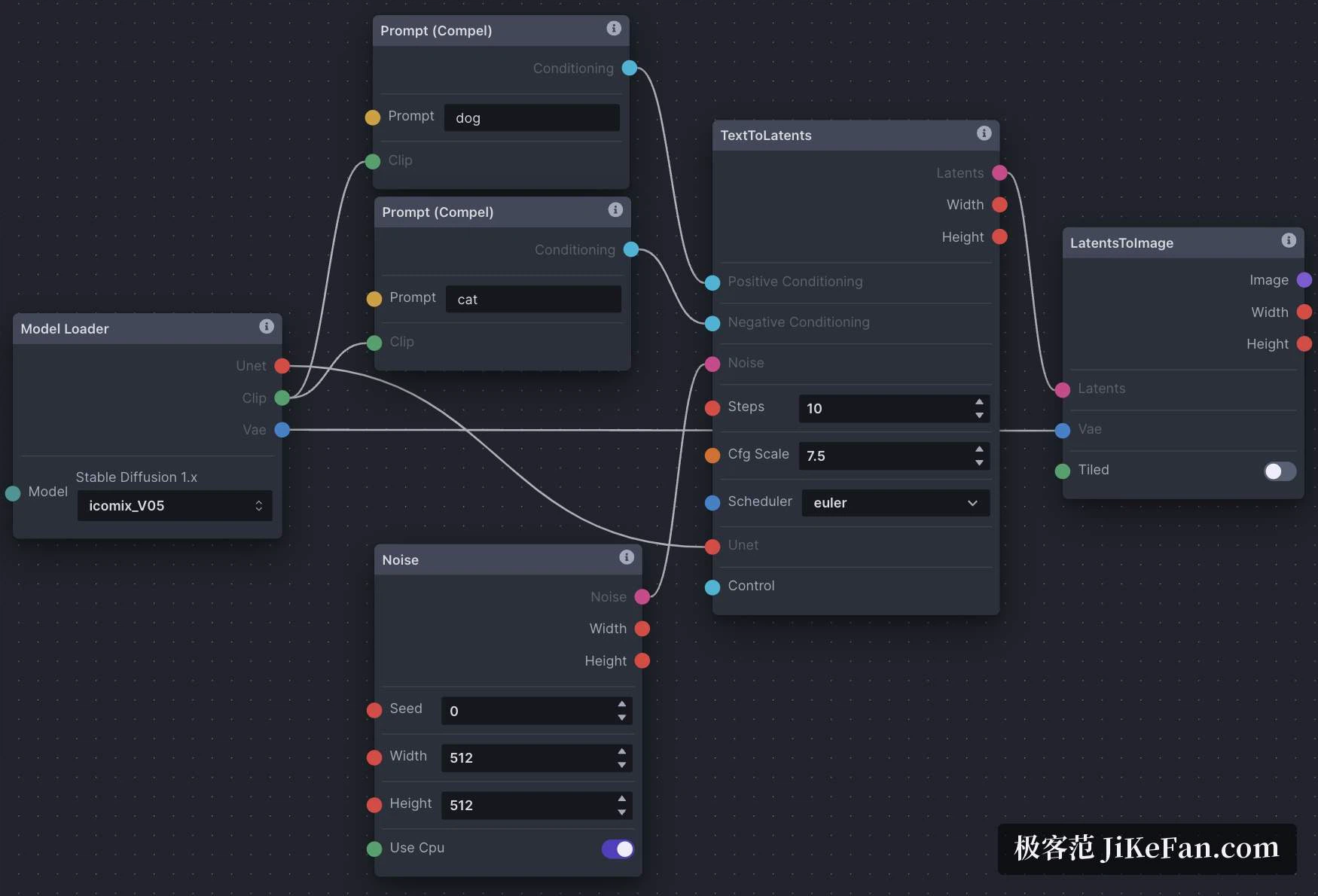
Behind the canvas sits a full node-based workflow editor. Loading a model, encoding the prompt, sampling, decoding — each is a block that can be wired to the next. A finished graph can be saved and re-run, and its parameters can be lifted into on-screen widgets and handed to someone else. The worth of the graph is repeatability: push a new input through the same chain and the output keeps the same temper, which counts when a series of images has to share one look. Day to day you never need to open it; the canvas and the parameter form carry you. The day a process deserves to be frozen in place, you switch over, and both paths run on the same backend.
Model coverage keeps the cadence
Breadth of model support is where this tool earns its keep. The older Stable Diffusion generations are on the list, the SDXL family is on the list, and the newer large backbones arrive beside their distilled and their editing variants. Quantised builds in the gguf format load next to plain checkpoints and diffusers directories. A model manager installs and sorts checkpoints, LoRAs, textual inversions and control adapters in one place, so nothing has to be hand-copied into folders. Brand-new architectures do not show up on launch day, but the rhythm is steady, and whatever arrives can be used on the canvas and in the graph without a second setup.
Licence and operation
The code is Apache 2.0, which suits commercial work: you may ship it inside a paid product, modify it, redistribute it, even fold it into something closed, with no obligation to publish your changes. The model weights are a separate matter and carry their own terms, worth reading before a commercial run.
Operation is a local service plus a browser tab. Once it runs you point the browser at the local address and everything — generation, prompts, images — stays on the machine. Launchers exist for Windows, for macOS on Apple silicon and for Linux, and container or manual routes are there for anyone who prefers them. Multi-user accounts and a job queue are built in, so a workstation shared by a team needs no extra plumbing. On hardware, sixteen gigabytes of system memory is the suggested floor, and dynamic offloading will get a large model running on a card that cannot hold it, at the cost of speed.
The short version: this is a stocked studio rather than a prompt window. Anyone who makes images for a living, who refines one picture across many passes, and who wants the process to be repeatable will get that time back from the canvas and the graph. Anyone who only wants a sentence turned into a picture will find more machinery than they asked for.