
uTools 8.0.2: plugins that run on a schedule, and for AI
Version 8.0.2
Summary
uTools 8.0.2 adds scheduled plugins and a local MCP service, jumps to Electron 34 and Chromium 132, and turns a written sentence into an installable plugin.
Recommend- Name
- uTools
- Version
- 8.0.2
- Open source
- Proprietary
- Operating system
- WindowsmacOSLinux
- Website
- https://www.u-tools.cn/
- Updated
- 2026-11-15 12:09
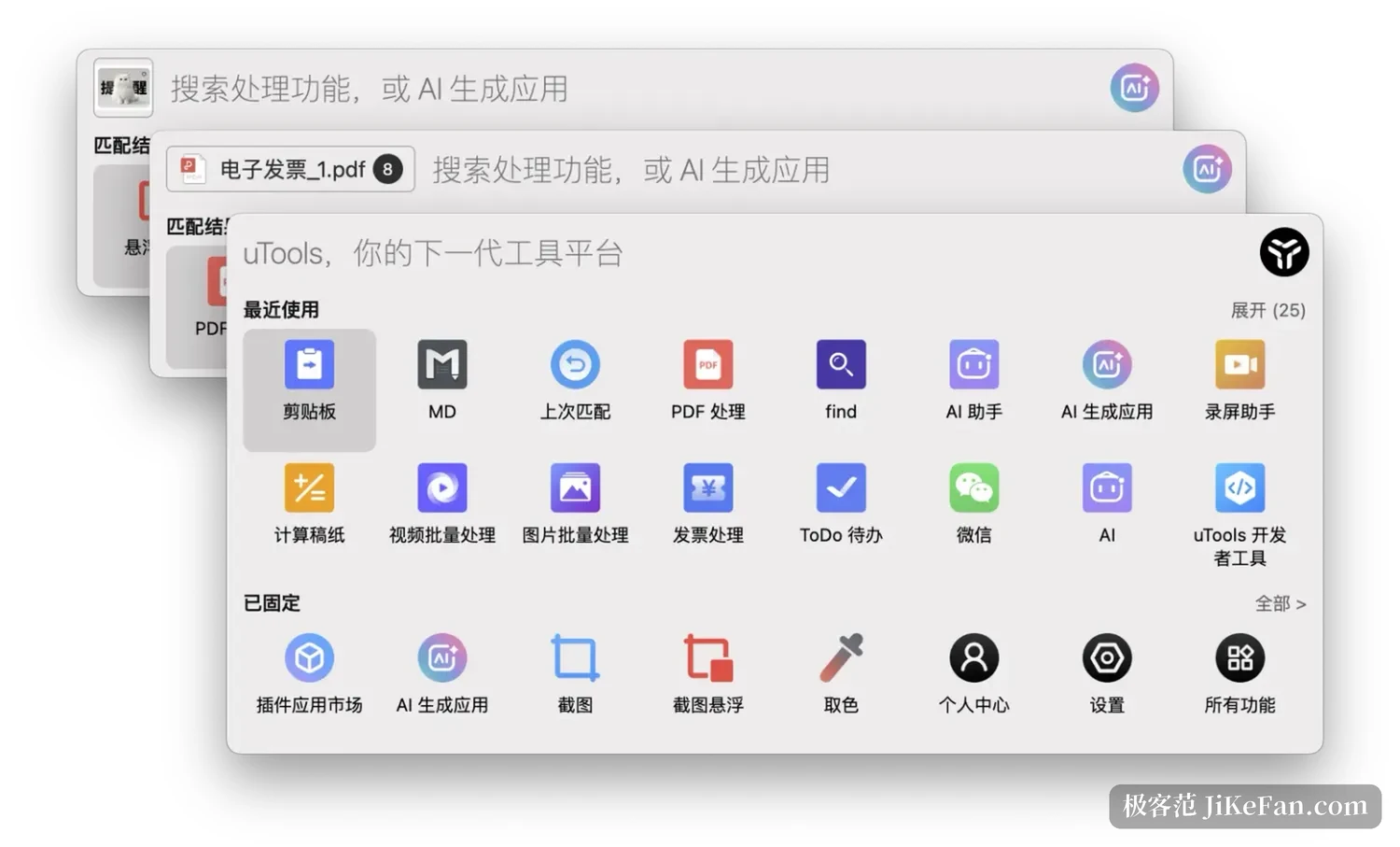
Desktop efficiency tools share one problem: installing them is exciting, remembering them is not. uTools has always answered with restraint, a single shortcut that opens a search box, two letters to reach a plugin, and the box disappears once the job is done, the same on Windows, macOS and Linux. uTools 8.0 arrived on October 13, with 8.0.1 and 8.0.2 following. Across those three releases the ambition shifted: plugins are no longer only laid out in front of you, they can work on their own schedule and an AI can call them directly.
The foundation was replaced first
The least visible work in 8.0 sits underneath. The runtime jumped from Electron 23 to 34.5.8, the Chromium core from 108 to 132, and Node.js from 16 to 20, a span of almost three years that forced the whole compatibility surface to be walked again and bought new syntax and new rendering. On screen, Windows 11 and recent Macs get acrylic behind the search box and the super panel, so the window picks up the desktop colour; the management centre was rebuilt with a new arrangement for the plugin market, the personal centre and the settings; and the floating ball on the desktop can wear your avatar.
The upgrade has a price for old systems. Windows 7 is no longer supported from this release, and anyone holding on to it stays on the old build. The same pass rebuilt storage underneath, and old data moves to a new directory, recent items and clipboard records included. The project states it plainly: roll back to the previous version after the migration and those records will not read. Backing up first is the steadier way to try the new build.
A sentence becomes a plugin
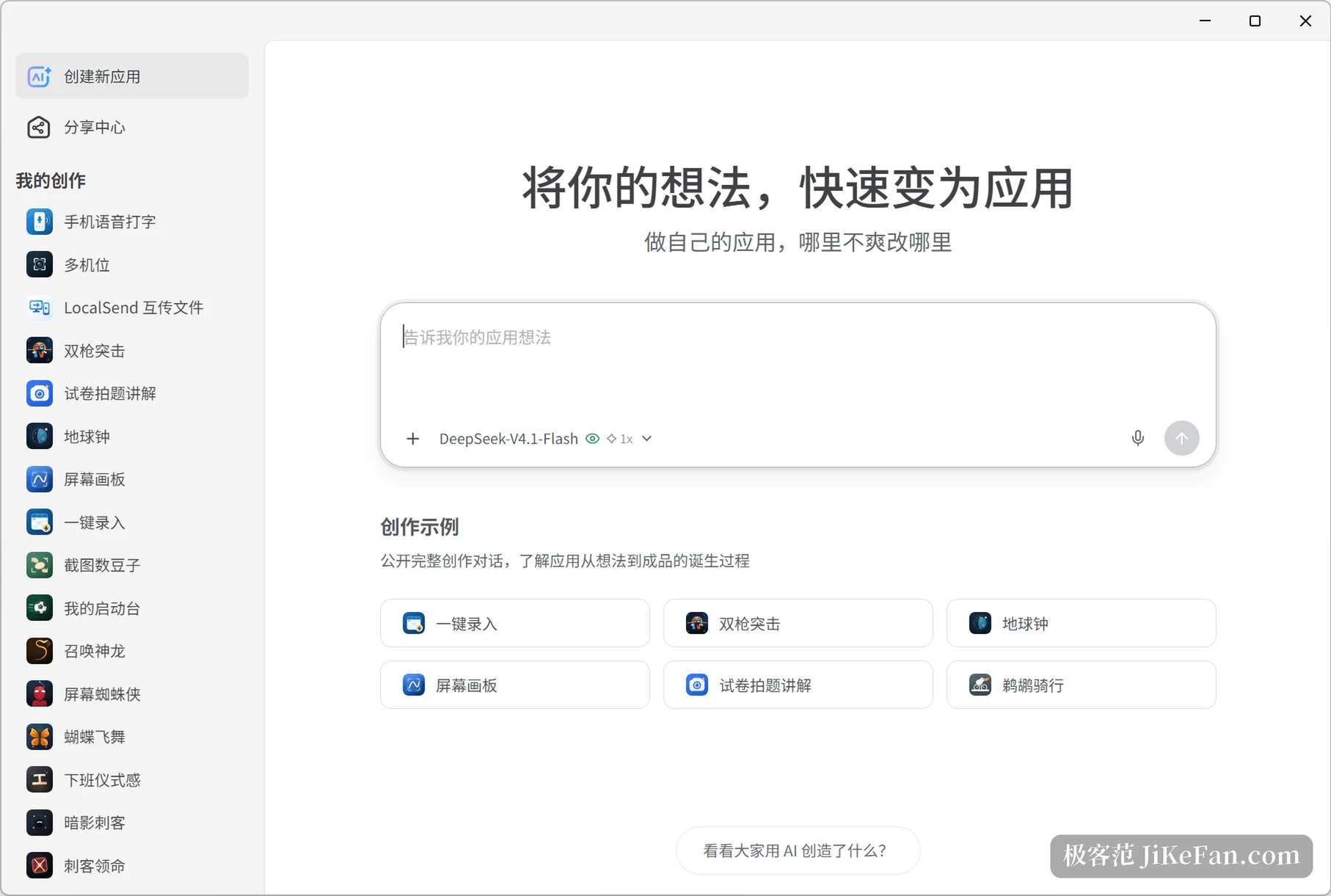
The headline feature of 8.0 is generating a plugin application with AI. Write what you want on the creation page and a complete plugin comes back, ready to install, no programming needed. What supports that is years of plugin runtime and its API set: the desktop side already reads and writes files, captures the screen and reaches system features, so the AI only has to arrange those abilities into a flow. A generated app can be refined through further conversation, and works found in the sharing centre can be forked and reshaped to fit your own habits.
Plugins start keeping office hours
Scheduling is the more durable idea. With the capability added underneath, a plugin application can book its own shifts: run at the appointed time, finish, exit, nobody watching. Three calls carry the mechanism.
- requestSchedule
- A plugin asks for a scheduled task, naming its identifier, a display name and the trigger plan.
- onScheduleTrigger
- The callback at the appointed time; if the plugin is not running, the runtime starts it first and then fires.
- captureDisplay
- Grabs the screen without any capture interface, which suits unattended recording tasks.
Put together, those three reach further than expected: archive a page at a fixed hour each day, tidy the clipboard every hour, export the week s to dos on a weekend. Such small needs used to take an external script plus a system scheduler, and now they live inside a plugin. Version 8.0.1 also restored the Clear command, one sentence that stops every running plugin, which gives an exit from a pile of background windows.
Handing plugins to an AI
The other thread opens plugin abilities to outside agents. Turn on the local MCP service and plugins are exposed as standard tools, and an AI client picks whichever tool a task needs. Version 8.0.1 made the service port configurable, so several machines and environments stop fighting over one fixed number. In the management centre on the website, the installed clients are detected and the configuration is written in with one click, which saves copying an address and a port by hand.
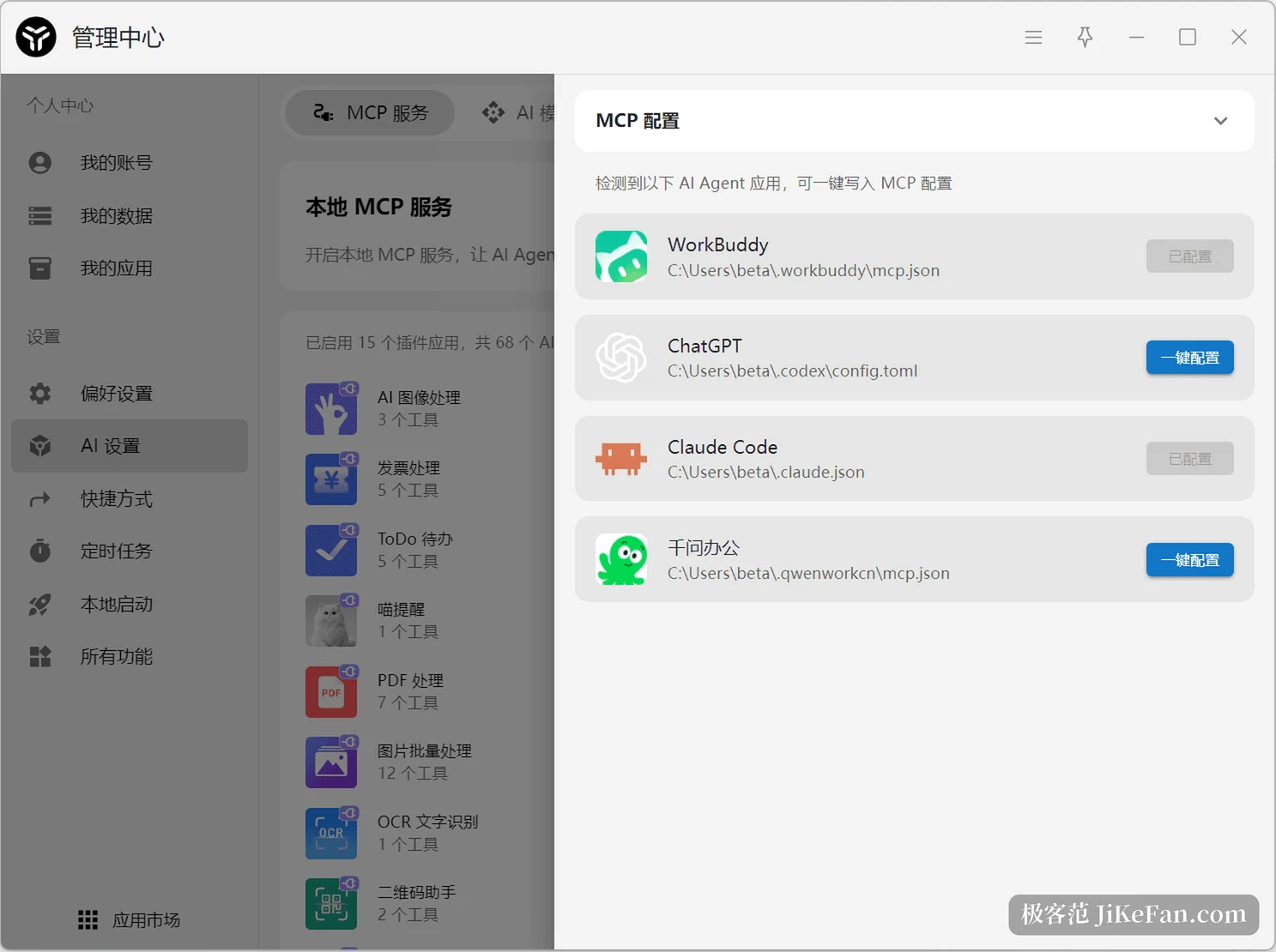
The practical meaning is turning what you want done into a tool that can be called again and again. A plugin built with AI, once installed, runs the same flow for an AI assistant, so people and agents share one toolbox and repetitive work needs no second implementation whichever side executes it.
Should you upgrade
uTools itself stays light and nearly everything lives in the plugin market, which the project counts at more than five thousand plugins covering clipboard work, file search, text recognition and format conversion. The basics are free and a few advanced abilities need a membership; one limit is worth knowing in advance, since a non member account holds ten plugin slots and a full shelf has to be cleared before something new goes in.
A closing release like 8.0.2 smooths small irritations, such as a hidden floating ball coming back by itself after half an hour. The real reason to move to 8.0 is the pair of new abilities: plugins that run on a schedule and plugins an AI can call. The first hands off repetition, the second hands off the tools themselves. For someone who occasionally grabs a screenshot or converts a format, the old version is enough; for someone repeating the same flow a dozen times a day, what this upgrade saves is attention.