
MusicBee 3.7.9796: local library that also plays
Version 3.7.9796
Summary
MusicBee 3.7.9796 for Windows turns a messy folder of audio into a searchable library by artist, album or year, then plays from it at under 10 MB installed.
Recommend- Name
- MusicBee
- Version
- 3.7.9796
- Pricing
- Free
- Open source
- Proprietary
- Operating system
- Windows
- Website
- https://getmusicbee.com/
- Updated
- 2026-11-15 12:09
MusicBee is a desktop tool that manages and plays local music on Windows, written by Steven, and version 3.7 shipped on October 29 as build 3.7.9796. Its job is concrete: take the audio on a hard disk whose file names are a mess, whose tags are missing and whose covers are mismatched, and turn it into a library you can browse by artist, album or year, then play from inside that library.
Clean the library first, worry about playback later
On a fresh install it scans before it plays. Point it at a music folder and MusicBee reads the tags, length, bitrate and cover of every track and builds a library you can filter. For the messy part, automatic tagging compares audio fingerprints and puts artist, album, title and cover back, which beats editing track by track, especially with compilations gathered from everywhere.
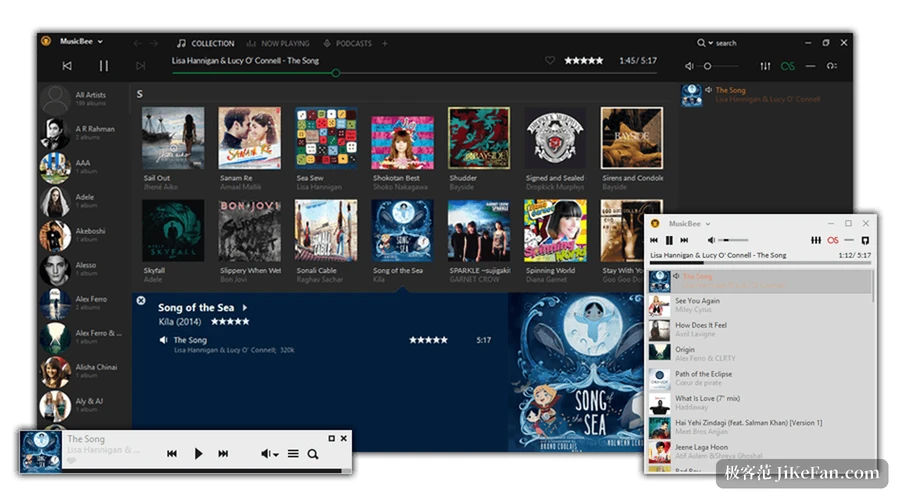
Once that is done, tracks from one album no longer split in two because a file name gained a bracket. Local files are not the only source either. Podcast subscriptions and internet radio hang in the same interface, so the audio you follow does not have to be scattered across three programs.
A player that installs in under 10 MB
The official figures put the installed size under 10 MB and memory use at roughly 25 to 70 MB while running, depending on how many skins and plugins are loaded. That weight means it still opens on an old machine, and switching tracks, scrolling the library or dragging the seek bar brings no stutter. The price is a tool-like interface: dense with information, and the first launch needs a few minutes to learn where things sit.
Nothing was cut from the audio path
The equaliser comes in a 10 band and a 15 band version, with a set of DSP effects beside it. Output goes through WASAPI or ASIO and can feed a separate sound card directly; gapless playback, upmixing stereo into a six channel surround field, resampling on demand, logarithmic volume and volume levelling all sit in the settings. For someone listening to lossless files on headphones, those switches decide whether a track is merely audible or worth hearing. At the plugin level it accepts some WinAmp plugins, so DSP modules collected over the years still have a chance.
What 3.7 changed
The most practical change lets you save a playlist explicitly as a named file, and loading it later restores which track was playing and how many seconds in, which long podcasts and audiobooks appreciate. The notes list the rest plainly.
Highlight rules go from 3 to 5 and accept .ico icons; lyrics can be pinned left or centred; queries can compare one field against another, for example play count against rating. -- MusicBee 3.7 notes
Changes like these land only for daily users: a skin that marks state with icons can carry two more rules, and filters can be written in ways that were awkward before. Smaller items came along too. Toolbar icons shift while a filter is active, Shift with the wheel scrolls sideways, and the album cover view really centres the cover once fit-to-panel is off.
The shuffle command in the context menu now follows the shuffle mode chosen in the preferences, including album shuffle, and the width of the matched column follows the number of active rules. One warning belongs here: from 3.7 the SoundCloud features are gone, so anyone who listened through it needs another route.
Devices and formats
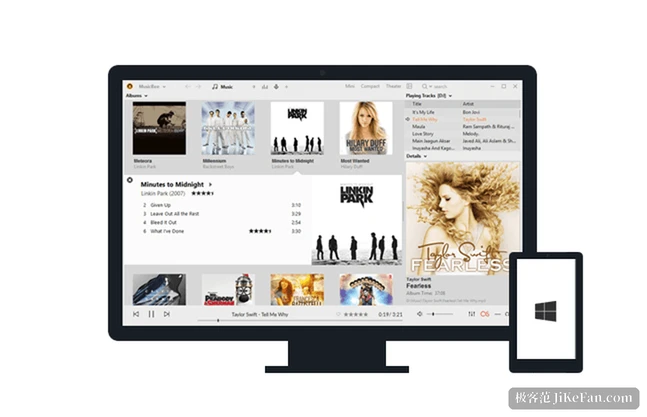
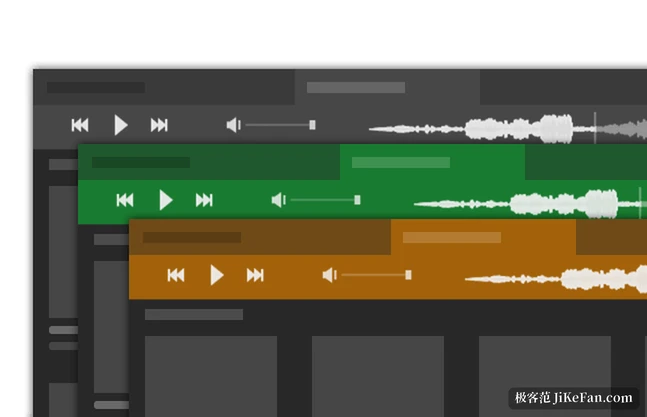
Playlists, podcasts and audiobooks sync both ways with a device: it transcodes formats the device cannot read on the way over, and an audiobook reports back which chapter you reached. Older habits stay, such as CD ripping and last.fm scrobbling, and you can reskin the whole interface and move the panels around. The installed and the portable builds are the same program, and the portable one travels on an external drive with library and settings following its folder.
Who it suits
If your music lives on the machine, somewhere between a few hundred and tens of thousands of tracks, and you are willing to spend an afternoon cleaning the library, the approach fits: the files stay yours, the tags live inside the files, and the software only organises them. The opposite case is just as clear. Anyone who listens mainly through a streaming service, or needs macOS and a phone in the mix, will not be served here, because this is a local tool for Windows alone, with no cloud account and no mobile version.
A cleaned library travels as the music folder itself, not as an account. The release rhythm deserves a line as well: more than half a year passed between the previous version and 3.7, the digits after the version number are the build, small fixes keep arriving under the same number, and checking the build against the official notes beats watching the main number alone.