
LosslessCut 3.70.2: sharper cut points, better metadata
Summary
LosslessCut 3.70.2 fixes cut points on MKV and audio only files, rebuilds the metadata editor and still cuts clips without a re-encode.
Recommend- Name
- LosslessCut
- Version
- 3.70.2
- Pricing
- Free
- Open source
- Open source
- Operating system
- WindowsmacOSLinux
- Website
- https://losslesscut.app/
- Updated
- 2026-11-15 12:09
Cutting a five minute clip to remove an ad break in the middle means a re-encode that takes ten minutes or more and costs a generation of quality. LosslessCut is a lossless cutting tool that steps around exactly that: it never touches the codec, moving the audio and video streams at keyframes, the I frames, into a new container in seconds, with the picture untouched. Version 3.70 arrived on October 19 for Windows, macOS and Linux, with 3.70.2 following ten days later. The numbers move carefully and the changes sit where long use starts to show.
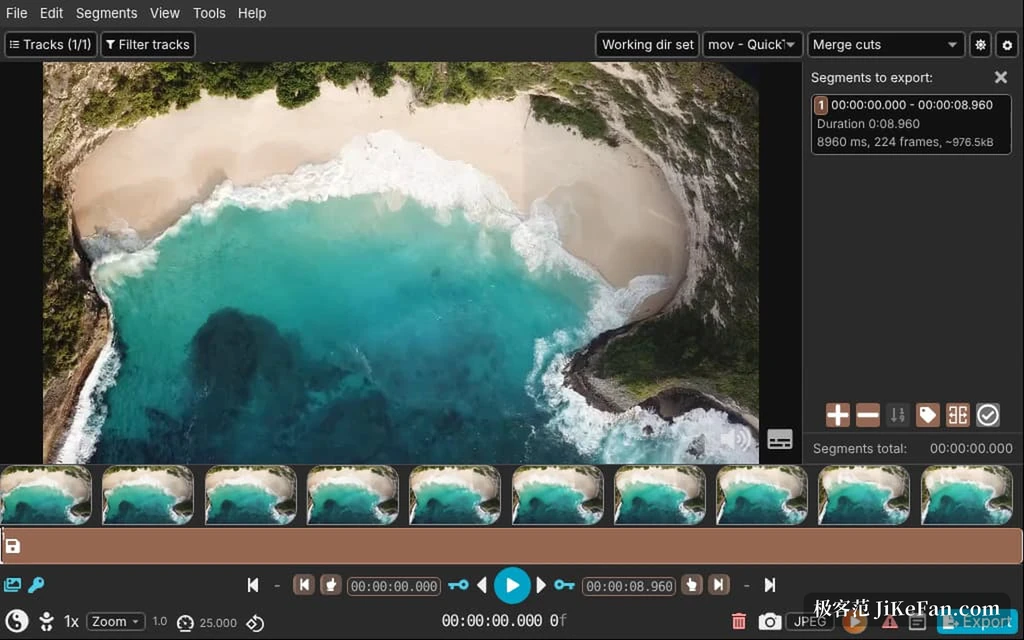
Whether the cut point lands where you asked is the whole job
Version 3.70 fixed several hard faults around cut points. In MKV and WebM files with B frames, the FFmpeg seek lands slightly early, so cutting at an I frame actually began at the previous one and the opening of the clip carried a few extra seconds; compensation is now applied.
Audio only files had a similar problem, since formats like M4A mark only some packets as I frames, and the cut drifted seconds forward or back; that is handled in this release too. Files with cover art, chaptered audiobooks for instance, used to export segments with the wrong duration, and the length now comes from the actual stream information.
None of these are new features. They are what makes the existing promise hold, because lossless cutting rests on the cut landing where you chose, and when it does not, the saved time is paid for with the material. The bundled FFmpeg also moves to 8.1 in this release, closing a numbered hole, CVE-2026-8461, and a toolchain willing to follow upstream leaves one less worry behind.
The metadata editor finally behaves
The more useful work is in tracks and metadata. Changing a language or a title used to mean typing it again on each track, nine tracks and nine repetitions. Now metadata from one track or one file can be copied across wholesale, and a value such as a language can be applied to every other track of the same kind at once. Edited tracks and files are highlighted, and undo works per track, per file, or for everything together.
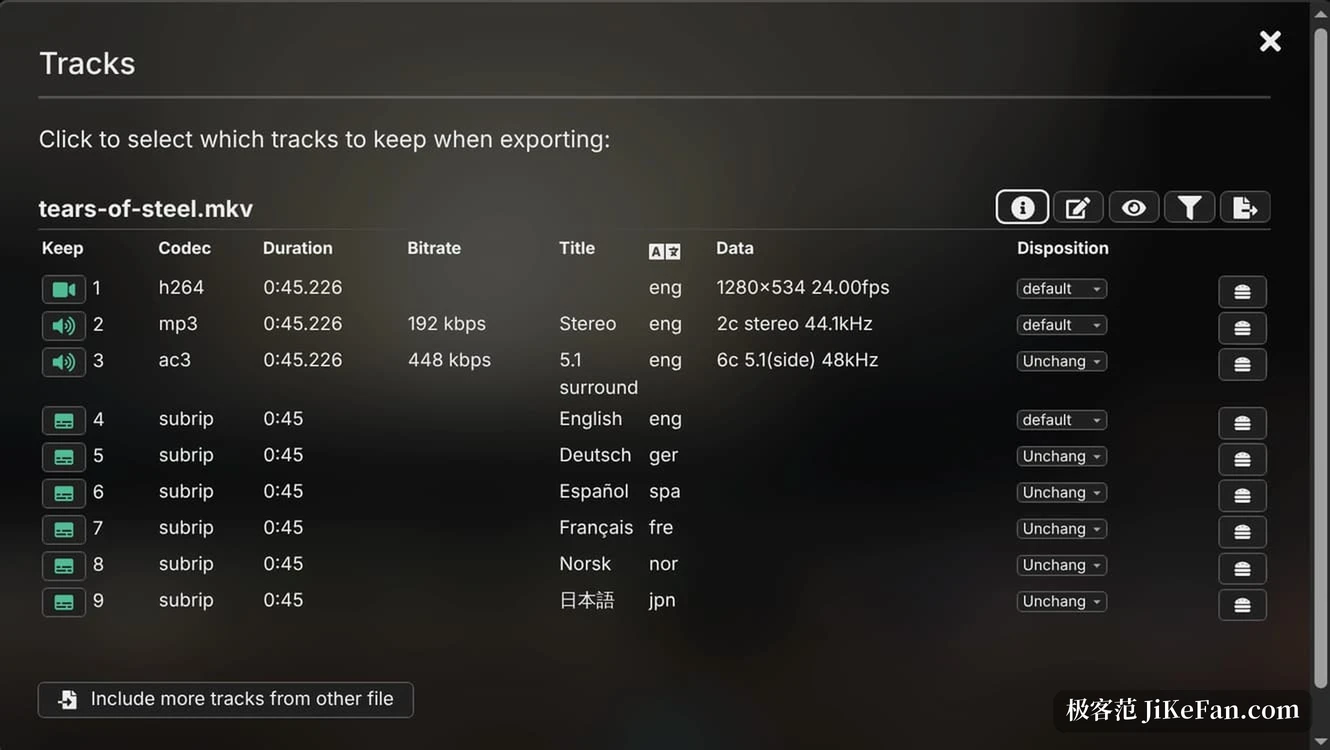
Input fields started helping as well. Encoding tags, language codes and metadata key names offer the usual values and complain when something is wrong; the hvc1 tag that Apple devices expect gets its own reminder, and an HEVC track missing it raises a warning in the export dialog before the job runs. A button next to the creation time fills in the current moment, so nobody has to look the format up.
Small places that get touched every time
The interface changes are all fine grained: a theme setting that follows the system or locks a choice, zoom options in the video preview so small material stops looking mushy, and a frame rate dialog that accepts fractions such as 30000/1001. Project files carry their own extension, so a double click returns to the last position. On Linux the AppImage no longer depends on libfuse2 and registers an open with LosslessCut entry.
- 3.70.0
- First release on October 19, FFmpeg 8.1 inside, theme setting and metadata editor added; the Windows x64 package shipped without FFmpeg.
- 3.70.1
- The package rebuilt the next day, fixing only that missing FFmpeg on Windows x64.
- 3.70.2
- Wrapped up on October 28, repairing silent and black detection, a false alarm in attachment export, and bundling FFmpeg in the Linux arm64 package.
So anyone starting now takes 3.70.2 and skips the trouble.
Who it suits and who it does not
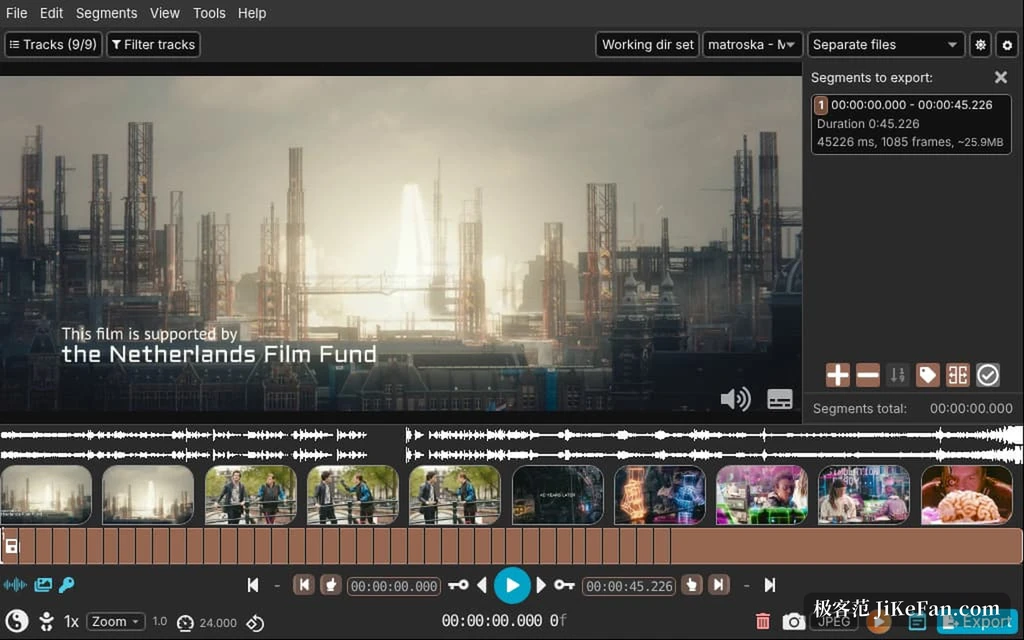
LosslessCut has always been a graphical shell around FFmpeg, and what it does is move material rather than create it. Cutting ads, splitting chapters, dropping the intro and credits from an episode, pulling a subtitle or audio track out on its own, joining several clips that share the same parameters: those finish in seconds with no loss. Transitions, colour grading and frame accurate edits are somebody else s work, a timeline editor s work.
The path through it is short as well. Drop the media in, drag segments on the timeline, name each one, then export merged into one file or separate files. The track dialog ticks the audio and subtitle tracks to keep, and extra streams never reach the output. When the job is keep the part of this material that I want, the flow rarely leaves you wondering where to click next.
The cost sits in the same place: lossless cutting can only land on an I frame, so material with a wide gap between them keeps an offset, and only a re-encode removes it. What the 3.70 series did was make everything inside that boundary more exact, a few seconds less drift at the cut, fewer retyped fields, an earlier warning. For a tool used daily against real footage, that kind of progress is worth more than another decorative button.