Catrace 26.11.6: a small window that plugins fill
Summary
Catrace 26.11.6 opens a movable little window whose content comes from plugins; the first one is a sitting reminder watching keyboard, mouse and sound.
Recommend- Name
- Catrace
- Version
- 26.11.6
- Pricing
- Free
- Open source
- Open source
- Operating system
- WindowsmacOSLinux
- Updated
- 2026-11-15 12:09
The open-source desktop tool Catrace shipped 26.11.6 on November 6, for Windows, macOS and Linux. What it does sounds simple: open a small window in a corner of the screen, movable and foldable, and let a plugin decide what sits inside. The sitting reminder is the first plugin that comes with it, but the plugin mechanism is what carries the design.

The window holds the frame, plugins hold the content
Treating it as one more reminder app misses the point. Catrace splits two layers apart: the outer one supplies the frame, handling opening and closing, folding away, dragging, staying on top and appearance; the inner one is a plugin, deciding what occupies that space and what a click does. The author offers an analogy in the project notes: an editor provides a code view and plugins provide capability, while Catrace provides a window view and plugins provide content. That division means the interaction rules are written once, and every later feature drops new content into the existing window instead of building another tray program.
Installing plugins is not roundabout either. The notes say no compilation is needed, a local folder or a compressed bundle will do, and a plugin opens when wanted and closes when not. The plugin repository is kept separately, with the protocol and examples living there for anyone who wants to write one.
Day to day the shape is adjustable. When busy, the window shrinks into the bottom right corner showing a title and a progress bar; for a proper break it goes full screen and covers everything; when it is in the way it folds away and unfolds later.
The position can be dragged, and switching applications does not take its focus away. That behaviour is shared across the whole app, so a plugin only has to draw its own content.
The sitting reminder first asks whether you are actually busy
Reminder tools usually judge badly: set forty-five minutes and it fires on the dot, even in the middle of a meeting or right after you stood up for water. Catrace goes at it in three steps.
The timer starts at the first keyboard or mouse event; after that any input counts as being active; and when the keyboard and mouse go quiet for a long stretch, as they do during a video or a piece of music, it listens to system sound and treats that as activity too. Only after a full working window does the reminder appear, either as a card in the corner or as a full screen notice.
Beyond sitting there is room for timed reminders: water every hour, a look at the numbers at three in the afternoon, a nudge to clock out, on an interval or at a fixed time. Other sources can land in the same window, such as an issue or a star arriving on a repository, or notifications from a phone forwarded to the desktop, where a single click copies them out.
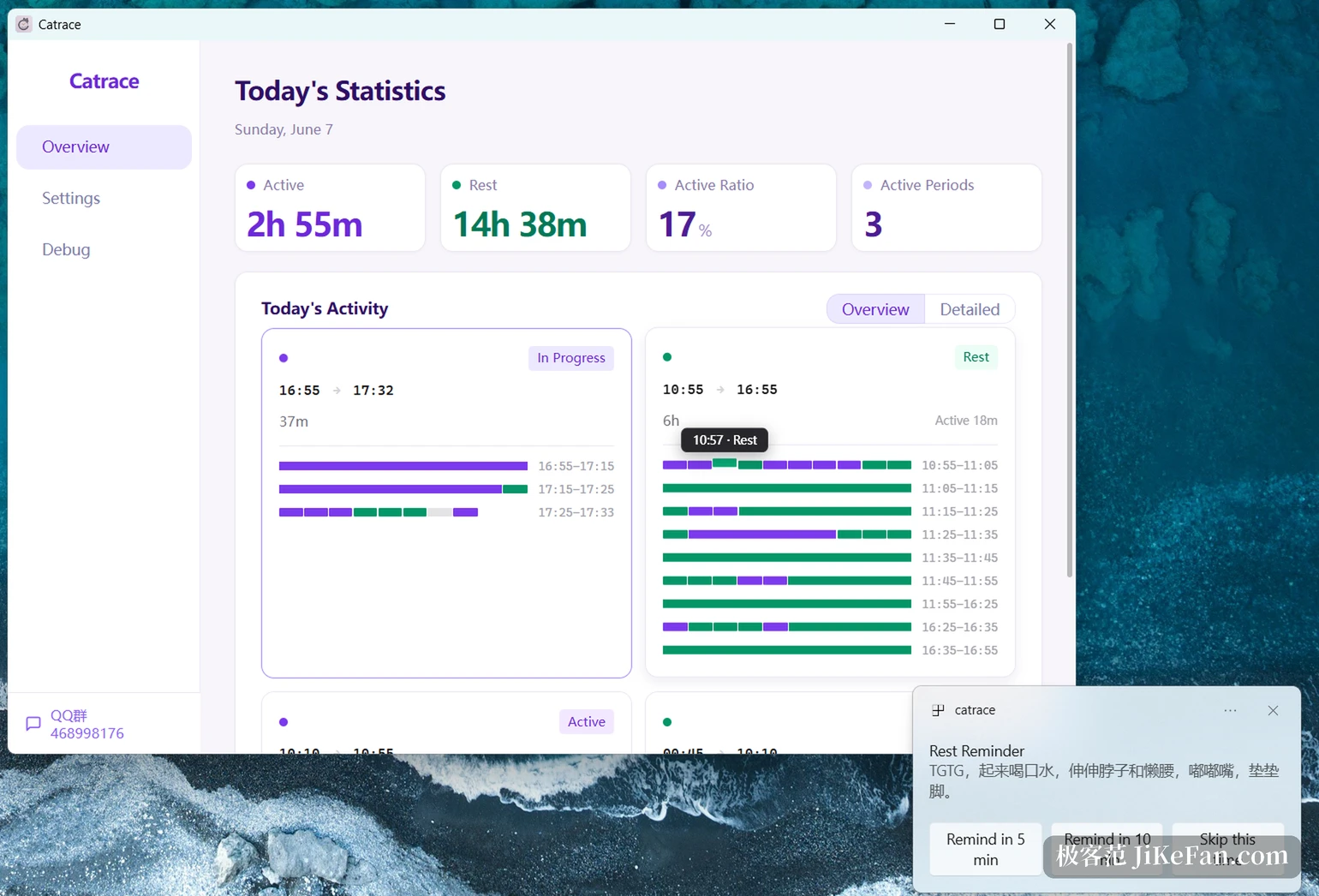
What it is
Catrace is an open project under AGPL-3.0, kept in the lanxiuyun repository on GitHub, with its site on GitHub Pages. Installers for the three platforms sit on the release page, and it can be set to start with the system. Version 26.11.6 came out on November 6 in a rhythm of small steps, and commits keep arriving. The stance is local first: whether you are busy is judged from keyboard and mouse movement plus system sound, with no camera and no screenshots, and the records stay on the machine.
The design in one line: Catrace provides the window view, plugins provide the content, and the sitting reminder is only the first of them.
For people who like to tinker, the benefit of that structure is predictability: window behaviour is stable, the extension point is clear, and writing a plugin does not require understanding the whole application. For people who only want to be reminded quietly, it installs and works, with no need to know how a plugin is written. Version 26.11.6 is not a large change; it pushes a mechanism that already runs.
Two kinds of user fit it best. One sits at a desk for hours and forgets to get up, and a reminder that reads system sound for busyness bothers them far less than a rigid timer. The other collects tools into a personal setup, and the plugin mechanism leaves room to change things without adopting someone else s workflow. Anyone who only needs a pop-up alarm will not use half of it.