
PicGo 3.0.4: a key for the local upload API, albums by host
Summary
PicGo 3.0.4 puts a key on the local upload API, groups the album by image host and config, and fixes the clipboard upload when the temp folder is missing.
Recommend- Name
- PicGo
- Version
- 3.0.4
- Open source
- Open source
- Operating system
- WindowsmacOSLinux
- Website
- https://picgo.app/
- Updated
- 2026-11-15 12:09
PicGo is the cross platform uploader that takes a screenshot and returns a link, and on November 13 it reached version 3.0.4 on Windows, macOS and Linux at once. The number looks minor and the work behind it is tidying up, but one item deserves its own paragraph: the local upload interface, which has been sitting open on a port this whole time, can now be locked.
The upload interface finally has a lock
The usual flow is short. Drop an image in, or hit a shortcut to push the clipboard screenshot up, and the link comes back to the clipboard. The price of that convenience was an open door: any program on the machine that knew the port could drop files in and spend the image host account configured for it. Version 3.0.4 adds an upload authentication switch, and once a key is set a caller must present credentials, carried in the request headers, with two spellings accepted.
Leave the key empty and set no matching environment variable, and authentication stays off, so old scripts do not break overnight. The environment variable outranks the interface setting, which suits anyone who would rather not write a key into a graphical window. Two repairs rode along: clipboard upload used to fail when the temporary image folder did not exist, easy to hit on a fresh install or after changing a configured path, and now the folder is created before the file is written; and links in remote announcements are limited to ordinary web protocols, which closes the route of waking a local program through a custom scheme.
The album sorts itself by host
The album page changes more visibly. The sidebar is no longer one stream sorted by time: image hosts come first, and under each one the saved configurations are listed with the number of pictures each holds. Anyone who has uploaded a few dozen screenshots knows the moment: looking for the one sent to object storage last week means scrolling, and halfway down the memory of which account was used is gone.
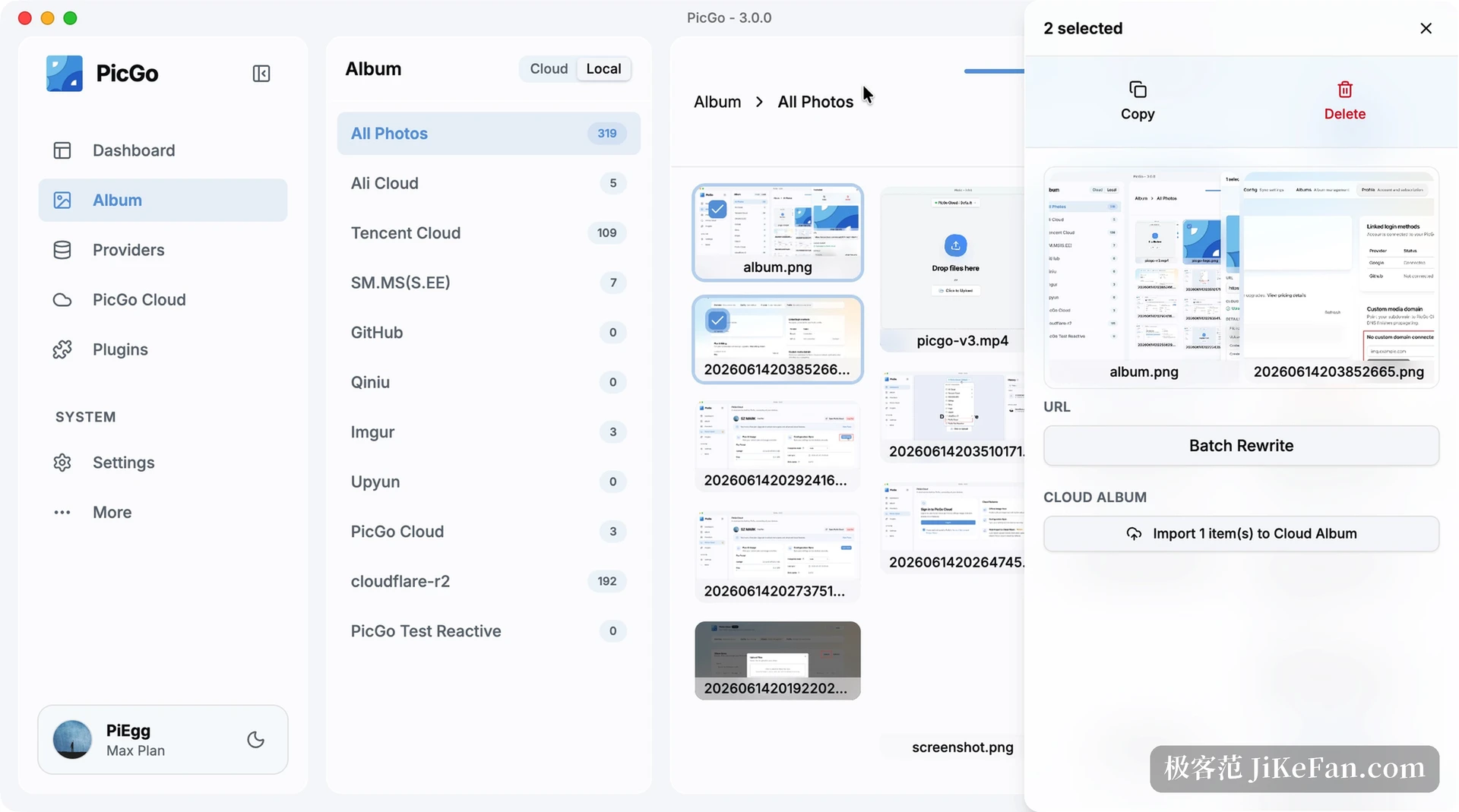
A new upload records which configuration was actually used, while older pictures are traced back from their links and land in an unsorted group when the trace fails. Selecting several allows a batch rewrite of links and a one click export to the cloud album. That grouping only closes the loop together with the per request configuration added in 3.0.3: a call names the host and the configuration for this upload, the default stays untouched, parallel requests do not interfere, and a wrong parameter returns an error instead of quietly falling back to the default host.
Version 3.0 was a rewrite, not a reskin
To see why 3.0.4 looks like this, go back to 3.0. That release rebuilt the interface and moved the rendering layer from Vue 3 to React 19 with TypeScript, and the components to shadcn/ui and Tailwind CSS fourth edition. The main panel, album, host configuration, plugin management and settings pages were all redrawn. Light and dark themes follow the system. The engineering cost is a higher floor: Node.js 20.19 at minimum, and plugin authors who leaned on older internal interfaces have to follow.
- 3.0.0
- Interface rewritten in React 19, the built in official host becomes the default, a cloud album, configuration sync and a skill package for AI agents are new.
- 3.0.3
- A single upload can name its host configuration, graphics usage while macOS sits idle drops, and the double launch at login is fixed.
- 3.0.4
- The upload interface accepts an authentication key, the album groups by configuration, and the temporary folder problem in clipboard upload is gone.
The default host changed hands, so count the cost
One change in 3.0 is easy to miss: the default host moved from the old public service to the built in official one. Configurations that already picked a host are untouched, and only a fresh install lands on the new default. The free quota is 200 files and 500 MB, enough for a few dozen illustrated articles, and beyond that a paid plan starts. Large files go up in chunks, which matters to anyone uploading long screenshots.
Using the project s own service means it works out of the box with no account to create elsewhere, and the thing to weigh is whose hands the data sits in. Links point at the provider domain, so a change there breaks the pictures inside published articles. For a personal blog that hardly matters; for a site that must last, storage you control is steadier, and the object storage and code hosting hosts PicGo already supports remain options.
Who should upgrade
For someone who only pushes screenshots through PicGo, 3.0.4 feels like an album that can be searched and a clipboard that stops failing now and then. For anyone who wrote scripts against the interface, the key deserves real attention: left unset it locks nothing, and once set the callers have to change with it. Plugin authors should look at the environment floor introduced in 3.0 and at the new responsive field and multiline editor types in the configuration panel, which remove a pile of checks from a plugin settings page.