
Home Assistant 2026.11: built-in marketplace, talking cams
Summary
Home Assistant 2026.11 folds the community store into the system, adds two-way audio for Matter and Reolink cameras, and rewrites how entities get their names.
Recommend- Name
- Home Assistant
- Version
- 2026.11
- Pricing
- Free
- Open source
- Open source
- Operating system
- Linux
- Website
- https://www.home-assistant.io/
- Updated
- 2026-11-15 12:09
Home Assistant is the smart home platform that most releases only nudge forward. Version 2026.11, which arrived on November 4, is one of the few that changes a layer. The project blog opens by calling it the largest release it has ever shipped. It installs as its own system image, as a container, or as the bare core version, runs on Linux, on a Raspberry Pi, a small PC or the official appliance, and you drive it from a browser and a phone app.
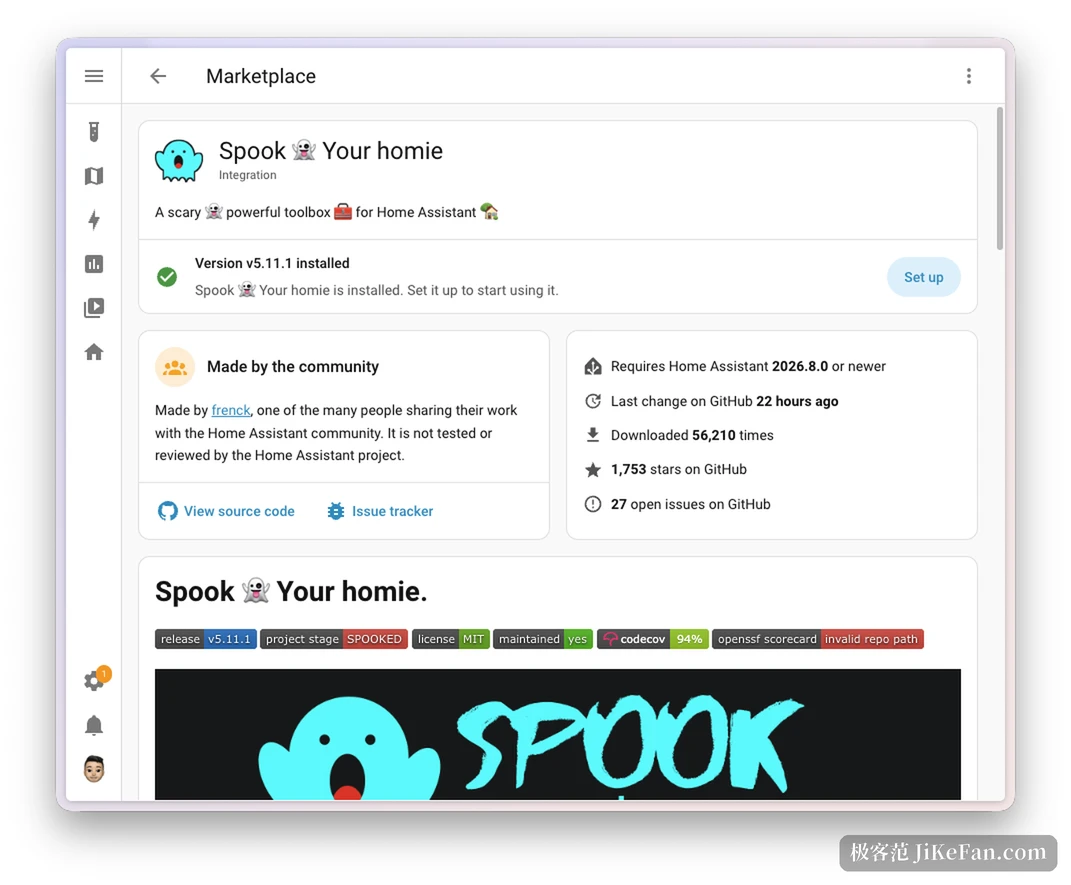
The marketplace stopped being a community add-on
Installing a community integration, a dashboard card or a theme used to start with a third party store add-on of your own. That step turned plenty of people away: the add-on had to be installed, the system restarted, and after the restart the item still had to be found again on the device page before it could be configured.
Home Assistant 2026.11 folds the whole thing into the system. Settings now holds a marketplace entry that exists on every install type, a pick lands you in that item s configuration wizard, and nothing restarts in between; updates still need their restart, that has not changed. Anyone already on the old add-on worries about nothing, the installed items stay and keep receiving updates, and custom repositories are still supported so integrations that never got listed have a way in.
Cameras learned to talk back
Two-way audio is the most vivid item in this release, and it hides in Labs, so it has to be switched on by hand. Once enabled, a camera that supports talkback grows a call button next to the live picture: someone rings at the gate, something moves in the yard, and you answer without opening a second intercom app. Support today covers Matter cameras and Reolink, and the latter needs the RTSP path, since RTMP and FLV cannot carry audio back. A browser hands over the microphone only on a secure connection, so the feature currently needs encrypted access, and support for the phone app over a plain connection is still being built.
Naming, settled in one pass
Entity naming has been rewritten for over four years. The old rule made every name carry its full context, so the same lamp was the living room ceiling light on the room page and again on the device page, stored twice, and one change meant editing both copies.
The new rule keeps a name to its own layer and lets the system add place and device context per view: on the kitchen area page it is the coffee machine, and on the device page, where the title already names the device, the entity shows only its power sensor. Names stop copying each other and one edit is enough. Complex devices also split into sub-devices, so a four socket strip becomes four sub-devices that can each be named and assigned to a room, and the dining room lamp stops appearing under the name of the strip.
You name a thing once, and Home Assistant adds the context wherever it can help.
This part is not backwards compatible. After the upgrade, cards that nobody named by hand show the new names and look different from before. Names you set yourself are untouched, and the old friendly name stays for compatibility even though the project has put it on the deprecation list.
LoRaWAN and switches without batteries
LoRaWAN arrives properly this time, with support for network servers of the ChirpStack and The Things Network kind. Settings gains a dedicated page under connections: which networks are attached, how many devices each one brings, and a picture of which gateway hears which device, plus the devices that no gateway has found. The device page lists signal strength, the last report and the battery level, and devices that are not supported yet also appear, with a note on the missing piece.
On the Zigbee side the addition is Green Power, meaning devices without a battery, a wall switch that harvests the press or a sensor lit by indoor light. They work differently from ordinary Zigbee devices, and the interface follows: only the options that apply are listed, and the network map draws no parent link.
Two things worth knowing before the upgrade
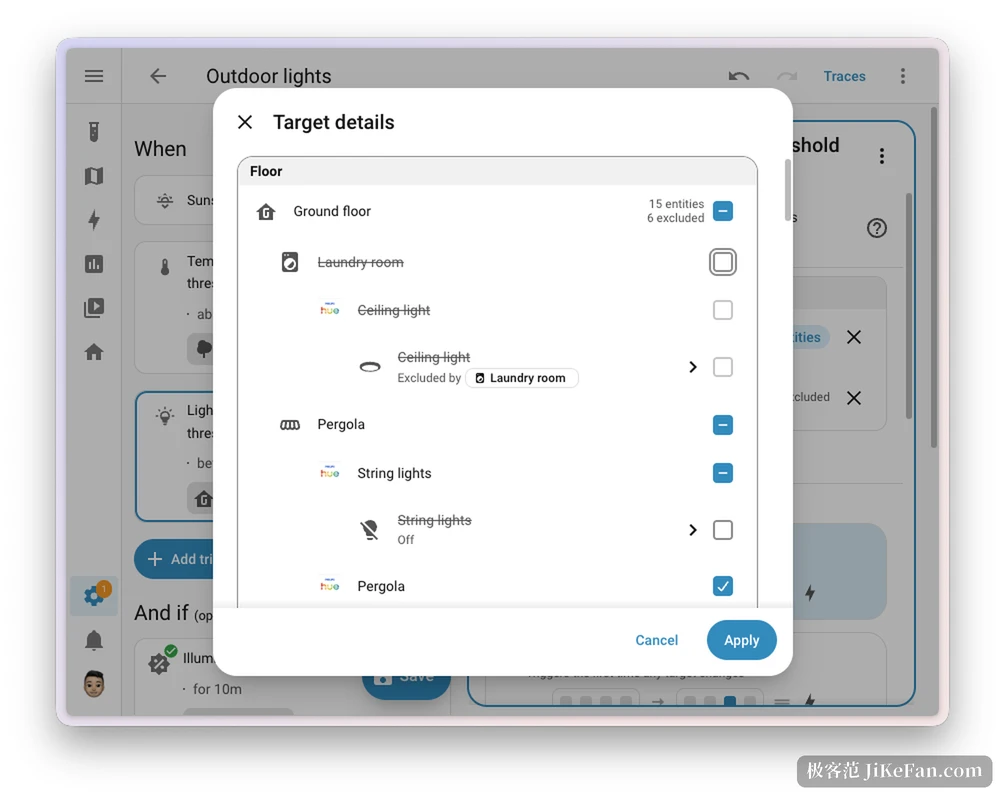
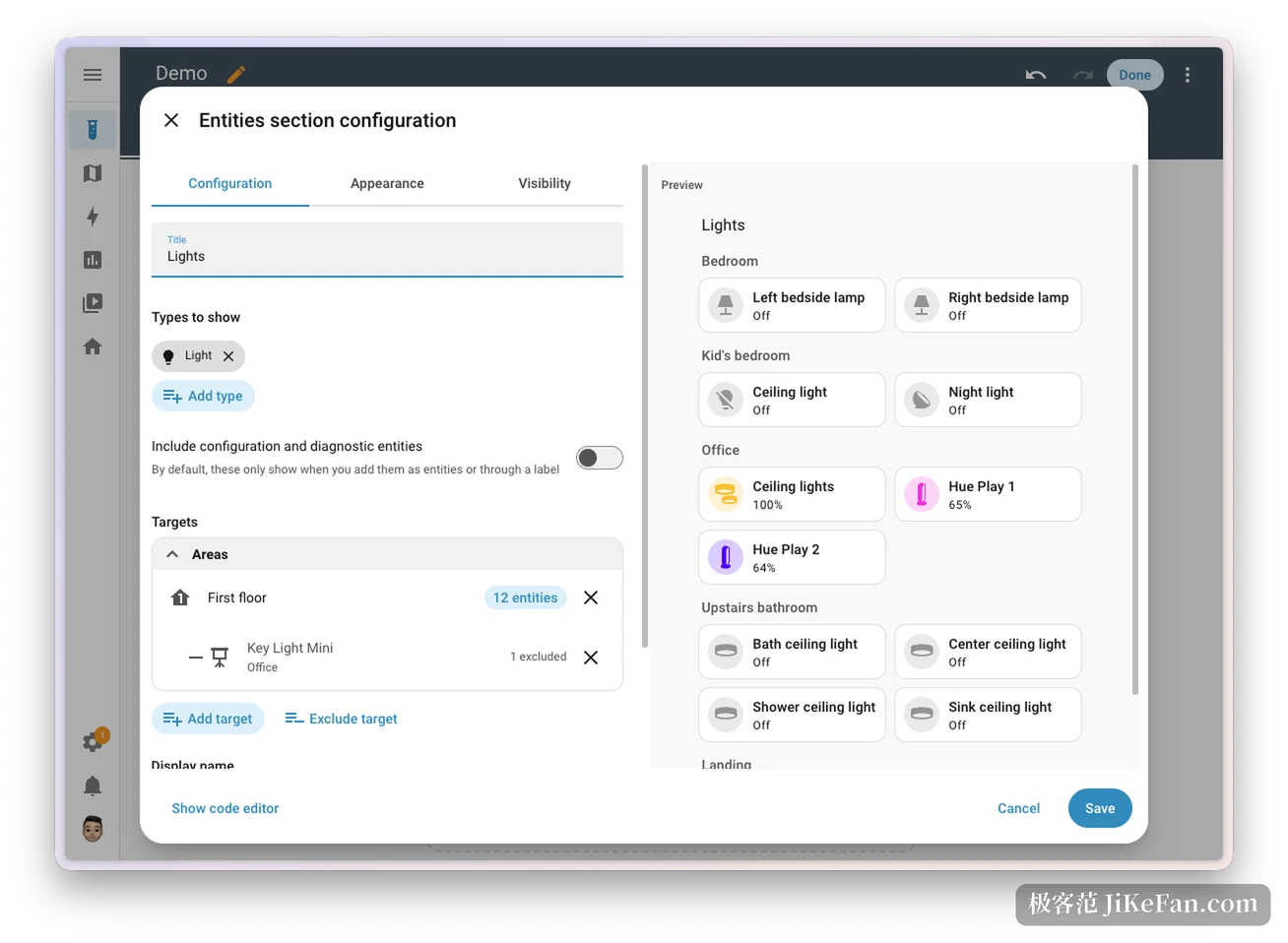
Automations gained exclusions. Turning on every light downstairs while leaving the kitchen out is now a target you can exclude, and lights added to the kitchen later are excluded automatically, so nobody has to come back and patch the rule.
Storage and backup moved as well. The system settings accept an internal disk or a USB drive reserved for backups, media or shared files, and after a reboot the disk is recognised by its filesystem identifier, so a changed device name no longer loses it. Restoring a backup stops copying the whole archive first, which saves time and space, the upload bar follows actual writes, and several common external targets report progress. A new sensor watches how large the last successful automatic backup was, so an odd jump up or down arrives as a notification.
In the release week a community day ran 97 meetups across more than 30 countries. For a project held by a non-profit foundation, shipping a release of this size on schedule says a fair amount on its own.