
OpenCode 2.3 pushes sub-agents into the background
Version 2.3
Summary
OpenCode 2.3 sends every sub-agent to the background, folds the terminal transcript into one activity line and adds jump-to-message to the desktop app.
Recommend- Name
- OpenCode
- Version
- 2.3
- Open source
- Open source
- Operating system
- WindowsmacOSLinux
- Website
- https://opencode.ai
- Updated
- 2026-11-15 12:09
The open-source coding agent OpenCode, which runs on Windows, macOS and Linux, shipped 2.3 on November 13. What this release changes is default behaviour: sub-agents all move to the background, the terminal transcript collapses to one line, and the desktop app gains an entry point that jumps to a prompt. For anyone who lives in a terminal next to this tool all day, those three changes set the rhythm of the work.
The waiting comes out of the loop
No new panel, no new theme. The three items in the release notes all point one way: the main session should stop stalling while it waits for a side task to finish.
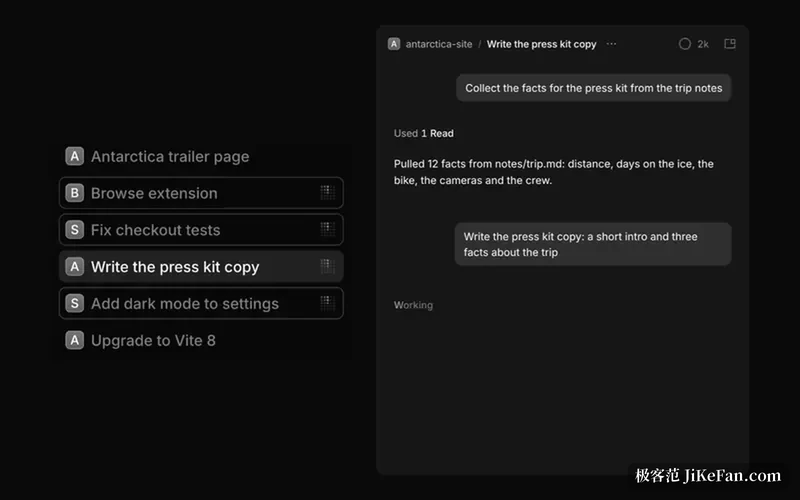
Sub-agents move from wait-for-it to runs-in-the-background
Anyone who has used an agentic coding tool knows the freeze. The main session hands a piece of work to a sub-agent and the whole timeline stops there, progress no longer moves, and you watch it walk through search, file reads and edits before the next instruction gets a turn. OpenCode 2.3 takes that blockage apart. Sub-agents now start in the background without exception, and the call returns the sub-session identifier to the parent straight away, so the parent does not hang and can push something else forward. When the sub-agent finishes, or goes idle partway, it sends its result back as a report message.
Several sub-agents running in parallel follows naturally. The notes put it as working on in the parent while several sub-agents run at once. One detail deserves attention: if a sub-agent is idle itself but still has background work under its name, the report says so plainly, and the parent will not accept half a result as the final answer.
Behaviour really did change. In 2.2 background running was optional; 2.3 makes it the only mode, with no switch back to the old shape. Pressing Esc in the parent no longer cancels a running sub-agent either, since they finish and report; interrupting one means handling it individually.
Scripts, plugins and SDK callers feel this first: reading a sub-agent answer straight out of a tool return value stops working, and the report message is the only place it arrives.
Three defaults changed in 2.3: sub-agents always run in the background and report when idle; terminal session verbosity drops to low; the desktop command palette gains Jump to message on Cmd+Alt+G, or Ctrl+Alt+G on Windows and Linux.
A transcript folded into one line
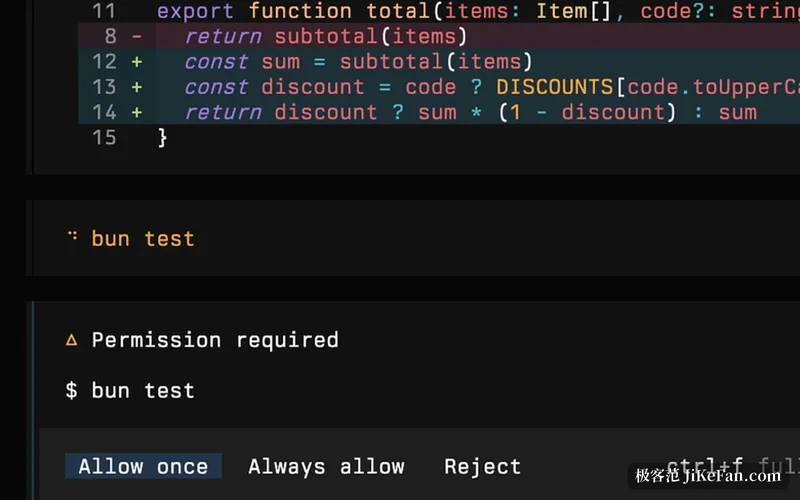
The longer a session runs, the more tool calls and thinking fragments pile up in the terminal, and reading back feels like an itemised bill. Version 2.3 drops session verbosity to low by default, folding the tool calls and thinking of a turn into one expandable activity line, so a screen shows the whole thread. To get the item-by-item view back, set verbosity to medium or high, or write session.verbosity into the terminal configuration; anyone who already set a value keeps it, since nothing is overwritten.
The command palette now carries Jump to message, called up with Cmd+Alt+G on macOS and Ctrl+Alt+G on Windows and Linux. Its value is the search range: it reaches prompts that have not been loaded into the timeline yet, not just the messages already rendered, and jumps straight there. In a session left open for hours, scrolling back for one sentence used to be the tedious part, and this command removes it.
The rest of the batch
Experimental MCP event push sits behind the mcp_events switch and stays off by default. Shell commands no longer lose output when the server hands over, and an unexpected interruption keeps whatever was already produced; moving to the background after a timeout is also experimental, governed by shell_timeout_background.
Local model discovery got more patience, with the per-request wait for Ollama, LM Studio and vLLM raised from one second to fifteen, so a remote or tunnelled endpoint can finally list all of its models, and one slow endpoint no longer holds up the others. Against a gateway demanding mutual TLS, a provider can now present a client certificate, configured under settings.tls, with the certificate, the private key and an optional passphrase each taken from a file or an environment variable. A sidebar for recent sessions, also experimental, arrived in the desktop app, limited to the last seven days and thirty rows.
The tool itself
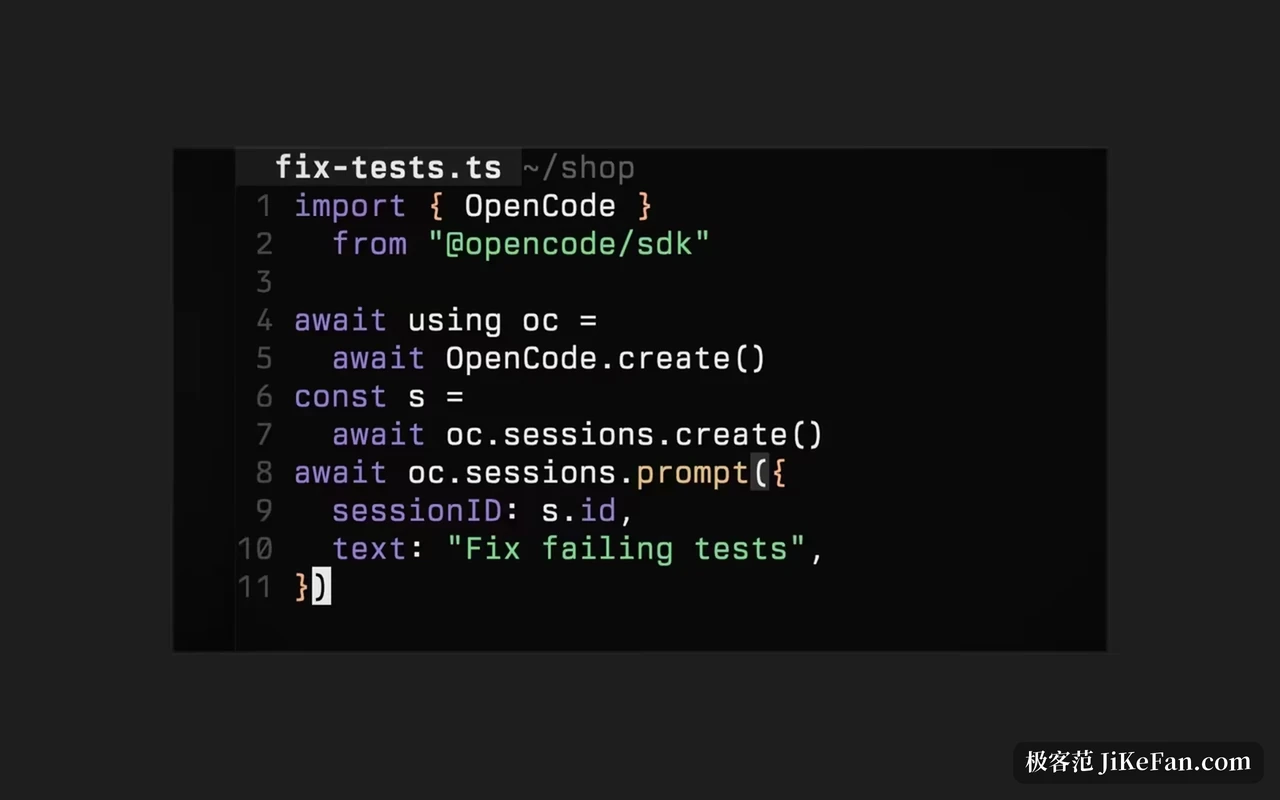
OpenCode is an open-source coding agent under the MIT licence, kept in the anomalyco repository on GitHub, and the site quotes more than 220,000 stars, over a thousand contributors, twenty thousand commits and more than twenty million developers a month.
It comes in more than one shape: the desktop app for macOS, Windows and Linux, a terminal interface that runs in any shell, editor or remote server, a phone client, and an SDK for scripts and CI. On the model side the officially maintained catalogue reaches more than two hundred providers, local models included, and multiple sessions, plugins, MCP servers, custom agents and skill files all belong to the same system. The desktop client is still in beta.
Version 2.3 is a release that moves defaults, and the notes carry no breaking changes section, so upgrading is not a migration. Defaults are behaviour all the same, and background sub-agents plus the quieter transcript happen to be the two that show up first in daily use.