
Thunderbird Puts Mail, Calendar and Contacts in One Window
Summary
A mail client that treats mail, calendar and contacts as one workspace: invitations become appointments, birthdays appear in the schedule, encryption is built in rather than bolted on, and the desktop applications are joined by an Android version.
Recommend- Name
- Thunderbird
- Version
- 156.0.1
- Pricing
- Free
- Open source
- Open source
- Operating system
- WindowsmacOSLinuxAndroid
- Website
- https://www.thunderbird.net/
- Updated
- 2026-10-16 22:00
The problem was never sending and receiving
Most people have settled on a web mailbox: open a browser, sign in, read, write, close the tab. It works, and the costs are easy to stop noticing. Mail and schedule live in different places. Contacts are scattered across whichever services happened to collect them. The privacy terms are long and rarely read. Advertising is folded into the inbox in a form that does not look like advertising. None of these are failures of any single product; they are what happens when communication is split across several tabs that do not know about each other. A desktop client is valuable precisely because it can put the fragments back together, and this one goes further than most: mail, calendar and contacts are treated as one workspace, and the absence of advertising and data collection is a design principle rather than a paid upgrade.
Three things, one window
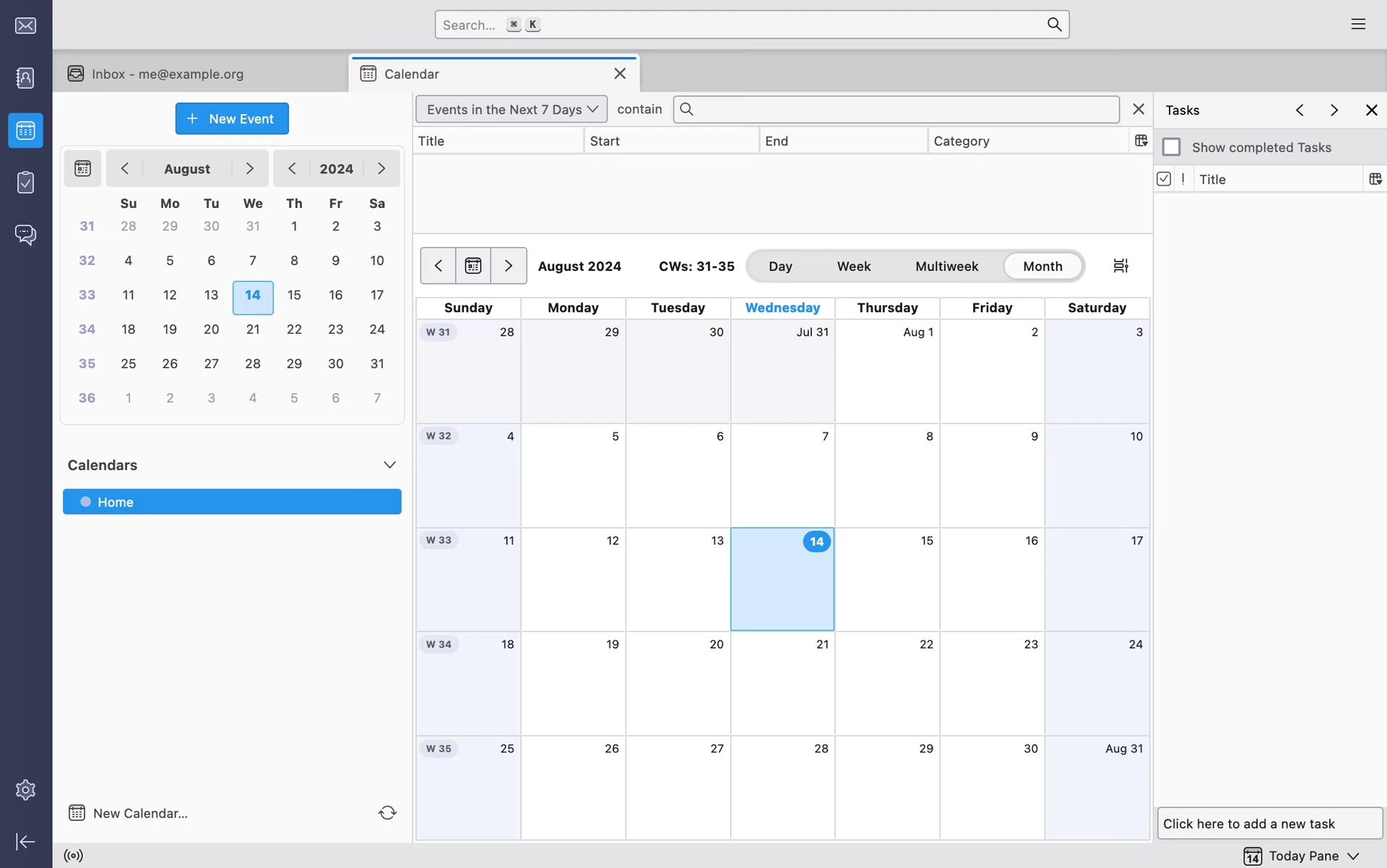
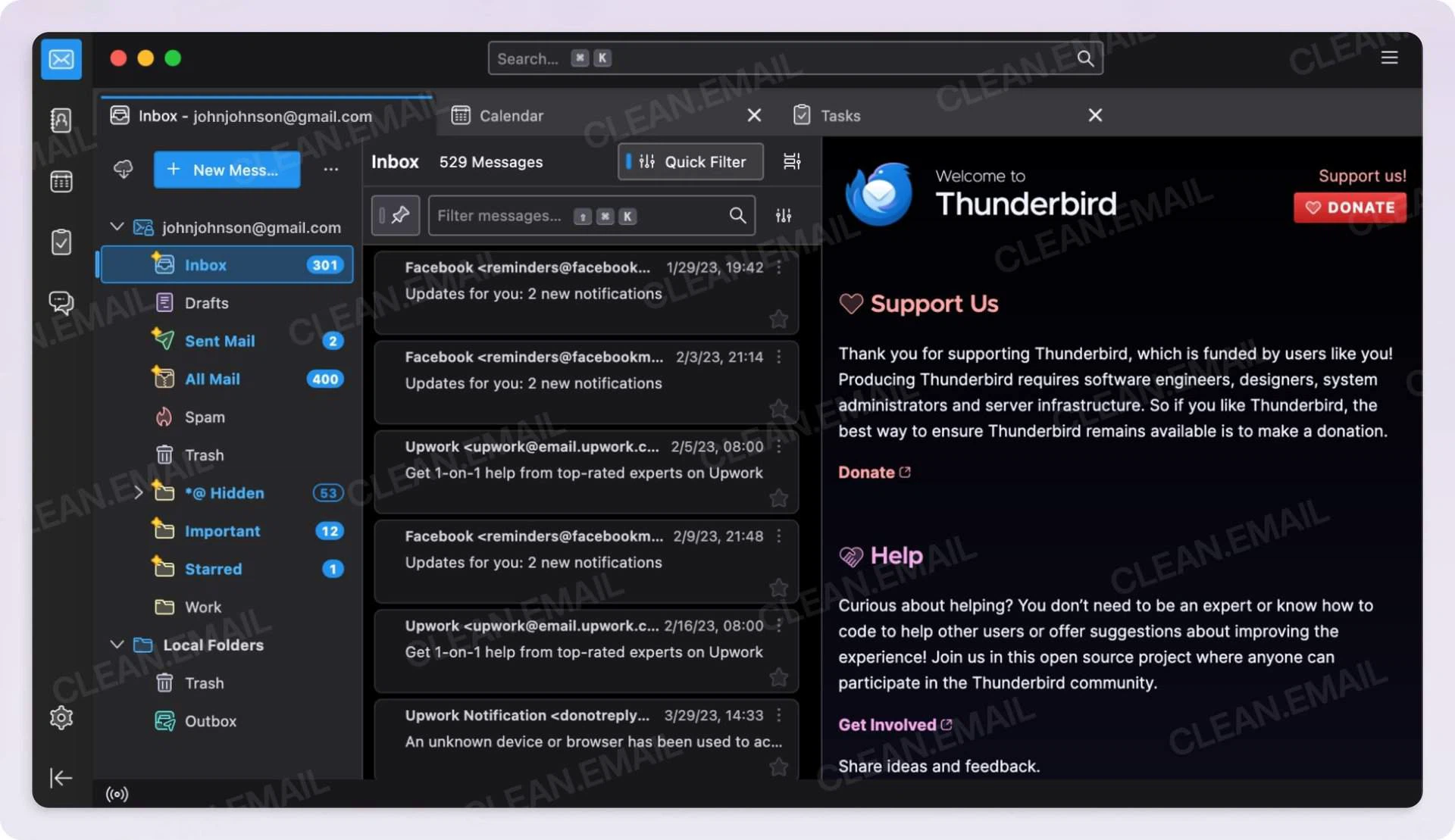
The usual arrangement has mail in one program, the schedule in an application on a phone, and contacts in whatever service synced them last. Here they occupy a single window with a folder list on one side, the message itself in the middle, and a panel on the other side that switches between the calendar and the address book. Nothing needs to be installed three times or kept in three mental registers.
The benefit is not merely fewer applications. Because the parts share a window, they can share information. An invitation arriving as mail can become an appointment without being retyped, and a birthday recorded on a contact can appear in the schedule on its own. What was a set of islands becomes a connected whole, which is the difference between storing information and being able to use it.
Open source, with privacy built into the architecture
The project is maintained by a team under a foundation and the code is fully open. What matters more than the licence is the business model behind it: the operating costs do not depend on advertising or on selling insight into behaviour. The commitments are explicit and unusually specific — no advertising inserted into the inbox, no collection of personal data, no use of conversation content to train models. Funding comes from voluntary contributions rather than from the privacy of the people using it, which is a fundamental difference in incentives and not a marketing position.
Openness adds the ability to check. Anyone can audit the code and confirm that there is no hidden upload and no back door. For a program that holds years of correspondence, that transparency is not a bonus feature; it is the minimum condition for trusting it with the material at all.
Encryption that is part of the program
Support for OpenPGP is included, so keys can be generated inside the client and messages encrypted and decrypted there, with no additional plugin to find and configure. A message sent this way can only be read by a recipient holding the corresponding private key; what the servers in between see is ciphertext and nothing else.
That matters in two quite different settings — organisational correspondence that has to satisfy a policy, and personal mail that simply should not be readable by anyone else. Historically, setting up this kind of encryption meant installing extra tools and managing keys by hand, which is where most people gave up. Reducing that to a few steps inside the program is not a small convenience; it is the difference between a capability existing in theory and being used in practice.
Four platforms, with an honest division
Desktop versions cover the three main systems, and a mobile version for Android is built on an established mobile mail project rather than started from nothing. The desktop applications are complete: mail, calendar, contacts, tags, filters and extension support all present. The mobile version currently concentrates on the essentials of mail and is moving toward the desktop experience rather than arriving with it. Saying so plainly is more useful than implying parity that does not exist yet.
Synchronisation runs over the standard mail protocols, so no particular provider is required and no account needs to be exclusive. Several mailboxes — personal, work, a server of one's own — can be managed at once, combined into one inbox or viewed separately, which is what makes a single client workable for someone whose correspondence does not all arrive in the same place.
Extensions, and room to be particular
Add-ons extend the program in the usual way: better search, adjusted layouts, connections to outside services, a long tail of small improvements contributed by the community. Themes cover appearance, including a dark mode and adjustable colours, which matters for a window that stays open all day.
For people who want to go further, the built-in machinery is genuinely capable. Filters sort arriving mail by condition, tags mark it, and saved searches present subsets as if they were folders. Those three together let a general-purpose client be tuned into something close to a personal workflow tool — not by installing something else, but by configuring what is already there.
Mail, calendar and contacts in one place, which is the fragmentation problem solved at the root. Open, free, privacy as a principle, encryption included, and available wherever the work happens. It is not simply a program for reading mail; it is an attempt to hold communication and personal information in one open place, under the control of the person they belong to.
What the choice actually buys
Mail clients are usually chosen on features, and features are the least interesting part of this one. The reason to prefer it is structural: the parts that normally drift apart are held together, the incentives of the people maintaining it do not point at the contents of your inbox, and the encryption that most services treat as an advanced topic is simply present. Anyone who has spent an evening reconciling an invitation with a calendar, or wondered what a free mailbox is really charging, will recognize what is being offered here. It is the same work, done in one place, by something that is not trying to profit from watching it happen.