
TeamSpeak: low latency voice with a server you run yourself, clients for five systems
Summary
A long-established low latency voice option whose client is free and whose server can be hosted by the user. Encryption based on AES is on by default, permissions split by server or channel, and clients cover five desktop and mobile systems. The new client is still in testing.
Recommend- Name
- TeamSpeak
- Version
- 6.0.0-beta4.1
- Pricing
- Free
- Open source
- Proprietary
- Operating system
- WindowsmacOSLinuxAndroidiOS
- Website
- https://www.teamspeak.com/
- Updated
- 2026-10-12 11:01
Whether a voice tool is any good usually becomes clear only after several hours connected.
Start with the call itself
TeamSpeak is a long-established voice calling tool. The main line on the front page puts clear voice across platforms first, and stresses low latency and reliability. In use, the value of a tool like this is not how long the feature table is but whether it holds up and stays intelligible over a long session; the project keeps its claims on that point, and the direction is clear.
Security is the other thread. The project states that encryption based on AES is the default, so nobody has to switch it on, and that permissions can be set at two levels, per server or per channel, which lets public and internal channels be managed apart. Text communication beside voice is covered too: global chat is described as end to end encrypted.
That combination has a practical reading. Encrypted transport protects the conversation from anyone between the two ends, while channel level permissions decide who is even allowed into the room. Neither replaces the other, and a team that configures one and forgets the second has only half the protection the design offers.
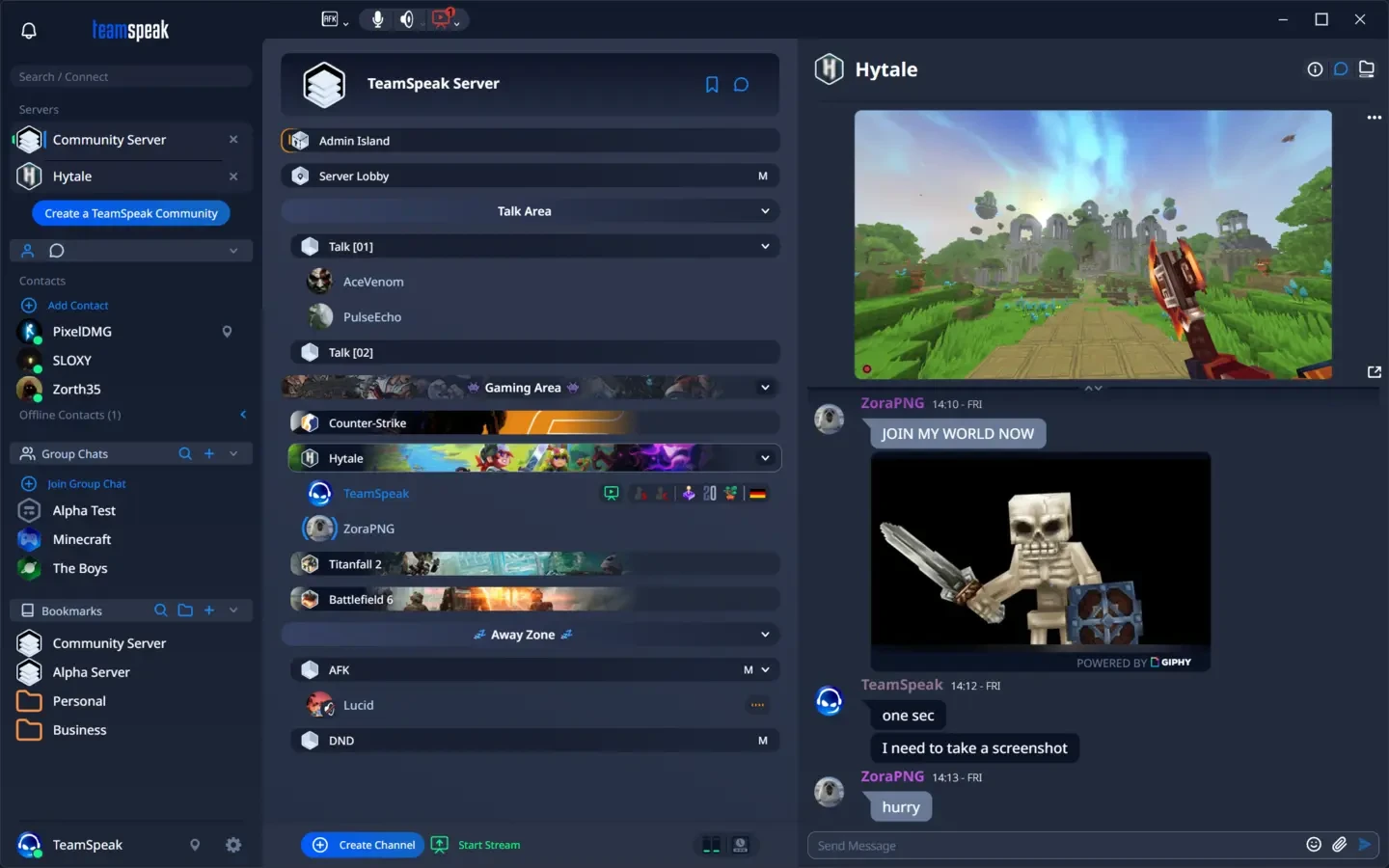
Who runs the server, and how many it holds
The difference from most online voice services is that the server belongs to the user. The project describes a client and server architecture, with a scale that runs from a small group of a few people up to large meetings with a thousand participants. The ceiling therefore depends on the resources of the machine behind it: scaling means adjusting the server rather than accepting the limits of a public service.
Deployment is flexible as well. The server page states that the new generation of the server is in testing, and that it can be installed from binaries or deployed as a container. For a team that already runs containers, the second option removes the chore of maintaining a separate machine.
Item | Official notes |
|---|---|
Voice | clear voice across platforms, low latency |
Encryption | AES based encryption on by default, global chat end to end |
Permissions | controlled at server or channel level |
Deployment | server can be self-hosted, from binaries or as a container |
Platforms | Windows, macOS, Linux, Android and iOS |
Client versions and appearance
There are two client lines in parallel. The download page leads with the new generation, version 6.0.0-beta4.1, still in testing, with packages for the three desktop systems; the previous generation is still offered at version 3.6.2, with 3.13.8 on the server side. A team that puts stability first can stay on the older line and switch to the new client later.
On mobile, native applications exist for Android and iOS, and their capability is not limited to listening: voice channels, chat and commands can be managed from them. The desktop client supports custom themes and fonts, with community themes available and fonts taken from the local system. The download page also states support for Windows, macOS, Linux, Android and iOS, and calls the client free voice chat software, meaning the software itself carries no charge while whether to run a server or rent one is the team s own decision.
It is worth planning one thing before a team moves over. A server carries the accounts, the channel structure and the permission tree, and those are the parts that take time to rebuild. Copying the configuration somewhere safe, or writing down how the groups were split, costs an afternoon at the start and saves a confused evening later.
A voice tool whose server stays in the team s own hands suits those who care about latency and about where the permission boundary lies.
A few suggestions. A new team should first work out the permission structure with the trial path the project offers, and then decide whether to self-host. The older client is still maintained, so there is no need to rush onto the test build for stability. Split permission groups by role, and do not hand administrative rights to everyone at once.