
Slack keeps team conversation in channels across desktop, web and phone
Summary
A collaboration platform that organises conversation by channel and keeps messages, files and outside applications in one interface, reachable from desktop, browser and phone, with a free tier and paid plans priced by monthly active user.
Recommend- Name
- Slack
- Version
- 20261013
- Pricing
- Free
- Open source
- Proprietary
- Operating system
- WindowsmacOSLinux
- Website
- https://slack.com/
- Updated
- 2026-10-13 11:49
Where a team really spends its time is rarely in making the decision; it is in making sure everyone knows what the decision was.
Filing discussion into channels by subject
The usual trouble with group chat is crossed wires. Scheduling in the morning, an outage at noon, next week's release in the afternoon, all crammed into one timeline, so scrolling back means hunting for the few lines that matter among a mass that does not. The more people join, the worse it gets, and a newcomer often cannot even tell where to start reading.
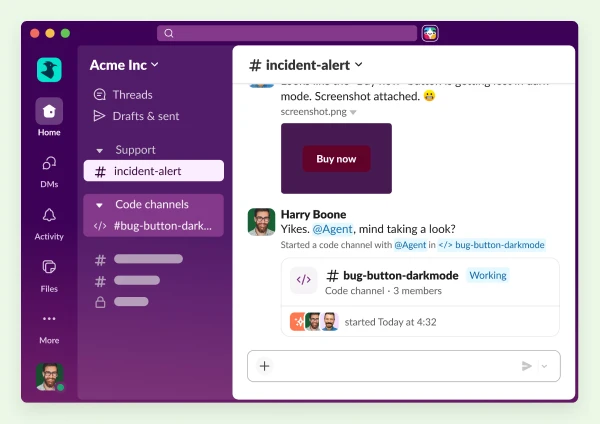
Slack organises conversation in channels. The official material treats channels as the core mechanism: set one up per subject and the discussion of that subject stays on one line, with the people who need it joining themselves. Scrolling up fills in the context, and search jumps straight to a particular message. The official summary of the product is short: a channel based place where work actually happens.
The supporting abilities grow around that structure. Search covers messages, files and channels as three kinds of object, so a conclusion from months ago can be pulled back up without depending on someone's memory. Items needing a reply can be gathered into one place and cleared once handled, which beats trawling through dozens of channels line by line. For anyone facing a high volume of messages, that counts for more than sending fewer notifications.
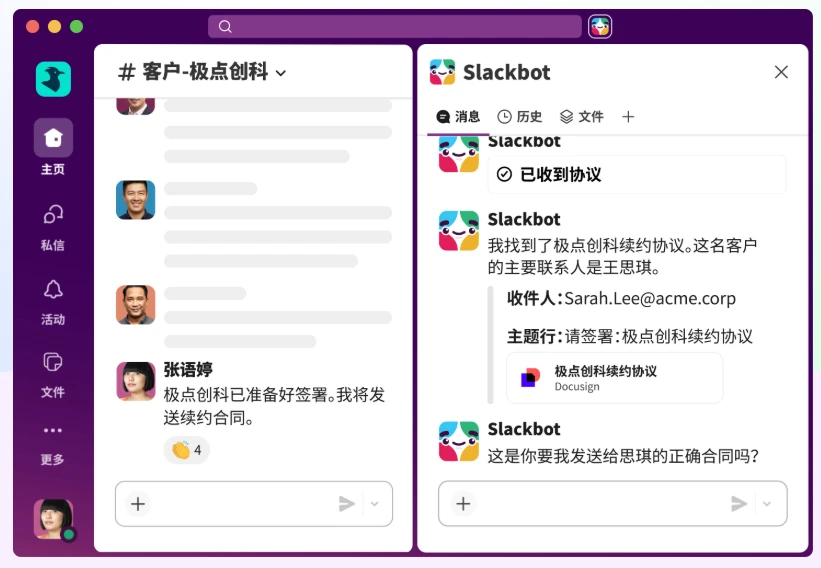
Letting outside systems join the conversation
One point on the official feature pages is that tools the team already uses can be connected, so updates appear where the discussion happens. The value lies in removing relay steps: a ticket changing state, a build finishing, a schedule shifting, all of which used to need someone shouting into the group, are seen by the relevant people once they land in the channel.
Another direction is the built-in assistant. The official notes say the model behind it can be swapped for a provider the organisation names itself, handing the choice back to the user. For an organisation that has already settled on a model arrangement, or that has firm requirements about where data flows, that often matters more than what the assistant does, since being able to name the source is what makes it fit into an existing process.
Access is well covered. Desktop clients are offered for Windows, macOS and Linux, where messages live in a persistent window and system notifications mean no browser tab has to be watched. On a borrowed computer, nothing needs installing: sign in through the browser and the same conversations are there.
Starting on the free tier
The pricing page offers a path that begins free, with several tiers for teams of different sizes. Paid plans are counted by monthly active user, which means cost moves with the size of the team and the bill shifts as people come and go. For a budget conscious organisation, counting heads is easier to estimate than buying bundles of seats.
Which tier to take usually comes down to two things: how far back the history has to reach, and how many outside systems need connecting. Both are clearly separated on the official pricing page, so the comparison is not laborious. The more practical route is to run a small team on the free tier for a month or two, move the everyday conversation in properly, and decide on an upgrade from the limits actually met, rather than buying at maximum scale at the start.
Item | Official note |
|---|---|
Form | an online service, with desktop and mobile clients |
Organisation | conversation grouped by channel |
Access | Windows, macOS and Linux desktops, plus the browser |
Extension | existing tools can be connected; the built-in assistant allows a named model provider |
Pricing | a free tier, with paid plans counted by monthly active user |
Once subjects are separated by channel, scrolling back turns from a burden into something done without thinking.
A practical note: settle the channel structure at the start, divided by project or by function, and avoid creating a pile of channels nobody ever speaks in; set notifications channel by channel and keep only the few places that genuinely need an immediate response; and route notices from outside systems into the matching channel rather than stuffing them all into one stream, where the people who need them will see them anyway.