
AfuseKt Gathers Every Video Source Into One Android Library
Summary
An open-source Android player that pulls cloud drives, mounted storage and self-hosted media servers into one library, scrapes covers and cast lists into a poster wall, matches subtitles on its own, and lets the playback core be swapped when something refuses to play.
Recommend- Name
- AfuseKt
- Version
- 3.3
- Pricing
- Free
- Open source
- Open source
- Operating system
- Android
- Website
- https://www.afusekt.cn/
- Updated
- 2026-10-16 22:00
The scattering problem, on a phone
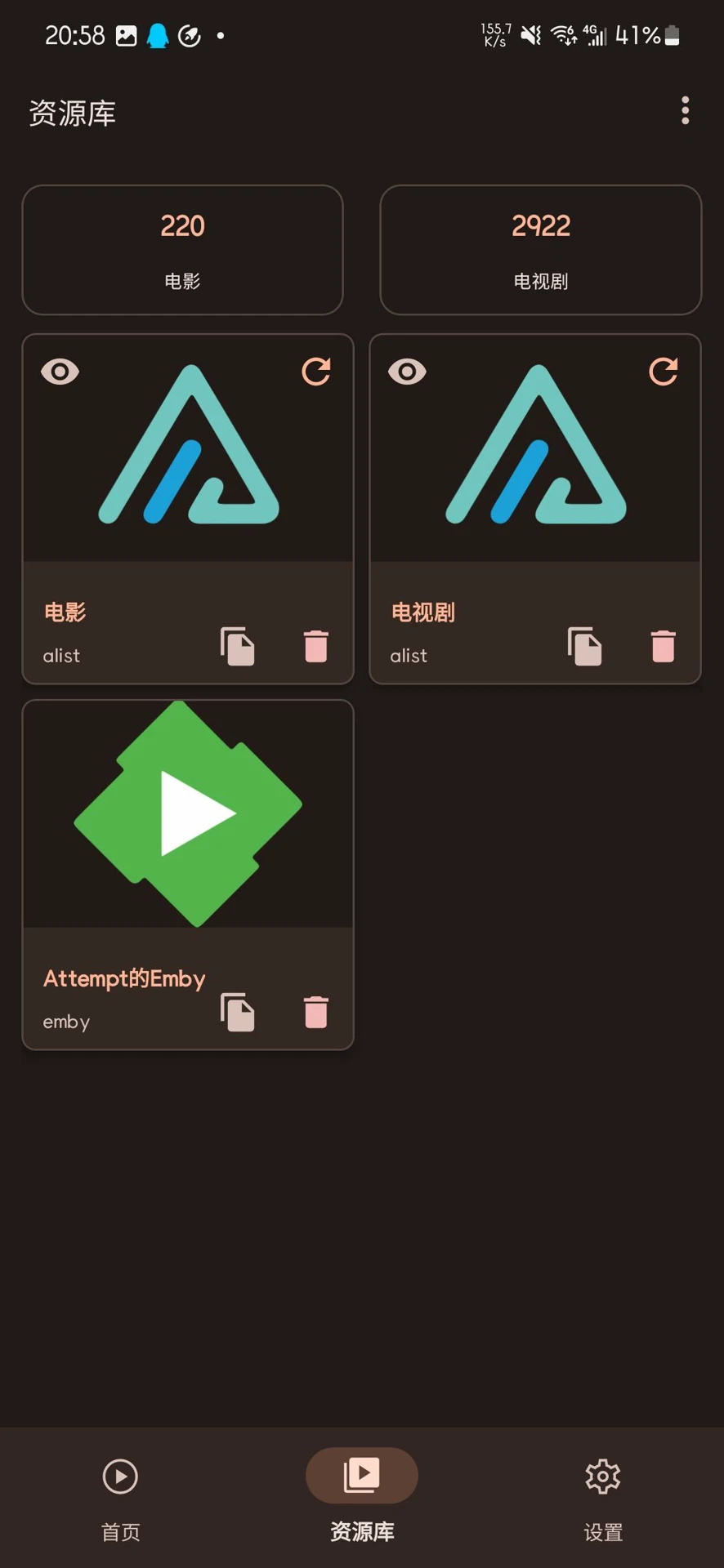
Anyone who has collected video over a few years ends up with sources rather than a library. A cloud drive holding the high-definition films, a network mount pointing at a machine at home, an older series living on storage reachable over a standard protocol, and one or two media servers indexing the rest. On a desktop this is merely untidy. On a phone it means five or six applications, each with its own idea of how to browse, and a constant decision about which one to open for which file. What this player does is unglamorous and correct: all of those sources are put inside a single application, with one interface for all of them.
What it can reach
The list covers the arrangements most people actually have: large cloud drives of the kind that offer an official client, mounts exposed over the common network filesystem protocol, storage published through the open web-based protocol used by personal servers, and media servers of the kind that catalogue a collection and serve it to clients. Between them these cover the overwhelming majority of what an Android user in this situation is likely to be holding, which is the point — the value of aggregation is proportional to how little it leaves outside.
From unreadable filenames to a wall of covers
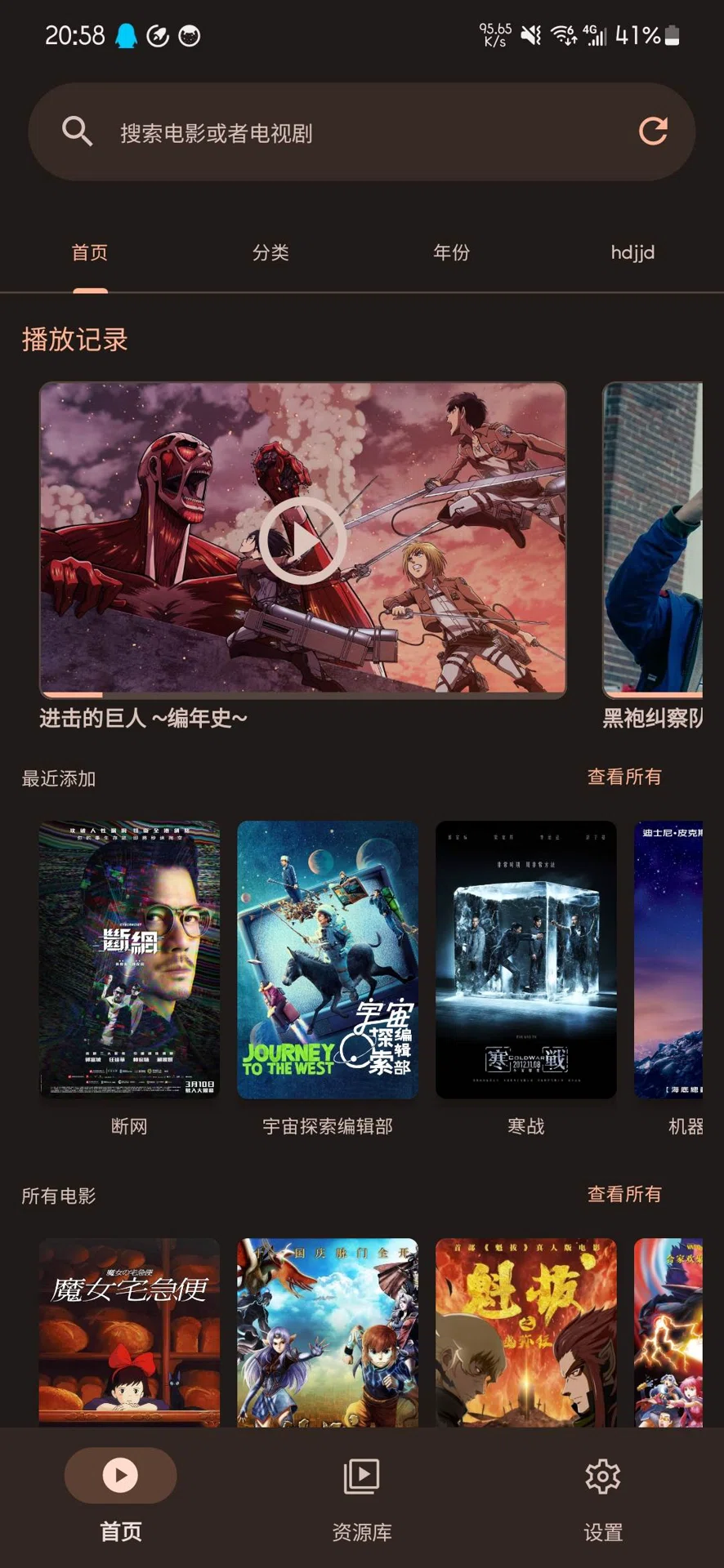
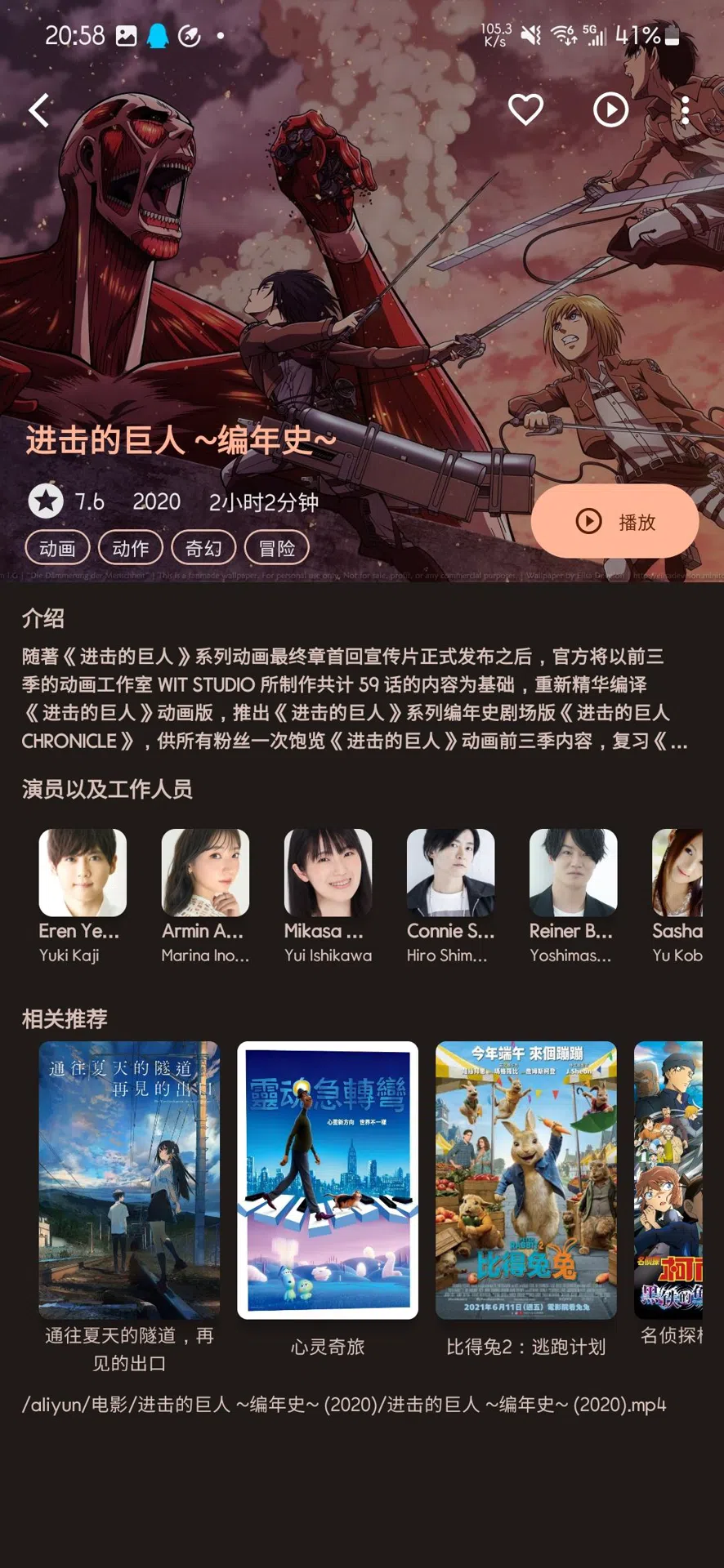
Being able to play something is a low bar. Files that arrive from a cloud drive usually carry names that were never meant to be read by a person — abbreviated, encoded, occasionally garbled — and renaming them by hand is the kind of work nobody finishes. The scraper goes the other way: it reads what it can from the file, looks the title up in an online database, and brings back the cover, the synopsis, the rating and the cast list. What appears afterwards is a poster wall, which is a different thing from a file listing in the same way a shelf is different from a box.
This is the feature the whole product is arranged around, and the reason is simple: it is the step that converts an archive into something you want to browse. A library that looks like a shelf gets used; a library that looks like a directory gets searched, once, for the thing you already knew you wanted.
Subtitles, without the manual step
Local files are covered too, not only the remote sources. When a subtitle file sits beside the video with a name close enough to be plausibly related, it is picked up and attached automatically, which removes the small but repeated chore of loading it by hand every time. It is a minor feature that decides whether a foreign-language series gets watched on a phone or postponed until there is a computer at hand.
Three playback engines, and the freedom to change your mind
Underneath, the playback is not one engine but three, and the difference between them is the reason for having more than one. One is the platform's own player, which is the most predictable choice for ordinary material because it is the one the system is built around. One is a long-established open engine that handles both hardware and software decoding and is comfortable with high-bitrate files. One is the engine known for the widest format support, which is what to reach for when something obscure refuses to open.
Switching between them is a setting rather than an ordeal, and that changes the nature of the problem. A file that stutters or will not start stops being a failure and becomes a thing to try differently — one of the three usually succeeds where the others do not, and the reason usually has nothing to do with the file being broken. There is also an escape hatch: playback can be handed to an external player when someone prefers a tool they already trust.
Telephone and television, sharing one library
Two builds are published, one for phones and one for televisions, and the second is not the first one stretched. The television build is arranged for a remote control: the layout is spaced for viewing at distance and the interaction assumes directional keys rather than a touch target. What the two share is the part that matters — the same media sources and the same account — so a cloud drive added and a poster wall scraped on a phone are already there when the television is switched on. That continuity, rather than any single feature, is what makes it usable in a living room.
Things worth knowing before starting
Three limitations are worth stating plainly. An account has to be registered before the application can be used; the developer's stated reason is to keep the number of users bounded, which is an unusual constraint but an honest one to disclose. The code is published openly on two code hosting platforms, so the behaviour can be inspected in the usual way. And the platform is Android only, covering phones and televisions, with no version for the other mobile system — which is the single fact that decides whether this is relevant to a given person at all.
Open, free and aggregating. What it gives an Android user is something that has been missing: one place where several cloud drives, a home server and a media collection stop being separate errands and become a single library with a wall of covers. For anyone holding more than one source at once, that is the whole argument.
The honest assessment
The design is not trying to be clever. Sources are gathered, metadata is fetched, a wall is built, playback is handed to whichever engine suits, and the result is offered on both a phone and a television. Every one of those steps exists because a real annoyance demanded it, and none of them is presented as more than it is. What makes it worth writing about is the combination: doing several unglamorous things well, in one place, on a platform where the alternatives are usually a folder of applications and a habit of switching between them.