
Subtitle Edit: an open-source editor with speech recognition and OCR built in
Summary
Subtitle Edit is a free, open-source subtitle editor that has been maintained since 2001, now cross-platform, with Whisper transcription and OCR for burned-in text.
Recommend- Name
- Subtitle Edit
- Version
- 5.2
- Pricing
- Free
- Open source
- Open source
- Operating system
- WindowsmacOSLinux
- Updated
- 2026-10-06 15:07
A small job that deserves a real tool
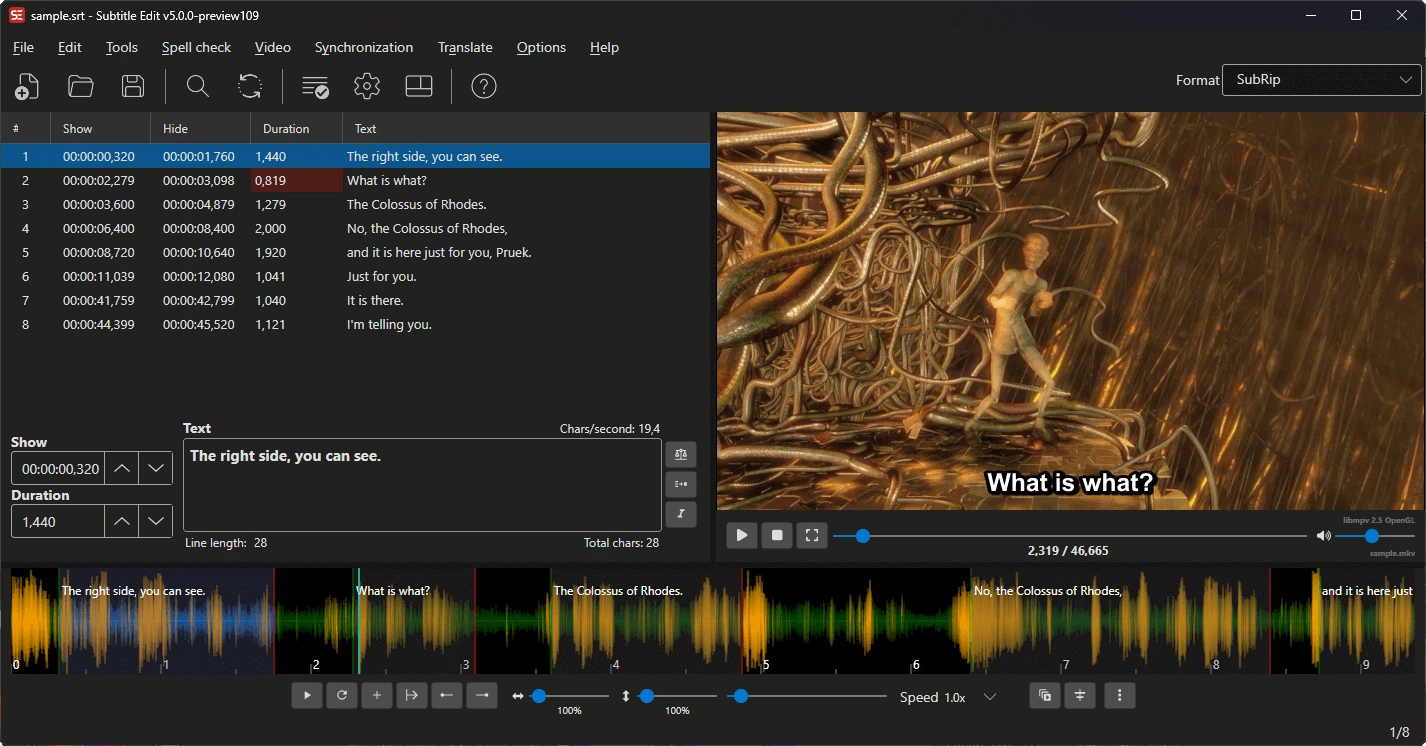
Anyone who publishes video ends up dealing with subtitles sooner or later. A film arrives without an internal track, a downloaded subtitle file drifts half a second out of step, and a handful of formats have to be converted before anything can be burned in. Subtitle Edit has been maintained since 2001 and is the most established open-source answer to that pile of small problems. SRT, WebVTT, ASS and SSA, TTML and the other mainstream formats all open, can be edited, and convert into one another, while waveform and spectrum views make frame-accurate alignment possible by eye. A whole folder can be converted in one batch run, and the licence is GPLv3, so there is no paid tier waiting behind the download.
A rewrite that finally reaches every platform
The release that arrived in June 2026 was not an update but a rebuild. The interface moved to the Avalonia framework on .NET 10, and for the first time macOS is a properly supported platform alongside Windows and Linux, including a native package for Apple Silicon machines. The 5.2 release, published on 10 September, went on to close the gap with the earlier Windows-only generation: a chapter editor, a column for forced narrative subtitles, an error list and a statistics panel all returned.
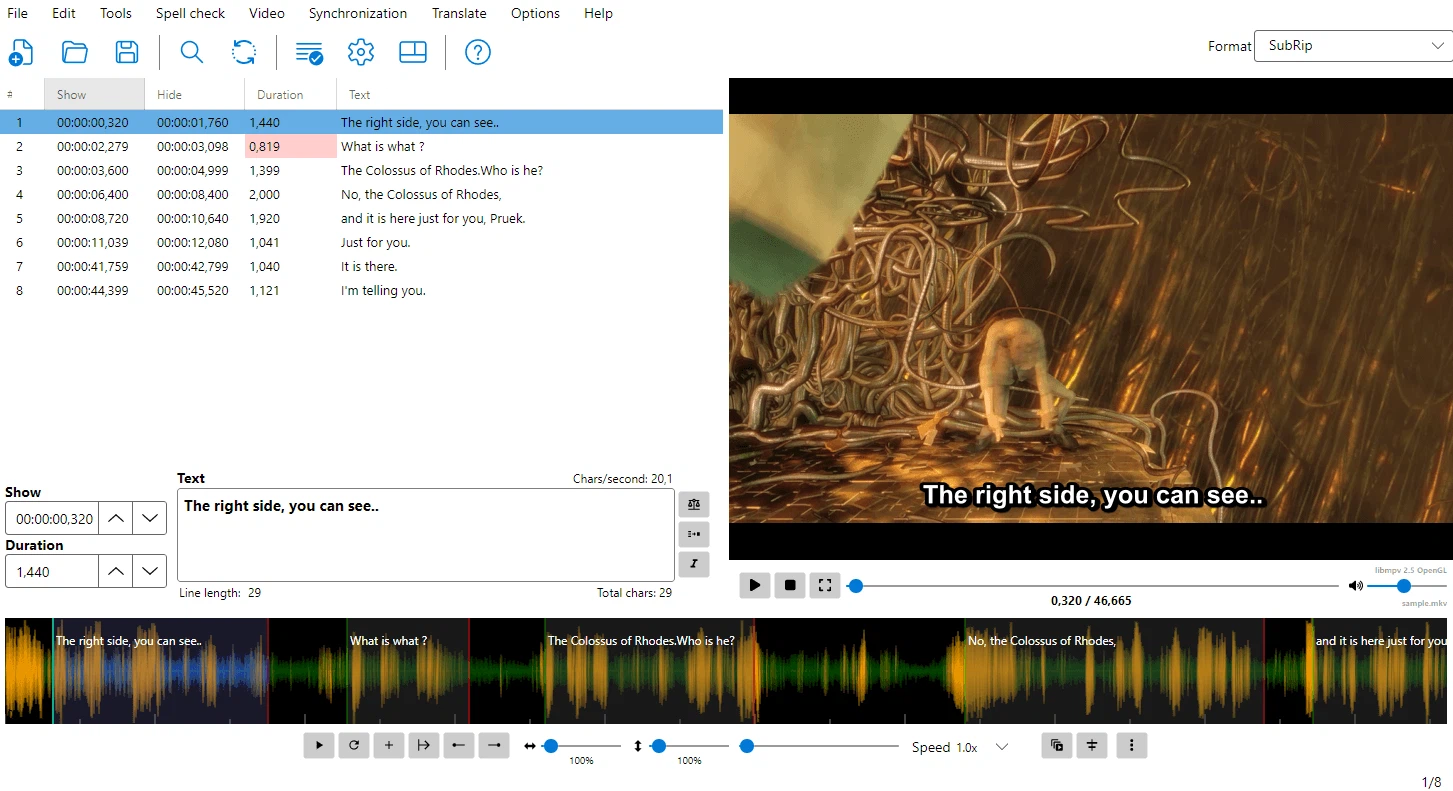
It also brought suggestions of the kind that are easy to describe and tedious to do by hand. The helper for splitting and moving lines proposes new break points based on reading speed and on the rules for breaking a sentence, and a proposal can be accepted in one action. The modern details are present as well, from high DPI scaling to a dark theme that follows the system setting.
The subtitle pipeline in the age of speech models
Turning speech into text is the other half of the tool. Whisper and WhisperX are built in, so a video with no subtitles at all can produce a first draft without leaving the program. For material where the text is already burned into the picture, Tesseract OCR lifts it back out as editable text. Translation runs through DeepL, Google Translate or a local model, and it can be triggered inside a batch conversion rather than file by file.
Taken together, that covers a chain which usually needs three or four separate programs: nothing at all becomes a rough transcript, the rough transcript becomes timed subtitles, the subtitles become a proofread file in the language the audience needs. For a subtitle group, an independent creator or a team producing accessible material, finding a free replacement for that combination is not easy.
Where it fits in a working day
The program is not built around a single impressive feature, and that is the point. Most of the work in subtitling is correction: shortening a line that reads too fast, moving a cue that starts before the speaker does, checking that a name is spelled the same way in the hundredth line as in the first. The error list and the statistics panel exist for that work, and the batch converter exists for the days when a series of files has to be brought to the same standard.
Someone who only needs to shift a whole file by a fixed offset has simpler options. The case for this program begins when the file needs to be read, judged and partly rewritten, which is where a plain text editor stops being enough.
Subtitle Edit shows what a vertical tool looks like when it is taken seriously. Twenty-five years of maintenance, one thorough cross-platform rewrite, and speech recognition added at the moment it became useful. It does not show off, but anyone who works with subtitles will eventually be glad it was installed.