
KMPlayer review: the old argument for playing everything
Summary
KMPlayer keeps every decoder inside the box: rare formats open without extra packs, subtitles are matched automatically, network streams and mounted drives work as a library, and the same habits carry across desktop and phone.
- Name
- KMPlayer
- Version
- 20260922
- Pricing
- Free
- Open source
- Proprietary
- Operating system
- WindowsmacOSAndroidiOS
- Website
- https://www.kmplayer.com/
- Updated
- 2026-10-06 21:55
How playing everything actually gets built
Download a video encoded in something uncommon, double click, and the system player refuses. So you go looking for a codec pack, install something of unknown provenance, and hope the rest of the machine still behaves. Every video enthusiast has lived through this. The founding idea of KMPlayer is to remove that step entirely by keeping the decoders inside the application: common and rare containers alike open after a drag and drop, with no separate pack and no configuration ritual.
That single property is why the player accumulated a reputation over two decades in its home market. It is not elegant, and it is not trying to be. The interface is dense, the controls are numerous, and any setting you might want to change is somewhere within reach, which is exactly what people who tune playback parameters want.
Not only local files
The list of practical features is longer than one expects. External subtitles are searched and matched automatically, and the timing can be nudged if a release is off by a fraction of a second. A video link can be pasted straight into the player, and content from mounted network drives browses like a local library rather than a file share. The habits of people who watch series in long sittings are covered too: playback speed, A to B looping, and bookmarks for chapters.
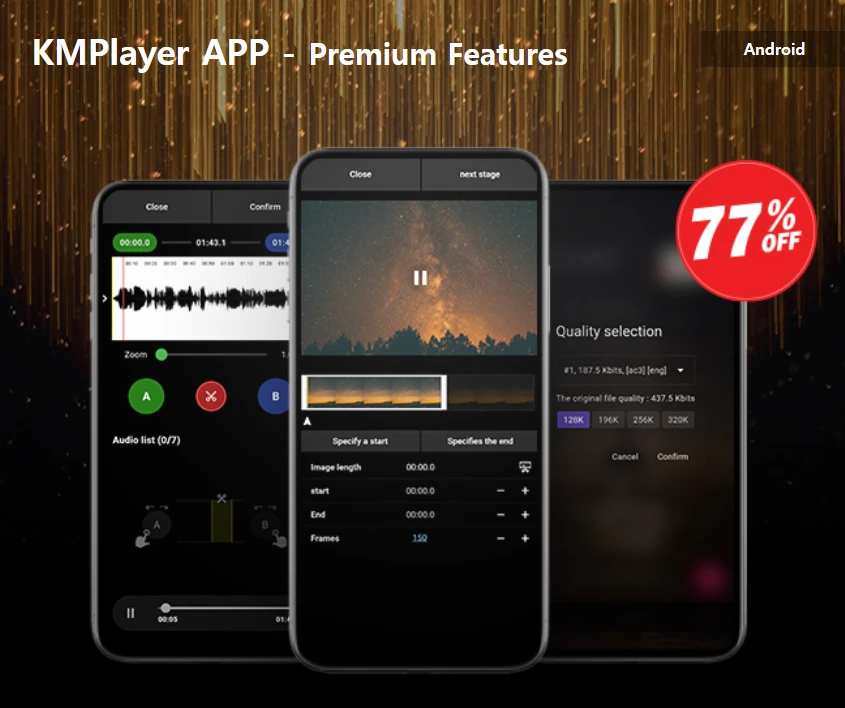
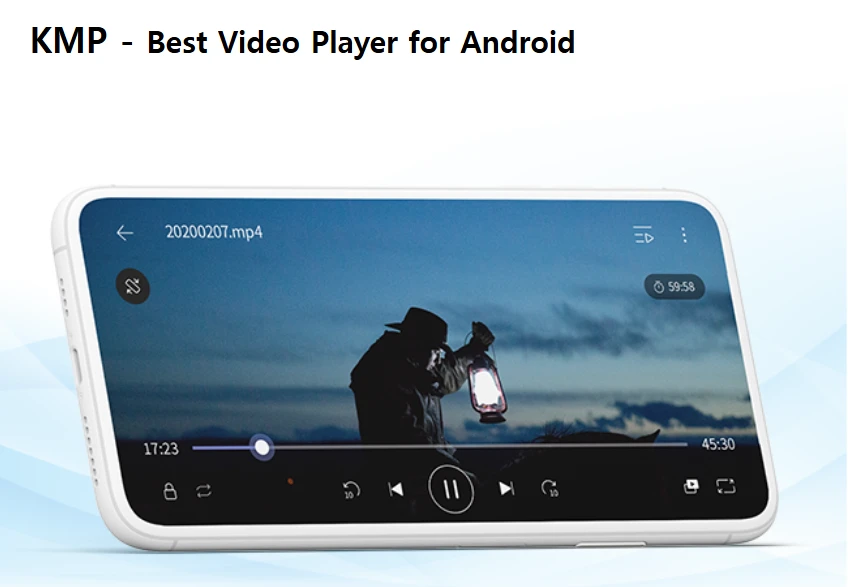
Beyond playback there are derived tools that usually require separate software. Continuous frame capture, still extraction, and turning a short sequence into an animated image are all built in. The mobile and desktop versions share the same logic, so watching a local file and a network stream on a phone feels like the same program, which is not true of most players that claim cross platform support. The project now sits within the Korean Kakao group, which is the reason updates and maintenance have stayed reliable rather than sporadic.
Consider what a normal machine accumulates in a few years. Footage from a phone in one container, a camera in another, a screen recording in a third, something a colleague exported with settings nobody remembers, and a download whose extension does not even match its contents. Each of those is a small test, and a player that fails any of them sends the user back to the search engine. Keeping the decoders inside is the unglamorous engineering decision that makes the rest of the feature list usable at all.
The subtitle handling follows the same philosophy of removing errands. Instead of hunting for a matching file, adjusting the name so the player notices it, and then discovering the sync is off by two seconds, the search and the timing nudge happen in the same window. For anyone who watches material in a language they do not speak well, this is not a convenience but the difference between watching and giving up.
The position of KMPlayer is old fashioned in the best sense: a player should play everything, and parameters should be adjustable however you like. In an era when players keep getting thinner, it has held on to what the word complete used to mean.
What to know before you commit
The business model should be understood in advance. The free version carries promotional content in the interface; anyone bothered by that can pay to remove it, or use it alongside an open source player for the files that matter. A large feature set also means a large settings tree, and beginners are better off with the defaults for the first week, opening the menus only when something specific is wrong.
Where does that leave the recommendation? For the requirement of every format, every platform and no cost, this is a safe choice, and it suits people whose video arrives from many sources in many containers. It is less obviously the right answer for someone who watches one streaming service in a browser, where a lightweight player would be enough.
None of this makes the player the right tool for every person. If your viewing is one service in a browser tab, the whole apparatus is dead weight, and a minimal player will do. If your viewing is files, from wherever they came, in whatever container, then the accumulated feature set stops being clutter and starts being coverage. The honest way to decide is to open the last three videos that gave you trouble and see whether they open without a trip to the search engine.
The free version does show promotional content, and that is a real cost rather than a footnote. Weigh it against the price of the paid tier and against the hassle of assembling the same capability from a base player and three add ons, and the trade becomes a personal calculation rather than a universal verdict.
One more thing worth saying about the two decade history. Software that survives that long usually does so because it solved a problem the alternatives kept deferring, and the problem here was never glamorous: making a file open when the system says it cannot. That is a small promise, kept without interruption, and it explains the loyalty better than any feature list.