
Speccy 1.34.84: a readable inventory of what the machine contains
Summary
Speccy 1.34.84 is a free system information tool for Windows that lists processor, motherboard, memory and graphics details, shows live temperatures, and saves the scan as a snapshot, XML or plain text.
Recommend- Name
- Speccy
- Version
- 1.34.84
- Pricing
- Free
- Open source
- Proprietary
- Operating system
- Windows
- Updated
- 2026-10-02 18:48
Speccy is a free system information tool for Windows, currently at 1.34.84 with a date of 2026-06-22. The purpose is narrow enough to state plainly: when you want to know what is actually inside a machine, which processor, how many memory sticks, which graphics card, you should not have to open the case, and you should not have to dig down through several layers of the system settings either. One list, in one window, answers it.
What it shows
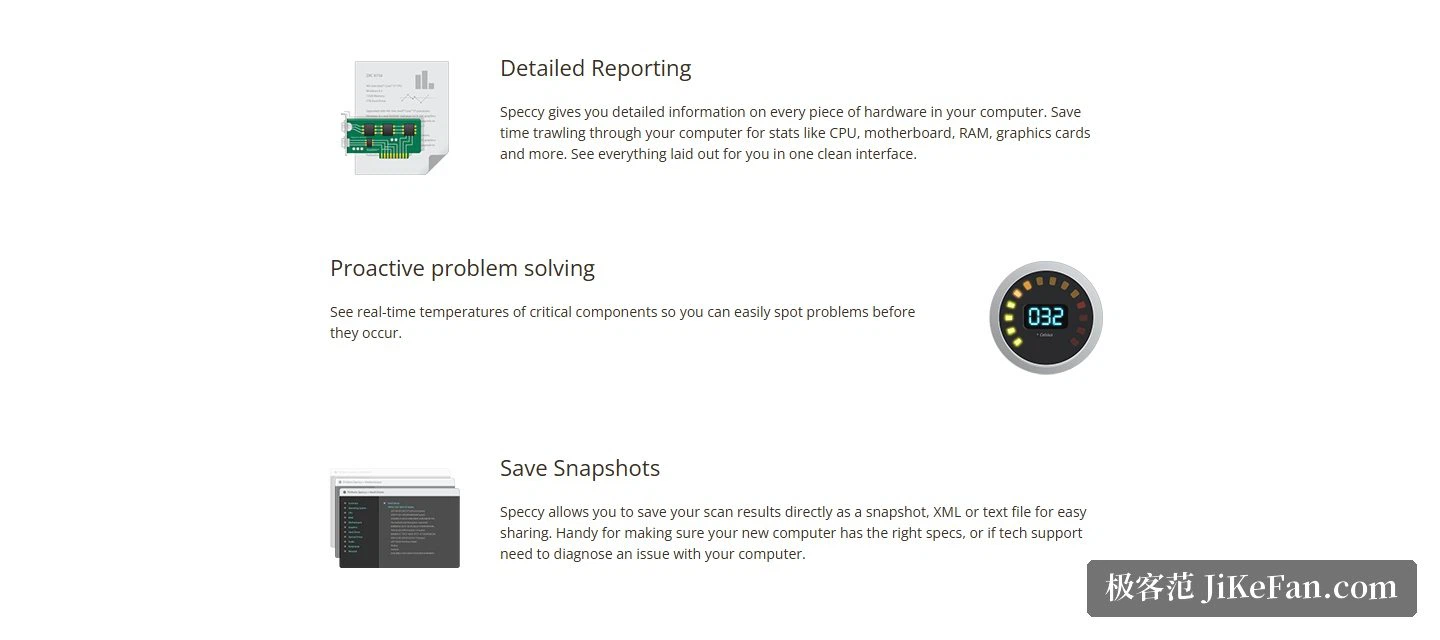
The official description calls it a fast, light and advanced system information tool. There are two levels of use: take a quick summary and stop, or open each item in turn and drill into every piece of hardware. The subjects covered include the processor, the motherboard, the memory and the graphics card, and the documentation makes a point of saying that all of this lands in one clean interface rather than being scattered across the system where each statistic has to be hunted down separately. For somebody planning an upgrade, or sizing up a second-hand machine before buying, that list carries the decision on its own.
Temperatures and snapshots
Beyond the static specifications, the program shows the live temperature of key components. In practice that matters more than the specification sheet, because temperature is the earliest signal hardware gives before something goes wrong. Noticing an oddity while it is still a number on a screen is a good deal less work than diagnosing it after a part has failed.
The other practical design decision is export. A scan can be saved as a snapshot, as XML, or as a plain text file, which makes it easy to pass around. Buy a new machine and you can check it against the description; have a machine misbehave and you can hand the file to support, who then no longer need to ask for each parameter over a remote session. The text option has its own advantage, in that it opens anywhere on any machine without special software.
Version, licensing and price
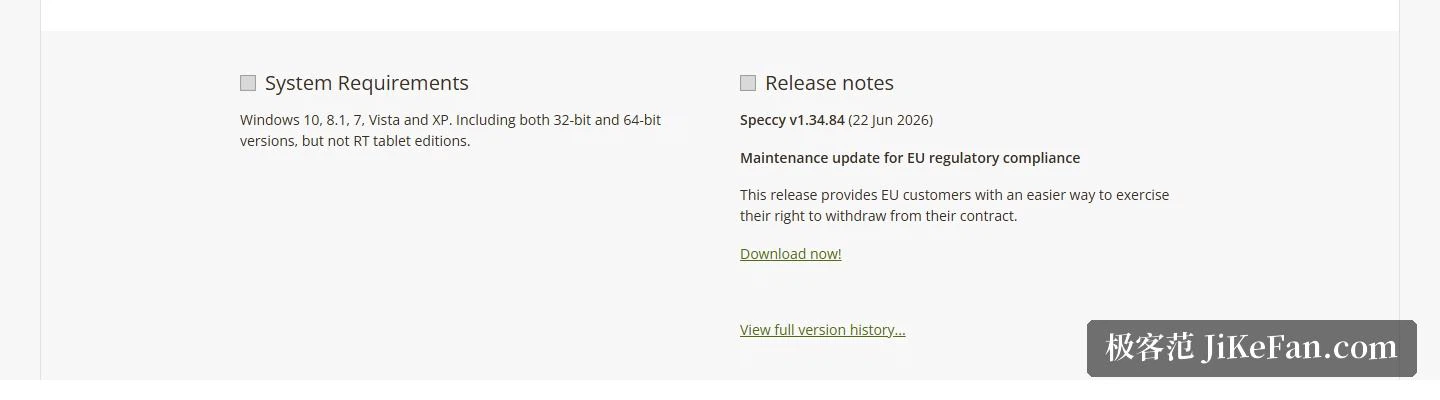
Version 1.34.84 is a maintenance update, and its theme is European Union compliance, namely making it easier for users in the EU to exercise the right to withdraw from a contract. An update of that kind adds no features, and is nonetheless necessary for the people it concerns. A complete version history is kept on the site, so the exact changes in each release can be looked up.
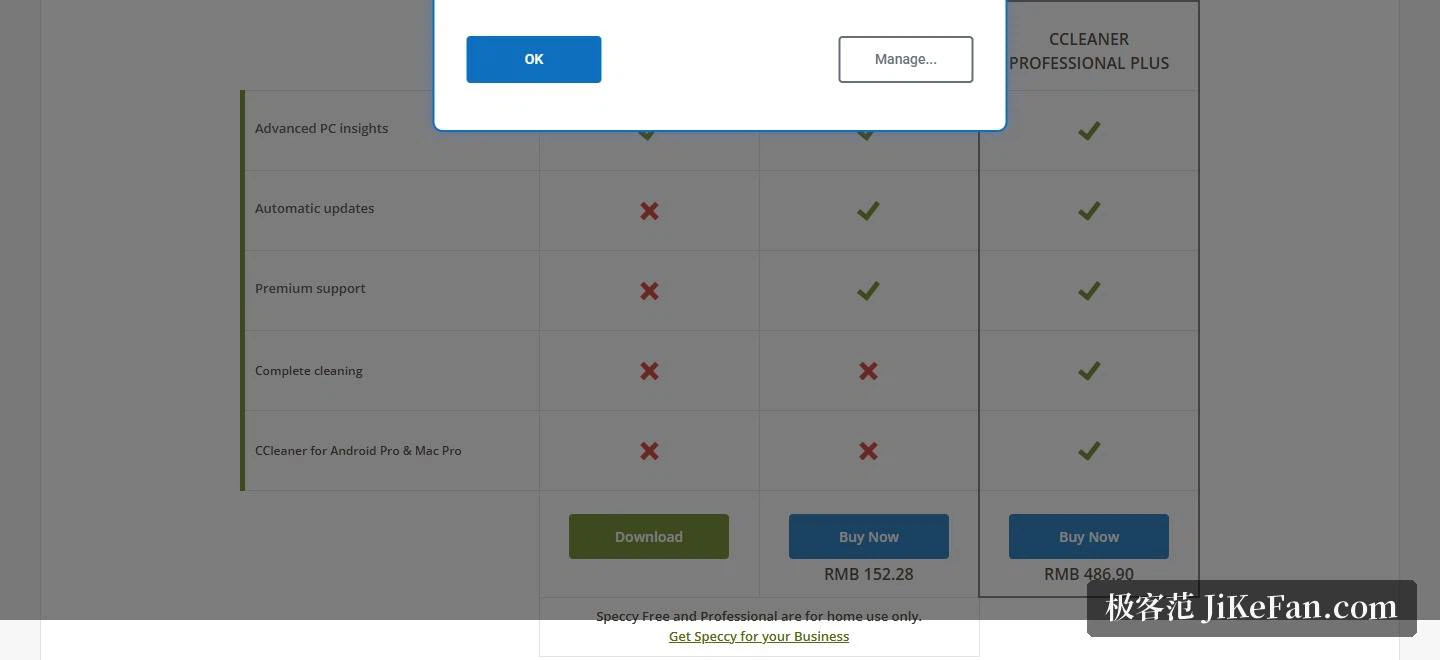
The licensing scope deserves attention. Both the free and the professional edition are for home use only, and a separate business entry exists for commercial settings. Comparing the two tiers, advanced hardware information is common to both, while the professional edition adds automatic updates and priority support at 152.28 yuan. If the fuller cleaning ability and the professional mobile and Mac editions are wanted as well, a bundle is offered at 486.90 yuan. Payment goes through the usual cards and online channels.
System requirements
Compatibility is stated generously: Windows 10, 8.1, 7, Vista and XP are all on the supported list, and both the 32-bit and the 64-bit builds are covered. The one exclusion is the tablet-oriented edition. The download page groups the documentation, the system requirements and the update notes into one block, so the environment can be checked against the list before anything is installed.
Getting started, and the paperwork
The same block keeps the documentation, the requirements and the notes for the current version together, which means a problem can be matched straight against what changed in this release rather than guessed at. The full version history stays reachable for the times when the behaviour of an older build needs to be traced. The installer and the free download are handled on that one page, with no detour to a second one.
Speccy answers one very specific question: turn the hardware inside a computer into a list somebody can read. It is free, small, still supports very old systems, and along the way it will show temperatures and export a snapshot. Checking a new build against its description, keeping a record before selling a machine, handing parameters to a repair desk: all three are what it is for.