
AIDA64 Extreme 8.40: seeing the machine, and then proving it
Version 8.40.5000
Summary
AIDA64 Extreme 8.40.5000 is a commercial system information and diagnostics suite for Windows that pairs a deep hardware profile with live sensors, benchmarks and stability stress tests, and a 30 day trial.
Recommend- Name
- AIDA64
- Version
- 8.40.5000
- Pricing
- Paid
- Open source
- Proprietary
- Operating system
- Windows
- Updated
- 2026-10-06 21:58
AIDA64 Extreme is a system information, diagnostics and benchmarking suite for Windows, currently at 8.40.5000 and released on 2026-09-15. Where a small utility stops at listing the configuration, this puts two jobs in the same program: seeing the machine clearly, and then proving that what you saw is true. It produces a detailed profile of the hardware and of the installed software, and it also reads live sensors, runs benchmarks and carries out stability stress tests. It is commercial software, and the developer offers a 30 day trial, during which some functions and some information pages may be limited.
How deep it goes
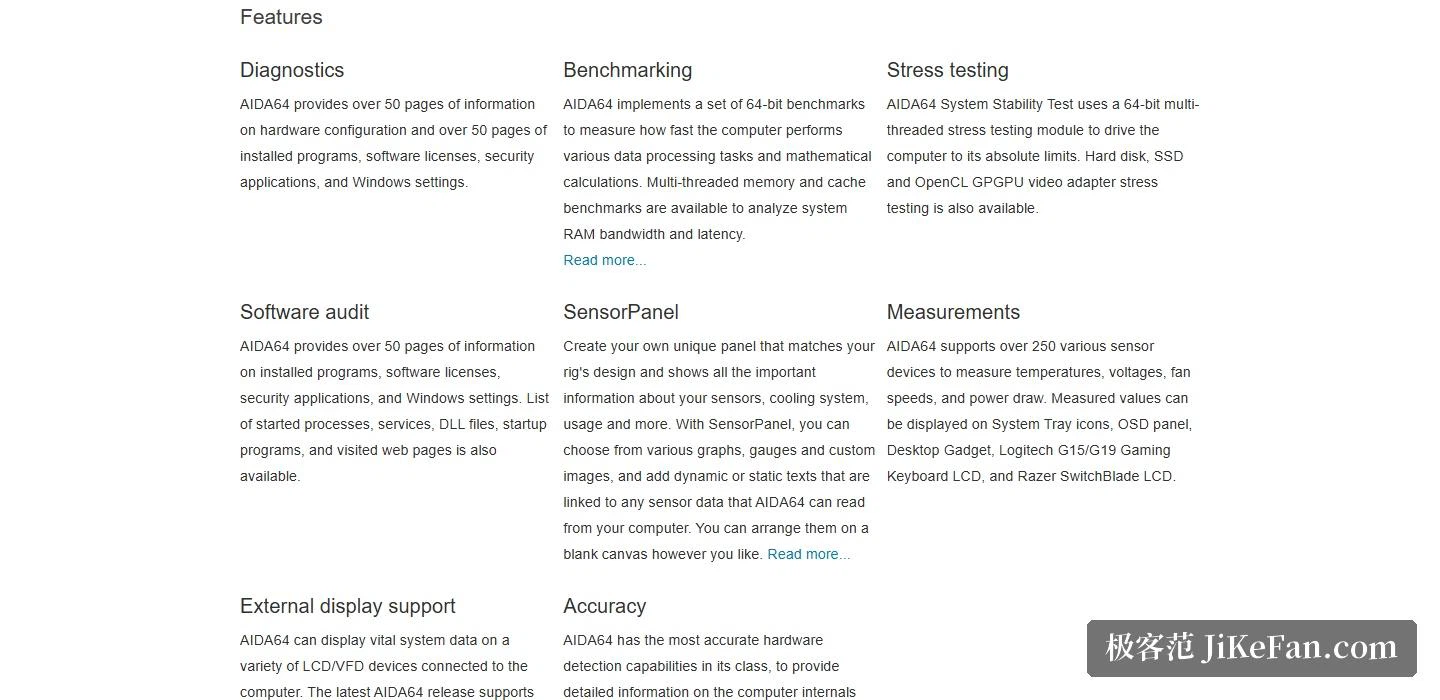
The official description positions it as a system information tool for enthusiasts, and the depth is easiest to convey in pages rather than in adjectives. The hardware configuration alone carries more than 50 pages of information; installed programs, software licences, security applications and system settings each carry more than 50 pages of their own. Startup processes, services, shared library files, autostart entries and even visited web pages can be listed. Detection rests on a hardware database holding more than 250,000 records, which is how the program can say what is inside a machine without anyone opening the case.
Sensors and a panel you arrange yourself
Live monitoring is the second main line. More than 250 sensor devices are supported, measuring temperature, voltage, fan speed and power draw, and those readings can be placed in a tray icon, in an on-screen floating panel, in a desktop gadget, or on the small screen built into some gaming keyboards. If the whole hardware state should become one dashboard, the sensor panel lets you choose charts, needles and your own images, then lay dynamic or static text bound to a sensor value on top of them, arranged wherever you like. External displays are covered too: more than 50 LCD and VFD panels are supported, and the readings can be watched wirelessly from a phone or a tablet.
Benchmarks and stress tests
The benchmarks are a set of 64-bit tests measuring the speed of data processing and mathematical work, and the multithreaded memory and cache benchmarks analyse the bandwidth and latency of system memory. The stress test goes the other way: 64-bit multithreaded modules push the machine to its limit, and drives, solid-state drives and any graphics card that supports OpenCL can be loaded separately. Anyone overclocking will use the diagnostic functions and the overclocking support to judge whether an adjustment actually held.
Version and licensing
Release 8.40 is a routine iteration whose weight falls on extending platform support: improved handling of two current processor families, preliminary support for a next generation of server processors, a new firmware sensor interface, wider compatibility with a series of small LCD modules, and graphics information for a newly released card numbered 9050. A beta channel runs alongside the stable release for anyone who wants to try things early.
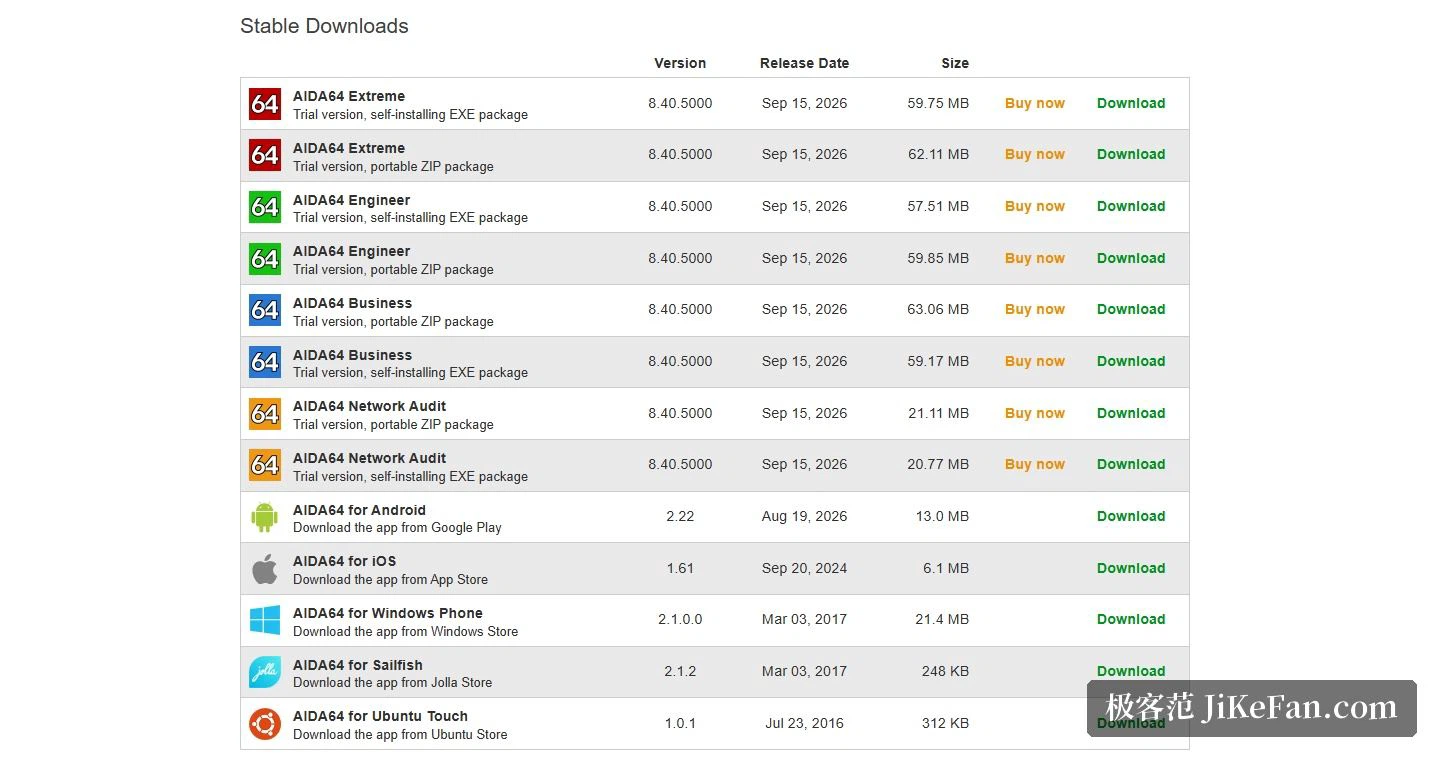
A few points about licensing deserve attention. This is commercial software, and the Extreme edition includes a 30 day trial during which some functions and some of the information and benchmark result pages may be restricted. A purchased licence can be upgraded to new stable or beta releases for as long as the maintenance period lasts, and separate pages exist for renewal and for licence verification, so the state of maintenance can be checked at any time. Beyond the Extreme edition aimed at home and enthusiast use, three further editions are offered, and the last two of those are the ones that matter for auditing a company network.
Requirements and languages
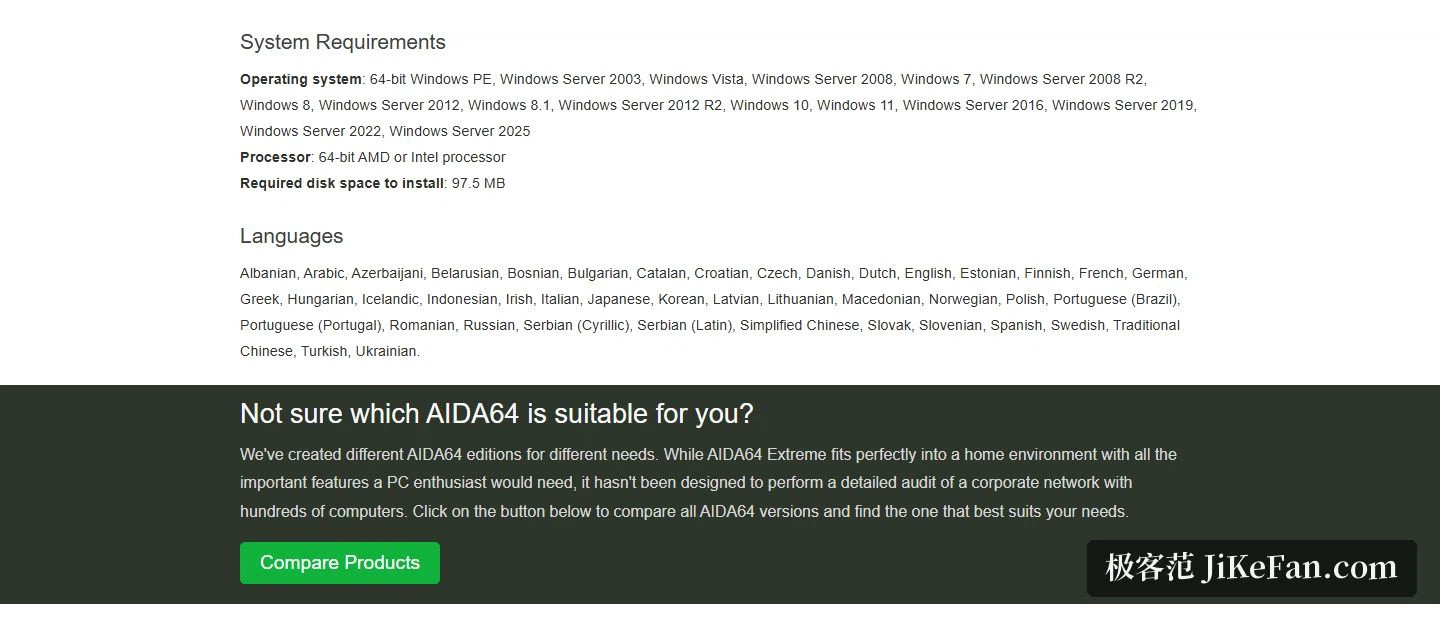
Compatibility covers the whole 64-bit Windows line: the preinstallation environment, every generation of Windows Server, and Windows Vista, 7, 8.1, 10, 11 and Server 2025 are all on the supported list. The processor must be a 64-bit part from one of the two vendors that make them, and the installation wants about 97.5 MB of disk space. The interface is translated into more than 40 languages, Simplified and Traditional Chinese among them, so the barrier for a non-English user is low.
Getting hold of it is straightforward as well: the download page lists the stable and the beta releases separately, each noting its version number, release date and package size, with an installer and a portable archive both available. Mobile versions exist for two phone platforms.
AIDA64 Extreme is aimed at people who want to see a system all the way down: sensor readings, benchmarks and stress tests, a panel of their own design, external screens. All of it serves one goal, making the state of the hardware readable, comparable and verifiable. It costs money, but thirty days of trial is a cheap way to find out whether it matches what you actually need.