
SIW 16.16.1014i puts Bluetooth in a module of its own
Version 16.16.1014i
Summary
SIW is a Windows-only tool that keeps hardware, system and network data in one tree, exports five report formats and splits Bluetooth out; free trial first.
Recommend- Name
- SIW
- Version
- 16.16.1014i
- Pricing
- Paid
- Open source
- Proprietary
- Operating system
- Windows
- Website
- https://www.gtopala.com/
- Updated
- 2026-11-19 16:42
SIW is a system information tool that runs on Windows alone, updated to build 16.16.1014i on 15 November 2026. It spreads the hardware, system and network facts of one machine into a tree on the left with values on the right, ready to export as a report when someone else needs it or to read on the spot when nobody does.
First, what it actually scans
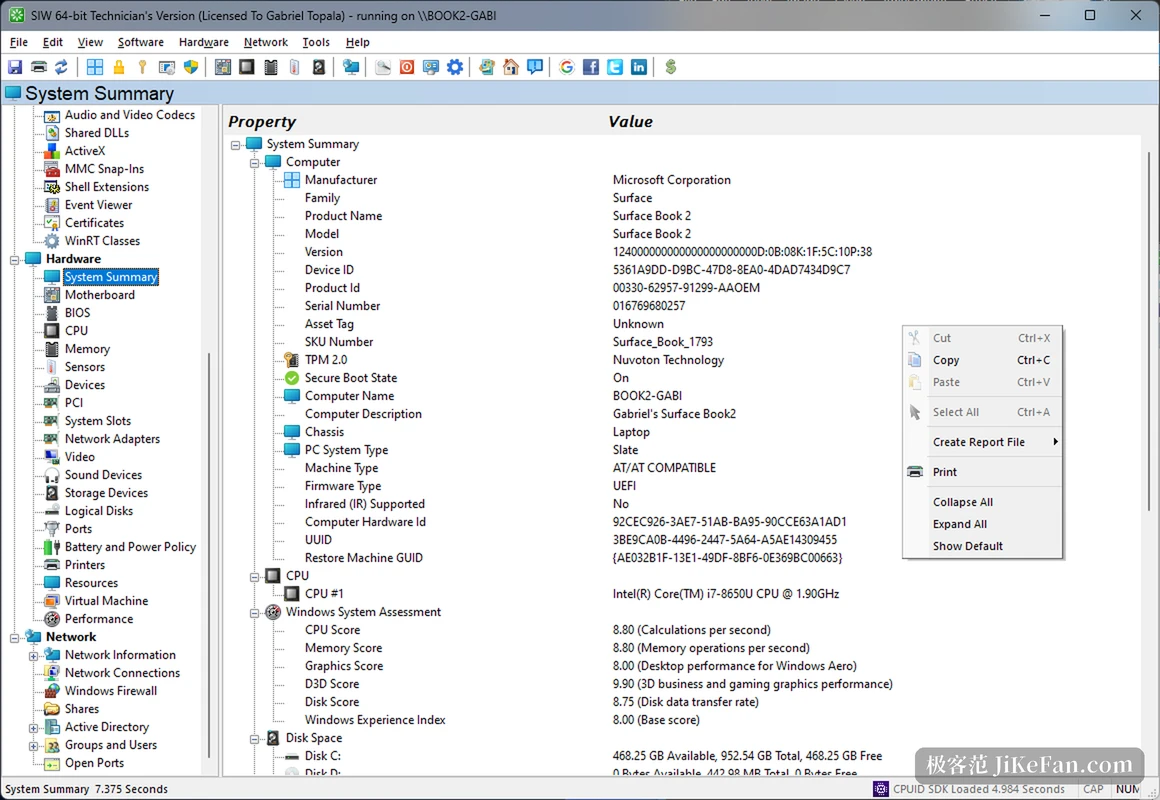
The tree has four stretches. Software runs from the operating system version through installed programs, services, drivers, scheduled tasks, browser plug-ins, certificates and handles, with Windows feature switches and update patches each keeping a category of their own.
Hardware covers the mainboard, firmware, processor, memory modules, sensors, PCI devices, graphics, storage, logical partitions, ports, battery, printers and virtual machines. Network delivers adapters, connections, firewall, shares, domain accounts and the ports currently held open.
The point of that arrangement is not to open five windows. Checking one machine usually means hopping between settings, device manager, task manager and the services panel, each answering a part of the question; SIW folds them into one view, so which disk was swapped or which module of memory was added can be matched across two pages.
The summary page also lists the experience ratings Windows already keeps: processor, memory, graphics, gaming graphics and disk, closing with a base score. Reading it before and after a hardware change is more reliable than a feeling, and when a customer insists the new SSD made no difference, two disk scores usually move the problem somewhere else.
What this generation filled in
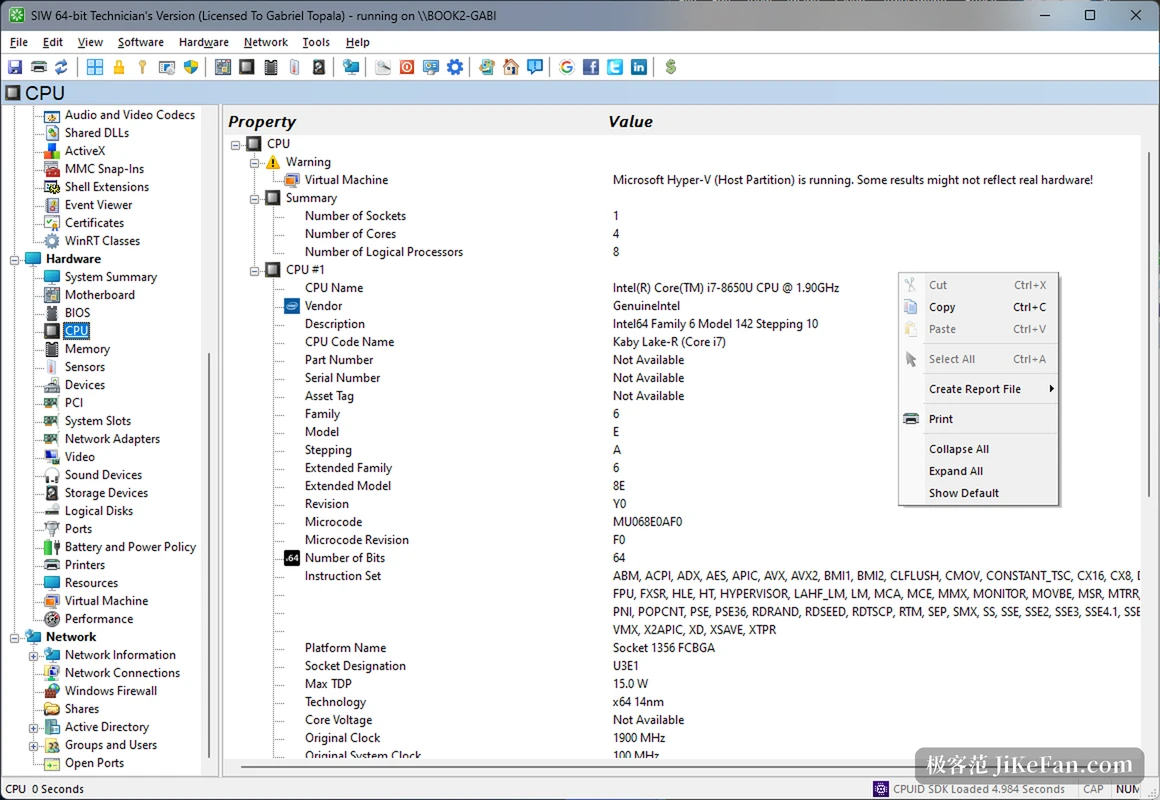
The main release of this line arrived on 14 October as 16.16.1014, and the changes point one way: newer hardware and newer systems recognised. The operating system module learns Windows 11 26H2, the processor module adds the ARM64 lines NVIDIA Grace and Vera plus early support for AMD EPYC 9996, and platform capabilities and the Prism instruction set now show up.
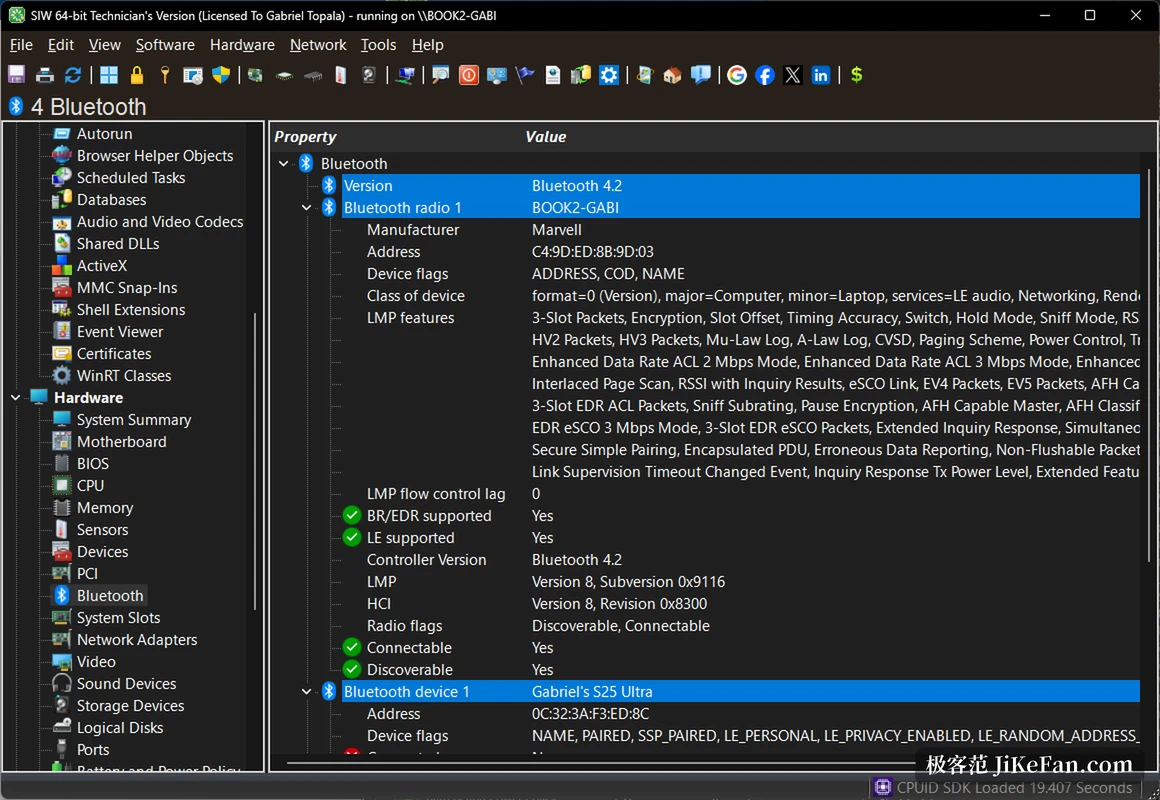
Bluetooth is the more useful part. The wireless section used to give one vague device name, and 16.16 splits Bluetooth into a module of its own: version, vendor, address, device class, supported protocols and codecs, connectable and discoverable states, one per line, while the summary page carries Wi-Fi and Bluetooth version numbers too.
When a laptop keeps dropping its wireless link, confirming whether the module reports 4.2 or 5.3 beats reinstalling drivers over and over.
Two smaller changes get plenty of use: DirectX detection in the video module was recalibrated, and the system module now shows whether smart app control is on. The first decides whether some rendering back end can run, the second whether installing software will be blocked.
Reports, as anyone in support knows
Any page turns into a report through the right-click menu, in HTML, JSON, CSV, plain text or XML. Send the web page to a colleague, feed the JSON to a script.
A channel that loads XML reports into a database comes with it, so an inventory of dozens of machines accumulates into one table for filtering instead of a folder of screenshots.
The slow part of a fault is rarely the diagnosis; it is copying facts out of seven or eight panels into one place, and a single sweep that exports is that copying removed.
The tool pages are for the field
A second SIW menu holds small utilities: changing a network card's physical address, sending a wake-on-LAN packet, reading remote licence information, running a few network tests, testing a monitor, browsing MUI and browser cache paths, and scheduling a shutdown or restart.
None of them is complicated, and their value is not needing another program or another remembered command for one action.
It also runs straight from a USB stick. The technician build is the portable shape: plug it into a broken machine, scan without installing, pull it out and leave nothing behind, which matters more than the feature count wherever cleanliness is demanded.
Three editions, differing in what travels
The home edition costs about 20 dollars and covers up to three personal computers; the technician edition costs about 50, is licensed per person, runs portably and may be used while supporting customers; the enterprise edition costs about 1000 and targets machines owned inside an organisation.
Licences are permanent and updates run as an annual subscription, with the first year included in the purchase. All three collect the same information, and only the deployment shape and the setting differ.
Closed source, paid, Windows only: those three facts fix its place. For cross-platform work or for scripting into your own pipeline it is not the best answer; for producing, in ten minutes on a customer's Windows box, an inventory that attaches straight to a ticket, it is more complete than most free tools. A trial build runs once so the report can be judged before any money moves.