
Reqable 3.3.12 stops crying wolf over Protobuf
Summary
Reqable 3.3.12 turns a misleading Protobuf parse failure into a plain not-configured notice, and spells out which ADB step broke during certificate install.
Recommend- Name
- Reqable
- Version
- 3.3.12
- Open source
- Proprietary
- Operating system
- WindowsmacOSLinuxAndroidiOS
- Website
- https://reqable.com
- Updated
- 2026-11-19 16:42
Reqable is an API capture and debugging tool for Windows, macOS and Linux, with a separate build for phones. Version 3.3.12 landed on 12 November, and the changes are small in scope but sit exactly where daily work stalls: the Protobuf parse prompt, the certificate walkthrough on mobile, and a Windows tray resource that used to leak.
Capture and request testing share one window
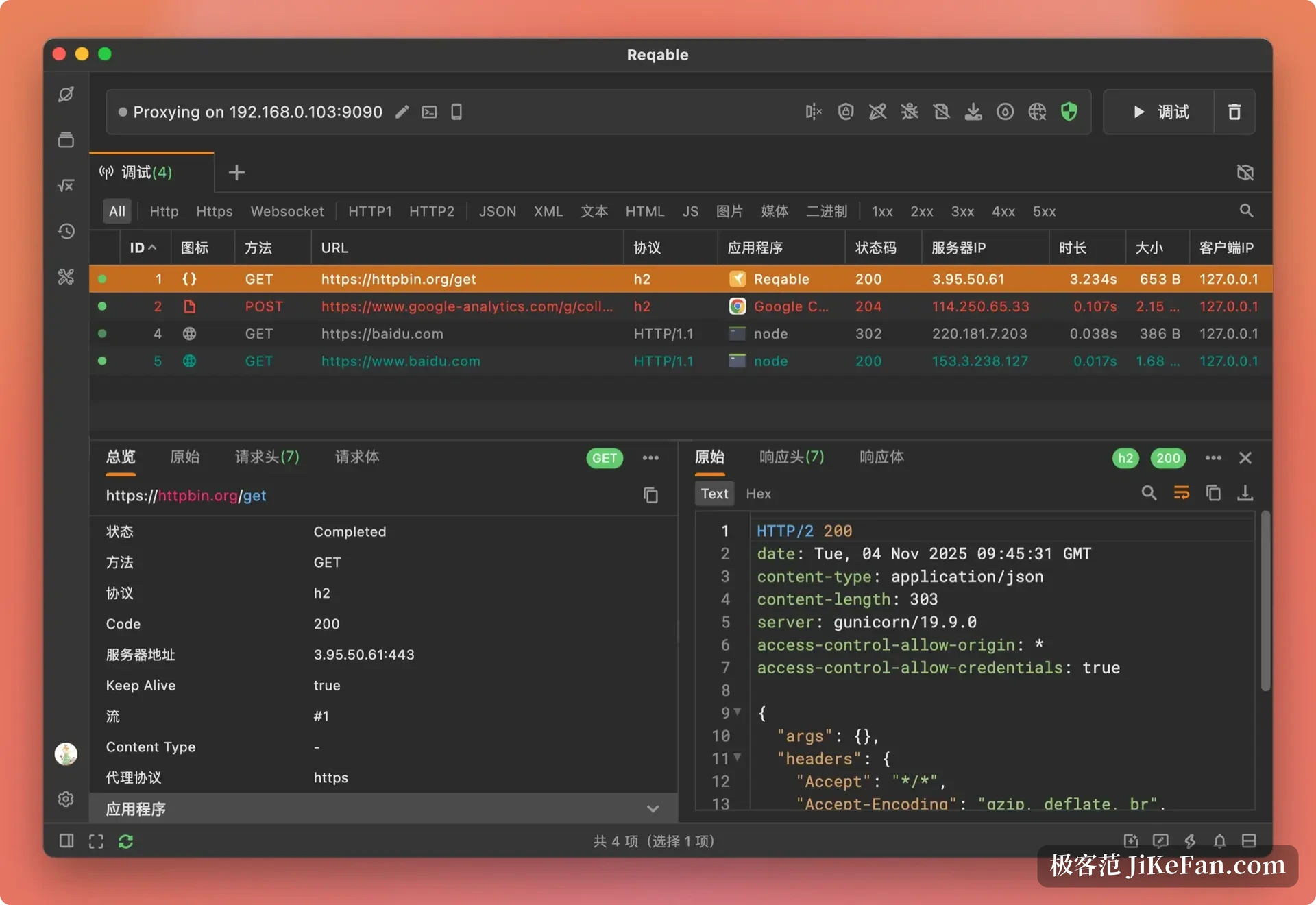
The capture list is arranged by ID, method, URL, protocol, application, status code, server address and duration. Request and response messages follow directly underneath: headers and body on the left for the call, headers and body on the right for the reply, with JSON switchable into a tree view.
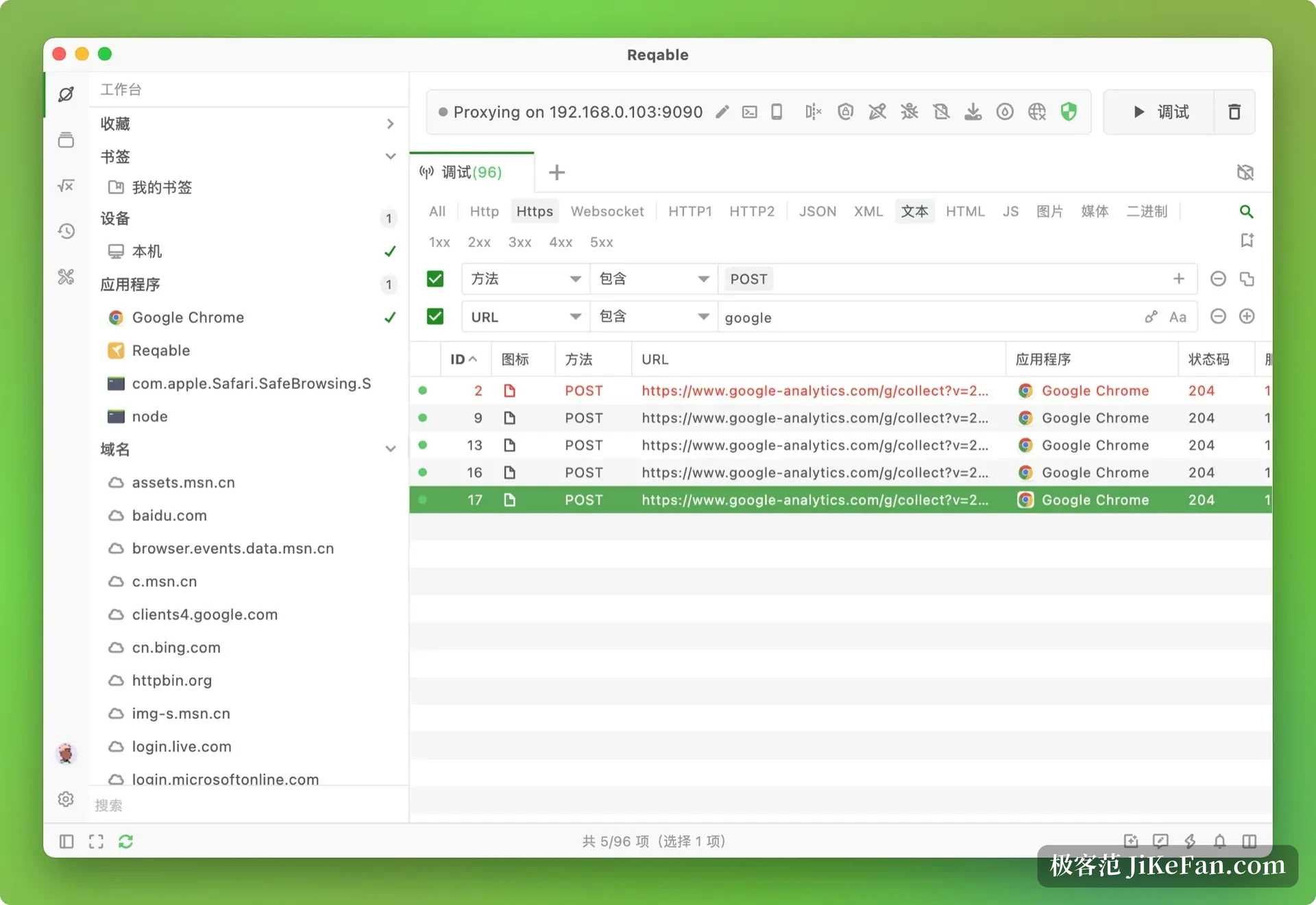
Above the list sits a row of chips sorted by protocol and content type: Http, Https, Websocket, HTTP2, JSON, XML, images, and the status-code bands. Pick one and only those records remain, which removes the need to write filter expressions by hand.
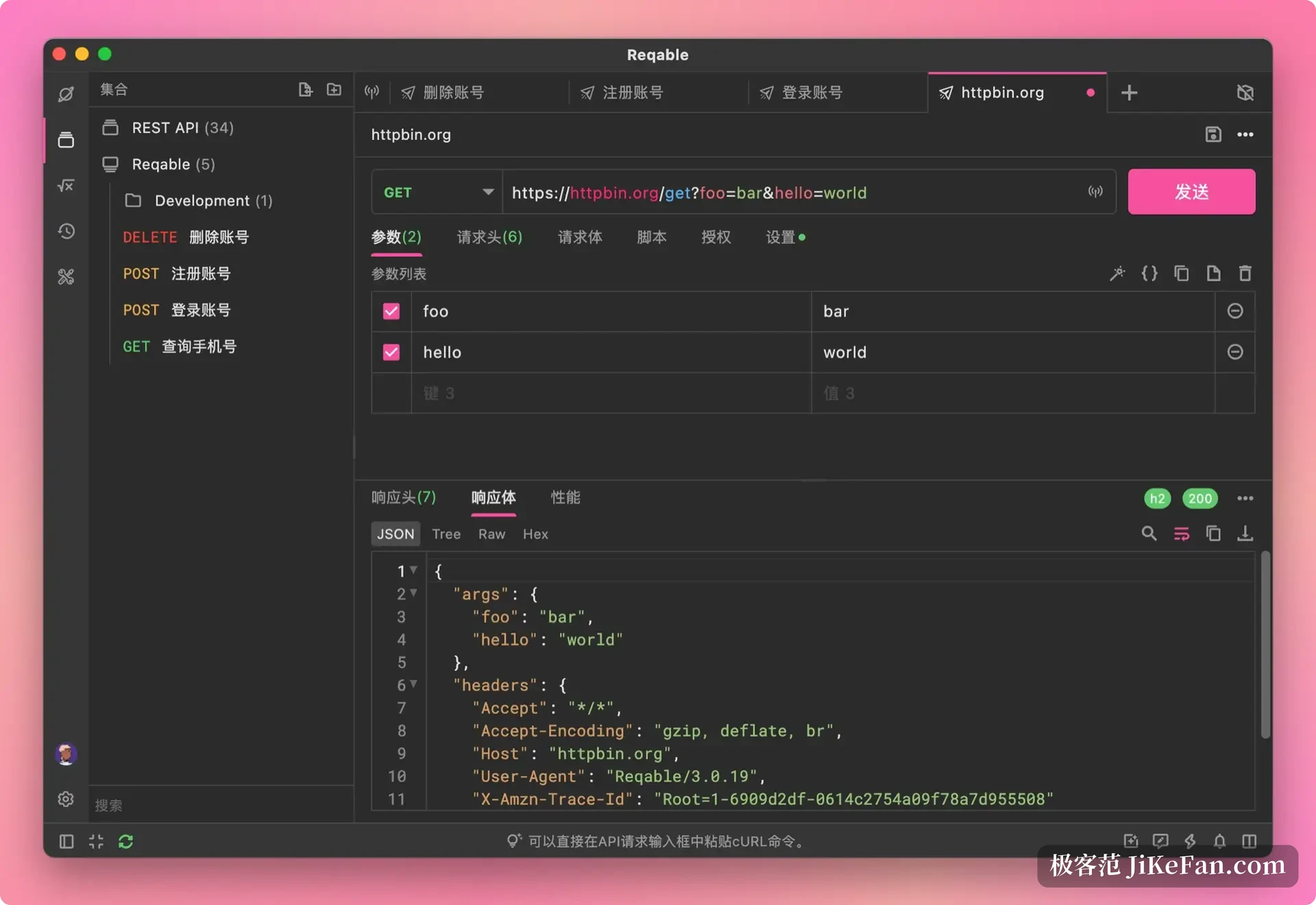
A captured record turns into a request test in one move: method, address, parameters and headers all travel with it. Change what you need, press send, and the result opens in the lower half of the same screen instead of another window.
Collections are filed by folder, environment variables switch over, and a pasted cURL command is rebuilt into a full request. Sessions can be saved to a file for later comparison against fresh traffic, any saved entry generates request code in the language of your project, and highlight rules colour the odd status code without a manual scan.
Protobuf stops crying wolf
gRPC traffic hides a specific annoyance: when the body names no message type, the tool used to throw a parse failure that looked like a network fault, though a missing line of configuration was all that had happened. Version 3.3.12 turns that into a plain not-configured notice.
You can also cancel a message type you set earlier and pick another without clearing the cache first. For anyone hopping between gRPC and ordinary endpoints, the saving is not time but direction: the warning no longer points at the wrong layer.
The same release documents the paid features properly and repairs a validation check that stopped working after a refactor. On desktop the Android certificate flow changed as well, and when ADB sees no device the prompt now names the step that failed instead of hedging.
A capture tool earns its keep not by how much it records, but by telling the truth when it fails; point the reader the wrong way and the hours after that are wasted.
Diff two records line by line
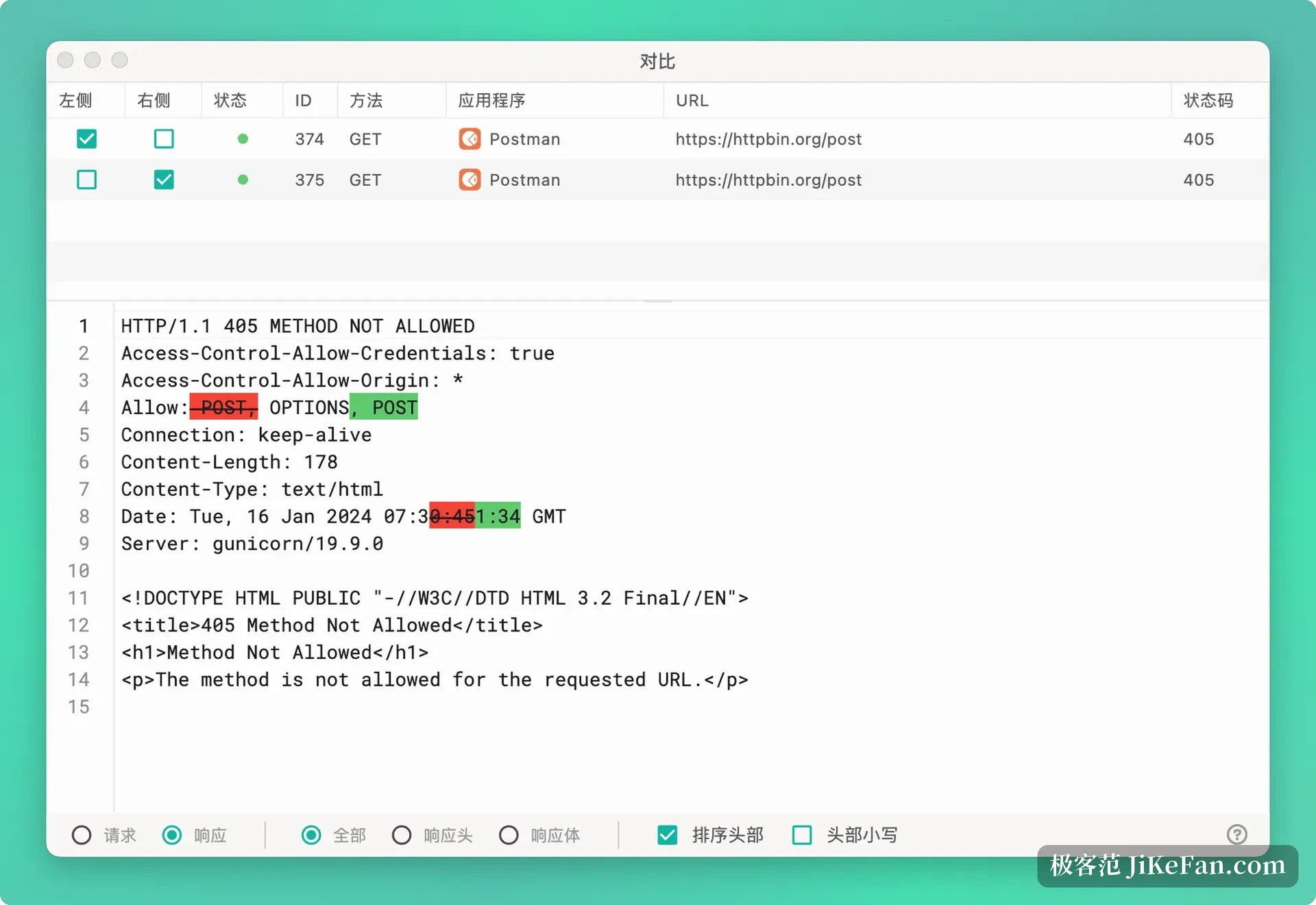
The compare window sets two records side by side: tick one on the left, one on the right, and the messages open below row by row. Differences are marked in red and green, and easy-to-miss fields such as header order, letter case and timestamps stand out at a glance.
Filters and rewrites cover the other half of the job. Filters stack conditions by application, domain, data type or bookmark, while rewrite rules change the address, swap in a local file or edit the response body.
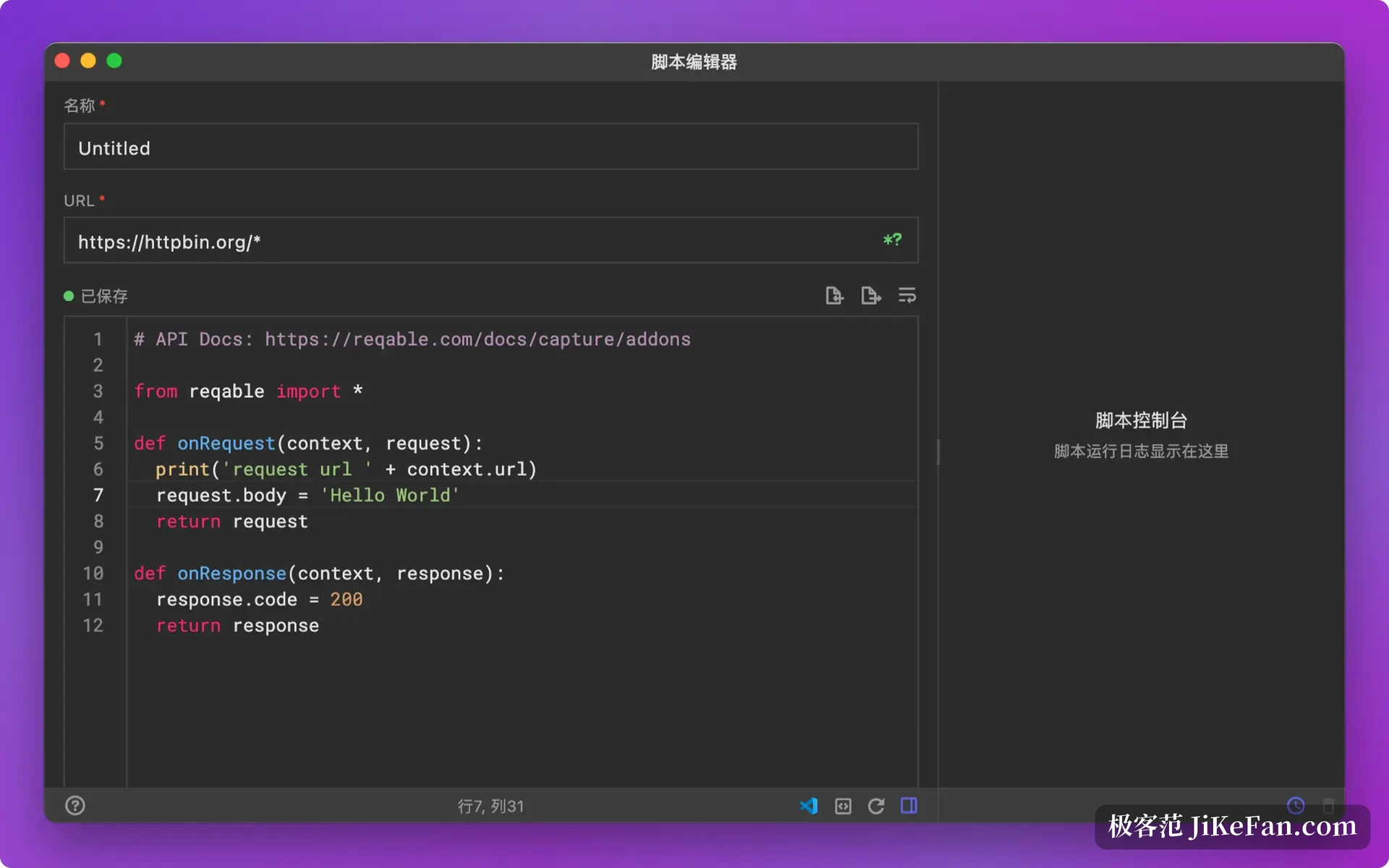
Breakpoints hold a request or a reply until you release it, and a Python script hooks in when the decision needs real logic, reading the traffic and changing it in place.
Phone traffic without a manual proxy
On the phone side Reqable forwards traffic itself, once the mobile build is installed. Phone traffic goes to the desktop for analysis without anyone typing a proxy address into the Wi-Fi settings. This is the part app developers feel most: the old routine meant hunting for the proxy entry on the phone, filling in IP and port, then installing a certificate, and now one switch on the desktop connects it.
The interface offers light and dark themes, several accent colours and code colour schemes. The installer sits around 30 MB, start-up and memory stay modest, and no account is needed to work; signing in exists for syncing data across devices.
How far the free tier goes
Reqable sells a free tier beside a paid one. Capture, filtering and request testing run end to end without a licence, while scripts, cloud sync and some advanced abilities need one.
The home page lists no prices, the licence is sold as a subscription, and the feature breakdown is readable inside the client. Desktop builds cover three systems and the phone build installs alongside them, with configuration shared.
The barrier here is not the number of features but the number of concepts: capture, rewrite, breakpoint and script each live somewhere different, and a first session means wandering the sidebar for a while. Once the main path is familiar, chasing why an endpoint answers 401, or why it only fails on a phone, costs far fewer open windows.