
Shotbolt 1.4 keeps every Mac annotation on a layer
Summary
Shotbolt 1.4 keeps a Mac screenshot editable: arrows, highlights and retyped text sit on separate layers, and the words inside images can be searched.
Recommend- Name
- Shotbolt
- Version
- 1.4
- Open source
- Proprietary
- Operating system
- macOS
- Website
- https://shotbolt.app
- Updated
- 2026-11-19 16:42
Shotbolt is a screenshot and screen-recording tool for macOS, needs macOS 26 or newer, and stands at version 1.4. It treats a capture as a document that stays editable: an arrow, a highlight and a retyped word each occupy their own layer, and any one of them can be switched off after the file is saved.
One shortcut, several ways to shoot
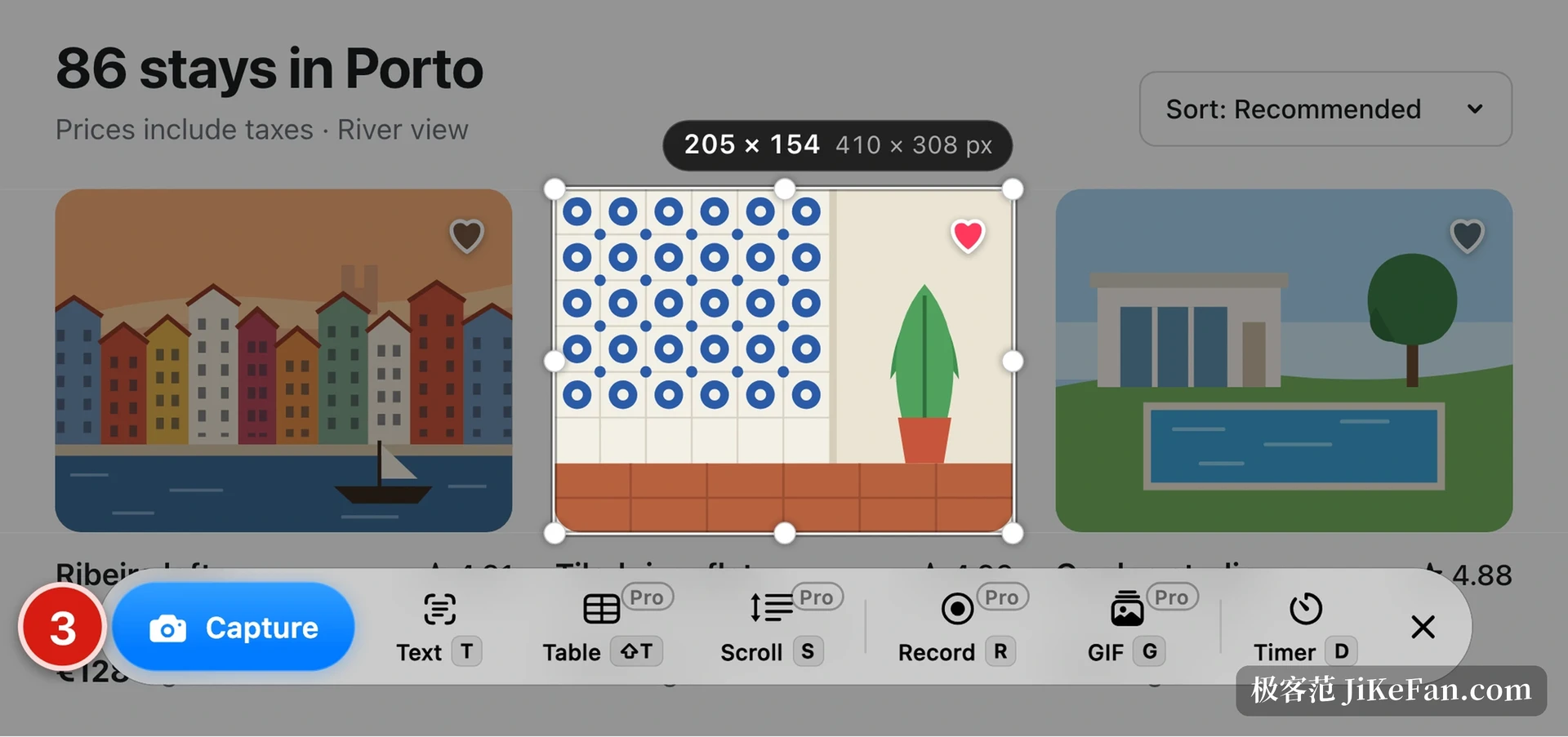
Triggering it freezes the screen first, and a magnifier follows the pointer so the starting pixel is hard to miss. Dragging a region is the common path; to grab a single element you press E and click once, and buttons, cards or pictures snap to their own edges.
Full screen, window and timed capture hang off the same toolbar, one letter for each. The finished shot does not open a large window; it shrinks into a small card parked in a corner, ready to be pinned, dragged into another app, or annotated straight away.
A size tag on the card gives width, height and pixel count together, which saves the arithmetic when the shot is headed for an interface document.
A few entries on the toolbar handle the awkward cases. Text grab pulls a block of writing off the screen and drops it on the clipboard, handy for numbers or addresses that resist typing. The table entry reads rows and columns into something pasteable, and swallows a long table that crosses pages. Scrolling capture handles a page taller than the display, stitching as it goes without repeating half a line at the seam.
Annotations stay in layers
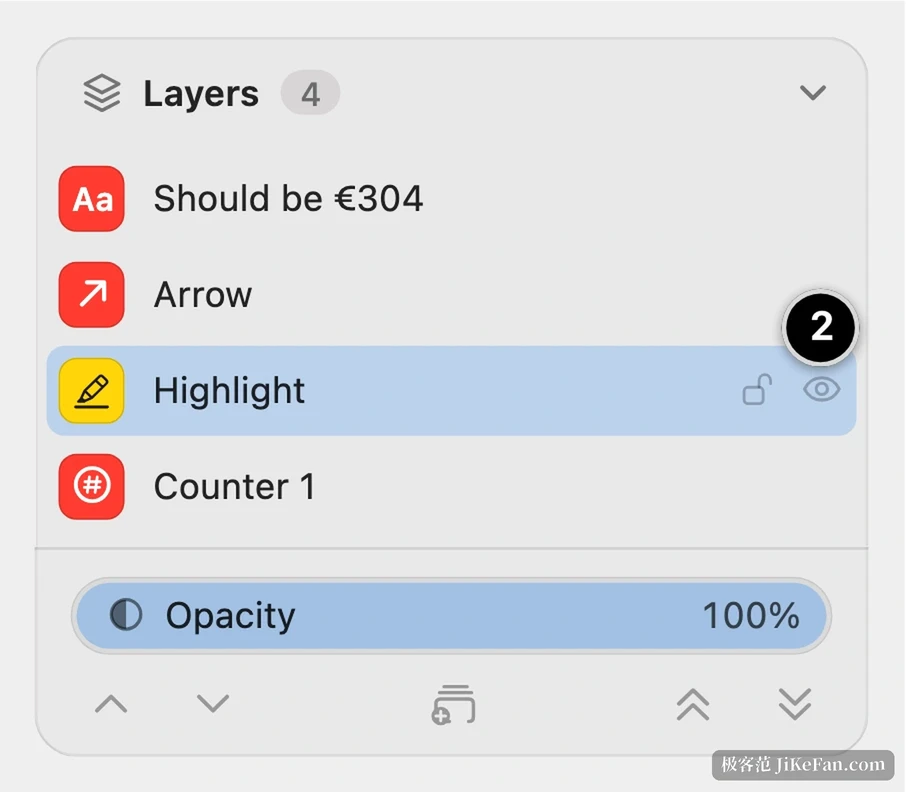
Here Shotbolt parts company with most screenshot utilities. Draw an arrow, circle a detail, add a number, and the layer list on the right gains a row with an icon that tells text from arrow, highlight or counter.
To hide one for the moment, click the eye next to its row and the rest stay put; delete comes later if it is truly unwanted. Layers also carry opacity, so a shadow or a colour block at half strength still leaves the original words readable underneath.
Retyping sits on another level. Box a number or a caption inside the capture, type the replacement, and font size, weight and colour follow the original as far as possible, which spares the paint-white-then-retype ritual.
The real nuisance with screenshots is rarely the capture; it is wanting to change one annotation later and finding it welded to the pixels.
Find a shot by the words inside it
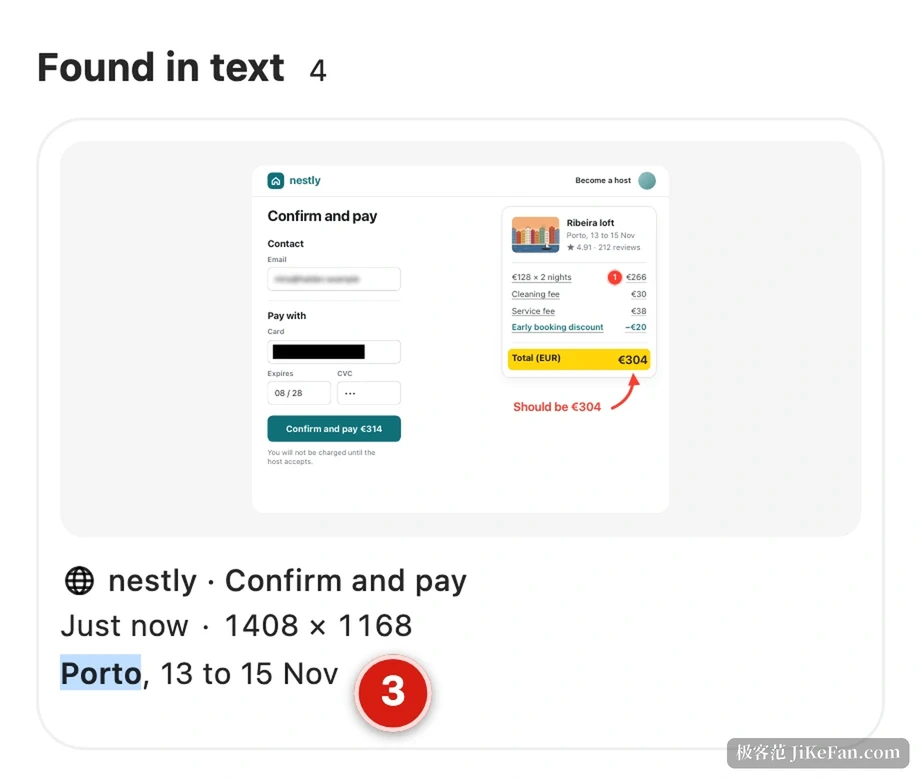
Once a library grows, hunting a reconciliation page from two weeks back means scrolling folders, which is where an index earns its place. Shotbolt reads the text inside captures and builds a search index: type a remembered postcode, amount or fragment of an error, and it matches names first, then lists captures whose body contains the word, each with the matching line attached.
Recognition runs locally on the Mac, so the pictures never leave the machine.
Every capture also lands under a category, with tags for receipts, orders or conversations, and the title is generated from the content, which beats staring at timestamps. Several words can be stacked in one query, and results sort by name and hit position with recently opened shots first.
Every click becomes a step
Writing instructions goes faster by recording steps than by shooting video. Switch the mode on, work as usual, and each click becomes a step: a screenshot, a marker where the cursor sat, a number, and a title taken from the element that was clicked.
The result exports as PDF, one long image, GIF, HTML or Markdown, so a colleague receives it without a separate write-up. A share link is the other delivery route: it carries a readable password held in the system keychain and lives for up to 7 days, and for longer storage it can point at your own object storage.
Steps placed in the wrong order get dragged into place in the list rather than recorded again.
Where free ends and paid starts
The free tier has no time limit and asks for no account: region, window, full screen and timed capture, the layer editor, text grab and a searchable history all sit inside it.
Retyping, element capture, redaction, step guides, recording and scrolling capture cost money; the purchase happens once, and new releases within the first version line cost nothing more.
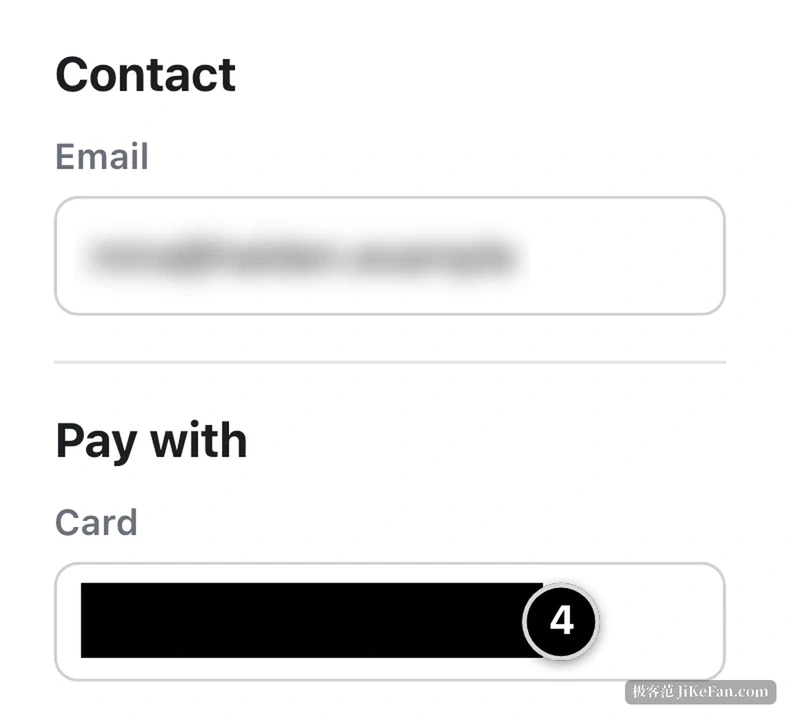
Redaction deserves its own sentence. It blacks things out by hand and can also find card numbers or email addresses on its own, so nobody inspects each shot before export.
Two permissions are required, screen recording and accessibility, granted once on first run instead of prompting again and again. The tool comes from a two-person team in the Netherlands, the interface speaks English only for now, and shortcuts and the save folder can be migrated from another capture tool.