
AppSqeez puts keyword research and store art on your desktop
Summary
AppSqeez scores keywords from 0 to 100, records store rankings daily and lays out screenshots on a local canvas; Windows, macOS and Linux, plus a free tier.
Recommend- Name
- AppSqeez
- Version
- 1
- Open source
- Proprietary
- Operating system
- WindowsmacOSLinux
- Website
- https://getappsqeez.com
- Updated
- 2026-11-19 16:42
AppSqeez is a desktop tool for app store optimisation that runs on Windows, macOS and Linux, arrived on 7 November 2026, and keeps its data on your own machine by default. Keyword picking, daily rankings, competitor comparison, screenshot layout and listing copy all live inside the one program.
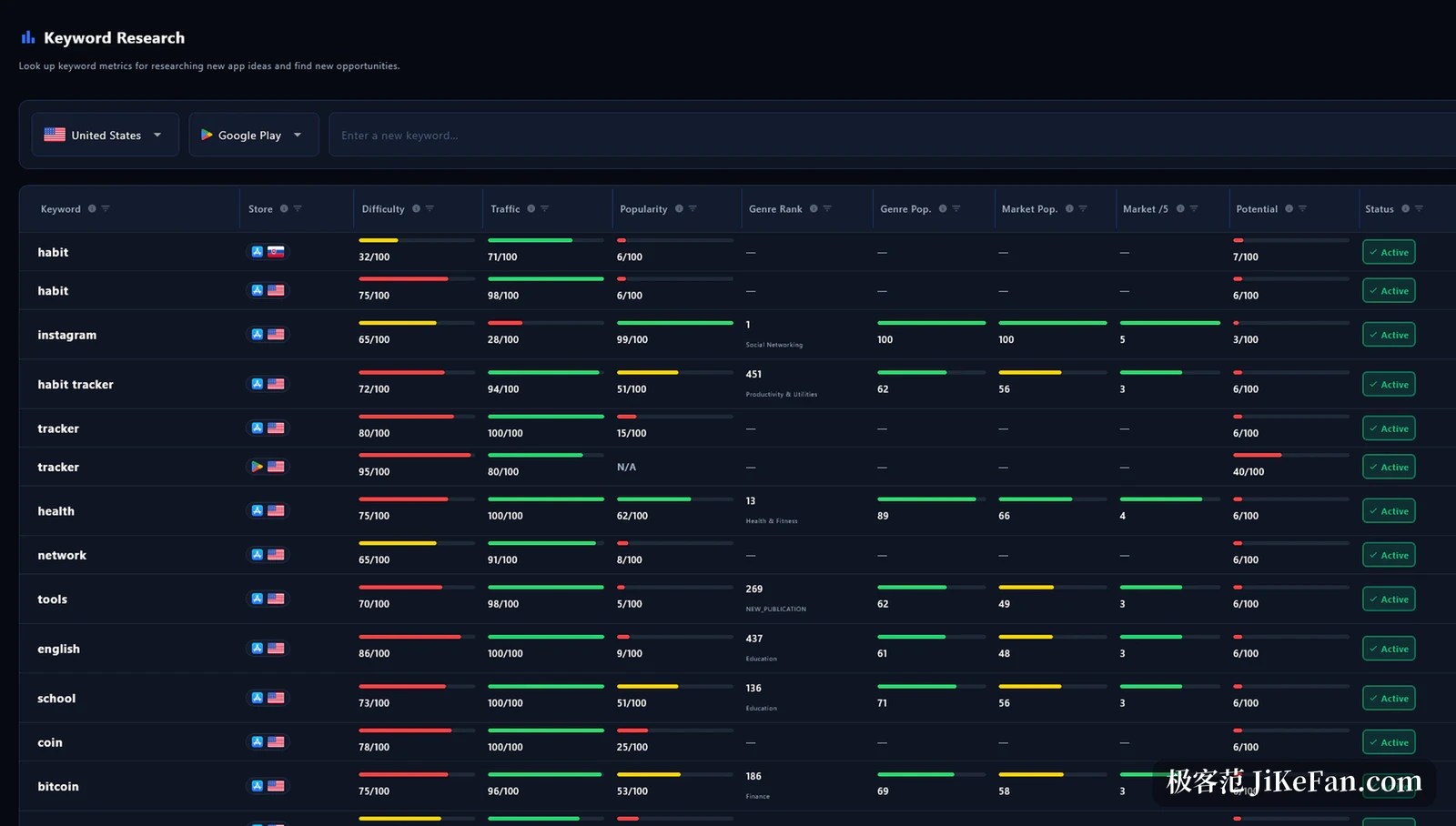
Score a keyword before you commit
Type a seed word, choose a store and a country, and the list returns three scores per keyword: difficulty, traffic and opportunity, each running from 0 to 100. A coloured bar sits beside them, green usually worth a try and red usually a hard fight.
App Store entries carry one more column for search-ads popularity, drawn from official public data, which beats guessing at search volume by feel.
Keywords arrive by five routes, from live store autocomplete and suggestions submitted by other users to typing them in one at a time. Tap the one you like to add it to tracking, and tomorrow's rankings grow out of that list. The table sorts on any column, and each country keeps its own set.
Across countries the same word often scores very differently, which is why the lists stay separate and never interfere. The point of a score is ordering rather than judgement: it squeezes a hundred candidates into a queue you can read top to bottom, while the decision to bet on one still depends on whether it matches what the app actually does.
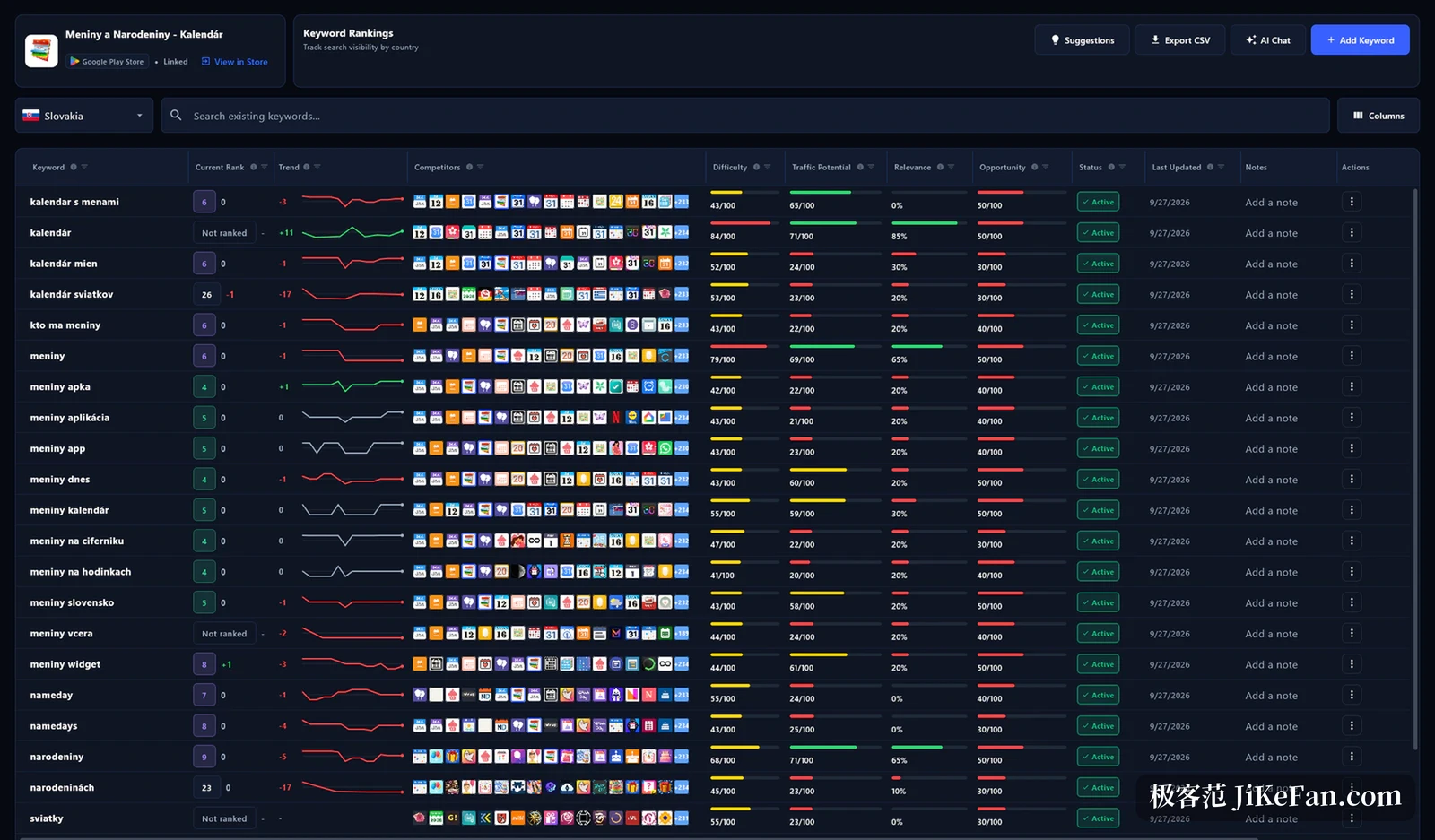
One ranking a day, so drops become visible
For keywords you track, AppSqeez grabs a position once a day and keeps a snapshot. The list shows the gap against yesterday and against a week ago, a small line carries the trend, and which words are climbing or already sliding needs no spreadsheet.
Competitors can be added and watched side by side. One word puts your position and a rival's on the same row so the distance is obvious, and a word the rival ranks for while you do not is listed on its own. Data exports to CSV, which helps when someone else writes the report.
Snapshots stay in a local database, so a day from months back can be reopened instead of reconstructed from memory. That matters most for an app that changes often, where the rankings around a release can be lined up against the release date.
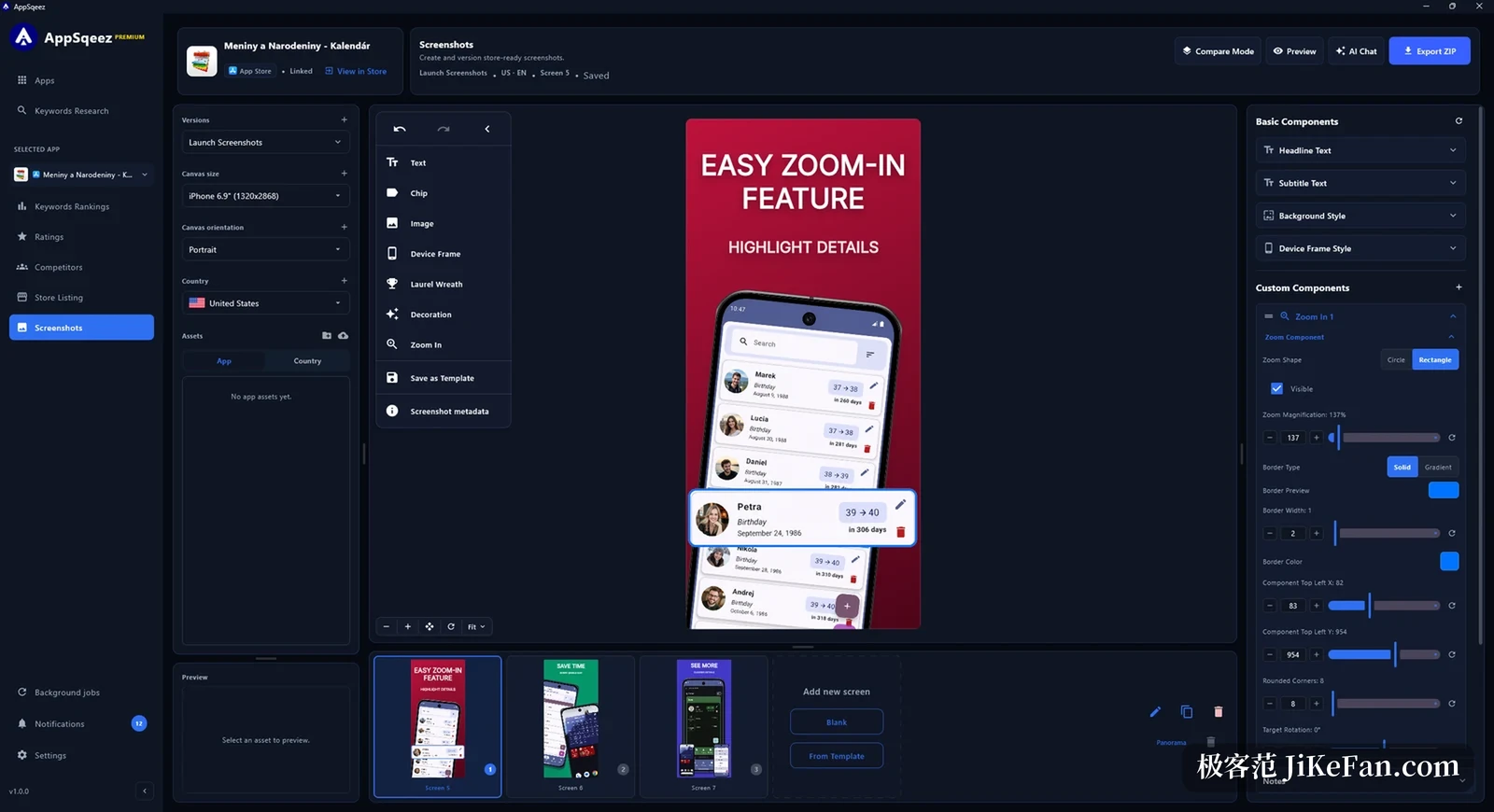
Store screenshots laid out locally, then exported
The AppSqeez screenshot studio hands you a full canvas rather than a collage. Device frames for iPhone, iPad, Apple Watch, Android and Wear OS come built in at the sizes each store demands, applied as soon as a model is chosen; backgrounds take gradients, the headline gets its own layer, and a magnifier style callout can be drawn.
An app usually needs sets for several languages and several devices, so assets are grouped by language and model with named versions kept for comparison. A validation pass runs before export and reports missing images or wrong sizes early, and a clean run leaves one folder-structured archive.
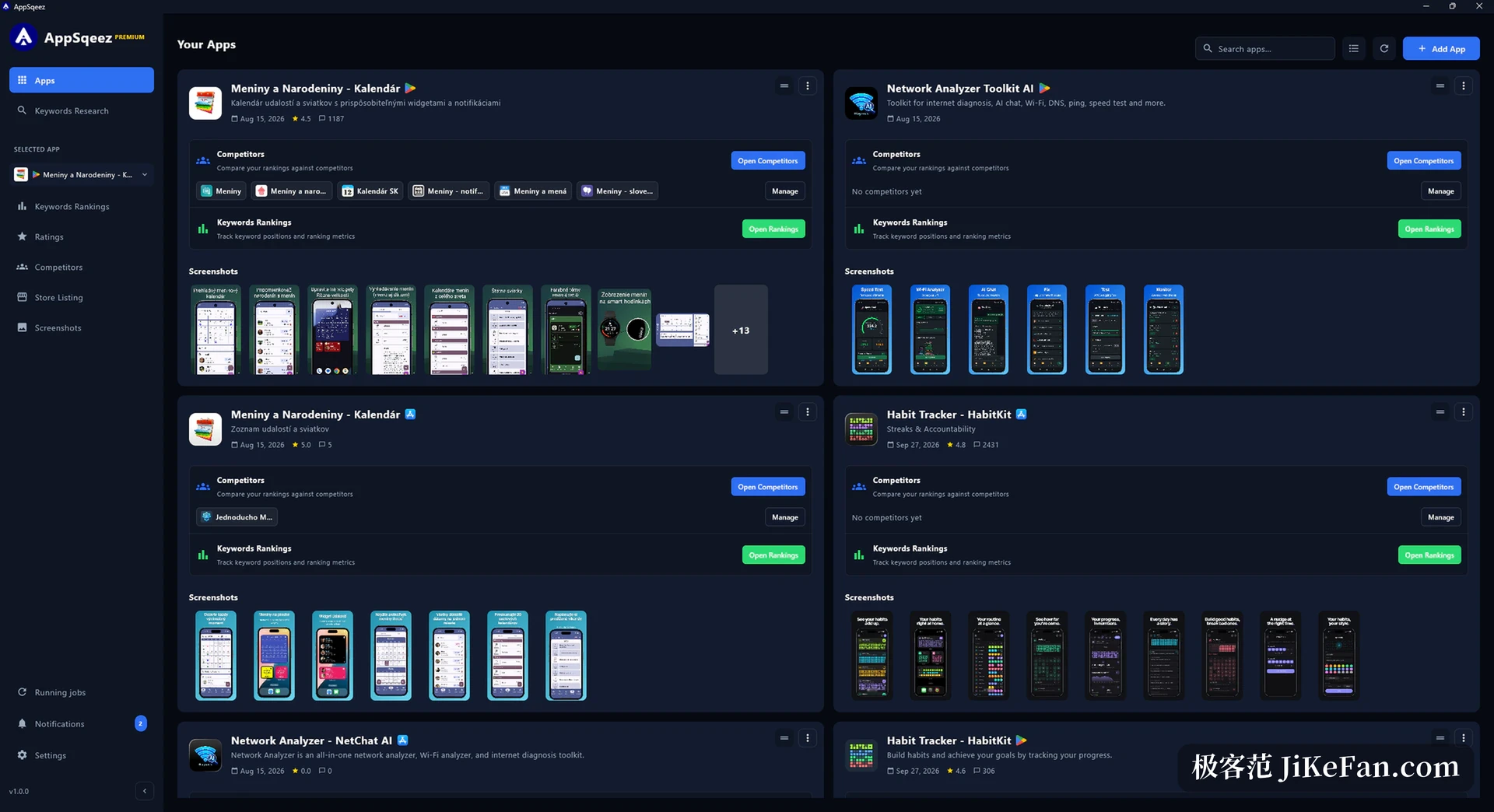
The slow part of ASO was never inventing keywords; it was carrying one from an idea to a number you can track, and every hand-off removed is one less manual error in the judgement.
Copy edits with hard character limits
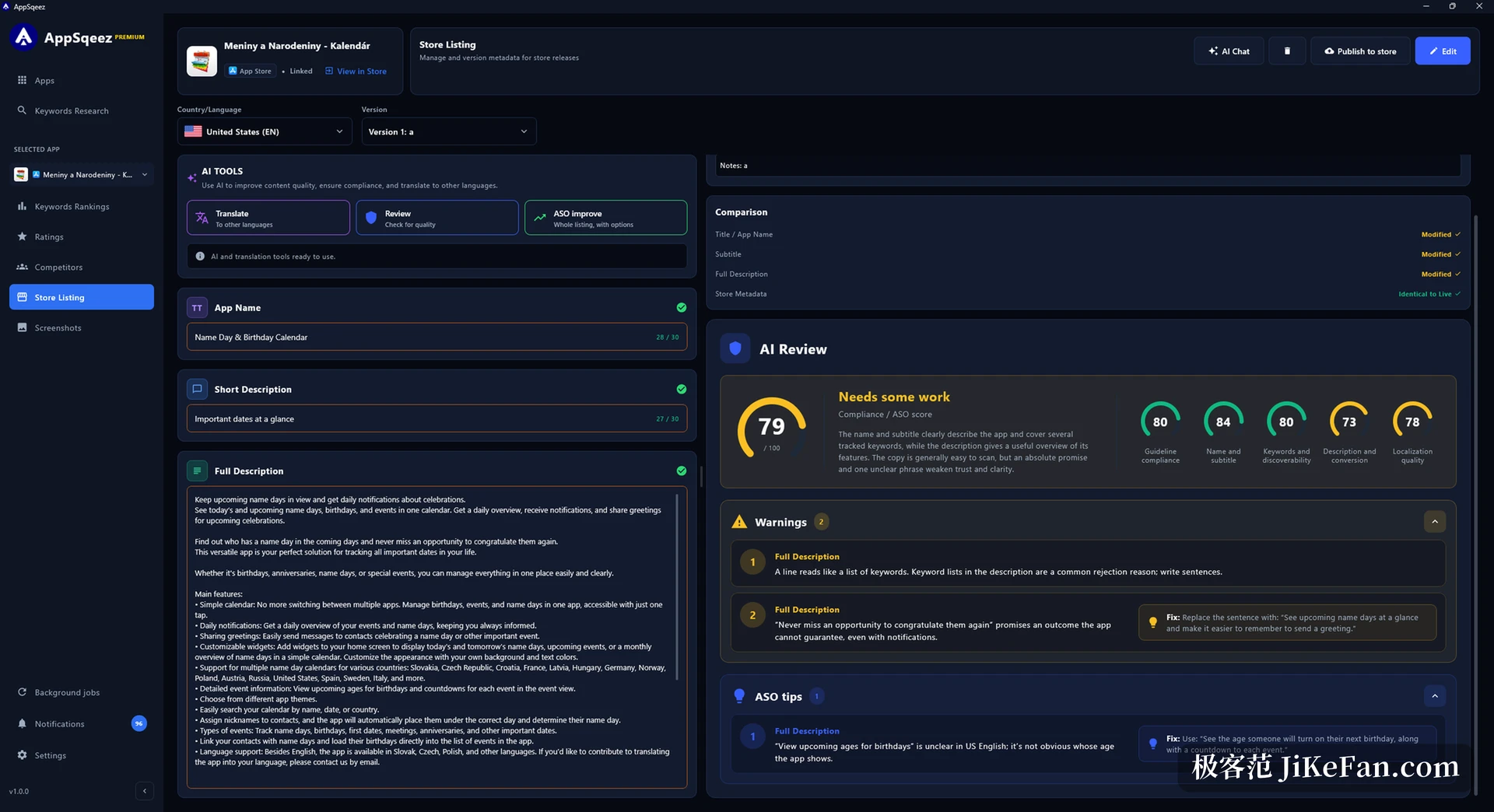
Every listing field has a hard length: name and subtitle at 30 characters each, promotional text at 170, keywords at 100. The editor counts alongside and marks an overflow at once, and several named versions of one text can be kept for a word-by-word comparison against what is live.
With your own model key attached, rewriting, keyword-table tuning, compliance checks and translation run inside the app, over interfaces for OpenAI, Claude, Gemini and local models. Finished copy can be pushed to App Store Connect or the Play console, or simply exported for a manual upload.
How far the free tier reaches
The free tier allows one app, 10 tracked keywords, 30 candidate analyses per 30 days and 2 competitors; store copy opens read-only, screenshot exports carry a watermark, and AI plus scheduled jobs stay closed.
Paying lifts those caps, removes the watermark and opens a local MCP service that feeds the data to your own assistant.
Pricing runs as an annual subscription: early batches cost 8 dollars a month or 96 a year, later ones move to 10 and 12 dollars, and one licence holds its original price for the subscription period. The developer is a solo programmer in Slovakia with a day job, and the interface speaks English only.
Both the gift and the cost of a solo product sit in the open: updates follow one person's pace, and anyone who files a request through the official channel often shapes the next release. It suits a developer holding one or a few apps who wants to watch rankings and screenshots personally, less so a team that needs shared roles and permissions.