
Why the frame rate wobbles, and how RivaTuner Statistics Server caps it
Summary
RivaTuner Statistics Server is a free Windows tool that holds frames to a sub-millisecond timer, draws live frame rate, frame time and low-percentile figures over the game, and can carry GPU temperature, load and memory readouts when paired with the companion tuning utility.
Recommend- Name
- RivaTuner Statistics Server
- Version
- 7.3.7
- Pricing
- Free
- Open source
- Proprietary
- Operating system
- Windows
- Updated
- 2026-10-06 22:43
What the thing is actually for
A game that renders as fast as the hardware allows does not hand frames to the screen at even intervals. The gap between one frame and the next keeps drifting, and the eye reads that drift as stutter even when the average number on the counter looks healthy. The limiter works inside that gap. Rather than letting every frame go the moment it is finished, it holds the frame back until a fixed interval has elapsed and only then lets the graphics call through, measured with sub-millisecond timing. Frame spacing becomes nearly constant, and the frame-time curve, which is what a hand actually feels, flattens out.
The value worth setting is a few frames under the refresh rate rather than exactly on it. Sitting slightly below means the display is never left waiting for a frame that arrives a moment late, so tearing grows rarer, while none of the queueing behaviour of vertical sync is introduced. Vertical sync waits for the monitor and stacks finished frames in a buffer; the price of that wait is input lag, and it is paid on every frame. A timer does something different. It caps how fast the game is allowed to run without inserting a line of frames between the mouse and the image.
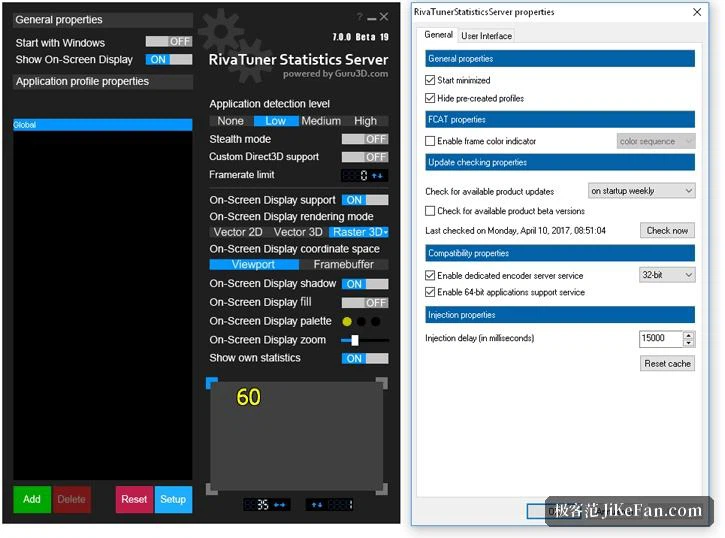
The layer drawn over the game
Once it is resident, a second layer appears above the game image: the live frame rate, the current frame time, and a curve showing how that time has moved across the last few seconds. The slowest one percent and the slowest fraction well below it can be shown as well, and that is where the honest answer lives. An average of one hundred and twenty says nothing useful if a handful of frames each took four times as long as their neighbours.
Reading the curve matters more than reading the number. A steady line with occasional spikes is what a hitch feels like from the inside, and spikes have ordinary causes: something in the background claiming a core, a shader being compiled the first time an effect appears, textures being pulled in when the camera turns. Lowering the cap will not remove a spike that comes from somewhere else, but it does make the flat parts flatter, which is why a lower, steadier figure so often feels better than a higher, jumpier one.
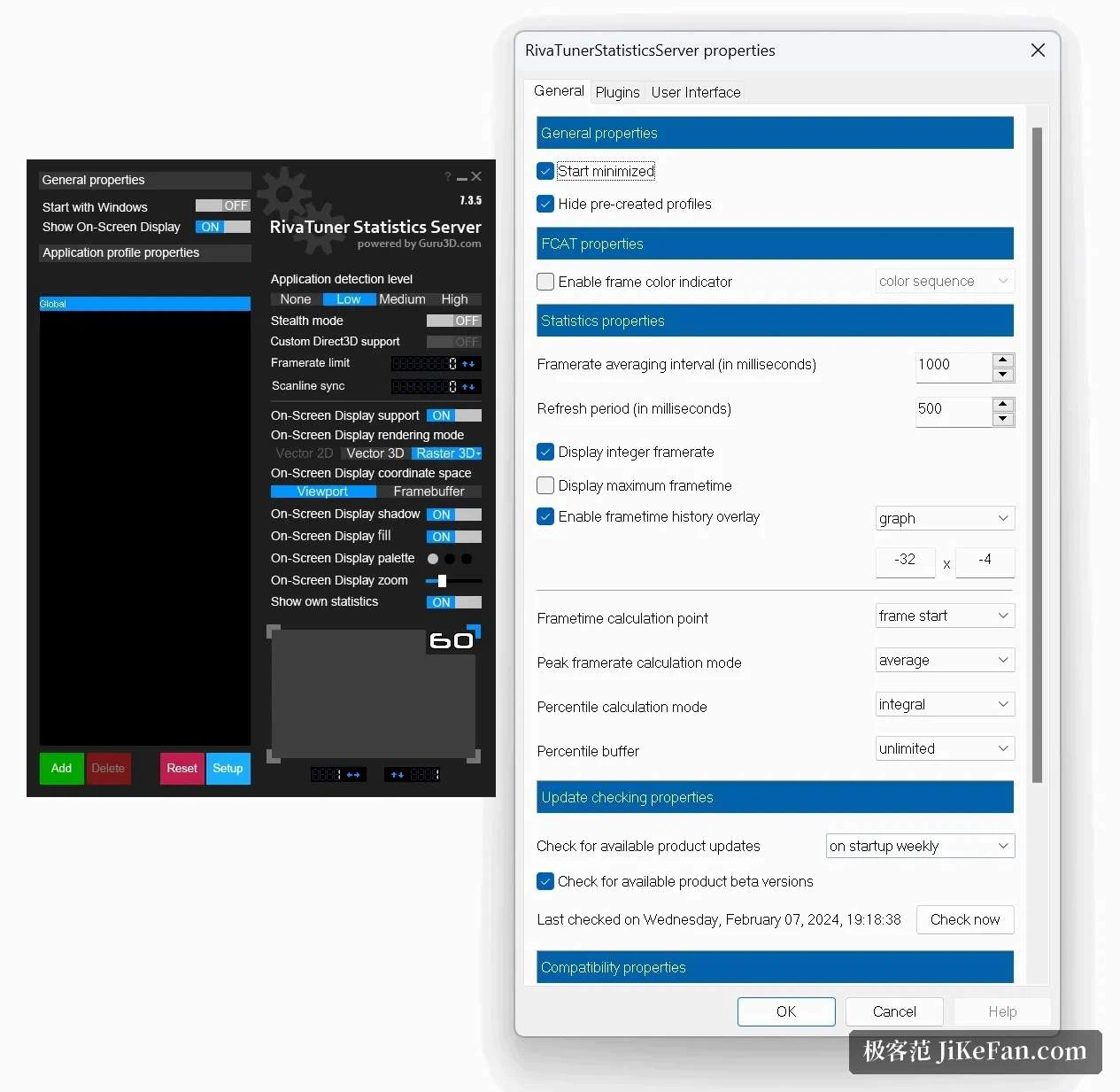
Paired with the graphics tuning utility maintained by the same team, the same overlay can carry GPU temperature, load, memory in use, core clock and fan speed. Everything lands in one corner of the screen, which is the whole point: no switching out to a second window, no second set of numbers read somewhere else and stitched together by memory.
What it covers, and what it costs
DirectX 9 through 12, Vulkan and OpenGL are all handled, which amounts to nearly every game sold for the platform. The resident footprint is small enough that leaving it running all day costs nothing measurable in frames.
It is not an overclocking tool, and that is worth being clear about before installing it in the hope of more speed. Clocks, voltage and sensor readout belong to the companion utility; this one only decides when a finished frame is allowed to be submitted. In some anti-cheat protected games the overlay simply never appears, because injection is refused and nothing else happens. That refusal is the normal outcome rather than a fault, and it is no reason to expect a ban.
Where it earns its place, and where it does not
The clearest case is a monitor without variable refresh support. There the choice usually comes down to tearing or the lag of vertical sync, and a limit set just under the refresh rate removes most of the tearing while keeping response closer to the unsynced case. The second case is a game where a fixed, predictable rate is worth more than a high one: a steady ninety that never dips feels better than a range wandering between seventy and a hundred and thirty, and it also stops the graphics card from running flat out to produce frames nobody ever sees. Less work at the top of the range means less heat and a quieter fan.
On a display with variable refresh the argument is weaker. The panel already matches its rate to the output, and a cap only matters if you want to stay inside the band where the feature behaves well. In a competitive shooter where every frame counts, capping costs frames you could otherwise have, and that trade has to be made on purpose rather than by default.
The software is free and runs on Windows. The installer is small, which makes it worth taking from the official channel rather than a repacked copy from a mirror. Administrator rights are requested because injection needs them; approving the prompt during setup is the whole of the configuration.
The problem being solved is narrow and real: the figure on the counter looks fine while the feel does not. Nothing here raises the ceiling of what the hardware can do. What it does is present the performance already on hand at an even pace, and tools of that kind tend to stay installed once they have been tried.