
Rive Review: Animation That Answers the Cursor
Summary
Rive puts the playback logic inside the file: a state machine decides what happens on hover, click or drag, and the same lightweight asset runs on web and mobile with no frame by frame handoff.
Recommend- Name
- Rive
- Version
- 20260923
- Pricing
- Free
- Open source
- Proprietary
- Operating system
- WebWindowsmacOS
- Website
- https://rive.app/
- Updated
- 2026-10-07 21:28
Animation should not only play
A conventional animation file behaves like a recorded clip: it starts, it runs to the end, and the viewer watches. Interactivity has usually meant exporting a video and then rebuilding the same behaviour as code on the other side of the handoff, which is where the fidelity leaks out. Rive takes a different route by making the file itself react. A state machine sits inside the asset and holds the logic of playback: which branch to take when the pointer enters, what happens on a press, how the figure turns when a joystick is pushed. Because the decision lives with the artwork, the behaviour that ships is the behaviour the designer drew rather than a developer approximation of it.
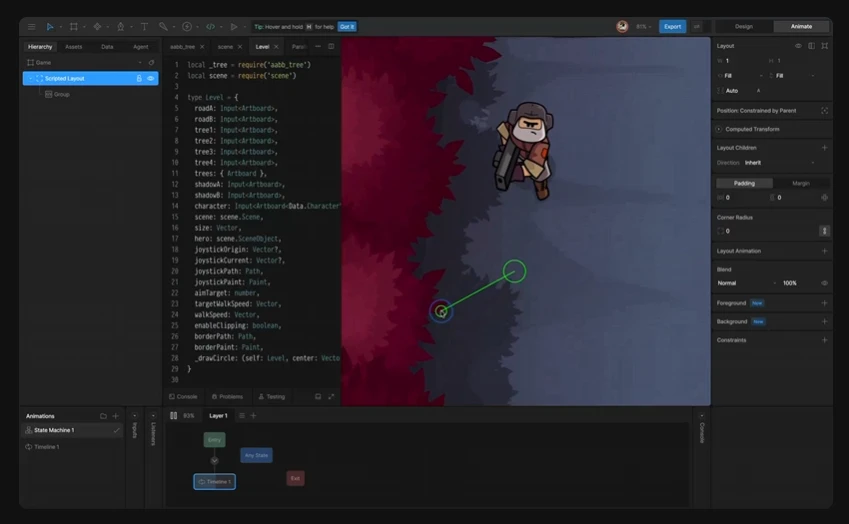
The practical effect is that motion becomes a conversation instead of a decoration. A button that springs back under the カーソル, a character that blinks when idle and reacts when touched, an illustration that rearranges itself as the reader scrolls: each is a set of states with transitions, authored visually and tested in the editor while the logic is still being adjusted.
One asset, every screen
The reason this matters beyond a demo is the runtime. What gets exported is not a video but a compact file that a small runtime draws at whatever resolution the screen happens to have, so the output stays sharp when scaled and the asset is small enough to sit inside a button. Ready made runtimes exist for the web, for both mobile systems and for the main game engines, which means one piece of work covers every target instead of being redone per platform.
The editor also carries the professional machinery needed for character work: bone rigging, deformation of artwork with a mesh, and interpolation curves that can be tuned rather than accepted. Because the animation is vector based, an asset designed for a small button can be reused at full screen width without redrawing it. The free tier is enough to learn the model and ship something small, with collaboration and heavier use sold as a subscription when a team needs it.
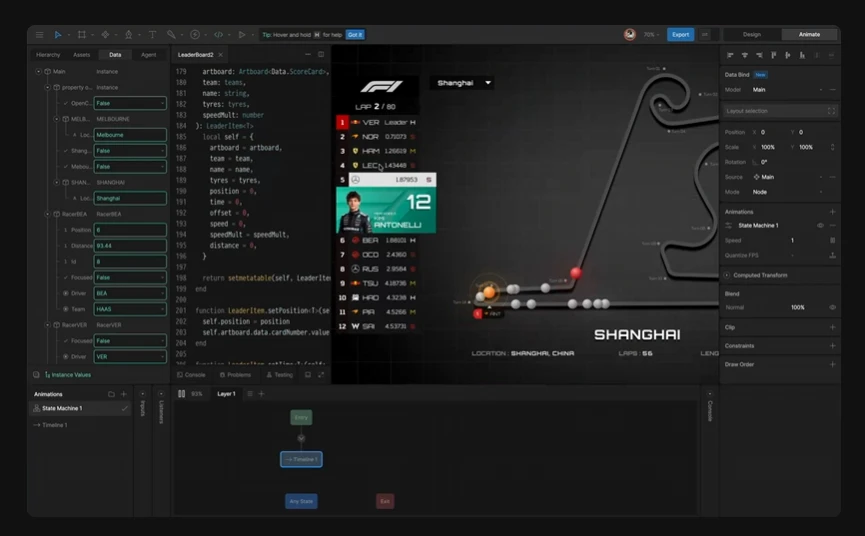
One habit from game work transfers well here: measure the asset, not the artwork. A state machine with too many always-on transitions will cost frames even when nothing visible is happening, and the editor exposes enough of the timing to see it. Keep the number of active inputs small, let idle states be genuinely idle, and the animation stays cheap enough to place several on one screen without the page turning sluggish.
Rive turns animation from an asset into an interface: motion no longer decorates a screen, it becomes part of how the screen answers a person. Animation that can converse is animation that has a reason to exist.
Where to start without wasting the first week
Begin with a micro interaction rather than a character. A button with three states, idle, hover and pressed, teaches the whole model, which is inputs, transitions and conditions, at a scale where mistakes are cheap. Only then move to a figure with bones, because rigging adds an order of magnitude of complexity and the failure modes look like animation problems when they are actually state problems.
The collaboration detail that saves the most time is agreeing on state names with whoever writes the integration code before the artwork is finished. The runtime does not care what a state is called, but a mismatch discovered at integration costs a day, and a written list costs ten minutes. Interactive illustrations for a landing page are the obvious showcase, and they deserve their own test area rather than being dropped into a live page as an experiment.